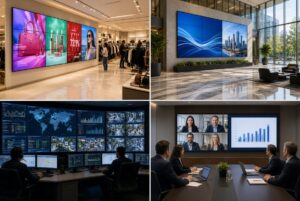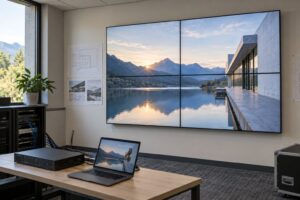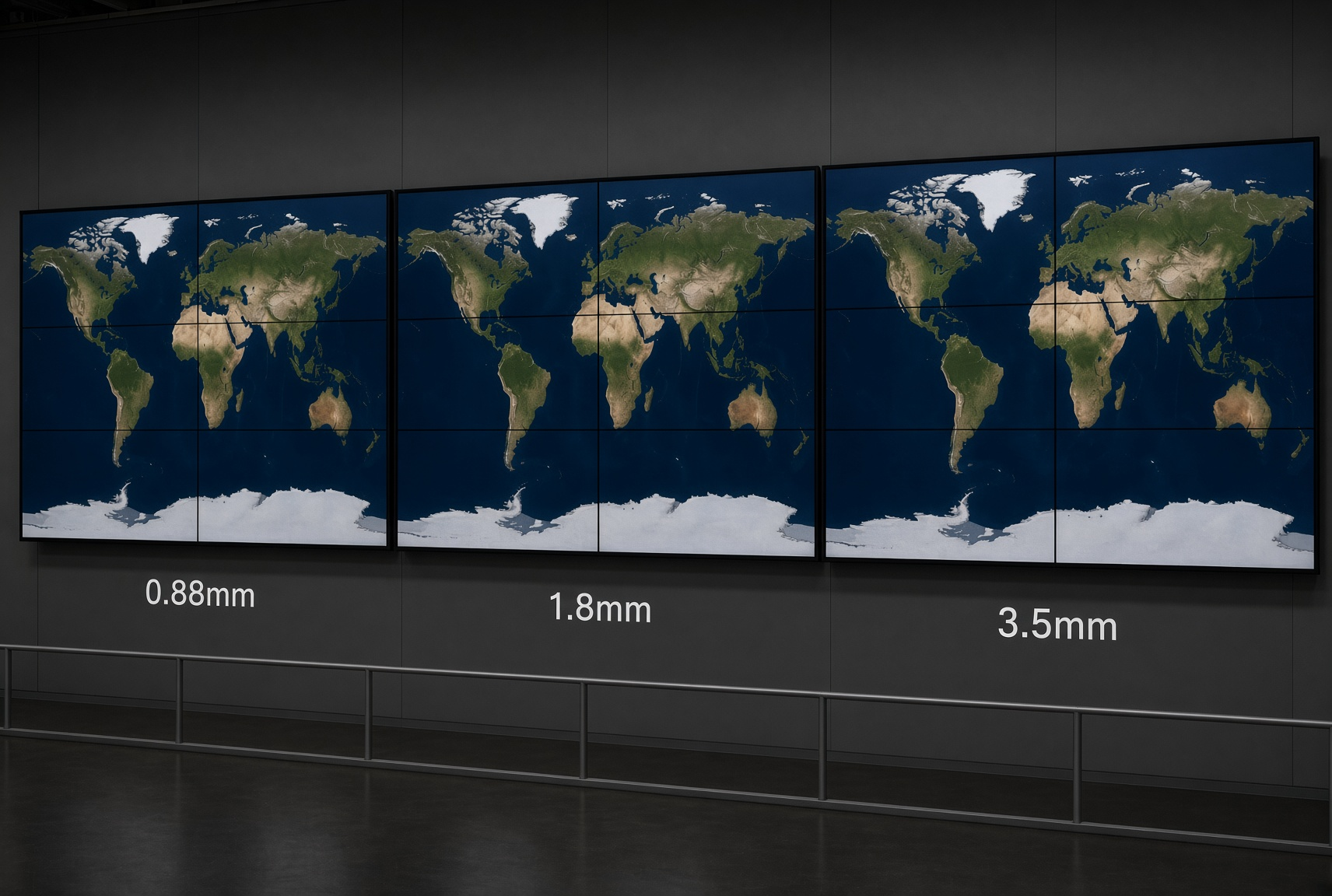
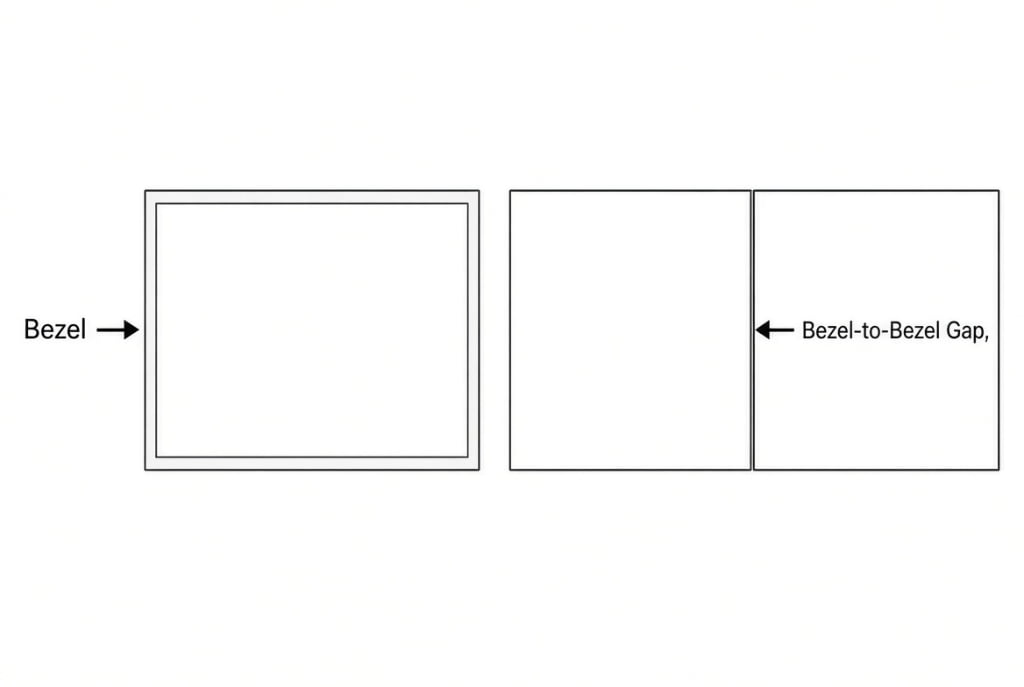
LCD video wall bezel size is the combined border where two panels meet. On YJCEN’s LCD video wall range (models YJC-460-VW, YJC-490-VW, YJC-550-VW, YJC-650-VW; 46 / 49 / 55 / 65 inch), you select 0.88 mm, 1.8 mm, or 3.5 mm bezel-to-bezel (BtB). A narrower BtB reduces the visible grid. It does not remove the joins between separate LCD panels.
Quattro decisioni prima del preventivo
- Quote every bezel figure as bezel-to-bezel (BtB). List single-edge bezel and active-area gap (A2A) on separate lines. Do not mix definitions in one price column.
- Pick 0.88 / 1.8 / 3.5 mm with the decision table below, then select that bezel on the matching size model on the LCD video wall product page.
- Treat seams as physical. Bezel compensation in a controller or player remaps the image around the border; it does not erase the border.
- Send a complete RFQ: wall width and height, viewing distance, layout (for example 3×3), target BtB, panel size, brightness tier (500 or 700 nits where offered), sources and controller needs, sample content that crosses seams, destination and schedule — plus the model drawing and an acceptance method (uniform test pattern + real content).
Native panel resolution, brightness, and exact edge dimensions follow the selected panel configuration. The product specification table lists a 1920 × 1080 baseline for the published size row; brightness options cover 500–700 nits e IP5X / 24/7 operation. Do not assume every configuration is 4K unless that project’s panel list says so.
Cornice vs bordo a bordo vs gap di area attiva
| Term | Significato | Uso nella RFQ |
|---|---|---|
| Bezel | Bordo intorno a un pannello | Confermare ogni bordo adiacente (i bordi non sono sempre uguali) |
| Bordo a bordo (BtB / B-to-B) | Somma dei due bordi adiacenti dove i pannelli si incontrano | Numero di confronto primario per 0,88 / 1,8 / 3,5 mm |
| Active-area gap (A2A) | Distanza tra le immagini attive dopo l’installazione | Può includere il gioco di montaggio; spesso differisce dal BtB |
Ask for the exact model drawing, adjoining-edge dimensions, and the manufacturer’s installation clearance. Do not divide a BtB figure by two and treat that as each edge. Download size drawings from YJCEN Downloads.
Bezel compensation adjusts image mapping for the border width. Keep critical text, chart labels, and faces off panel boundaries when you layout content. Controller selection and bezel correction steps are covered in the video wall controller guide.
Tabella decisionale: 0,88 vs 1,8 vs 3,5 mm (stessa definizione BtB)
| Opzione BtB | Quando selezionarla | Cosa chiedere nella RFQ | Ancora YJCEN verificabile |
|---|---|---|---|
| 0.88 mm | I contenuti attraversano le giunzioni e gli spettatori leggono dettagli da vicino (etichette di mappe, tabelle dati, volti o linee prodotto sui giunti). Eseguite l’accettazione con file rappresentativi alle posizioni di visione reali. | BtB sul preventivo; dimensioni bordi adiacenti; disegno + gioco di installazione; fascia luminosità (500 o 700 nit / cd/m²); se il controller applicherà la compensazione cornice | LCD video wall — choose size model (e.g. YJC-550-VW) and the 0.88 mm bezel option |
| 1.8 mm | Showroom, lobby e la maggior parte delle sale riunioni: immagini campagna e testi brand, spettatori non contro la parete. Tenete le etichette essenziali lontane dai giunti. | Stesso pacchetto misure; preventivo di sistema completo (pannelli, supporti, controller, cablaggio, allineamento); confrontate 0,88 vs 1,8 a stessa misura e luminosità | Same product line with 1.8 mm selected; buyer overview: How to choose an LCD video wall |
| 3.5 mm | Priorità di budget, o contenuti disposti per pannello (righe info, finestre separate). Le giunzioni restano visibili; l’allineamento deve comunque essere coerente. | Stesso pacchetto; percorso di servizio per rimozione di un singolo pannello; se i contenuti sono zonati per pannello | Product line 3.5 mm option; documented install: 3×3 55-inch furniture-store video wall (nine 55-inch panels, listed 3.5 mm bezel, HDMI, matrix controller) |
For a wider buyer path (grid, controller, single display vs wall), use How to choose an LCD video wall.
Esempio YJCEN: showroom mobili 3×3 a 3,5 mm
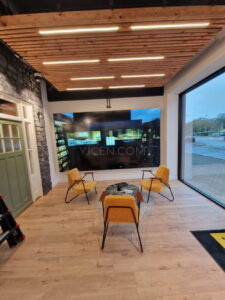
YJCEN’s documented furniture flagship project uses nine 55-inch panels in a 3×3 layout with a listed 3.5 mm bezel, HDMI, and a matrix controller (delivered 2025). Project photos include a uniform blue test pattern used to check alignment, continuity, colour, and brightness before showroom content.
In that project configuration, each panel is specified as 3840 × 2160 (4K UHD). That resolution applies to the case installation. It is not a claim that every row on the LCD video wall specification table is 4K — use the selected panel’s documented native resolution.
The case states that bezel lines remain visible and that consistent gaps and a level mount matter for furniture edges and large colour fields. Read the full write-up: 3×3 55-inch furniture-store video wall. Related showroom work: 65-inch LCD video wall for a furniture showroom.
After install, match neighbouring panels with a measured process — see LCD video wall colour calibration.
Installazione e servizio: cosa confermare (senza ore o costi inventati)
- Narrower BtB does not remove seams. Plan content and acceptance around visible joins.
- Alignment: Level mounting structure; consistent gaps between neighbours. Straight lines and large flat colours make small offsets obvious. Use a uniform test pattern across the wall before real content (as in the furniture-store commissioning photos).
- Tighter BtB raises install precision needs (wall flatness, micro-adjustment mounts). Confirm requirements with the installer for the selected model. Do not treat a brochure millimetre figure as a finished image-to-image gap until clearance is checked on the drawing.
- Accesso per la manutenzione: Agree how one panel is inspected or removed, and whether neighbours must be loosened. Put that path in the service notes before roll-out.
- Controller record: Save BtB / bezel-compensation settings with the panel map. Re-check mapping after a panel swap.
Il solo prezzo del pannello non è una parete funzionante. Includete supporti, controller o player, cablaggio, allineamento e accesso di servizio nel perimetro di offerta. Concordate l’accettazione: pattern di test uniforme + contenuti rappresentativi da posizioni di visione vicine e lontane.
FAQ
Qual è la differenza tra cornice, bordo a bordo e gap di area attiva?
Bezel is the border of one panel. Bezel-to-bezel (BtB) is the sum of the two adjoining borders — the usual figure for comparing 0.88, 1.8, and 3.5 mm. Active-area gap (A2A) is the distance between active images after installation and can include mounting clearance, so it often differs from BtB.
Quale numero deve comparire nel preventivo?
Require BtB on the quote, with the model drawing for adjoining edges and installation clearance. Edges are not always equal. Do not divide BtB by two and use that as a single-edge value for comparison.
Quando dovrei scegliere 0,88, 1,8 o 3,5 mm?
Use the decision table above. All three options are listed on YJCEN LCD video wall for the size models in that range. For a verifiable 3.5 mm install, see the furniture-store 3×3 case.
Quali sono le informazioni minime per una RFQ?
Larghezza e altezza della parete, distanza di visione, layout righe×colonne, BtB obiettivo, misura pannello, fascia luminosità (500 o 700 nit / cd/m² se offerta), requisiti di segnale e controller, contenuti campione (inclusi elementi che attraversano le giunzioni), paese di destinazione e tempistiche. Richiedete il disegno dimensionale e un metodo di accettazione concordato (pattern di test + contenuti reali).
Un video wall LCD a cornice stretta è senza giunzioni?
No. La parete è costruita con pannelli separati. Un BtB più stretto riduce l’interruzione; i giunti fisici restano. Il fine-pitch LED è un’altra categoria di prodotto quando un progetto non ammette giunzione LCD.
“Supporto 4K” significa che ogni pannello è un pannello 4K?
No. Input support, total wall canvas, and native panel resolution are separate. Use the selected panel’s documentation. The furniture-store case lists 4K UHD panels for that project; the standard product table baseline for published size rows is 1920 × 1080 unless your configuration states otherwise.
Passo successivo
Choose BtB with the table, confirm the size model and bezel option on the LCD video wall product page, pull drawings from Download, and send the RFQ pack above to YJCEN. We match panels, mounts, and controller scope to the layout and content you supply.