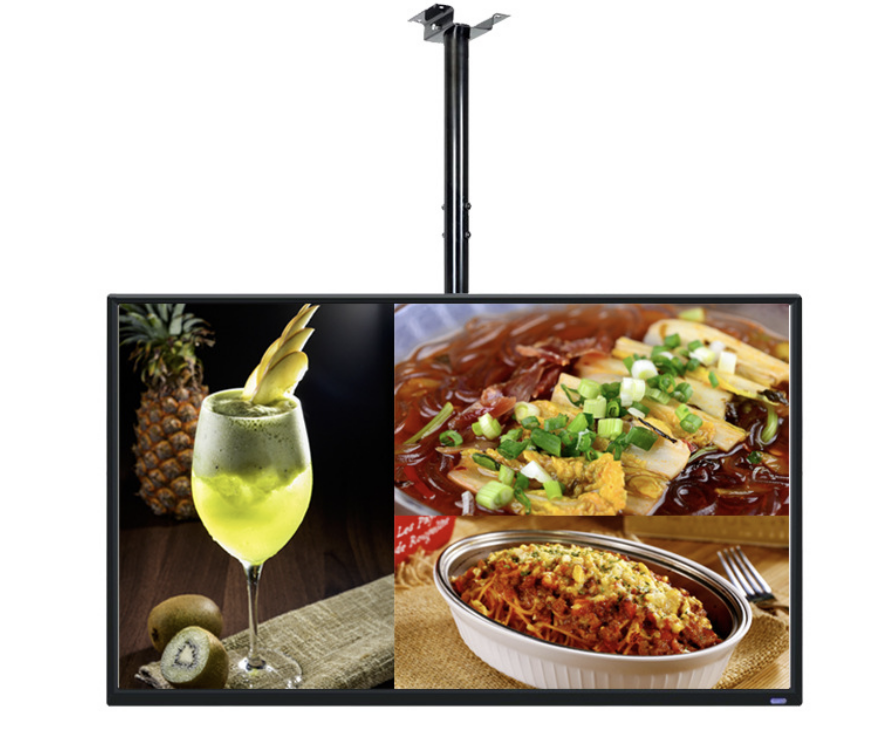
An indoor digital menu board should make prices and choices easy to read from the ordering queue. Start with the menu layout, customer viewing position and opening hours, then select the screen and playback system.
Digitale signage voor wandmontage
Stem het scherm af op het menu
De wandserie van YJCEN biedt Full HD-panelen van 15,6 tot 49 inch en 4K-panelen van 55 tot 98 inch. Meer pixels maken meer detail mogelijk, maar extra menu-items kunnen de tekst nog steeds te klein maken. Beoordeel de langste productnaam en prijs vanaf de verste bestelpositie.
Aan de wand, op de balie of bij het raam
Een menubord aan de wand houdt de balie vrij en is voor meerdere mensen tegelijk leesbaar. Een klein baliescherm past bij een korte aanbieding of afhaalbericht dicht bij de klant. Houd het hoofdmenu zichtbaar tijdens het kiezen; essentiële prijzen mogen niet verdwijnen in een te snelle afspeellijst.
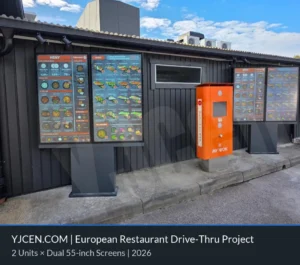
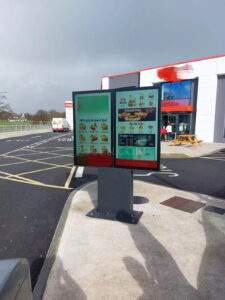
Binnenverlichting, reflecties en direct zonlicht stellen verschillende eisen. Een heldere plek aan het raam kan een scherm met hoge helderheid vragen. Een menuscherm binnen en een blootgesteld drive-thru-scherm buiten vereisen verschillende behuizingen en thermische ontwerpen.
Plan updates en weergave
Het scherm toont het menu; de speler en contentsoftware bepalen planning, updates op afstand en offline afspelen. Android en Windows zijn opties in de wandserie. Kies het systeem waarop uw toepassing werkt en neem licentie en beheer op in het project.
Automatische prijs- of uitverkochtmeldingen vereisen integratie met het kassasysteem. Bepaal welk systeem de gegevens beheert en hoe updates elk scherm bereiken. Voor een eenvoudig menu kunnen geplande bestanden volstaan; een livekoppeling vraagt extra softwarewerk en ondersteuning.
Maak kiezen bij het bestellen eenvoudig
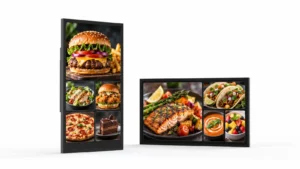
Groepeer items duidelijk, lijn prijzen uit en geef namen in elke taal genoeg ruimte. Gebruik gerechtenfoto’s om de keuze te ondersteunen terwijl het hoofdmenu leesbaar blijft. Beoordeel de hele opmaak op het beoogde scherm, inclusief reflecties en het zicht achteraan de rij.
Plan uw menuschermen voor binnen
Deel menuopmaak, leesafstand, aantal schermen en openingstijden met YJCEN om hardware en montage te bespreken. Vermeld de bestaande afspeelsoftware als de schermen onderdeel worden van een bestaand systeem.
For the hardware behind this topic, see video wall panels.
Ordering efficiency, features and seasonal content
Most menu-board projects ask the same three questions after the hardware is chosen: does it speed up ordering, which features matter, and how do we change the menu without reprinting? These are content and workflow decisions, not panel specifications.
What changes ordering efficiency
A menu board helps when the customer can see the full choice before reaching the counter or speaker. Put the items that drive margin at the top of the screen, keep the number of visible options manageable, and repeat the price where the customer makes the decision. The gain comes from fewer “what comes with it?” questions and a shorter pause at the till, not from the screen size alone. Measure the time from arrival to order confirmation before and after the change; if the queue does not move, the layout or content is usually the cause.
Features worth specifying
For a single site, a built-in Android player with a cloud CMS is usually enough. For a multi-site rollout, look for central scheduling, role-based accounts, offline playback, proof-of-play logs, and a player that the CMS vendor supports. Dayparting, automatic brightness and a template that non-designers can update matter more than a long feature list. Confirm who updates prices, how approvals work, and what happens when the network is down.
Seasonal and promotional changes
Seasonal menus fail when every change needs a designer or a site visit. Build a template with locked brand areas and editable price/product zones, keep a library of approved images, and schedule the change before the campaign starts. For a one-day promotion, prepare and test the playlist the week before; for a permanent menu change, update the printed backup and the POS at the same time. A menu board is only as useful as the team’s ability to change it.
Why the lightbox comparison still matters
Digital menu boards win on change speed, dayparting and cross-sell, not automatically on purchase price. A printed lightbox can still be cheaper for a single site with a menu that changes once a year. Compare the total cost over three years: hardware, installation, content production, electricity, maintenance and the staff time to change the menu. The digital case is strongest where the menu changes often or where several sites need one central update.