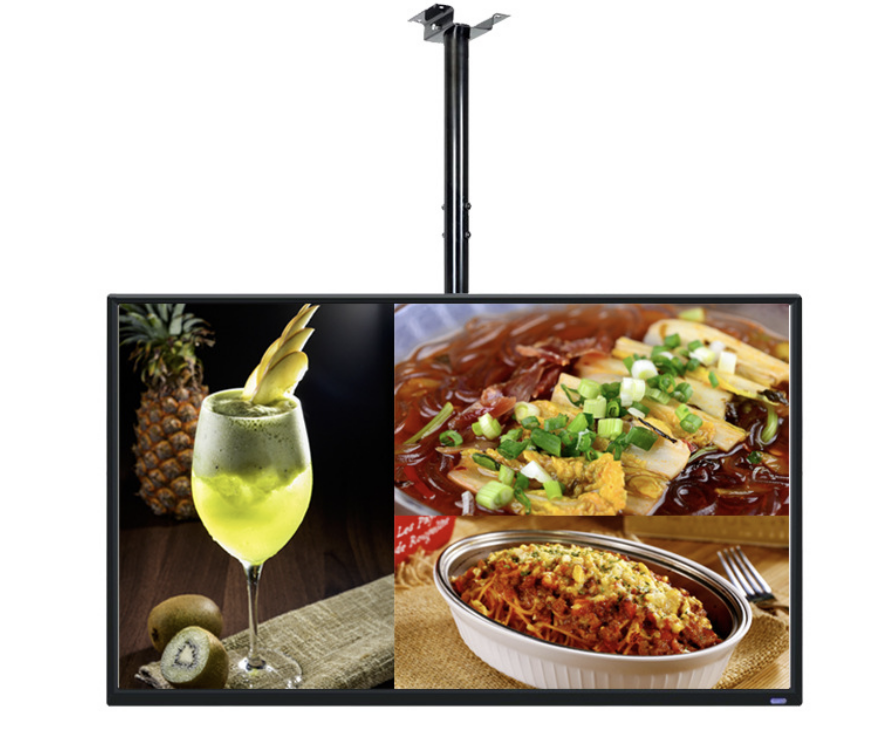
An indoor digital menu board should make prices and choices easy to read from the ordering queue. Start with the menu layout, customer viewing position and opening hours, then select the screen and playback system.
Abbinare lo schermo al menu
La gamma a parete YJCEN offre pannelli Full HD da 15,6 a 49 pollici e 4K da 55 a 98 pollici. Più pixel consentono maggiori dettagli, ma aggiungere piatti può comunque rendere il testo troppo piccolo. Valutare il nome più lungo e il relativo prezzo dalla posizione d’ordine più lontana.
A parete, sul banco o in vetrina
Un menu a parete lascia libero il banco e può essere letto da più persone insieme. Un piccolo display da banco è adatto a una promozione breve o a un avviso di ritiro vicino al cliente. Tenere visibile il menu principale durante la scelta; i prezzi essenziali non devono sparire in una playlist troppo rapida.
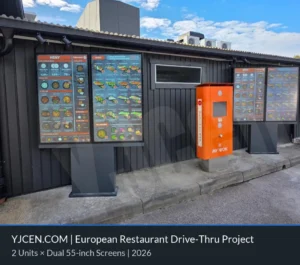
Illuminazione interna, riflessi e sole diretto creano esigenze diverse. Una posizione luminosa verso la vetrina può richiedere un display ad alta luminosità. Un menu interno e uno schermo drive-thru esposto all’esterno richiedono involucri e progetti termici differenti.
Pianificare aggiornamenti e riproduzione
Il display mostra il menu; player e software determinano programmazione, aggiornamenti remoti e riproduzione offline. Android e Windows sono opzionali nella gamma a parete. Scegliere il sistema adatto all’applicazione e includere licenza e gestione nel progetto.
Gli aggiornamenti automatici di prezzi o prodotti esauriti richiedono un’integrazione con il sistema di cassa del ristorante. Definire quale sistema gestisce i dati e come gli aggiornamenti raggiungono ogni schermo. Per un menu semplice possono bastare file programmati; un’integrazione in tempo reale aggiunge lavoro software e assistenza.
Facilitare la scelta durante l’ordine
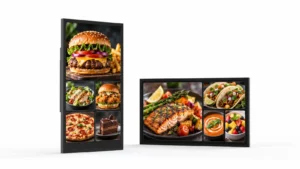
Raggruppare chiaramente i piatti, allineare i prezzi e lasciare spazio ai nomi in ogni lingua. Usare foto dei piatti per aiutare la scelta mantenendo leggibile il menu principale. Esaminare il layout completo sullo schermo previsto, considerando riflessi e vista dal fondo della coda.
Pianificare i display menu da interno
Condividere con YJCEN layout, distanza di lettura, quantità di schermi e orari per valutare hardware e montaggio. Indicare il software esistente se i nuovi display entreranno in un sistema già in uso.
For the hardware behind this topic, see video wall panels.
Ordering efficiency, features and seasonal content
Most menu-board projects ask the same three questions after the hardware is chosen: does it speed up ordering, which features matter, and how do we change the menu without reprinting? These are content and workflow decisions, not panel specifications.
What changes ordering efficiency
A menu board helps when the customer can see the full choice before reaching the counter or speaker. Put the items that drive margin at the top of the screen, keep the number of visible options manageable, and repeat the price where the customer makes the decision. The gain comes from fewer “what comes with it?” questions and a shorter pause at the till, not from the screen size alone. Measure the time from arrival to order confirmation before and after the change; if the queue does not move, the layout or content is usually the cause.
Features worth specifying
For a single site, a built-in Android player with a cloud CMS is usually enough. For a multi-site rollout, look for central scheduling, role-based accounts, offline playback, proof-of-play logs, and a player that the CMS vendor supports. Dayparting, automatic brightness and a template that non-designers can update matter more than a long feature list. Confirm who updates prices, how approvals work, and what happens when the network is down.
Seasonal and promotional changes
Seasonal menus fail when every change needs a designer or a site visit. Build a template with locked brand areas and editable price/product zones, keep a library of approved images, and schedule the change before the campaign starts. For a one-day promotion, prepare and test the playlist the week before; for a permanent menu change, update the printed backup and the POS at the same time. A menu board is only as useful as the team’s ability to change it.
Why the lightbox comparison still matters
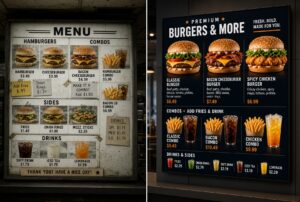
Digital menu boards win on change speed, dayparting and cross-sell, not automatically on purchase price. A printed lightbox can still be cheaper for a single site with a menu that changes once a year. Compare the total cost over three years: hardware, installation, content production, electricity, maintenance and the staff time to change the menu. The digital case is strongest where the menu changes often or where several sites need one central update.