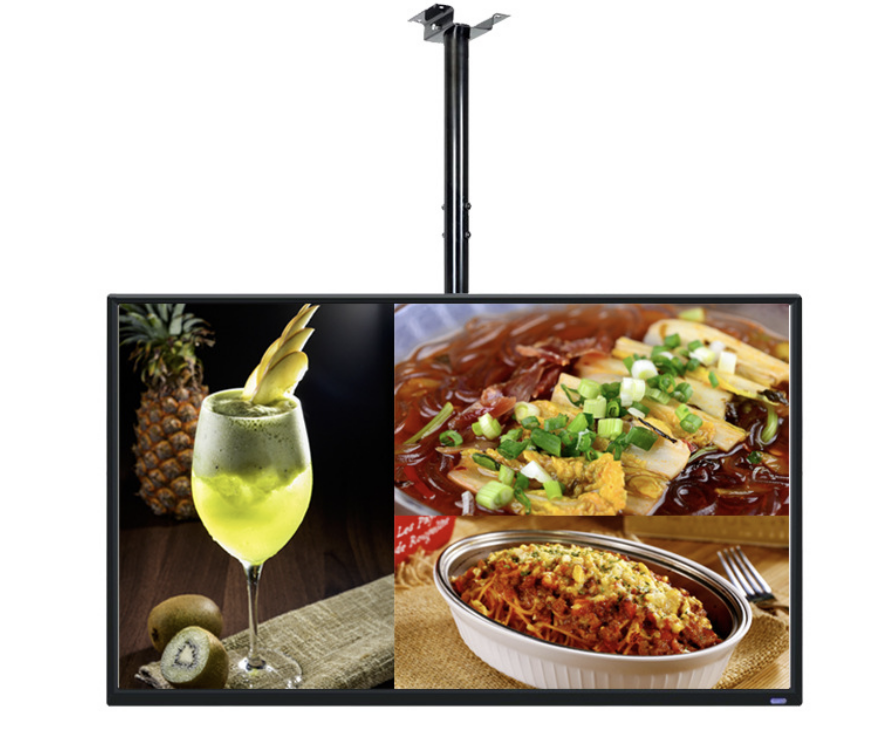
An indoor digital menu board should make prices and choices easy to read from the ordering queue. Start with the menu layout, customer viewing position and opening hours, then select the screen and playback system.
طابق الشاشة مع قائمة الطعام
تضم سلسلة YJCEN الجدارية لوحات Full HD من 15.6 إلى 49 بوصة، ولوحات 4K من 55 إلى 98 بوصة. تسمح زيادة البكسلات بتفاصيل أكثر، لكن إضافة أصناف قد تجعل النص صغيرًا جدًا رغم ذلك. افحص أطول اسم صنف وسعره من أبعد موضع لتقديم الطلب.
على الجدار أم المنضدة أم خلف الواجهة؟
تترك القائمة الجدارية المنضدة خالية وتتيح لعدة أشخاص قراءتها معًا. وتناسب الشاشة الصغيرة على المنضدة عرضًا قصيرًا أو إشعار استلام قريبًا من العميل. أبقِ القائمة الرئيسية ظاهرة أثناء الاختيار، ولا تجعل الأسعار الأساسية تختفي ضمن قائمة تشغيل سريعة.
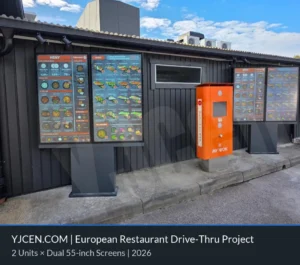
تفرض الإضاءة الداخلية والانعكاسات والشمس المباشرة متطلبات مختلفة. وقد يحتاج موضع مضيء باتجاه الواجهة إلى شاشة عالية السطوع. كما تتطلب القائمة الداخلية وشاشة الطلب من السيارة المكشوفة خارجًا هياكل وتصاميم حرارية مختلفة.
خطط للتحديثات وتشغيل المحتوى
تعرض الشاشة القائمة، بينما يحدد المشغل وبرنامج المحتوى الجدولة والتحديث عن بُعد والتشغيل دون اتصال. يتوفر Android وWindows كخيارين في السلسلة الجدارية. اختر النظام الذي يشغّل تطبيقك وأدرج ترخيصه وترتيبات إدارته ضمن المشروع.
تحتاج تحديثات الأسعار أو إشعارات نفاد الأصناف تلقائيًا إلى تكامل مع نظام نقاط البيع في المطعم. حدّد النظام المسؤول عن البيانات وكيف تصل التحديثات إلى كل شاشة. وقد تكفي ملفات مجدولة لقائمة بسيطة، بينما يضيف التكامل المباشر عملًا برمجيًا ومتطلبات دعم.
سهّل الاختيار عند الطلب
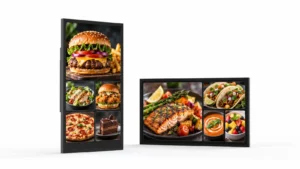
رتّب الأصناف في مجموعات واضحة وحاذِ الأسعار واترك مساحة كافية للأسماء في كل لغة. استخدم صور الطعام للمساعدة في الاختيار مع إبقاء القائمة الأساسية مقروءة. راجع التصميم كاملًا على الشاشة المستهدفة، بما في ذلك الانعكاسات والرؤية من نهاية الصف.
خطط لشاشات قوائم الطعام الداخلية
شارك YJCEN تصميم القائمة ومسافة القراءة وعدد الشاشات وساعات العمل لمناقشة الأجهزة والتركيب. وأدرج برنامج العرض الحالي إذا كانت الشاشات الجديدة ستنضم إلى نظام قائم.
For the hardware behind this topic, see video wall panels.
Ordering efficiency, features and seasonal content
Most menu-board projects ask the same three questions after the hardware is chosen: does it speed up ordering, which features matter, and how do we change the menu without reprinting? These are content and workflow decisions, not panel specifications.
What changes ordering efficiency
A menu board helps when the customer can see the full choice before reaching the counter or speaker. Put the items that drive margin at the top of the screen, keep the number of visible options manageable, and repeat the price where the customer makes the decision. The gain comes from fewer “what comes with it?” questions and a shorter pause at the till, not from the screen size alone. Measure the time from arrival to order confirmation before and after the change; if the queue does not move, the layout or content is usually the cause.
Features worth specifying
For a single site, a built-in Android player with a cloud CMS is usually enough. For a multi-site rollout, look for central scheduling, role-based accounts, offline playback, proof-of-play logs, and a player that the CMS vendor supports. Dayparting, automatic brightness and a template that non-designers can update matter more than a long feature list. Confirm who updates prices, how approvals work, and what happens when the network is down.
Seasonal and promotional changes
Seasonal menus fail when every change needs a designer or a site visit. Build a template with locked brand areas and editable price/product zones, keep a library of approved images, and schedule the change before the campaign starts. For a one-day promotion, prepare and test the playlist the week before; for a permanent menu change, update the printed backup and the POS at the same time. A menu board is only as useful as the team’s ability to change it.
Why the lightbox comparison still matters
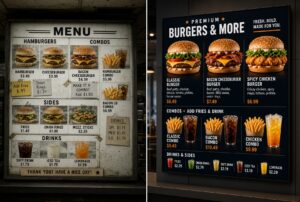
Digital menu boards win on change speed, dayparting and cross-sell, not automatically on purchase price. A printed lightbox can still be cheaper for a single site with a menu that changes once a year. Compare the total cost over three years: hardware, installation, content production, electricity, maintenance and the staff time to change the menu. The digital case is strongest where the menu changes often or where several sites need one central update.