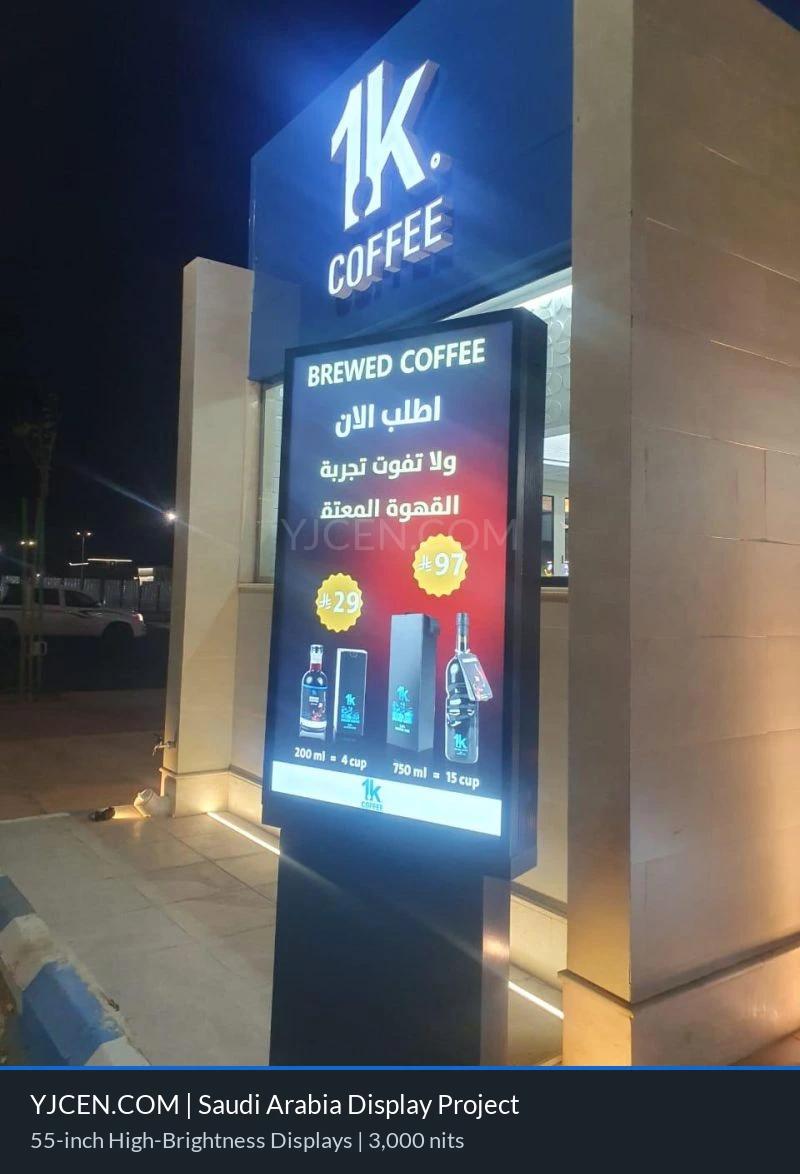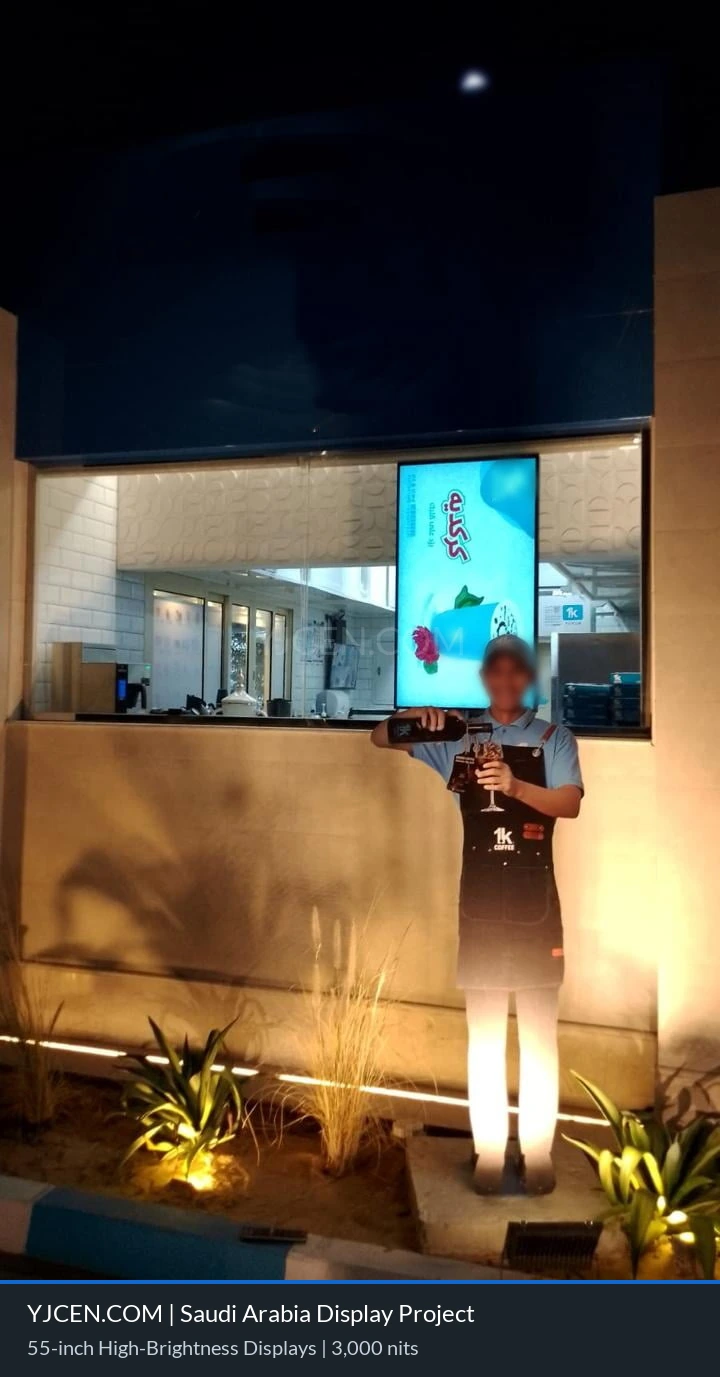
This project involved deploying a high-performance outdoor digital signage system for a client in Saudi Arabia, specifically configured for the region’s demanding heat and strong sunlight, with on-site temperatures reaching approximately 40°C. The solution uses a 55-inch industrial-grade high-brightness display delivering 3,000 nits of output, helping promotional and informational content remain clear under intense Middle Eastern daylight.
The system integrates intelligent thermal management and adaptive light-sensing technology. Industrial-grade active fan cooling helps manage elevated internal temperatures, while an ambient light sensor adjusts screen brightness in response to changing conditions. Together, these functions support consistent visibility, efficient operation and reliable use in a challenging outdoor or semi-outdoor commercial environment.
The project also illustrates why outdoor drive-thru displays require more than a standard commercial screen. A drive-thru display must communicate with customers inside moving or temporarily stopped vehicles, remain readable during rapid changes in daylight and operate reliably near an exposed traffic lane. Screen brightness, enclosure protection, thermal management, mounting position and content design must therefore be planned as one complete system.
Project Configuration and Results
- Display size: 55 inches
- Brightness: 3,000 nits for strong daylight visibility
- Installation environment: Outdoor or semi-outdoor commercial location
- Cooling system: Industrial-grade active fan cooling
- Smart function: Automatic brightness adjustment based on ambient light
- Climate requirement: Operation in a high-temperature environment of approximately 40°C or above
- Project location: Saudi Arabia
Results and feedback: The display was operating normally after deployment, and the customer reported an increase in store entry activity.
High-Brightness Digital Signage for Saudi Arabian Storefronts
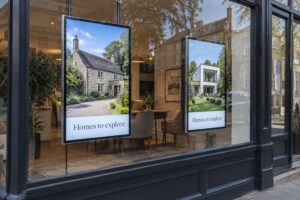
Outdoor and window-facing digital signage in Saudi Arabia must remain clear and reliable under strong sunlight, high ambient temperatures and long daily operating hours. This project was developed for a retail environment where the display needed to attract attention near the store entrance while maintaining stable performance in demanding conditions. The selected 55-inch commercial LCD display provides 3,000 nits of brightness, making it more suitable for high-light locations where a standard indoor display could appear washed out or difficult to read.
High brightness is especially important for shop-window advertising because the screen must compete with direct sunlight, reflections from surrounding glass and constantly changing light levels. A 3,000-nit display can present promotional videos, new-product messages, pricing campaigns and brand visuals with stronger contrast and improved visibility. This allows a retailer to use the front of the store as an active digital communication area rather than relying only on static signage.
Installation position still matters. The screen angle, direction of sunlight, distance from the glass and reflections from nearby buildings can all influence perceived visibility. Site photographs and measurements should be reviewed before finalizing the display configuration.

What Is an Outdoor Drive-Thru Display?
An outdoor drive-thru display is a commercial digital screen positioned along a vehicle service lane to present menu information, promotions, operating instructions, order guidance or pickup directions. Unlike a conventional indoor screen, it is viewed by drivers and passengers from inside a vehicle, often for only a short period of time and from a defined approach angle.
The purpose of the screen is not limited to advertising. In a quick-service restaurant, it may work as a digital menu board before or beside the ordering point. At a retail collection lane, pharmacy, bank or other vehicle-service location, it can provide queue instructions, service options, promotional messages and directional information.
A display screen alone does not automatically create a complete ordering system. Microphones, speakers, vehicle detection, ordering software, payment devices and point-of-sale integration are separate project elements when required. The display should therefore be specified according to the actual operational workflow rather than assuming that every drive-thru project needs the same hardware.
Why High Brightness Matters in a Drive-Thru Lane
Drivers must be able to understand the main message before reaching or passing the screen. Strong daylight can reduce contrast and make standard displays difficult to read, particularly when sunlight falls directly on the panel or reflects from nearby surfaces. A high-brightness display provides greater visual separation between text, pricing, product images and the background.
For a Saudi Arabian drive-thru lane, the challenge is not only midday sunlight. The display may also be viewed during early morning, evening and nighttime operation. Automatic brightness adjustment allows the screen to increase output during bright conditions and reduce it when the surrounding environment becomes darker. This supports daytime readability without making the screen unnecessarily intense for customers at night.
The appropriate brightness cannot be selected from a single number alone. Screen direction, shading, canopy design, viewing distance, vehicle approach, content colors and local ambient light should all be considered. A site assessment helps determine whether 3,000 nits is appropriate for the intended position.
Designed for High Temperature and Outdoor Operation
Heat management is one of the most important considerations for digital signage projects in the Middle East. At this Saudi Arabian installation, local temperatures can reach approximately 40°C or above. The display system therefore includes an industrial-grade active cooling design to help manage internal temperature during operation. Built-in fan cooling supports heat dissipation and helps the screen maintain reliable performance in a challenging outdoor or semi-outdoor environment.
A commercial outdoor display should be selected as a complete system, not only by screen size or brightness. The enclosure, ventilation path, cooling components, LCD panel, power supply, protective glass and installation position can all affect long-term stability. Direct solar exposure may also raise the internal temperature above the measured ambient temperature.
When a screen is installed near a drive-thru lane, store entrance or sun-facing window, it may experience heat from sunlight, reflected radiation and surrounding building materials. Sufficient airflow and service clearance should be preserved around the equipment. Blocking ventilation openings or placing the unit inside an unsuitable sealed structure can reduce cooling effectiveness.
Weather Protection for a Fully Outdoor Drive-Thru Screen
A screen installed behind a shop window and a screen installed directly beside an outdoor drive-thru lane face different environmental risks. Glass may provide some physical separation for a window-facing screen, while a fully outdoor unit may be exposed to rain, windblown dust, humidity, cleaning water and airborne contaminants.
For a fully exposed drive-thru installation, the selected enclosure should provide a suitable level of protection for the actual site. The required IP rating, corrosion resistance, protective glass, seals and cable-entry design depend on local weather, mounting method and maintenance procedures. These details must be confirmed for the final configuration; they should not be inferred from brightness alone.
Weather protection also includes installation work. Power and data connections need appropriate routing and sealing, the mounting structure must suit the site, and water should not collect around cable entries or the base of the unit. Access panels must remain serviceable without compromising enclosure integrity after maintenance.
Automatic Brightness Adjustment for Changing Light Conditions
This project uses automatic brightness adjustment based on ambient light. A built-in light sensor monitors the surrounding environment and allows the display to adapt its brightness level in real time. During bright daytime conditions, the screen can increase output to keep content visible. During evening or lower-light periods, it can reduce brightness to create a more comfortable viewing experience and avoid unnecessary energy use.
Adaptive brightness is valuable for both outdoor retail signage and drive-thru menu boards because customers view the screen from different distances and angles throughout the day. The sensor should be positioned so that it measures representative ambient light and is not unintentionally blocked or affected by a local light source.
Content Design for Outdoor Drive-Thru Displays
Drive-thru content must be understood faster than content displayed in a lobby or waiting area. A customer approaching in a vehicle has limited time to read, compare options and act. Effective content therefore depends on visual hierarchy as much as screen brightness.
- Use short messages: Keep primary instructions, menu categories and promotional headlines concise.
- Prioritize essential information: Give the most important items, prices or directions the strongest visual emphasis.
- Choose large text: Font size should be planned around the real viewing distance and vehicle approach path.
- Maintain strong contrast: Clear contrast between text and background improves recognition in bright conditions.
- Avoid overcrowding: Too many menu items, prices or promotional graphics can make the screen difficult to understand quickly.
- Control content timing: Important information should remain on screen long enough to be read; rapid slide changes are unsuitable at a decision point.
- Prepare day and night layouts: Content colors and brightness should remain comfortable and legible across different operating periods.
- Keep directions unambiguous: Ordering, payment, waiting and pickup instructions should use consistent wording and symbols.
For a digital menu board, the layout should follow the customer’s decision process. Core products and categories should be easy to identify first, followed by prices, options and limited promotional content. Operational instructions should not compete with the menu for attention.
Installation Planning for a Drive-Thru Lane
Drive-thru display placement must account for the direction and speed of approaching vehicles, expected stopping position, driver eye level and the location of other equipment. A technically capable display can still perform poorly if it is mounted too high, too low, too close to the decision point or outside the natural line of sight.
- Approach visibility: Confirm that drivers can see the screen early enough to understand the message and make a decision safely.
- Viewing angle: Position the display toward the expected vehicle approach and stopping point, while checking visibility from different vehicle heights.
- Viewing distance: Select screen size, text size and content density according to measured distances rather than assumptions.
- Traffic safety: Keep the display and mounting structure outside vehicle-clearance zones and avoid obstructing signs, pedestrians or staff sightlines.
- Ordering-point coordination: If the screen is used with a speaker post or ordering station, align the visual information with the customer’s order sequence.
- Power and connectivity: Plan protected power delivery, cable routing, grounding and any required network connection before civil and mounting work is completed.
- Maintenance access: Provide safe access for cleaning, inspection, ventilation service and component replacement without disrupting the lane more than necessary.
- Foundation and mounting: Confirm structural requirements for the enclosure, local wind exposure and the selected mounting method.
Local electrical, construction and traffic requirements should be reviewed by the project owner and qualified installers. YJCEN can support display configuration and technical coordination, while final site compliance depends on the installation location and local regulations.
Key Considerations for Shop Window and Drive-Thru Projects
Before specifying a high-brightness display, buyers should review the installation environment and operating requirements in detail. A suitable configuration depends on more than the physical dimensions of the screen. The following information helps YJCEN evaluate a project:
- Installation type: Confirm whether the screen will be behind glass, under a canopy, in a semi-outdoor area or fully exposed outdoors.
- Sunlight exposure: Identify the screen direction and whether it will receive direct, partial or reflected sunlight.
- Local temperature: Provide expected daytime and seasonal temperature ranges, including direct solar exposure.
- Operating schedule: Define daily operating hours and whether the screen is expected to run continuously.
- Viewing conditions: Measure the approach distance, stopping point, viewing angle and typical audience speed.
- Content purpose: Explain whether the screen will show advertising, menus, prices, order guidance, wayfinding or public information.
- Mounting method: Provide site photographs and details of the wall, window, floor base, pole or custom structure.
- Power and network access: Confirm available electrical supply, cable path and content source.
- Weather and maintenance: Describe exposure to rain, dust, cleaning water and corrosion, as well as the planned service access.
Commercial Applications for 55-Inch High-Brightness Displays
A 55-inch high-brightness LCD display can support several commercial applications. Retail stores can use it for storefront campaigns, brand advertising and product launches. Restaurants and quick-service operators can use an appropriately configured outdoor display for digital menus, promotional offers and order guidance along a drive-thru lane.
Other possible locations include shopping centres, petrol stations, transport facilities, hospitality venues and vehicle-service areas. The final hardware specification should always reflect whether the screen is protected behind glass, partially sheltered or fully outdoors.
For window-facing installations, the display should be positioned to reduce reflections and keep content visible through the glass. For outdoor projects, planning should also cover enclosure protection, thermal management, cable routing, mounting, local power conditions and expected operating hours. A coordinated installation helps the screen deliver a consistent brand experience while supporting day-to-day commercial operations.
Frequently Asked Questions
What is the difference between a shop-window display and an outdoor drive-thru display?
A shop-window display is commonly installed inside a building and viewed through glass. It needs sufficient brightness to overcome sunlight and reflections, but the building may provide some environmental protection. A fully outdoor drive-thru display is positioned beside a vehicle lane and may require a weather-resistant enclosure, protected cable entries, thermal management, suitable mounting and content designed for rapid viewing by drivers.
Can a 55-inch high-brightness display be used as a drive-thru menu board?
Yes, a 55-inch display can be suitable for menu information, promotions or order guidance when the viewing distance, content density and installation position are appropriate. The complete outdoor configuration must also match the local climate, exposure, operating hours and mounting requirements.
Is 3,000 nits bright enough for a shop window or drive-thru in Saudi Arabia?
For many high-light storefront and outdoor applications, 3,000 nits provides significantly stronger visibility than a standard indoor commercial display. The correct level still depends on screen direction, direct sunlight, glass reflections, viewing distance and content design. Site photographs and measurements help determine whether this configuration is suitable.
Does a fully outdoor drive-thru screen need a weather-resistant enclosure?
A fully exposed screen should use an enclosure designed for the site’s weather and maintenance conditions. The appropriate IP rating, corrosion protection, sealing, protective glass and cable-entry arrangement depend on exposure to rain, dust, humidity, cleaning procedures and local requirements. These features should be confirmed as part of the final project specification.
Why is active cooling important for outdoor digital signage?
High ambient temperatures and direct sunlight can raise the internal temperature of a display. Active cooling helps dissipate heat and supports stable operation in demanding environments. It is especially important for commercial screens intended to run for long hours in hot climates.
Can the screen automatically become brighter in sunlight?
Yes. This project includes ambient light sensing and automatic brightness adjustment. The system can respond to changing light levels, supporting clearer daytime visibility while reducing brightness when the environment becomes darker.
What details are needed for a quotation?
Please provide the installation country, site photographs, installation type, screen orientation, sunlight exposure, approximate viewing distance, operating hours, content purpose, mounting requirements, local temperature range, available power and network access. For a drive-thru project, also provide the vehicle approach direction, expected stopping point and relationship between the display and ordering or pickup area.
Related Outdoor Digital Signage Solutions
For a fully exposed installation, review YJCEN outdoor IP66 display solutions. You can also see a related drive-thru digital menu board case study, explore more digital signage client cases, or request a project quotation based on your site conditions and operating requirements.