What should you check before buying a digital window display?
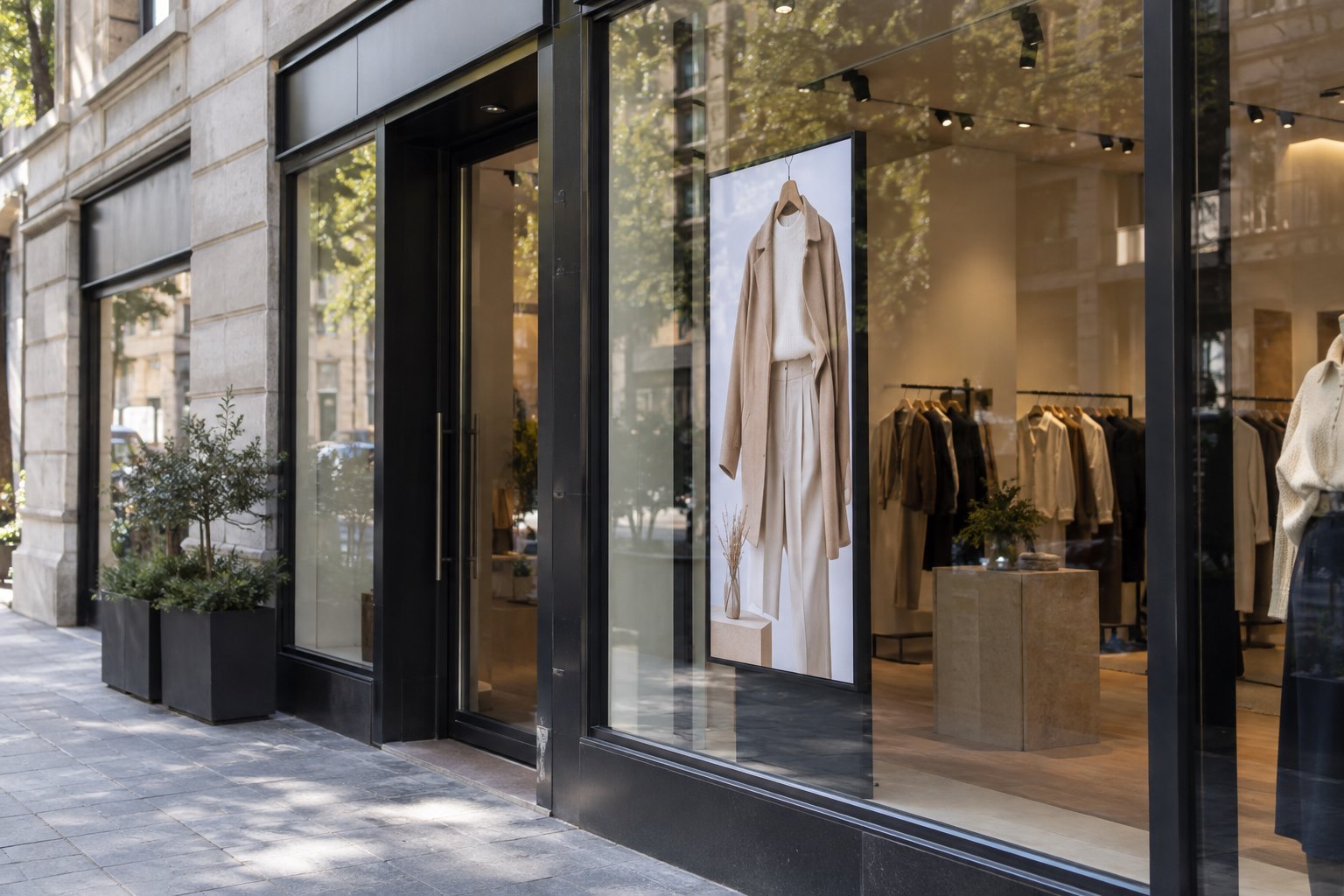
A digital window display sits behind shop glass and shows content to people outside. It is useful for changing promotions, but its readability must be checked through the actual window.
- Survey sunlight, reflections, glass tint and the pedestrian approach.
- Confirm screen size, orientation, mounting space and service access.
- Prepare a short, readable message and define its publishing workflow.
- Test a representative installation in daylight and after dark before approving a larger order.
A good purchase starts with the window. Record when sunlight reaches the glass, where people approach from and how long they can see the screen. Then select the panel, mounting and playback system for those conditions. This guide explains the features that matter, the benefits that are realistic and the checks to make before ordering.
What is a digital window display?
A digital window display combines a screen with a way to play content. The player may be built into the display or connected as a separate device. A content management system, usually called a CMS, can add remote updates and schedules. Those functions depend on the chosen hardware, software and license; they are not all included just because a product is called digital signage.
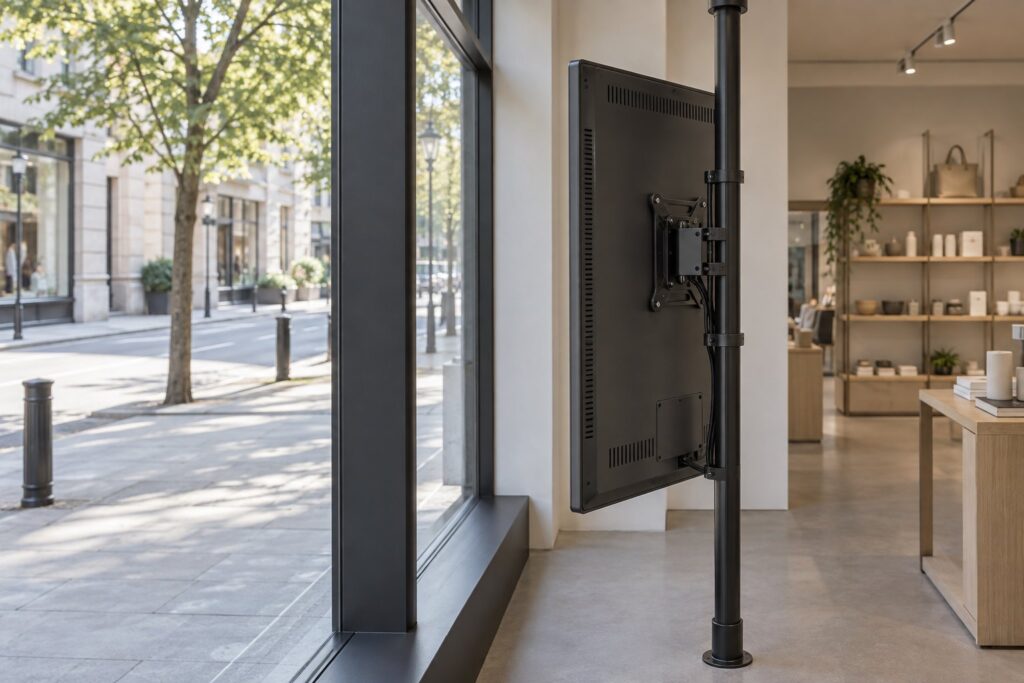
Most storefront projects need a screen facing outward from inside the building. That position protects it from direct rain, but it can still expose the panel to sunlight and heat through the glass. An indoor window-facing unit and an outdoor weatherproof display serve different conditions. Ask about the exact installation instead of treating the two descriptions as interchangeable.
LCD and direct-view LED are also different technologies. An LCD has a panel with a backlight; a direct-view LED display forms the picture from LED modules. This guide focuses on commercial LCD window screens. Confirm the technology in a quotation because screen construction, viewing distance, servicing and mounting can differ.
Can digital window displays outperform traditional signage?
They can offer a practical advantage when the message changes often, several promotions share one window or a team manages multiple shops. A screen can show a breakfast offer in the morning and a different campaign later. A printed poster can remain a sensible choice for a simple, long-lasting message, especially where power or regular content management would be difficult.
| Decision | Digital window display | Printed poster or static sign |
|---|---|---|
| Changing an offer | Update the media or schedule through the selected playback system. | Prepare, print and replace the artwork. |
| Several messages | Rotate content, while keeping each message long enough to read. | Use separate spaces or combine information into one layout. |
| Motion and product detail | Show video, changing images and approved live information. | Present a fixed image or text without electronic playback. |
| Daylight visibility | Match brightness, reflections and thermal conditions to the site. | Check ambient light, glare on the print and the sign material. |
| Running costs | Allow for electricity, software where used, content work and service. | Allow for new printing, fitting and replacement as campaigns change. |
| Operational work | Someone must keep the content correct and the equipment working. | Someone must keep the physical sign current and in good condition. |
Digital signage does not automatically increase sales. It creates more ways to present a message, but a poorly placed screen with crowded artwork may achieve little. Judge the change against a defined task: make opening hours readable, announce a product launch or help passing customers understand an offer. Use observations or a controlled trial to decide whether the result justifies the cost.
Which features should you check first?
Brightness and daylight readability
Screen luminance is commonly specified in nits. A higher rating can help in bright conditions, but it does not tell the whole story. Window tint, reflected buildings, direct sunlight, screen orientation and viewing angle all affect the image a passerby sees. Request the model’s brightness specification and test realistic artwork through the actual glass where possible.
YJCEN’s window high-brightness display range lists up to 3,000 nits and several screen sizes. Confirm the rating and available options for the exact size being quoted. Use the window screen brightness guide as a starting point for discussing the site, then ask for a configuration assessment.
Ask whether the screen can reduce its brightness after dark. Automatic brightness control needs the appropriate sensor and settings. Manual scheduling may be another option. Check how the chosen system behaves in changing light and follow any local restrictions on illuminated signs.
Reflections, viewing angle and image detail
An anti-reflective treatment can help manage reflections, but it cannot remove every reflection from the shop window. Inspect the complete viewing path from outside. If a bright surface is reflected in front of the main message, a small change in position or angle may help more than a larger screen.
Choose resolution for the screen size, viewing distance and content. Do not assume every window display is 4K. For example, LG’s 49XS4P-B specification describes a high-brightness window model with Full HD resolution and installation-dependent temperature conditions. It is a useful reminder to read the model sheet rather than infer specifications from the product category.
Heat management and operating conditions
A window can become hot even when the room feels comfortable. Check where direct sunlight falls on the panel and the air space around it. Ask the supplier for the operating limits, required clearance and any restrictions on direct sun exposure. Keep ventilation openings accessible and clear of packaging, decorations and nearby surfaces.
Also confirm the supported daily operating schedule. A product’s expected service life, warranty term and permitted operating hours are separate points. Record each one in the quotation. A general claim about commercial use should not replace the documentation for the actual unit.
Player, connections and content management
Decide who updates the content and from where. A single shop with infrequent changes may use local playback. A business with several locations may prefer a CMS with screen groups, schedules and user permissions. Start with the tasks staff need to perform, then ask suppliers to show those tasks on the proposed system.
Check supported file formats, video resolution, network connections, storage and restart behavior. Ask what remains on screen if the internet connection stops. Downloaded media and live feeds can behave differently. Our digital signage connectivity guide explains the questions to raise when planning local and remote playback.
Touch, sensors and other optional features
A screen facing the street is not necessarily a touchscreen. Touch through glass, gesture input, cameras and audience sensors need compatible hardware and software. If interaction is part of the project, test the complete setup with the actual glass thickness, mounting position and application before making it a purchase requirement.
A QR code is simpler to display, but it still needs a reachable destination and a practical place for pedestrians to stop. Try scanning it from the expected position. Do not use a campaign image or demonstration video as evidence that every unit includes interactive functions.
What benefits are realistic for a shop?
Faster content changes: staff can replace approved artwork without printing a new poster. This is useful when prices, stock or offers change frequently. Assign someone to check the live screen after publishing; remote access alone does not prevent an expired promotion from staying visible.
Different messages during the day: a schedule can present content for morning commuters, lunchtime visitors or evening shoppers. Keep the schedule simple enough for staff to maintain. A long playlist is not always useful when most people only see the window briefly.
Consistent campaigns across locations: a suitable CMS can distribute approved material to selected screens. Allow for local differences such as opening times or available products. Agree which changes a store can make and which need central approval.
More ways to explain a product: moving images can show how an item looks or works. Choose a short sequence that makes sense even when someone sees only part of it. Product photography and clear text are often more useful than constant animation.
Less repeated printing: digital updates can reduce some printing and fitting work. Compare those savings with electricity, software, content production and service costs. A screen is an operating system to maintain, so savings should come from the shop’s actual campaign pattern.
Survey the window before choosing a size
Take photographs from the pavement and from inside the shop. Include the planned screen position, the window frame and any surfaces that may create reflections. Measure the space available for the display and mount, then check that doors, blinds and cleaning access will still work. Keep required exits and signs clear.
Observe the location at the times the message matters. A window may be shaded in the morning but face direct afternoon sun. Record the approach direction and whether people walk past quickly, wait nearby or view the screen from across the street. These details affect text size and how much information belongs on one slide.
Ask the installer to review the supporting structure, cable routes, power supply and service access. A hanging screen, wall bracket and floor-mounted unit place different demands on the building. Use a site-specific mounting plan and the selected model’s instructions.
For a broader checklist covering audience, position and infrastructure, see how to choose an advertising display location. Complete the survey before fixing the display specification across several shops.
Prepare content for people who are passing by
Give each screen a main message. Use a short headline, a recognizable product image and a clear next step. Leave enough space around important words so the message is readable against reflections and visual activity in the street. Preview the design at the intended screen orientation.
Test how the message works partway through a playlist. A person should not need to wait for a long opening sequence before learning what is being offered. Keep essential details visible for a useful reading period and use supporting slides for information that is less urgent.
Check text contrast and avoid relying on color alone to convey meaning. If a campaign uses more than one language, give each version enough room and reading time. Smaller lettering is not a good solution to an overcrowded design. Where pedestrians can safely pause, a short URL or tested QR code can lead to more detail.
Plan the next update before the first campaign goes live. Store source artwork, confirm who can change it and set an expiry date. A display showing last month’s offer creates a service problem even when the hardware looks excellent.
Compare the full cost over a useful period
Ask each supplier to separate the display, player, mount, delivery and installation. List any software subscription and optional support. If a price includes a built-in computer or a particular license, record it beside the model name so competing quotations can be compared on the same basis.
Choose a common period, such as three years, for comparing running costs. Estimate electricity from the selected model’s expected power use and operating hours. Include the time or service charge needed to create new content. Use the same assumptions for every offer and leave unpriced items visible until they are resolved.
A printed-sign comparison should use the shop’s real update frequency. A business changing one poster twice a year has a different case from a chain replacing weekly promotions. Our digital signage budget guide provides a wider list of equipment, setup and running-cost questions.
Run a small acceptance trial before a larger order
Test one representative location using the intended content, playback software and mounting approach. Record the time, light conditions and viewing positions so the result can be repeated. An indoor showroom demonstration is helpful for checking controls, but it cannot reproduce every storefront condition.
- Read the main message from the normal pavement approach and across the expected viewing distance.
- Check reflections in bright daylight and brightness after dark.
- Update a campaign, change its schedule and confirm the correct version appears.
- Restart the system and confirm that approved content resumes.
- Test the agreed behavior during a network interruption.
- Inspect ventilation, cable protection and access for cleaning or service.
- Record the model, software version, settings and unresolved items before approving a repeat order.
Choose success measures that match the original task. A staff check can confirm that opening times remain correct. A campaign trial may compare responses over similar periods. Keep changes in price, weather, staffing and other promotions in mind when interpreting results. Passing a visibility test does not by itself prove a sales increase.
Frequently asked questions
How many nits does a shop window display need?
There is no single figure for every window. Direct sunlight, glass tint, reflections, screen size and the viewing position all affect the requirement. Share the site conditions and confirm the exact model’s brightness and thermal limits before ordering.
Can I use a consumer TV in a shop window?
Check its brightness, permitted operating conditions, mounting orientation and supported hours. A model suited to an interior room may not suit a sunny window. The commercial display versus consumer TV guide explains the main checks.
Are window displays waterproof?
Do not assume so. A display installed inside the glass may be designed for that protected position. If rain or dust can reach the unit, discuss an appropriately rated outdoor display configuration and its installation requirements.
Can one display show several promotions?
Yes, when the playback system supports the required playlist or schedule. Keep the message length and timing appropriate for people walking past. Confirm the software and license included in the quotation.
What should I send when requesting a quotation?
Provide the country, window photographs, available space, viewing distance, sunlight pattern, operating hours, intended orientation, quantity and content workflow. Send these details with your window display enquiry so YJCEN can check a suitable configuration and clearly state what is included.