IP66 Outdoor Digital Signage

Weather-protected signage with automatic brightness adjustment for outdoor installations.

Configuration options

Resolution
Full HD / 4K by screen size
Operating system
Android / Windows
OEM / ODM
Enclosure, branding & hardware

Sample orders from 1 unit 3-year warranty

View terms
View Projects

100% Pre-Shipment Inspection

Burn-in, image quality, touch, ports and appearance. Outdoor units also checked for water and dust protection.

Outdoor LCD Display Specifications

YJCEN IP66 outdoor digital signage is available in 32, 43, 49, 55, 65 and 75 inches, with 3000-nit brightness and an IK10 impact resistance rating. The displays support portrait or landscape installation and include an HDMI input. Native resolution and enclosure dimensions vary by screen size.

Scroll horizontally to compare sizes and configurations.

IP66 Outdoor Digital Signage
Specification32″43″49″55″65″75″
Configuration & dimensions
ModelYJC-320-OD09-AYJC-430-OD09-AYJC-490-OD09-AYJC-550-OD09-AYJC-650-OD09-AYJC-750-OD09-A
Screen size32″43″49″55″65″75″
Screen orientationPortrait or landscape
Dimensions (mm)750.8 × 445.4 × 86 mm994 × 582.4 × 86 mm1127 × 657 × 86 mm1262 × 732.8 × 86 mm1481 × 856 × 86 mm1703.2 × 982.2 × 86 mm
Net weight17 kg26 kg31 kg37 kg50 kg70 kg
Display performance
Native panel resolution1920 × 10801920 × 10803840 × 21603840 × 21603840 × 21603840 × 2160
Active display area (mm)698.8(H) × 393.4(W)mm942(H) × 530.4(W) mm1075(H) × 605(W) mm1210(H) × 680.8(W)mm1429(H) × 804(W)mm1651.2(H) × 930.2(W)mm
Aspect ratio16:9
Brightness3000 cd/m²
Contrast ratio1200:1
Viewing angle178° / 178°
Response time6 ms
Backlight life50,000 hours
Operating hours24/7
System configuration & connectivity
Operating systemAndroid / Windows (selectable)
ProcessorRK3568 / RK3576 (Android); customizable
MemoryCustomizable
StorageCustomizable
ConnectionsUSB × 2, HDMI IN × 1, Ethernet RJ45 × 1
NetworkWi-Fi / LAN
Mobile networkOptional 3G/4G
AudioBuilt-in speaker
Configuration options & integration
Operating SystemAndroid / Windows (selectable)
Impact Resistance RatingIK10
Front Glass and EnclosureTempered glass, metal casing and UV-resistant coating
Power & operating conditions
Ingress protectionIP66
Power supplyAC 100–240 V, 50/60 Hz
Maximum power consumption135 W165 W180 W230 W385 W450 W
Operating environmentOutdoor
Operating Temperature-45°C to 65°C with the appropriate thermal configuration
Storage temperature−50 °C – 70 °C
Operating humidity10%–80%

Refer to the selected model’s dimension drawing for the complete footprint and mounting details.

Processor, memory and storage details shown here are for Android. Ask about Windows hardware options for your application.

IP66 Outdoor Digital Signage Features

An outdoor LCD display gives a business one screen for changing promotions, prices and visitor information. This range uses mains power and supports portrait or landscape layouts. Choose the screen size and enclosure format around the viewing position and installation space.

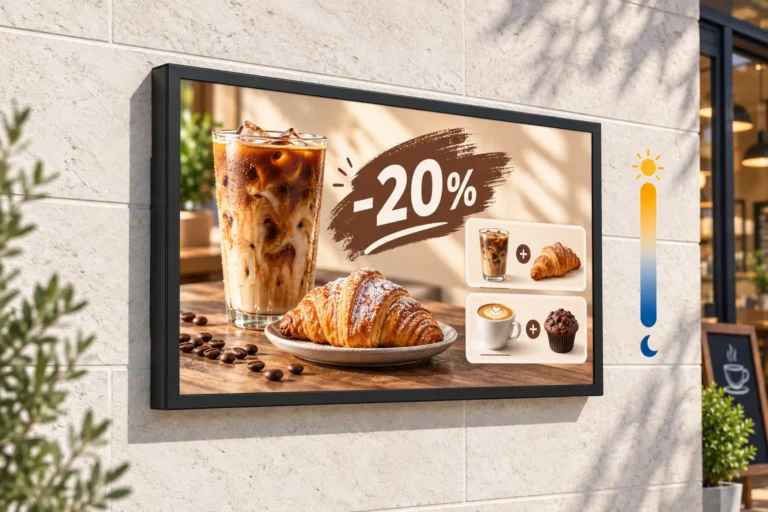
Illustration: A landscape outdoor LCD display shows a coffee-and-pastry offer on a sunlit cafe wall beside a brightness symbol.

High Brightness and Automatic Adjustment

The 3,000-nit panel provides brightness for outdoor viewing, while automatic adjustment responds to changes in surrounding light. The 32- and 43-inch models use Full HD panels; the 49-, 55-, 65- and 75-inch models use 4K UHD panels.

Check the screen position as well as its brightness: strong reflections on the glass and the direction of sunlight affect what people can see. Match the layout and text size to the distance from which customers will read it.

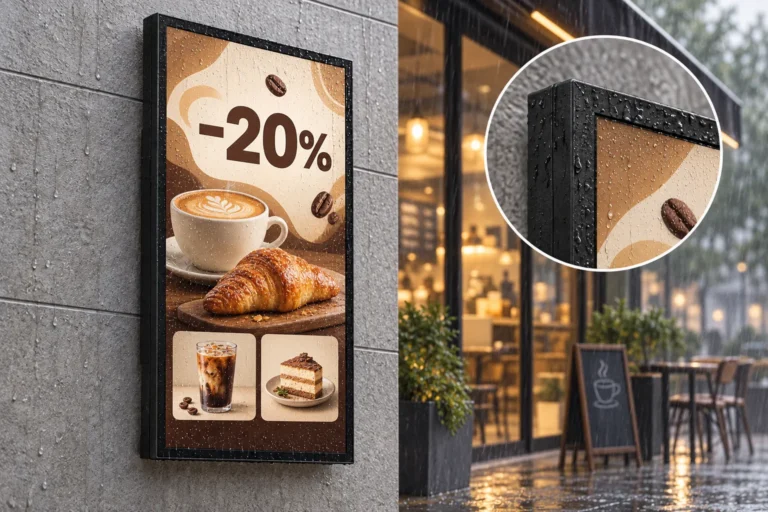
Illustration: An outdoor LCD display shows a cafe discount in the rain, with a close-up of droplets on its enclosure.

IP66 Protection Rating and Temperature Management

The display has an IP66 protection rating for resistance to dust and water ingress. Tempered front glass, a metal casing with a corrosion-resistant finish and a UV-resistant coating protect the unit in outdoor locations.

Internal temperature controls and overheating protection manage heat inside the enclosure. Specify the thermal configuration for the conditions at your site.

IP66 Test Report: Model and Results

Shenzhen BKC Testing Co., Ltd. tested model YJC-550-OD09-A to EN 60529:1991+A1:2000+A2:2013. Report BKC23114331KS records passing results for IP6X dust protection and IPX6 water-jet protection, with no dust or water ingress recorded after the respective tests.

Testing laboratoryShenzhen BKC Testing Co., Ltd.
Report numberBKC23114331KS
Issue date17 November 2023
Tested modelYJC-550-OD09-A
Test standardEN 60529:1991+A1:2000+A2:2013
IP6X dust protectionPass
IPX6 water-jet protectionPass

The report also lists YJC-320-OD09-A, YJC-430-OD09-A, YJC-490-OD09-A, YJC-650-OD09-A and YJC-750-OD09-A as additional models. Testing was conducted on YJC-550-OD09-A.

Download the IP66 Test Report (PDF)

Our 8-hour factory rain-testing process includes continuous water exposure, an internal check for water ingress, and subsequent aging and functional tests.

View our 8-hour factory rain-testing process

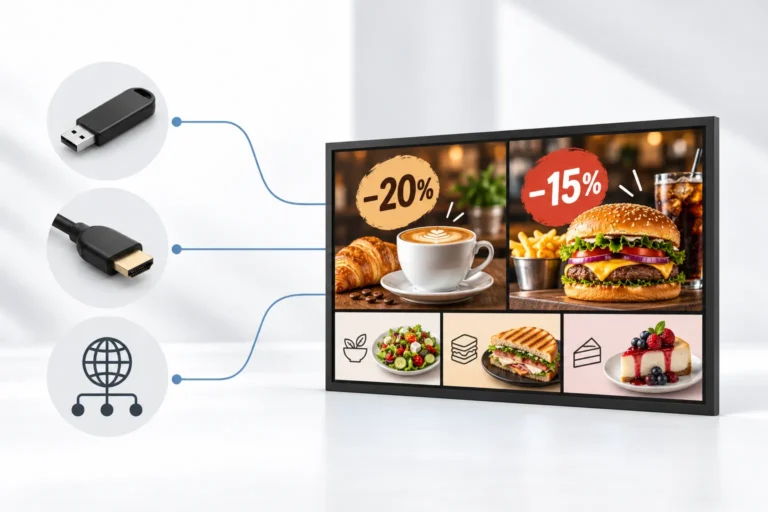
Illustration: An outdoor LCD menu display shows cafe and burger offers beside USB, HDMI and network connection symbols.

Android or Windows Playback and Connections

Choose an Android 11 or Windows configuration to suit your digital signage application. USB, HDMI and network connections provide options for content sources and updates. Playback and scheduling depend on the selected application.

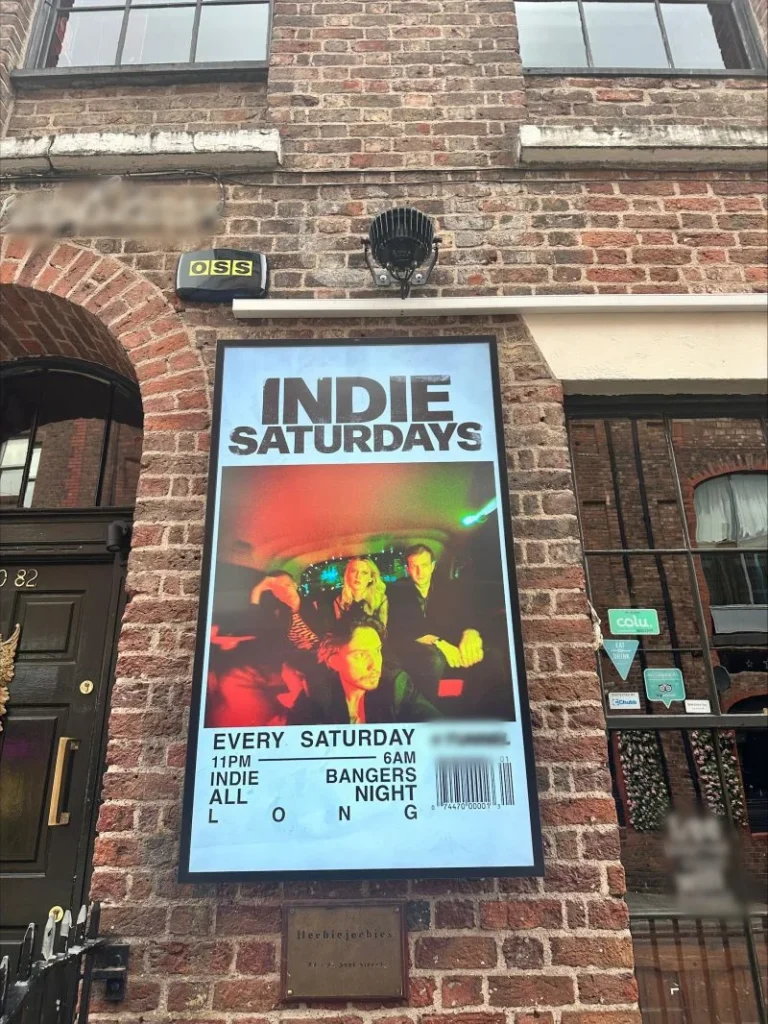
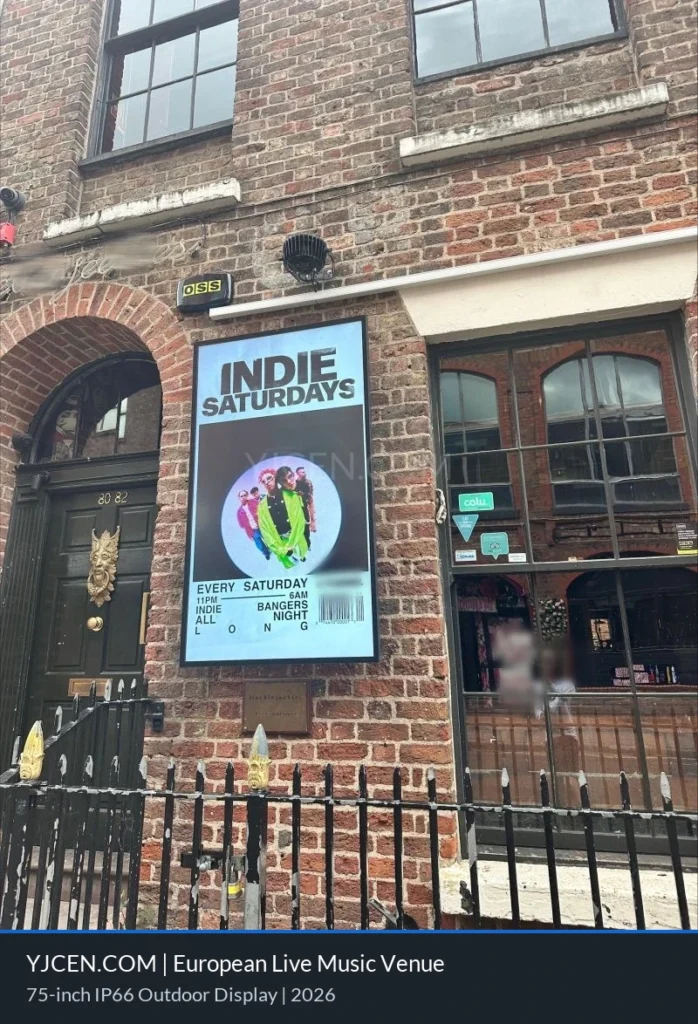
Portrait outdoor LCD display on a brick wall beside a venue entrance, showing a Saturday music event poster.
Europe · Photographed in 2025

Outdoor Digital Signage at a European Venue

A live music and entertainment venue in Europe uses a YJCEN outdoor LCD display to share event information with passing visitors. Mounted on the brick wall near the entrance, the portrait screen shows a Saturday music event poster and its schedule.

View all projects: IP66 Outdoor Displays

Outdoor Displays for Menus and Promotions

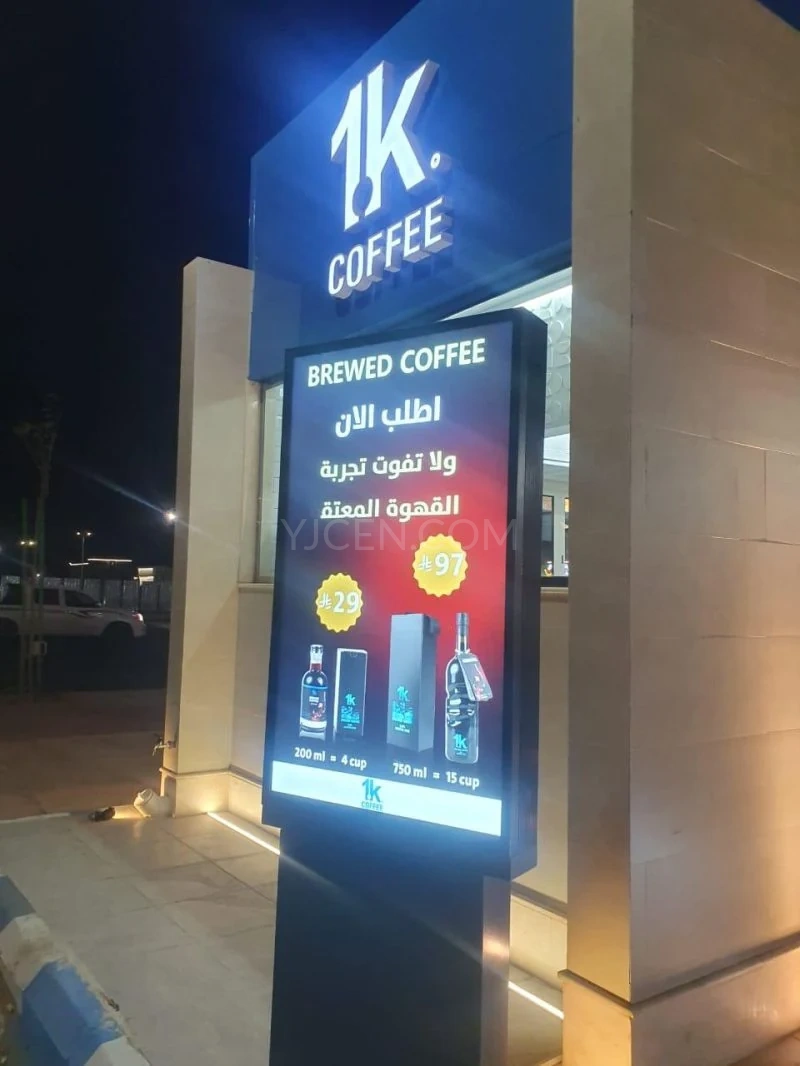
Use an outdoor advertising display at a shop entrance for offers and product launches, or outside a restaurant for menus and seasonal promotions. Hotels, visitor attractions and commercial sites can use the screen for directions, event details and opening information.

An outdoor LCD screen can show one full-screen message or several information areas. Select a layout that remains readable from the intended viewing position.

Choosing Screen Size and Orientation

Start with the available space, viewing distance and amount of information on screen. A compact location and a wide entrance may need different sizes within the same product family. Portrait suits vertical posters; landscape gives more width to menus and directions.

For a dedicated installation format, compare our outdoor wall-mounted digital signage and outdoor digital totem. Check the drawing for the selected size before planning the fixing points.

Manuals and Drawings

Select your screen size and configuration to find the right documents.

55″ · StandardYJC-550-OD09-A

Product Manual

Model specifications and configuration details.

Download PDF

Dimension Drawing

Drawing for the selected size and configuration.

Download PDF

Installation Manual

Series installation guide. See the model drawing for dimensions and mounting details.

Download PDF
Browse all product documents

OEM, certification and warranty

YJCEN offers enclosure, colour and private-label customization for integrators and brand owners. Android or Windows configurations, memory and storage can be customized; RK3568 and RK3576 are Android processor options. Your application can be pre-installed and tested on the selected hardware.

Samples are available from 1 unit. Standard models typically ship in 3–7 working days and customized units in 15–20 working days. Sample lead time varies by product; the quotation specifies the delivery schedule.

YJCEN's quality management system is ISO 9001 certified. CB certification covers our product range; CE, RoHS, FCC and ETL documentation is available for applicable models.

YJCEN products have a 3-year warranty, excluding user-caused damage and faults caused by improper screen installation.

OEM/ODM options · CB certificate · Warranty terms

Outdoor LCD Display FAQs

Are all six screen sizes built to the same external dimensions?

No. The screen sizes share the product-family specification, but enclosure dimensions change with size. Use the drawing for the size you intend to order.

Can the screen show menus and advertising on the same display?

Yes. Menu images, prices and promotions can use the same screen. Prepare the content in the chosen signage application and check the layout at the intended viewing distance.

Can I connect an external content source?

The display provides HDMI, USB and network connections. Select the input and playback setup to match your content source and application.

Is content-management software included?

Android configurations include a free cloud-based CMS with no limit on the number of accounts.

Does this display run on a battery?

This range requires mains power. For use away from a fixed power connection, compare our high-brightness outdoor battery display.

What details should I provide for an outdoor installation?

Send the screen size, quantity, intended location and preferred orientation. Site photographs and expected temperature conditions help us check the enclosure format and thermal configuration.

Confirm your outdoor display quotation

Include the model or screen size, portrait or landscape layout, quantity, destination country and site photographs in your enquiry.

Discuss the display, mounting equipment, playback setup and delivery arrangements in your project quotation.

Share your mounting and site installation plan to coordinate the display configuration with your installation team.

Compare wall-mounted and freestanding outdoor displays

Discuss Your Project

Not sure which specifications your site requires? Compare brightness, protection and operating conditions with our outdoor digital signage selection guide.

Tell us where the displays will be used and which sizes you need. We can help select the configuration and provide a quotation. Contact YJCEN.