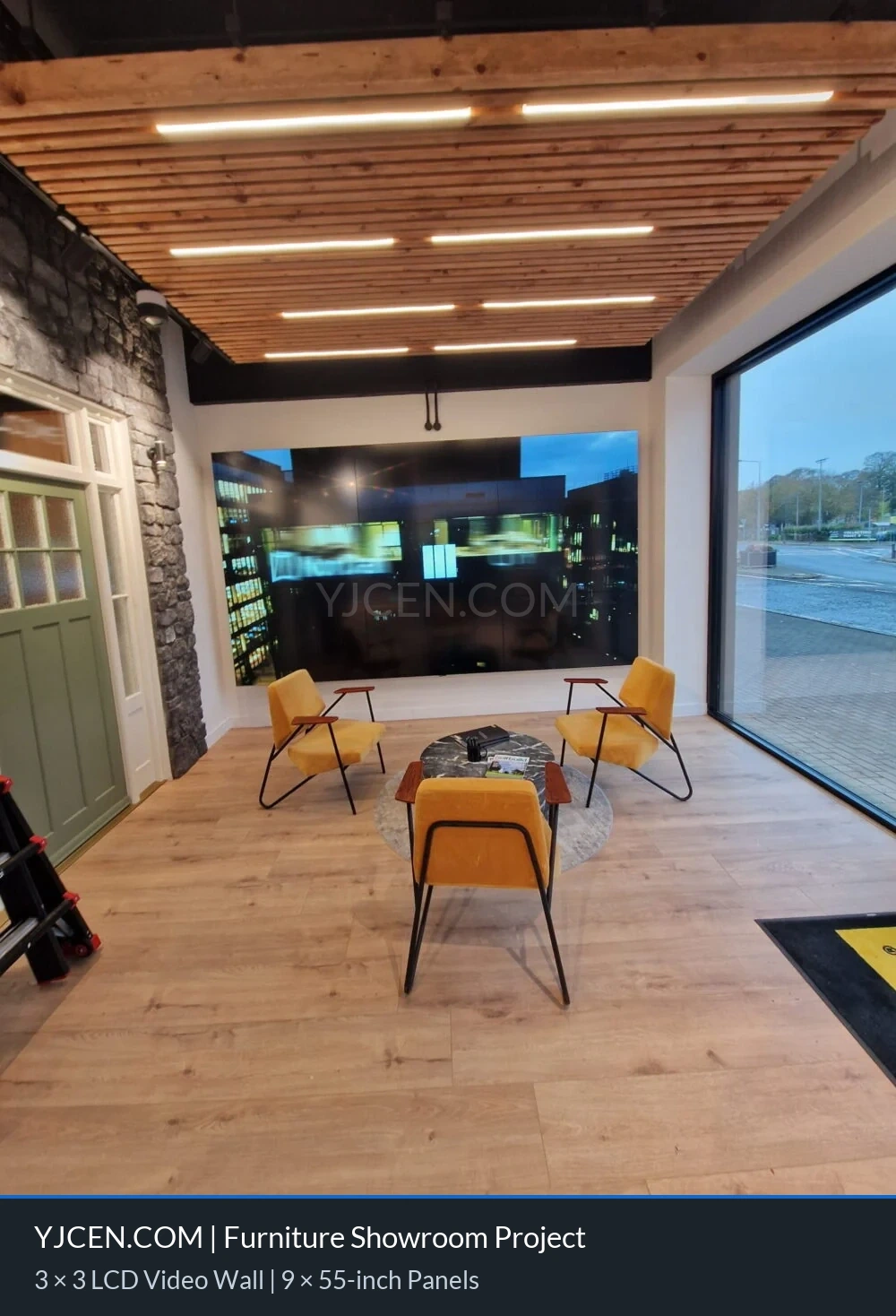
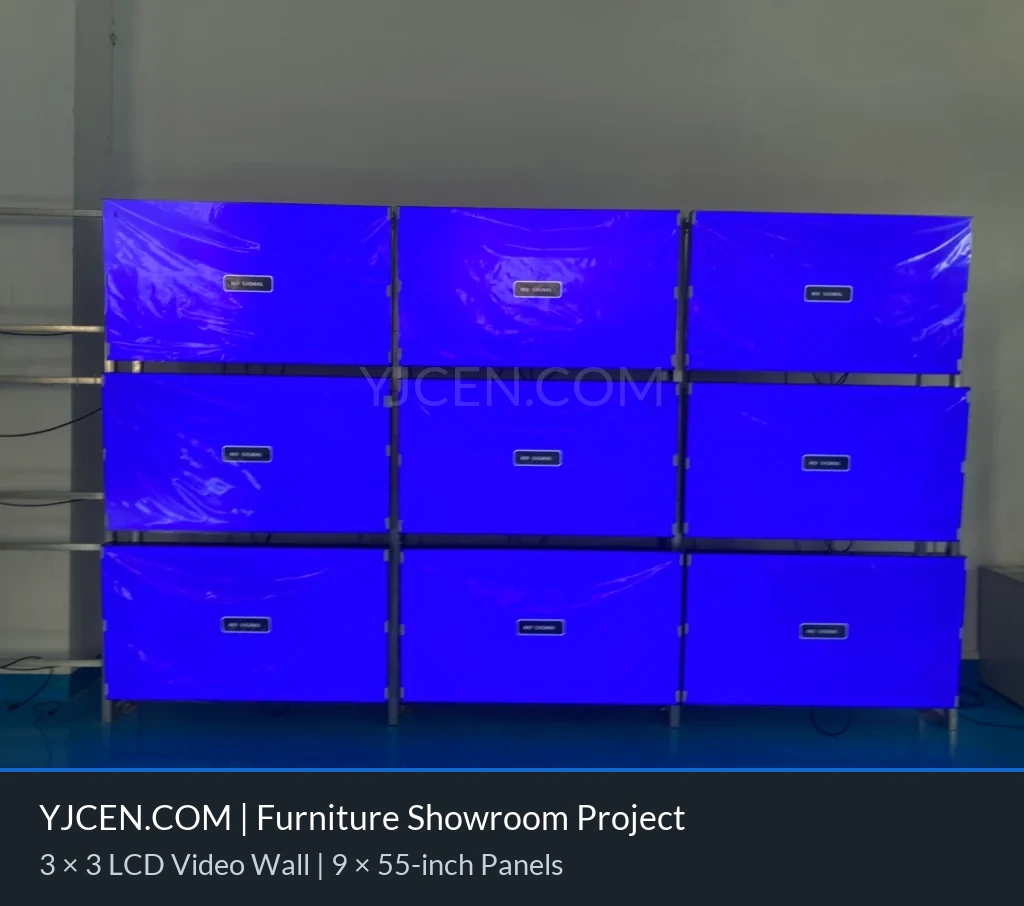
YJCEN delivered a 3×3 LCD video wall for the flagship store of a furniture brand. The system uses nine 55-inch commercial displays to create one large visual surface for showroom content.
Each panel has 4K UHD resolution and a 3.5 mm ultra-narrow bezel. Standard HDMI connections and a professional matrix controller manage the video signal across the complete 3×3 layout. The project was delivered in 2025 and continues to operate normally.
Project Specifications
- Configuration: 3×3 video wall
- Number of screens: 9
- Individual screen size: 55 inches
- Individual screen resolution: 3840×2160 (4K UHD)
- Bezel width: 3.5 mm ultra-narrow bezel
- Signal interface: Standard HDMI
- Control system: Professional matrix controller
- Delivery year: 2025
- Operating status: Functioning normally to date
Project Objective
The furniture store required a large display area for room settings, product collections and brand content. A 3×3 arrangement created a wide visual surface while retaining the modular structure of individual commercial panels.
The nine-screen layout can present a coordinated image across the complete wall. This format is suitable for wide lifestyle scenes, interior photography and video content that would be difficult to show at the same scale on one standard display. The project information does not include measured sales or visitor data, so the case focuses on the installed configuration and operating status.
Why a 3×3 LCD Video Wall Was Used
A video wall combines several screens into one larger canvas. In this project, nine 55-inch displays form three rows and three columns. The modular layout allows the installation team to position and adjust each panel separately during setup.
The 3.5 mm bezel keeps the borders between adjacent panels narrow. The bezel lines remain visible, but careful alignment helps the complete image appear consistent from normal showroom viewing distances. Content with wide room scenes and large product images can make effective use of the combined display area.
4K Panels and Matrix Control
Each 55-inch panel has a resolution of 3840×2160. The professional matrix controller distributes the video signal across the nine-screen arrangement. Standard HDMI provides the specified signal interface for the system.
The controller is the central point for arranging the source image across the wall. The exact source layout and switching options depend on the selected controller configuration. Content preparation should follow the final canvas and controller setup so that images remain correctly proportioned across all nine panels.
Panel Alignment and Calibration
Accurate alignment is important in any narrow-bezel video wall. The mounting structure must be level, and the gap between neighbouring panels should remain consistent. Small positioning differences become more visible when content contains straight lines, furniture edges or large areas of one colour.
The installation image shows a synchronized blue test pattern across the wall. A uniform test image makes it easier to compare panel position, colour and brightness. Technicians can identify visible differences before switching to normal showroom content.
Calibration should be checked from the main viewing area as well as close to the wall. The final review should confirm that the signal reaches every panel and that the displayed image follows the intended 3×3 arrangement.
Installation Preparation
A nine-panel system requires more preparation than a single display. The wall dimensions, support structure, power access and HDMI routing should be confirmed before the screens are installed.
- Wall space: Allow enough width and height for the complete 3×3 arrangement.
- Support structure: Use a level mounting system designed for accurate panel adjustment.
- Viewing distance: Position the wall so visitors can see the complete image without standing too close to the bezel grid.
- Power access: Plan the required connections for all nine commercial displays.
- Signal routing: Keep HDMI cables organized between the source, matrix controller and panels.
- Service clearance: Confirm how individual panels can be inspected or removed if maintenance is required.
These points are general planning requirements for a similar installation. The available project information confirms the installed display configuration, but it does not specify the exact bracket, power circuit or service-access method used at the store.
Content Planning for Furniture Retail
Content for a 3×3 wall should be prepared for the complete canvas. Simply enlarging a small single-screen advertisement can make text and product details look soft. Designers should work with the final aspect ratio and output resolution used by the matrix controller.
Furniture retailers can prepare room scenes, collection introductions, material details and seasonal campaign graphics for a large-format presentation. Important text, faces and product labels should not sit directly on panel boundaries. Moving these elements away from the bezel intersections improves legibility.
- Use large headings and short messages that can be read from the main viewing area.
- Keep essential product details away from the lines between screens.
- Test room photography and straight architectural lines on the complete wall.
- Use consistent colour settings when content includes light interiors or neutral materials.
- Review every campaign on the installed 3×3 canvas before regular use.
Commissioning the Complete System
Commissioning should treat the nine panels as one system. The installation team should confirm HDMI signal delivery, matrix-controller output, panel order and image continuity. Each screen should display the correct section of the source image.
The blue pattern shown in the project image provides a clear reference during this stage. After the uniform test is complete, the team can review normal images and video. This second check helps confirm how real showroom content crosses the bezel lines.
Operation and Maintenance Planning
The video wall is reported to be functioning normally. Continued operation depends on routine inspection of the display system, signal equipment and mounting arrangement. Maintenance requirements should follow the selected panels, controller and installation hardware.
Access to individual screens should be considered when planning a similar wall. The buyer should also document cable routes, input sources and controller settings. Clear records make future inspection and panel-level service easier to organize.
What Buyers Should Confirm
Before ordering a comparable 3×3 video wall, buyers should provide the installation team with accurate site and content information:
- Available wall width and height
- Normal viewing distance
- Required screen size and bezel width
- Preferred source devices and HDMI connections
- Content format and final canvas requirements
- Mounting and service-access requirements
- Destination country and installation schedule
This information helps define the panel configuration, controller setup and installation plan. Requirements that are not confirmed in the source material should be reviewed before they are included in a quotation.
Frequently Asked Questions
How many screens are used in this project?
The video wall uses nine 55-inch displays. They are installed in a 3×3 arrangement with three screens in each row and three screens in each column.
What is the bezel width?
Each panel uses a 3.5 mm ultra-narrow bezel. Correct panel positioning is still required to keep the gaps consistent across the complete wall.
What signal and controller are specified?
The project uses standard HDMI and a professional matrix controller. The controller manages the image across the nine-panel layout.
Can different content layouts be used?
The available layouts depend on the selected matrix-controller configuration. Buyers should confirm the required sources and layouts before ordering instead of assuming that every controller includes the same functions.
What information is required for a quotation?
Please provide the wall dimensions, viewing distance, preferred screen size, required bezel width, source devices, content format, destination country and installation schedule. YJCEN can then review the appropriate video-wall configuration.
Related Commercial Display Solutions
Explore YJCEN LCD video wall solutions for retail and commercial spaces. You can also review more digital signage client cases or contact YJCEN to discuss a multi-screen display project.