An outdoor LCD digital signage project needs a defined application, suitable hardware and a workable operating process. Start with the installation conditions and the information people need to read; then confirm the display, mounting, software and maintenance responsibilities as one project.
1. Define the application and project boundaries
Record the location, intended viewers, viewing distance, content type, operating hours and number of screens. Decide whether the display presents information or requires interaction. Payment, audience measurement and programmatic advertising are separate system requirements, not capabilities implied by an LCD panel.
2. Select hardware against the actual conditions
| Requirement | What the project needs to confirm |
|---|---|
| Readability | Assess sunlight, glare, viewing distance and content size. Confirm the selected brightness range and test representative content at the site. |
| Weather protection | Specify rain, dust, cleaning and corrosion exposure. Match the documented protection rating and installation limits to that exposure. |
| Thermal conditions | Confirm ambient conditions, solar heating and service clearances against the selected model’s operating limits. |
| Mounting and access | Check support structure, access for servicing, cable routing and any site approvals with the responsible installers. |
| Software and connections | List required inputs, operating system, CMS functions and network access. Confirm licences, compatibility and support responsibility. |
There is no single brightness, temperature range or enclosure configuration that suits every outdoor site. Confirm specifications for the chosen model. Features such as remote diagnostics, automatic content updates and cellular networking depend on the supplied hardware and software.
3. Turn the site survey into an installation plan
- Document the mounting surface, dimensions, orientation and available service space.
- Have qualified installers confirm structural support, electrical provision and local requirements.
- Agree on network access, account ownership, update permissions and the fallback when connectivity is lost.
- Record which party supplies the display, mount, cabling, network, software and commissioning work.
4. Define content ownership and fallback behaviour
Assign an owner for prices, notices, campaign dates and content approval. Test the intended schedule, time zone and end-of-campaign behaviour. If the network or player becomes unavailable, confirm what remains on screen and how staff report the problem. Do not assume that remote publishing includes POS integration or automatic inventory updates.
5. Agree on acceptance checks before rollout
- Check the delivered model and configuration against the approved order and drawings.
- Review text readability and reflections at the actual viewing positions using approved content.
- Test scheduled updates, power recovery and the agreed network-loss behaviour.
- Record the installation condition, access arrangements, handover documents and support contacts.
For a pilot, record a baseline and define the measurement method before installation. Playback logs can confirm that content ran; they do not establish how many people saw it or whether sales increased. Compare equivalent periods and report observed results separately from forecasts.
6. Budget for operation and maintenance
Include mounts, installation, networking, software licences, content production, electricity, cleaning and service access as well as the screen. Set inspection tasks and reporting responsibilities from the manufacturer’s instructions and site conditions. Assess expected benefits using project data rather than a universal payback or performance-improvement percentage.
A real installation to inform the next project
At a concrete plant in Ireland, YJCEN supplied a 55-inch YJC-550-OD09-A outdoor display with an IP66 protection rating, wall-mounted installation and a continuous 24/7 operating specification. The project illustrates the importance of dust exposure, installation position and readable industrial information. It does not establish advertising uplift or a maintenance-saving percentage.
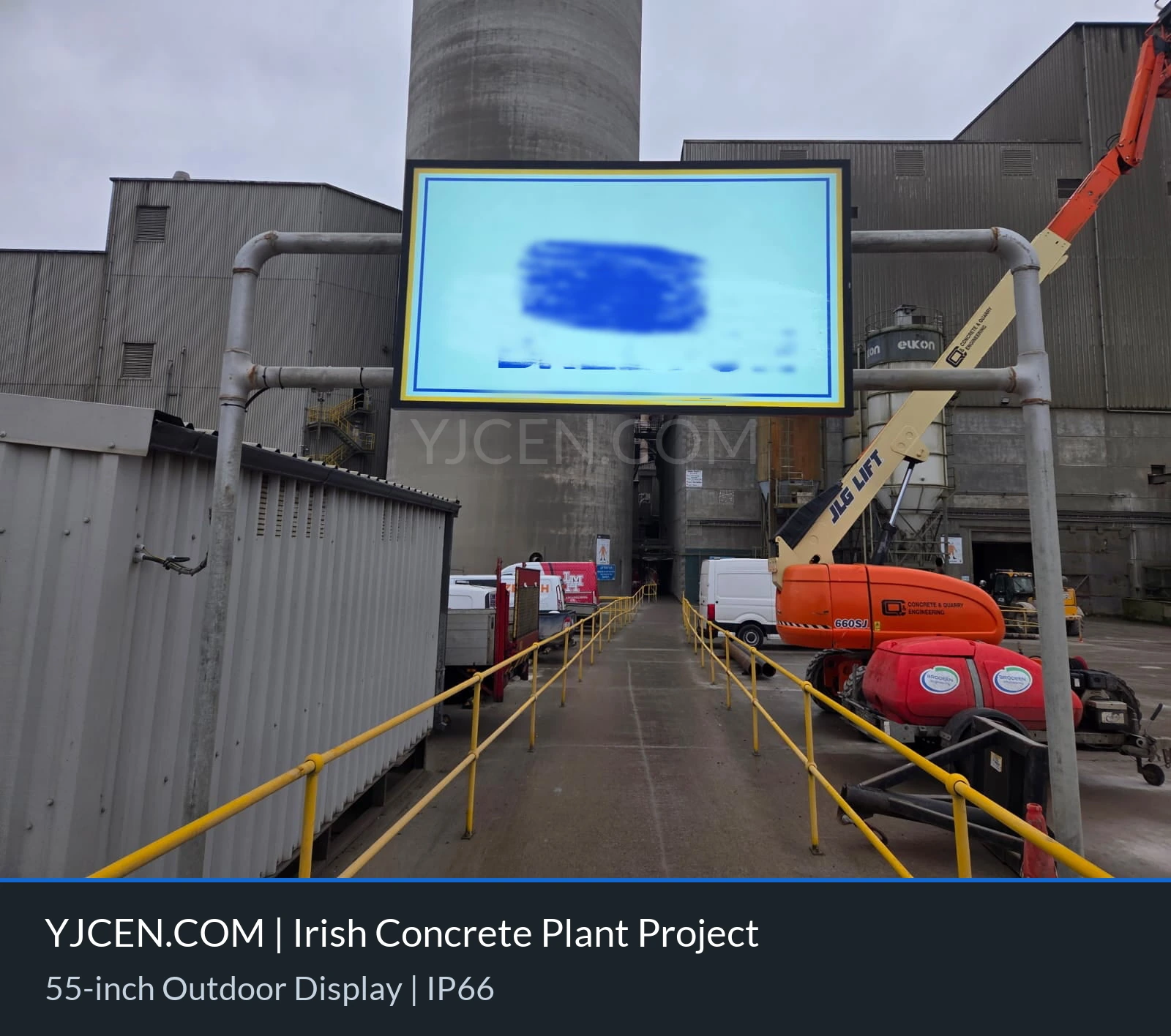
View the concrete-plant installation and confirmed hardware
Prepare a comparable proposal
Share the site survey, screen quantity, content workflow, operating schedule and acceptance checklist. Ask suppliers to identify included items, exclusions and configuration-specific limits so proposals can be compared on the same scope.