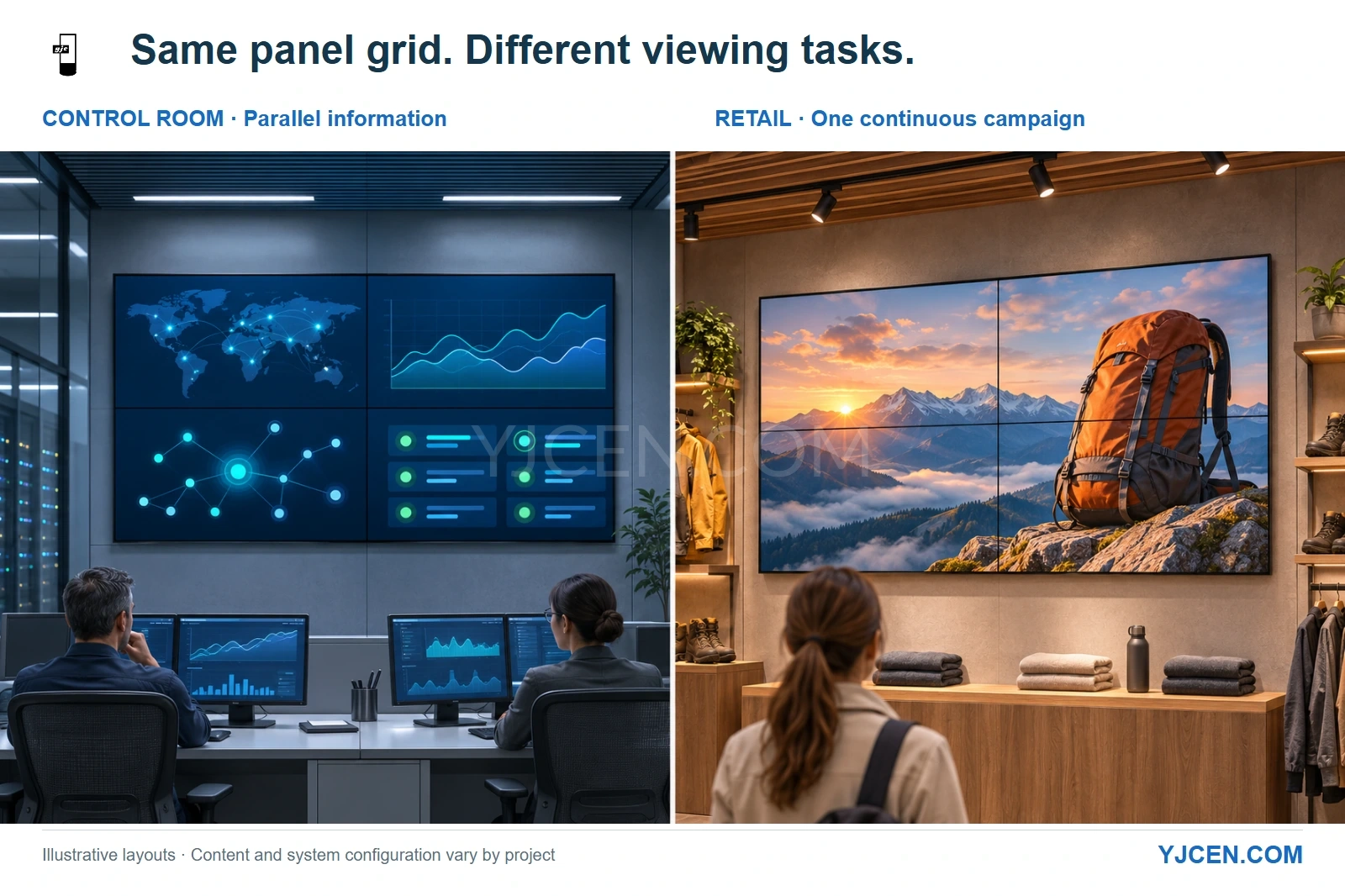
Both scenes show a 2 × 2 LCD panel grid. The control-room layout separates information sources; the retail layout spreads one campaign image across the wall. Illustrative installations.
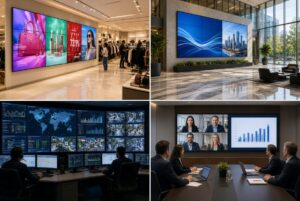
For a control-room or retail LCD Video Wall, define the viewing task before choosing the panel package. A network operations center (NOC) needs operators to read and act on simultaneous information; a retail feature wall needs shoppers to understand a campaign at the intended viewing positions. Split operating schedule, seam tolerance, source layouts and service access before reusing the same bill of materials (BOM).
Specify what must remain readable, what must remain visible during a fault, and when the wall can be serviced. Those decisions separate the two RFQs more usefully than a “control-room grade” or “retail grade” label.
A retail wall carrying detailed product comparisons can demand finer text readability than a control-room wall showing large status tiles. Let the content and operating consequences determine the configuration.
1. How should operating hours change the specification?
Write the actual weekly schedule, including overnight use, into the RFQ. For a continuously staffed control room, include continuous display operation and the periods available for maintenance; for a store, distinguish opening hours from any after-hours advertising or cleaning-time playback.
YJCEN specifies 24/7 operation for its LCD video wall panels, including the 55-inch YJC-550-VW. That makes the same panel family a candidate for either schedule; the operating-hours label alone does not settle the controller, power arrangement or recovery plan.
| Operating question | Control-room RFQ | Retail RFQ |
|---|---|---|
| When must the wall run? | State continuous or shift-based use and any planned shutdown | State trading hours, after-hours playback and shutdown schedule |
| What happens when one source disappears? | Identify the information operators must still see and where they can access it | Define the fallback picture or playlist behavior and who restores the campaign |
| What must happen after a restart? | Restore the required source layout; define whether operator action is acceptable | Restore the scheduled content and the intended panel arrangement |
| When may maintenance interrupt viewing? | Agree a service window or an alternative way to view required information | Agree access outside customer traffic or a controlled work area during trading |
Treat continuous operation and fault recovery as separate requirements. If losing the wall would remove the operator’s only view of essential information, specify an alternative viewing path and the recovery behavior as part of the system design.
Include representative static dashboards as well as moving content in the operating brief. A rolling video demonstration does not represent a shift spent watching fixed status labels.
2. Does a control room always need the narrowest bezel?
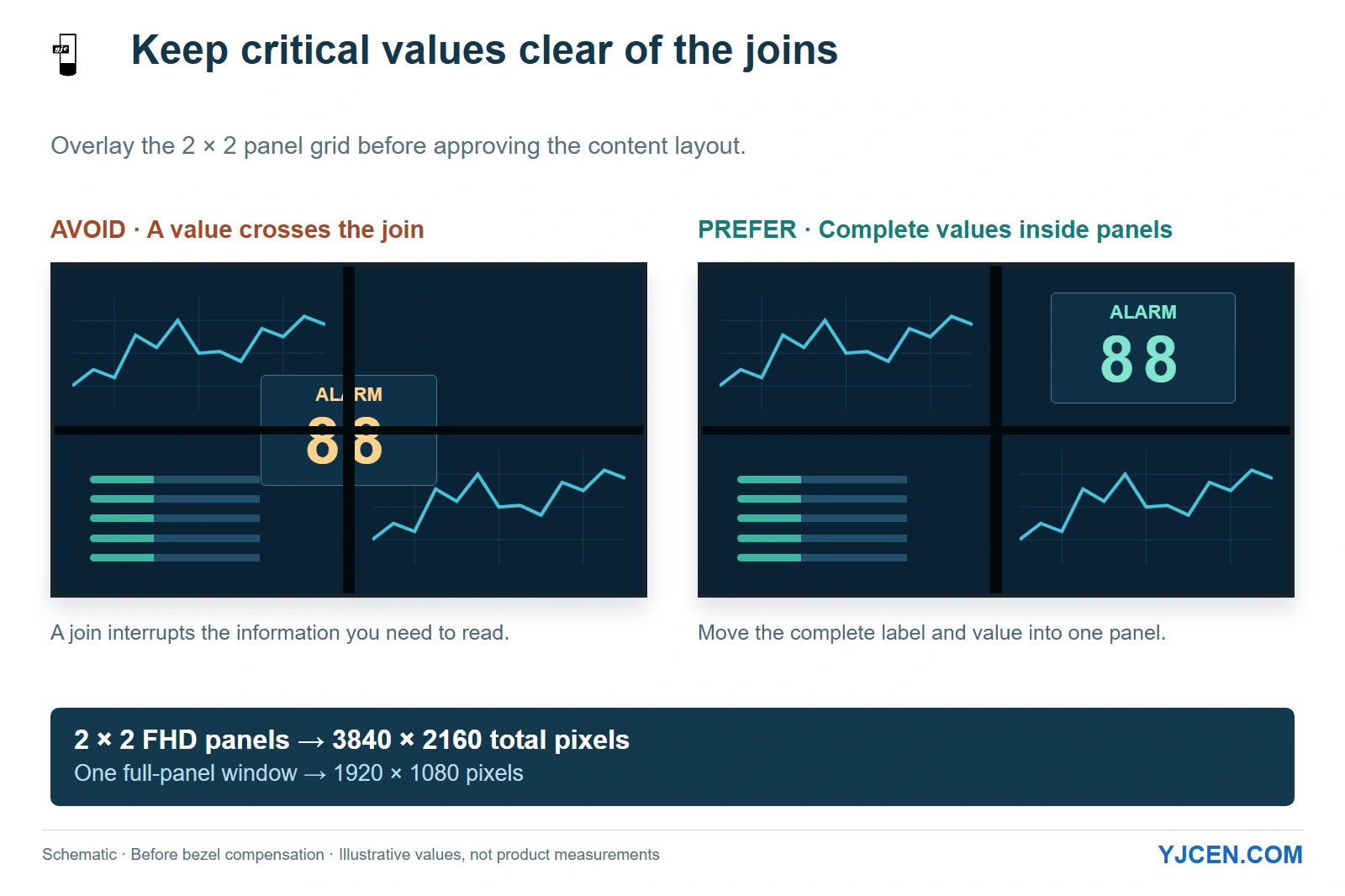
Prioritize the join where it interrupts a task. A map with labels crossing panel boundaries may justify a narrower border, while a dashboard divided into panel-sized zones can keep critical values entirely within each screen.
Retail content can be equally sensitive: a face, product silhouette or brand wordmark split across a join may be more distracting than the same join between separate status tiles. Avoid allocating a bezel solely by the name of the venue.
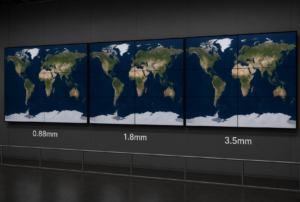
YJCEN offers 0.88, 1.8 and 3.5 mm bezel options; the standard 55-inch YJC-550-VW specification lists 3.5 mm. Compare the chosen LCD video wall bezel size on the same measurement basis, then overlay the panel grid on the actual dashboard or campaign frame.
Use that overlay to make a concrete choice:
- Separate information zones: place a complete alarm row, price or product label within one panel where possible. This reduces dependence on continuous detail across a join.
- A continuous map or image: compare narrower-border options where important lines and features cross panels. Keep essential labels away from the joins even with the narrower option.
- Content that cannot be rearranged: include the exact file or application view in the quotation brief so the proposed panel grid can be assessed before ordering.
Decide the bezel-compensation behavior at the same time. Compensation can preserve the apparent geometry of a spanning image by mapping some content behind the physical borders; choose a layout that keeps required data visible rather than allowing an alarm value to disappear at a join.
3. Which controller fields change between the two uses?
Count connected sources, simultaneously visible sources and panel outputs separately. A controller with enough connectors can still be unsuitable if it cannot display the required combination of windows at once.
For a control room, send the normal operating layout and the busiest incident layout. Identify which feeds remain visible when another source is enlarged, who changes layouts, and what the system must restore after a source reconnects or the controller restarts.
For a retail wall playing one full-wall campaign, specify how the player’s image is mapped across the grid and updated. Add multiple-source or independently scheduled zones only when the campaign actually needs them; a single full-wall video and several live windows are different processing workloads.
| Source field | Control-room example requirement | Retail example requirement |
|---|---|---|
| Source list | Named workstations, dashboards and video feeds, with their actual connections or stream formats | Campaign player, promotional feed and any separately updated content zones |
| Simultaneous layout | Normal and incident layouts, including sources that cannot be covered | Full-wall campaign or defined independent zones |
| Switching | Operator actions, preset changes and behavior during source loss | Playlist changes, campaign handover and scheduled restart |
| Output mapping | Numbered panel positions and required output formats | Numbered panel positions and continuous image mapping |
Turn those drawings into the required controller inputs, outputs and layouts. Quote the controller and its supported functions explicitly alongside the panels, including the cable runs and any conversion or extension equipment.
Keep native panel resolution separate from source and wall resolution. YJCEN’s standard panel specification is 1920 × 1080; four such panels in two columns and two rows contain a combined 3840 × 2160 pixel grid, calculated before any bezel-compensation mapping.
That grid does not give each window a 4K image. A dashboard occupying one full panel has a 1920 × 1080 display area, while stretching a lower-resolution source over the whole wall does not add source detail.
4. Which content must be readable from which position?
Mark the nearest and farthest required viewing positions on the room plan. For a control room, attach the smallest operational label, a representative chart and the most crowded required layout; for retail, attach the campaign frame and any price, offer condition or product detail the viewer must read.
Assess a data window at the size it will actually occupy. A dashboard that is readable full-screen may become unusable when reduced beside several other feeds, even though the overall wall is large.
AVIXA’s DISCAS sizing tools distinguish basic and analytical viewing tasks and relate image sizing to viewing position and content detail. Use the relevant task when sizing the displayed information, then assess it in the proposed wall layout; a generic multiple of screen diagonal does not capture every reading task.
Include room lighting and reflections in that assessment. A control-room operator looking at dark dashboards and a shopper passing a brightly lit display need different content and operating-level decisions, but neither use case establishes a universal brightness minimum.
What should color matching prove?
For a control-room layout, use representative neutral backgrounds and status graphics to expose differences that could distract from comparisons across screens. For retail, include the campaign’s skin tones, product colors and large areas of white or gray.
Set the reference content and operating level before matching and calibrating the wall, then save the panel-specific settings and acceptance record. Put the matching work needed after a replacement into the service scope so a new panel is assessed against the existing wall.
5. How does service access change the mounting choice?
Draw the removal path for an individual panel, including one surrounded by other screens. A narrow finished recess is a poor choice if reaching a cable or removing a failed unit requires dismantling adjacent displays or fixed retail joinery.
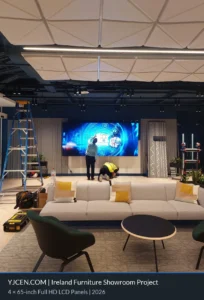
YJCEN’s video wall installation sequence fits hooks behind the panels, connects the necessary cables, installs the screens from bottom to top and adjusts their positions at the hooks. The mounting and surrounding construction therefore need space for the selected panel’s fixing, alignment and cable work.
Where there is no rear service route, select a front-access mounting arrangement with enough withdrawal space and cable movement for the chosen panel. If the design uses rear access, reserve a usable technician route behind the wall before fixing the room or store layout.
The operational difference is the interruption that the site can accommodate. A control room may need required feeds available elsewhere during service; a retailer may prefer a planned after-hours repair but still needs room to work without dismantling merchandise fixtures.
Ask for the mounting arrangement in section view, not just a front elevation of the screens. Include the controller location and its service route, since repairing a display cannot restore a failed source processor hidden inside inaccessible joinery.
6. Which RFQ fields belong in the side-by-side comparison?
Compare complete LCD video wall quotations on the same panel grid, source workload, operating schedule and service access. A panel-only price leaves the cost of routing, mounting and restoring the system unresolved.
| RFQ field | Control room / NOC | Retail feature wall |
|---|---|---|
| Viewing task | Read required status, labels and live information from the assigned positions | Communicate the campaign and any required product or offer detail |
| Operating schedule | Continuous or shift-based duty, with maintenance arrangements | Trading and after-hours schedule, with restart requirements |
| Content evidence | Actual dashboard, smallest required label and incident layout | Actual campaign frames, motion content and required fine print |
| Panel grid and seams | Keep critical values visible in the required layouts | Preserve key product imagery, faces and brand text |
| Controller workload | Connected sources, simultaneous windows, operator switching and recovery | Whole-wall playback or independent zones, updates and scheduled operation |
| Viewing conditions | Operator positions, content-window size, lighting and reflections | Customer approach, reading positions, lighting and reflections |
| Color acceptance | Consistent backgrounds and meaningful status graphics | Agreed appearance of products, skin tones and brand colors |
| Service arrangement | Panel removal, controller access and continued access to essential information | Panel removal, fixture clearance and permitted maintenance times |
| Handover | Panel/output map, saved layouts, settings and recovery instructions | Panel/output map, playback settings, update process and restart instructions |
Keep the comparison tied to the same deliverables. A quotation that includes controller configuration, mounting and commissioning should not be compared as if it were a panel-only offer.
7. Copy this use-case RFQ into your project email
Attach the wall plan, source list and representative content. Select the relevant options and replace the remaining fields with the project requirements.
8. Control-room and retail video wall FAQs
Can the same LCD panel family serve both applications?
Yes, when its configuration meets the required duty, content and installation conditions. YJCEN’s standard video wall range specifies 24/7 operation, while controller and mounting choices follow the project.
Does 24/7 operation guarantee uninterrupted monitoring?
No, a panel’s operating-hours rating does not guarantee complete-system availability. Specify source recovery and alternative access to essential information separately.
Does every control room need the narrowest bezel?
No, the content layout determines how much the joins affect the task. Compare narrower borders where critical detail crosses panels and keep essential values clear of joins.
Does a 2 × 2 FHD wall make every dashboard 4K?
No, a dashboard on one panel still occupies that panel’s native pixel grid. Four FHD panels form a combined 3840 × 2160 grid before bezel compensation.
Can an existing retail wall be reused in a control room?
Yes, if the panels, processing and mounting meet the new operating brief. Reassess simultaneous sources, readable window sizes and service continuity before reusing the BOM.
Is front service included with every LCD video wall mount?
No, front access depends on the selected mounting arrangement. Include the individual-panel removal path and cable access in the installation drawing.
Should color matching be repeated after replacing a panel?
Yes, assess the replacement against the remaining wall at the agreed settings. Retain the content reference and panel records so the comparison can be repeated.
Send the layout that operators or shoppers will actually see
Send the room or storefront drawing, panel-grid sketch, viewing positions, source list and sample content for custom video wall integration. Include the mounting section and service window so YJCEN can discuss panel configuration and mechanical fit around the same operating brief.