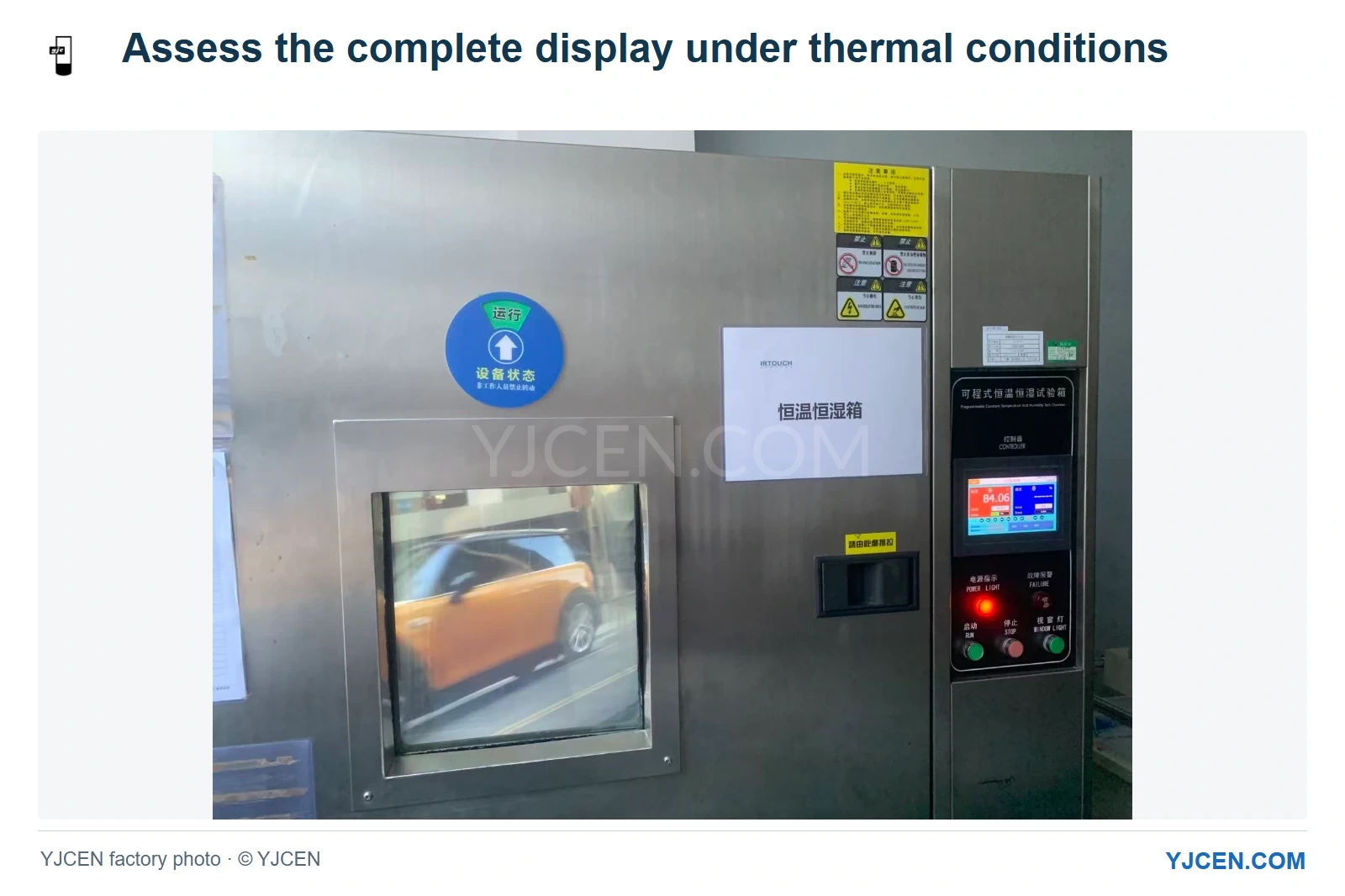
This factory photo shows a powered display inside environmental test equipment. It documents the testing setup; the article explains brightness-control behavior for the selected configuration. YJCEN factory photo. © YJCEN. All rights reserved.
An outdoor screen can reduce brightness in hot weather when its thermal control lowers the backlight to manage internal heat. That behavior has a different purpose from adjusting brightness to daylight. For projects using our IP66 Outdoor Digital Signage, we recommend defining the hours when readability matters most, then matching the installation and thermal-control configuration to those conditions instead of judging the system only by its brightness setting.
Is the screen responding to light or to heat?
Ambient-light control responds to the viewing environment. As daylight falls, a screen may need less output to remain readable and comfortable; a bright exterior can call for more. That is the role of automatic brightness adjustment using an ambient light sensor.
Thermal brightness reduction responds to heat inside the equipment. It may reduce the backlight while the surroundings are still bright, creating the situation that worries a retailer: the screen becomes dimmer during a sunny afternoon when the message needs to be seen.
| Observed situation | Possible explanation | What the project needs to establish |
|---|---|---|
| The whole image dims as the surrounding light falls | Ambient-light brightness control | A suitable output level for the viewing conditions |
| The whole image dims after sustained heat exposure | Thermal backlight reduction | The active control behavior and the installation’s heat conditions |
| The picture appears washed out as reflections increase | Reduced apparent contrast at the viewing position | How the glass, sun direction and viewing angle affect readability |
| A localized dark patch or uneven image appears | A different display symptom requiring assessment | A description and images of the affected area |
These observations help describe the event; the configured settings and temperature information establish the cause. Reflected sunlight can reduce apparent contrast, so a photograph may look dimmer even when the screen output has not changed.
How does YJCEN’s staged thermal control work?
Our thermal-control arrangements for the relevant window-display and IP66 configurations support increasing fan activity as internal temperature rises, followed by staged backlight reduction at higher internal temperatures. Reducing backlight output helps lower the heat generated by that part of the display while the cooling system continues to work.
This gives the integrator a useful control choice. For a promotional screen, a managed reduction may be preferable to losing the message altogether; a project with a critical daytime readability requirement needs the installation and cooling arrangement considered against that requirement from the start. We can discuss thermal-control customization, including a shutdown action at an agreed condition where the project calls for it.
The control settings belong to the selected configuration. We would define the desired response with the integrator around the actual mounting position and operating duty, so a request for “3,000 nits” is accompanied by a clear requirement for the hours and conditions that matter to the site.
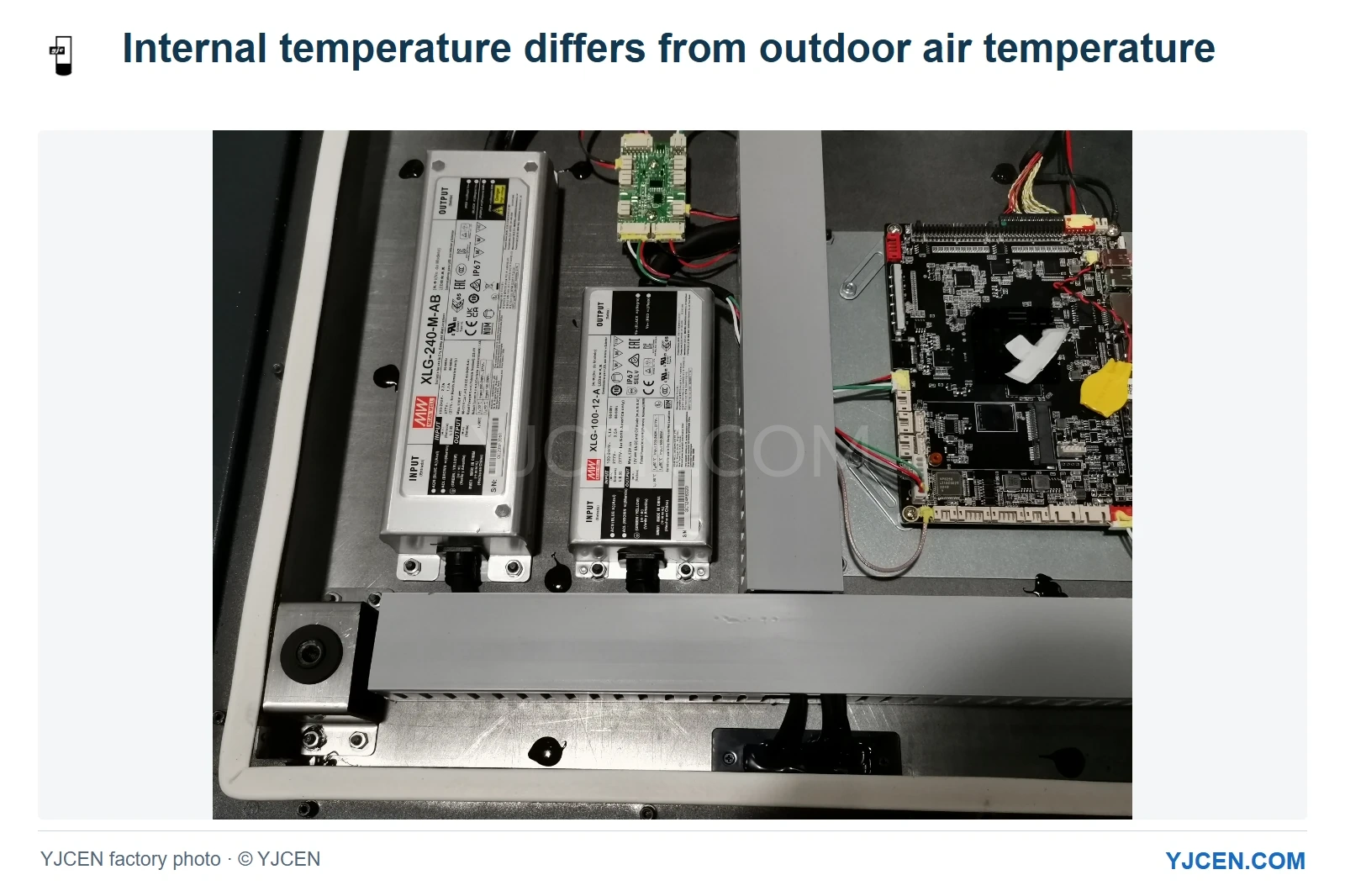
Why can the inside be hotter than the weather report?
The weather report describes ambient air temperature. Inside a working display, the backlight and electronics add heat, while sunlight can heat the enclosure and front assembly. A temperature measured inside the equipment therefore answers a different question from the temperature of the air around it.
Our IP66 range specifies operation from −45°C to +65°C with the appropriate thermal configuration. Within that range, backlight output follows the selected thermal-control strategy. For a site with strong afternoon sun, we would consider the internal heat load and the required readable output together.
What if the screen must stay readable through the hottest hours?
Describe that period explicitly: for example, an afternoon menu or a message facing a west-facing approach. We would work from the required viewing position and content, then consider the available shade, enclosure placement and space for the selected cooling arrangement. Those decisions are easier to make before the screen position is built into a facade.
If an existing screen starts reducing brightness during the same period each day, increasing a brightness setting may not address the heat load. The useful installation changes concern solar exposure and heat removal; the control strategy then operates within that arrangement. We would address mounting and cooling conditions before raising the backlight setting again.
We also recommend choosing content for the available viewing conditions. A clear price, short message and strong contrast can remain more useful than a dense promotional layout, even when both are shown at the same output level. The content review should take place from the audience’s position, including any storefront glass between the screen and the viewer.
What information helps us assess a dimming event?
Send the model, a photo showing the whole installation, the approximate time and duration, and whether the entire image becomes dimmer or only an area changes. Include the brightness mode and any available temperature or operating information. These details help our engineers separate a control response from a viewing-condition issue or a different display symptom.
A useful comparison keeps the message and viewing position the same before and during the event. Record what changes around the display, such as direct sun reaching the front or a new obstruction around the enclosure. That creates a specific discussion about the installation rather than an assumption that every dimming event has the same cause.
Frequently asked questions
Why does an outdoor display dim while sunlight is still strong?
Thermal protection may reduce the backlight to manage internal heat. Ambient-light control and reflections can also affect the observed brightness, so the configured behavior matters.
Does a 65°C operating limit describe the screen’s internal temperature?
No, the stated operating range describes the ambient environment for the appropriate configuration. Internal and panel temperatures are different quantities.
Can YJCEN customize the thermal-control strategy?
Yes, we can discuss thermal-control settings for the selected configuration. The discussion should include sun exposure, mounting conditions and the hours when readable output is most important.
Plan the brightness behavior your location needs
If your outdoor message must remain readable through the hottest part of the day, send us the proposed location, direct-sun periods and critical viewing hours. For a screen already dimming, add the model, symptoms and available operating information. We can use these details to discuss placement, cooling and thermal-control settings together for the selected YJCEN configuration.