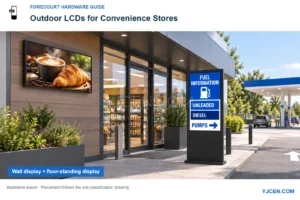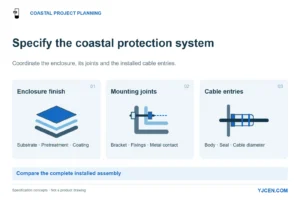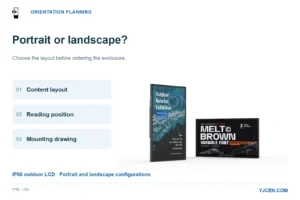
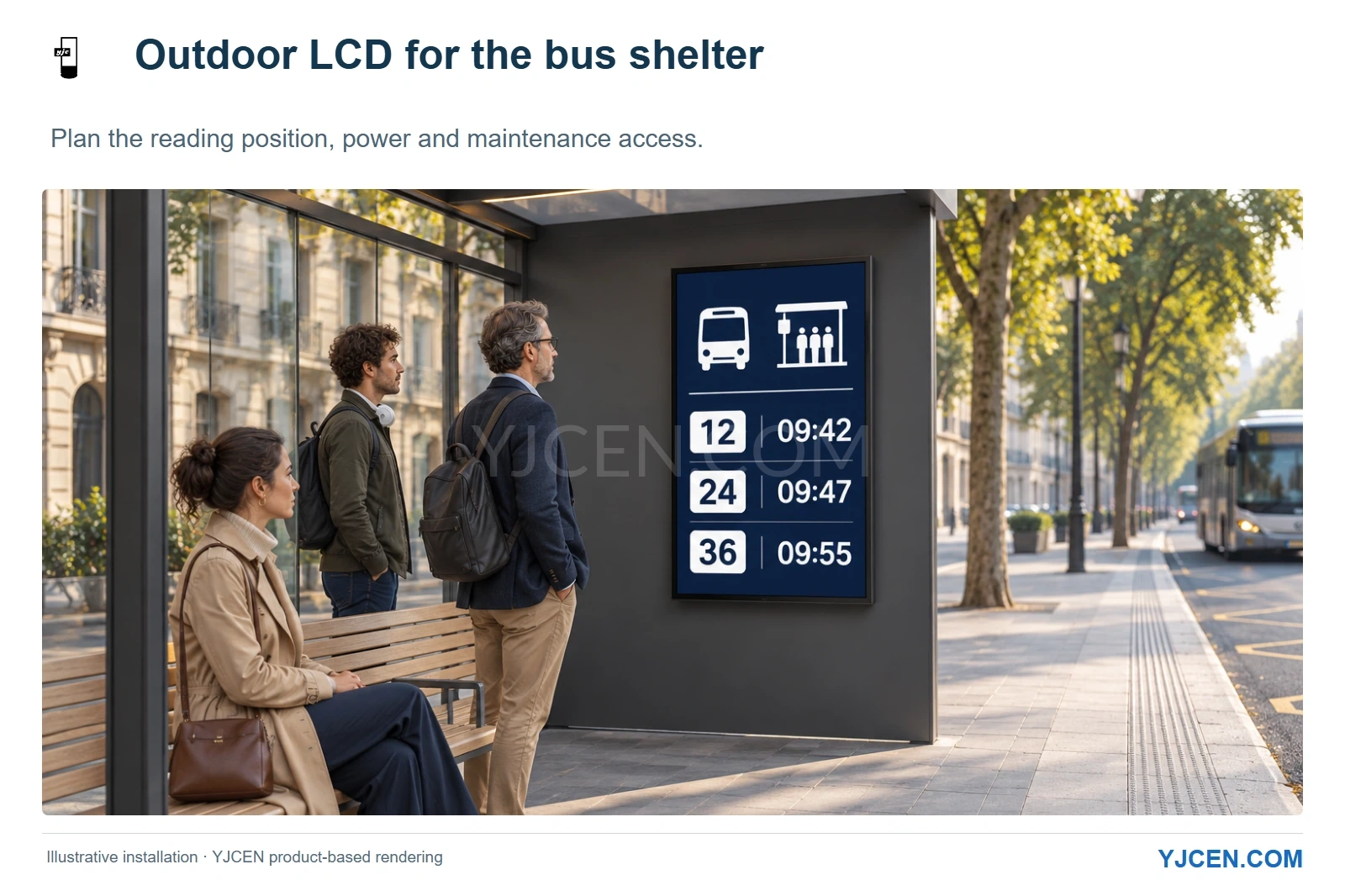
Illustrative layout using the YJCEN IP66 display design. Place passenger information within the waiting area and keep the boarding route clear; plan power and maintenance access around the complete installation.
Choose outdoor LCD for a bus stop with reliable mains power and a need for illuminated passenger information, full-color advertising or video. For a power-constrained stop showing mainly text and timetables, evaluate e-paper first. With our IP66 Outdoor Digital Signage, we recommend choosing the mounting position and operating schedule before the screen size: the shelter must accommodate the complete installation while leaving room for passengers and maintenance.
Specify the display by stop type, rather than copying one hardware configuration across the whole network. A busy interchange with advertising and continuous power has a different starting point from a small stop with timetable updates and limited electrical infrastructure.
1. When should a bus stop use LCD instead of e-paper?
We start with LCD when the brief calls for continuous motion, full-color promotions or a self-illuminated display. If keeping route information visible between updates matters more and power is the tighter constraint, consider e-paper.
| Stop requirement | Recommended starting point | Decision that matters |
|---|---|---|
| Passenger information alongside video advertising, with continuous mains power | Outdoor LCD | Allocate readable passenger information and advertising within the actual screen layout |
| Timetables, route notices and text-based arrival updates at a power-constrained stop | E-paper assessment | Match refresh behavior, communications and nighttime illumination to the required service |
| A stop powered only when nearby lighting is on | Resolve the supply schedule first | The display must receive power during the required passenger-information hours |
| A display inside a genuinely enclosed station concourse | Indoor display assessment | Select for the indoor environment and viewing position rather than copying the outdoor enclosure |
E Ink’s explanation of bistability and reflective displays describes why an image can remain visible without power being used to hold it. That advantage belongs to the display’s image retention; the complete stop still needs an energy budget for updates, communications and any lighting used after dark.
A changing arrival time can still be text; it does not by itself call for video playback. We would evaluate e-paper against update timing and passenger readability at a text-led stop, while a stop running moving advertisements leads us toward LCD and a supply sized for that duty.
Keep the LCD-versus-e-paper choice tied to content and operating hours. For a fixed bus-stop LCD, plan a permanent supply rather than importing the daily charging routine of a portable advertising board.
2. Where will the screen fit without taking passenger space?
Start with where passengers will stand to read the display, then leave room around the cabinet for its support and maintenance. Put the next-departure information where waiting passengers can read it without stepping into the boarding path; an outward-facing advertising panel can serve a different viewing position.
A canopy reduces some overhead exposure, but an open shelter still receives wind-driven rain, dust and sunlight from the side. We therefore treat an open-sided shelter as an outdoor installation, even when the display sits beneath a roof.
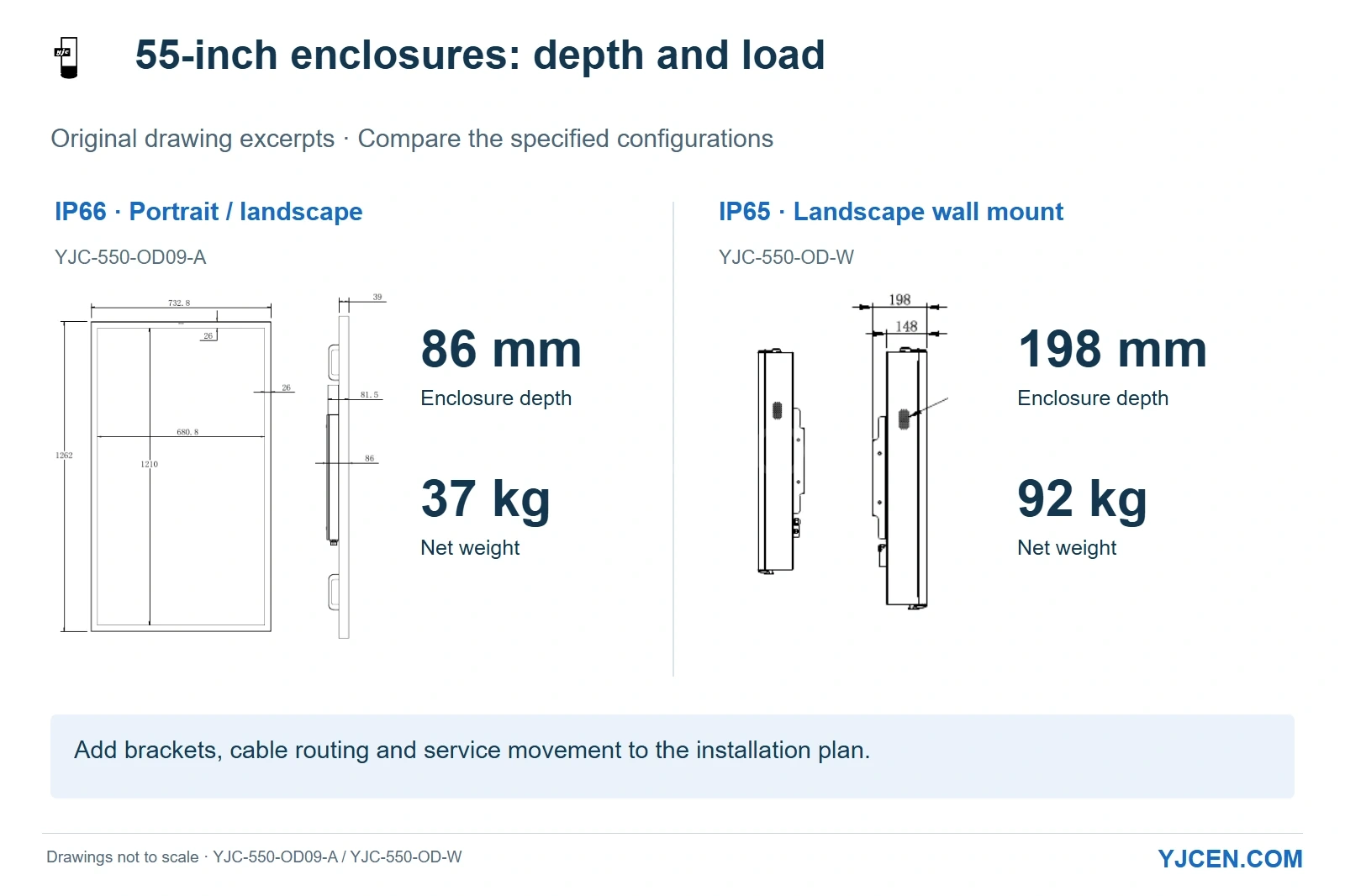
Where shelter depth and support load are tight, we would start with our 55-inch IP66 model: its enclosure is 86 mm deep and its net weight is 37 kg. Our 55-inch landscape wall-mounted IP65 model needs room for a 198 mm enclosure and a 92 kg load.
| YJCEN hardware option | Relevant configuration | What it changes in the shelter layout |
|---|---|---|
| IP66 model YJC-550-OD09-A | 55 inches; 86 mm enclosure depth; 37 kg; portrait or landscape | A shallower, lighter starting point where cabinet projection and support load matter |
| Outdoor Wall-Mounted Digital Signage | 55-inch landscape YJC-550-OD-W; 198 mm enclosure depth; 92 kg; reinforced bracket supplied | Allocate the larger enclosure and support load within the available mounting area |
| Outdoor Digital Kiosk | IP65 floor-standing format | Position the screen independently of the shelter wall, with its own base, foundation and service area |
The depth figures above describe the enclosures; add the mounting hardware, cable routing and access movement when drawing the installed projection. Pass the selected assembly’s load and mounting arrangement to the shelter’s structural designer before fixing the screen position.
Choose the floor-standing format when the shelter wall faces the wrong direction or cannot carry the preferred installation. Reserve its base and service space outside passenger circulation, and route the supply to that fixed position.
3. What protection should you specify for a public-facing display?
Specify enclosure ingress protection and impact resistance separately. IEC 60529 classifies enclosure protection using the IP code, while IEC 62262 addresses external mechanical impacts through the IK code.
Our IP66 range combines an IP66 enclosure rating with an IK10 impact rating. For a public-facing panel that needs both, this gives the integrator a defined enclosure configuration to carry into the mounting design.
Our OD-W wall-mounted range and OD-F floor-standing range use IP65 enclosures. Choose between these arrangements using the specified protection requirement together with the available mounting space; keep the IP and IK fields separate in the equipment schedule.
Position service access where maintenance staff can work without opening the cabinet into the passenger queue. Protect the cable route and place the installation away from routine contact with moving vehicles; enclosure impact resistance and the location of the complete assembly solve different risks.
For hot or cold stops, include the ambient temperature range and direct-sun exposure in the configuration. Our IP66 range supports operation from −45°C to +65°C with the appropriate thermal configuration, so we use the site conditions when discussing the cooling and temperature-control arrangement.
4. How should the display behave in sunlight and after dark?
All three ranges compared above use 3,000-nit panels, and our IP66 model includes automatic brightness adjustment. Use the available brightness to keep content readable by day, then reduce output as daylight fades. Set the nighttime level for the passenger view and nearby properties.
The NIST discussion of daylight readability evaluates display contrast with ambient reflections included. If the shelter adds glass in front of the screen, that glass becomes another reflecting surface in the passenger’s view. We would assess brightness and placement through that complete viewing path, because the passenger sees the installed assembly.
Keep the ambient-light sensor exposed to representative local light when fitting the screen into a shelter surround. A sensor hidden behind trim cannot observe the same conditions as the visible screen face.
Prepare a bright-day layout and an evening version. Keep the route number, destination and departure information legible in both; set advertising transitions so passengers can still find the information they need while waiting.
With those layouts running at the actual passenger viewing position, the sample installation can establish the daytime and nighttime brightness settings. Keeping the chosen settings with the approved configuration gives later installations a repeatable starting point.
5. Will the stop supply power throughout the service day?
The stop may share a lighting circuit that is switched off by day, while its display needs power from the first departure to the last. For that site, we would choose LCD only with power available throughout those service hours.
Our 55-inch IP66 model accepts AC 100–240 V at 50/60 Hz and has a specified maximum power consumption of 230 W. Start the display load allowance with that value, then add the selected communications equipment and other devices that share the installation; base electrical protection and wiring on the complete site design.
For energy-cost planning, use operating power at the intended brightness schedule rather than treating 230 W as an all-day average. Include nighttime operation and thermal-control demand when evaluating the sample’s consumption.
Our hardware offers Android or Windows configurations, Ethernet and Wi-Fi, with optional cellular connectivity. Match the operating system and connection to the transit operator’s application, and send us the application build if you want it pre-installed and tested on the selected hardware.
For live arrival information, define the data source, update interval and behavior during a lost connection in that application. Show the last-updated time or an appropriate fallback message so passengers do not mistake an old estimate for a current arrival prediction.
6. What should you send us for a bus-shelter display quotation?
Send one marked-up shelter layout for each stop type, together with its content example and power arrangement. We use those inputs to discuss the cabinet format, screen orientation, thermal configuration and playback hardware; a network-wide quantity alone cannot identify those differences.
After selecting the stop layout, complete the remaining enclosure and operating requirements in the outdoor LCD buying checklist. Keep each stop type on its own configuration line so the quotation preserves its power, mounting and service assumptions.
7. Frequently asked questions
Can we use an indoor display under a bus-shelter roof?
No; a roof alone does not make an open shelter an indoor environment. We recommend outdoor hardware where rain, dust and outdoor temperatures reach the installation.
Does every bus stop need an LCD screen?
No; text-led stops with limited power can be better candidates for e-paper. Choose LCD when the required presentation includes continuous motion or illuminated full-color content with suitable power.
Can e-paper show updated arrival information?
Yes; e-paper can display updated text when the selected system supports the required refresh. Include communications, update timing and nighttime lighting in the complete system assessment.
Does IP66 also mean IK10?
No; ingress protection and impact resistance are separate ratings. Our IP66 range specifies both IP66 and IK10, so list each requirement separately.
Can the 55-inch IP66 model run directly from mains power?
Yes; it accepts AC 100–240 V at 50/60 Hz. Its specified maximum consumption is 230 W, and the stop supply must cover the required operating hours.
Can YJCEN pre-install our passenger-information application?
Yes, we can pre-install and test your application on the selected hardware. Send the application build, operating-system requirement and intended network arrangement with the sample request.
Plan the shelter installation with YJCEN
Send us the shelter drawing, a passenger-information layout and the available power schedule. We can help select the display format and discuss OEM/ODM enclosure and hardware requirements around the proposed installation.