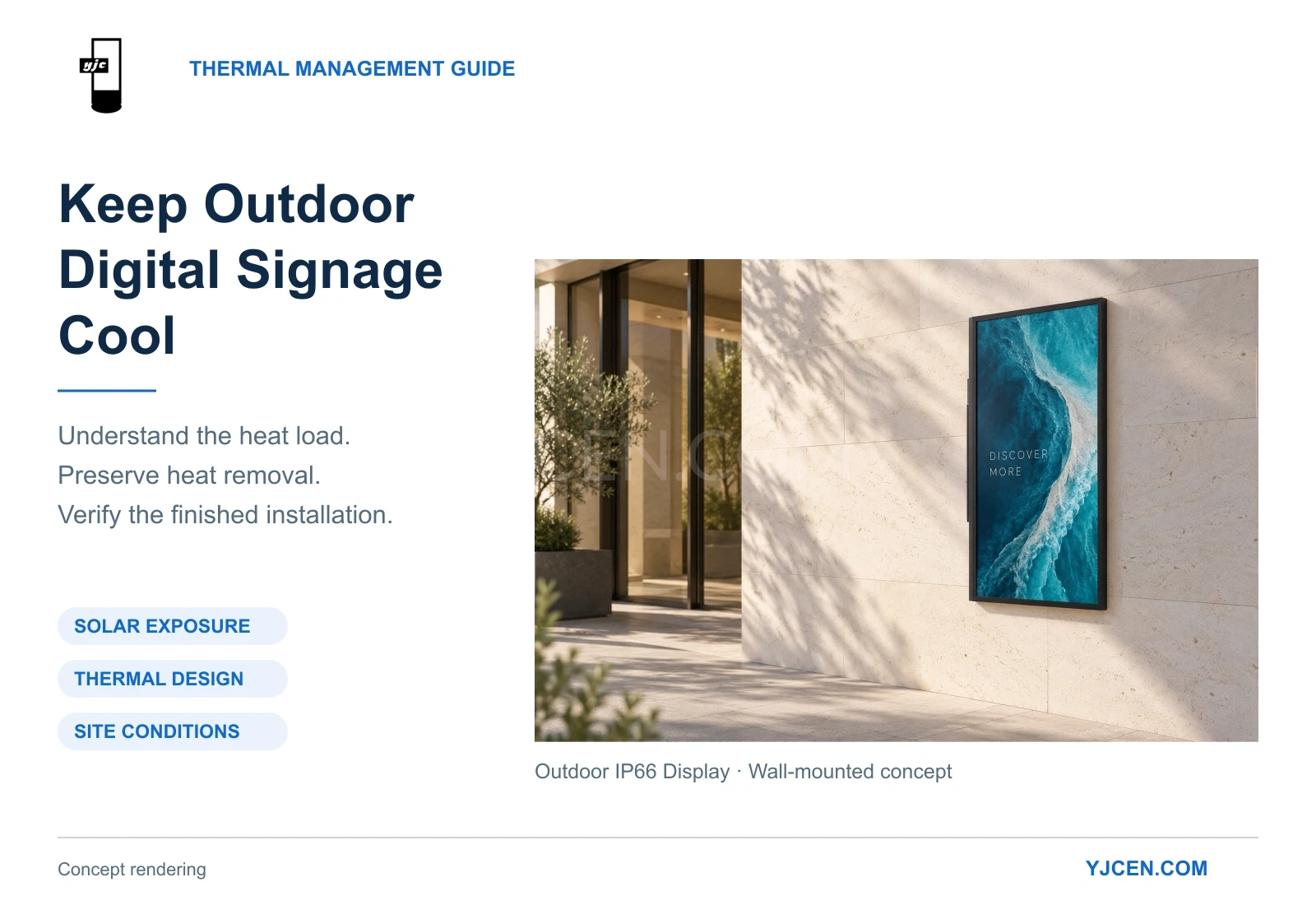
To keep outdoor digital signage cool, assess solar exposure, select a suitable thermal design, preserve the required heat-transfer paths and verify performance after installation. Adding fans alone may not address the cause of overheating.
An outdoor LCD display must handle heat generated during operation and heat absorbed from its surroundings, particularly sunlight. Its ability to release that heat also depends on the mounting arrangement, nearby structures and local air conditions.
This explains why the same display can face different thermal conditions when installed on an open exterior wall, inside a decorative surround or beside other heat-producing equipment.
For buyers, installers and operators, the objective is to keep the panel and electronics within their specified limits while maintaining a readable image throughout the intended operating hours.
Quick Guide: Key Steps for Outdoor Display Thermal Management
- Assess sunlight and nearby heat sources. Record the screen’s orientation, direct-sun periods and any hot exhaust nearby.
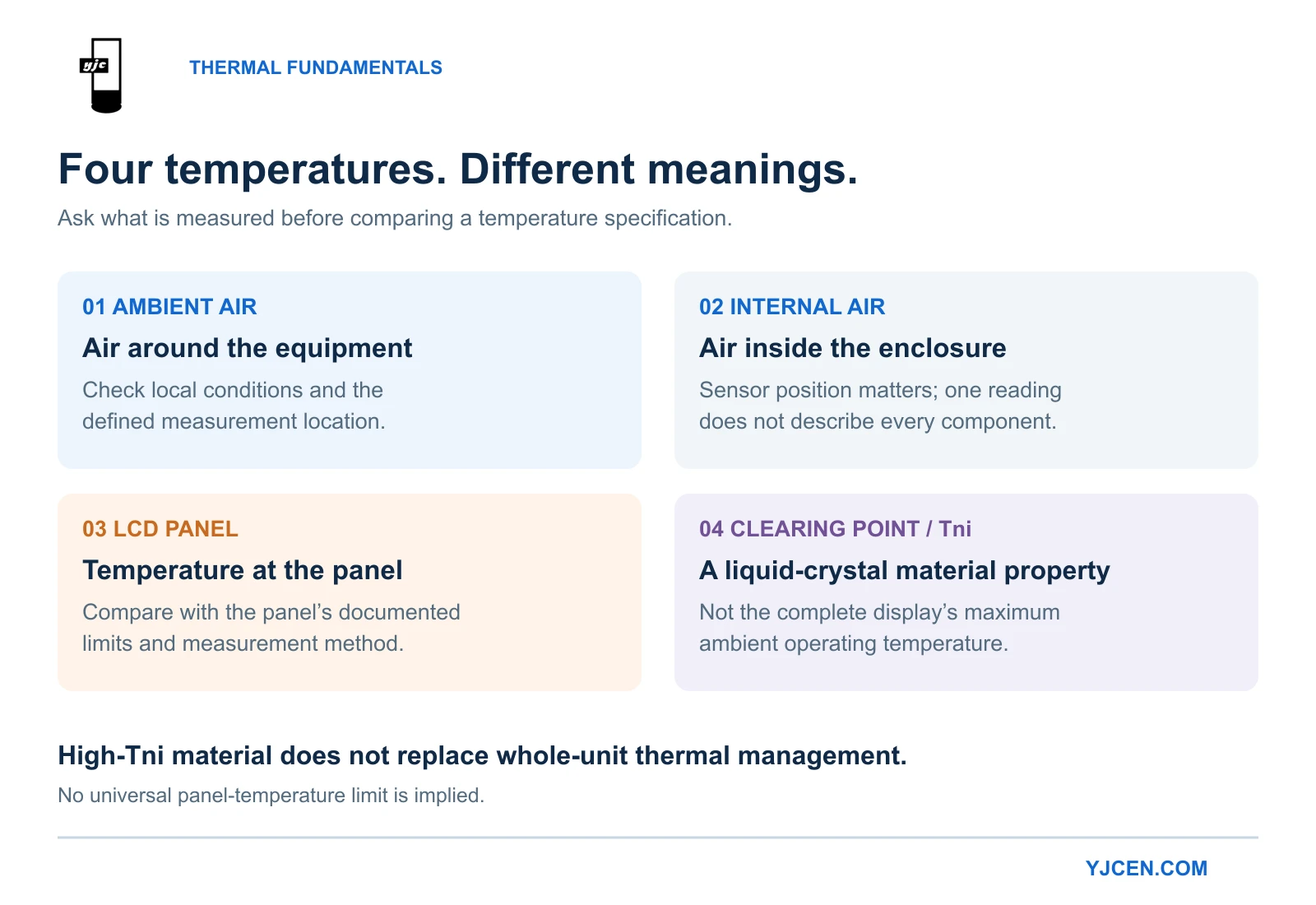
- Understand the temperature specifications. Ambient air, internal air, panel temperature and liquid-crystal clearing point describe different things.
- Check how heat leaves the equipment. Review the complete thermal design rather than comparing fan counts.
- Preserve cooling and maintenance clearances. Include surrounding structures in the installation review.
- Check brightness and temperature together. The display must remain readable under demanding conditions.
- Investigate recurring symptoms systematically. Record when dimming, dark areas or restarts occur before choosing a remedy.
1. Start with Solar Heat, Not Just the Weather Forecast
The temperature shown in a weather forecast does not tell you how hot a display surface will become in direct sunlight.
NIST explains that outdoor air-temperature instruments need protection from solar radiation because sunlight can heat the instrument itself and distort the reading. The same distinction matters when assessing a display: surrounding air temperature and the temperature of a sunlit object are not interchangeable. NIST: How Do You Measure Air Temperature Accurately?
An outdoor display’s thermal conditions depend on several factors:
| Factor | What to assess |
|---|---|
| Internal heat generation | Backlight, power supply, processing electronics and additional equipment |
| Direct sunlight | Screen orientation, duration of exposure and seasonal changes |
| Surrounding heat sources | HVAC discharge, kitchen exhaust and other equipment |
| Heat removal | Available heat-transfer surfaces, air paths and local air temperature |
A study presented at THERMINIC examined solar heating alongside internal electrical heat in an outdoor electronic enclosure. It compared cooling measures using simulation and physical testing. The research supports including solar exposure in thermal design, although its test enclosure was not a commercial LCD display. Wankhede et al.: Evaluation of Cooling Solutions for Outdoor Electronics
Practical action: photograph the proposed location during the periods when sunlight reaches the screen. Include its orientation, expected operating hours and nearby heat sources in the project brief.
A morning site visit may miss the conditions that affect the display later in the day.
2. Understand Operating Temperature and High-Tni Panel Specifications
A temperature specification is useful only when you understand what it describes.
Surrounding air, internal air and the LCD panel can be at different temperatures. Individual electronic components have their own limits.
| Specification or measurement | What it describes | How to use it |
|---|---|---|
| Ambient operating temperature | The permitted surrounding-air conditions defined for the equipment | Compare with site conditions and confirm the manufacturer’s measurement definition |
| Internal air temperature | Air at a particular location inside the housing | Assess conditions around internal electronics |
| LCD panel temperature | Temperature at the panel | Compare with the panel’s documented limits |
| Liquid-crystal clearing point, or Tni | A material’s transition from the nematic phase to the isotropic phase | Consider when evaluating panels for solar exposure |
| Component temperature | Temperature of an individual electronic part | Compare with that component’s operating limit |
Do not interpret a complete display’s maximum operating-temperature figure as its permitted LCD surface temperature or liquid-crystal clearing point.
When comparing equipment, ask:
What sunlight exposure, brightness setting, installation arrangement and measurement location apply to this temperature rating?
Also confirm whether the stated conditions support the intended continuous brightness or involve any documented reduction in performance.
Why High-Tni Matters for Sun-Exposed LCD Panels
Tni is the temperature at which a nematic liquid crystal transitions into an isotropic phase, commonly called its clearing point. This transition changes the optical properties on which the LCD relies. Liquid Crystal Displays: Technical Reference
For installations exposed to direct sunlight, ask whether the panel uses high-Tni liquid crystal material and request its documented thermal limits. Samsung identifies a high-TNI panel as a feature used to resist sunlight-related blackening in its OMH display series. The applicable temperature limit remains specific to the panel. Samsung OMH Series
A higher clearing point does not replace enclosure cooling or establish the operating-temperature limit of the complete display. The backlight, power supply and other electronics must also remain within their respective limits.
For procurement, request the panel’s documented thermal capability and the complete unit’s operating conditions as separate pieces of information.
3. Choose Cooling by Heat Load and Environment
Outdoor displays can use several cooling approaches. Each must be considered as part of the complete enclosure design.
| Cooling approach | How it transfers heat | Main selection consideration |
|---|---|---|
| Passive cooling | Releases heat through designed surfaces to the surroundings | Available surface area and temperature difference |
| Ventilation using outside air | Moves ambient air through an intended cooling path | Incoming-air temperature, contamination and weather protection |
| Air-to-air heat exchange | Transfers heat between separated internal and external air streams | Heat-exchanger capacity and temperature difference |
| Refrigeration-based cooling | Uses a refrigeration system to remove heat | Cooling capacity, external heat rejection and condensate management |
These are general engineering approaches, not features fitted to every outdoor display.
Schneider Electric’s enclosure guidance identifies the surrounding environment as a key factor in deciding whether outside air can be used for cooling. Dust, humidity and other environmental conditions therefore belong in the initial design brief. Schneider Electric: Thermal Management for Electrical Enclosures
What Fans Can—and Cannot—Do
Fans can improve circulation and heat transfer, but fan count is not a measure of cooling capacity.
An internal fan can redistribute heat while still relying on the enclosure or another assembly to release it outside. A ventilation fan needs suitable incoming-air conditions and a clear discharge path.
Ventilation and conventional air-to-air heat exchange rely on temperature differences. By themselves, they cannot provide sustained internal cooling below the incoming ambient-air temperature.
Before specifying more fans, establish whether the limitation is airflow, excessive heat input, hot incoming air or insufficient heat-transfer capacity.
When Refrigeration May Be Appropriate
Refrigeration-based cooling may be needed when the required internal conditions cannot be maintained using the proposed passive or ambient-air cooling arrangement.
It introduces additional installation and maintenance requirements. The cooling system must reject heat outside, and condensate must be managed. Schneider Electric’s cooling-unit instructions address condensate removal and operation with enclosure doors closed. Schneider Electric: Cooling-Unit Condensate Management
The decision should follow a thermal assessment. There is no universal requirement for every outdoor display to use air conditioning.
4. Check Thermal Management Alongside IP66 Protection
An IP rating describes enclosure protection against ingress under specified test conditions. IEC 60529 establishes this classification; it does not specify a display’s cooling capacity. IEC 60529: Degrees of Protection Provided by Enclosures
A sealed electronics compartment still needs a way to transfer heat to the environment. This can happen without allowing outside air to circulate through the protected compartment.
When reviewing an outdoor display, ask both:
- How does the equipment prevent dust and water ingress?
- How does the complete unit remove heat during operation?
YJCEN’s Documented Operating Range and Thermal Controls
YJCEN specifies a working-temperature range of −45°C to +65°C for its Outdoor IP66 Display.
For the 55-inch YJC-550-OD09-A model, the published specification also lists:
- Smart backlight control.
- Smart temperature control.
- Smart fan control.
- Overheating protection.
- Ambient-light-based automatic brightness adjustment.
These are documented controls relevant to backlight operation and thermal management. The specification does not state the temperature thresholds or exact actions associated with overheating protection; confirm those details where required for the project. YJCEN 55-Inch Outdoor IP66 Display Specification
For other sizes or configurations, check the applicable specification rather than assuming identical controls.
The sealed construction helps reduce the need to open the equipment for cleaning caused by internal dust ingress. External inspection and model-specific maintenance remain necessary.
A real application is our 75-inch IP66 outdoor display installation at a European live music venue. The venue uses a 3,000-nit screen mounted vertically on its street-facing exterior wall for event promotion. For a comparable installation, assess sunlight exposure and the mounting arrangement alongside the relevant product’s operating conditions.
5. Keep the Installation from Restricting Heat Removal
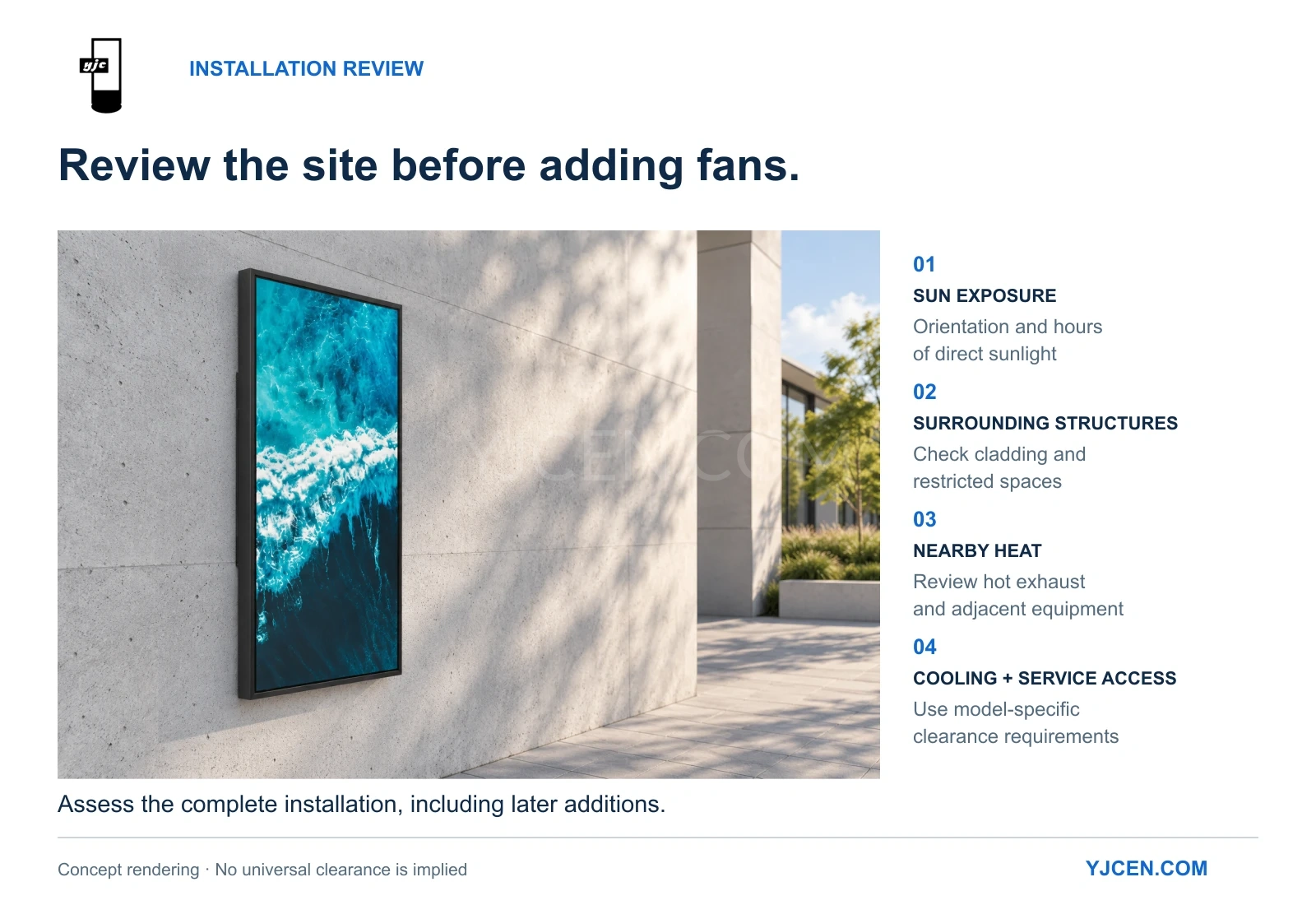
Cooling performance depends on the finished installation, including structures added around the display.
Decorative cladding, protective surrounds and nearby equipment can change the conditions under which heat leaves the unit. Additional electronics can also increase the thermal load.
| Installation issue | Potential effect | Recommended action |
|---|---|---|
| Close-fitting decorative cladding | Restricts heat transfer or traps hot air | Review the complete surround with the supplier |
| Covered heat-dissipation surfaces | Reduces the intended cooling area | Keep specified surfaces exposed |
| Blocked openings, where fitted | Restricts airflow | Follow the model-specific installation drawing |
| Discharge air returning to an intake | Raises incoming-air temperature | Review inlet and outlet separation |
| Multiple displays installed together | Creates interactions between units’ heat discharge | Assess the combined layout |
| Nearby hot exhaust | Raises the local operating temperature | Reconsider positioning or surrounding equipment |
| Added players or other electronics | Introduces an additional heat load | Include them in the thermal assessment |
Cooling clearance and service clearance serve different purposes. Cooling clearance preserves heat transfer. Service clearance allows doors to open and technicians to work. Confirm both for the order configuration.
Our dual-screen drive-thru menu board project for a European restaurant used two freestanding units with four 55-inch screens in total. The configuration was selected around menu content, lane width and available space. For similar multi-screen projects, include cooling clearances and maintenance access when reviewing the layout.
The drive-thru menu board installation guide covers related planning and order-specific access requirements.
6. Reduce Unnecessary Heat Without Losing Readability
Where practical, reduce direct solar exposure through orientation or a suitable shade structure.
Check the shade during the hours when it is needed. A canopy that shades the screen at midday may leave it exposed to lower-angle sunlight later. Its design must also preserve visibility, structural suitability and heat removal.
Brightness deserves the same attention.
In LCD systems, reducing backlight output generally reduces backlight power, although the relationship depends on the display’s design. Where automatic brightness adjustment is provided, confirm that the sensor is unobstructed and responds appropriately at the finished installation.
Avoid using reduced brightness as a permanent workaround that makes the content difficult to read.
NIST’s work on sunlight readability explains the importance of reflections and ambient contrast alongside display luminance. Brightness should therefore be assessed from the intended viewing position under actual lighting conditions. NIST: Reflections on Sunlight- or Daylight-Readability
Assess temperature and readability together. Successful thermal management preserves the display’s ability to communicate during the intended service hours.
7. Troubleshoot the Symptom Before Changing the Cooling System
A dim image, dark area or restart can have more than one cause. Identify the pattern before choosing a remedy.
| Symptom | First checks | Avoid assuming |
|---|---|---|
| The image becomes dimmer | Brightness settings, sensor exposure and documented thermal-control behavior | That the panel has failed |
| A dark area appears during direct sunlight | Record timing, affected area and solar exposure; have the supplier review panel thermal limits and installation conditions | That every dark patch is a clearing-point transition, or that high-Tni material alone resolves the problem |
| The complete display restarts | Power stability, available operating records and temperature information | That overheating is the only possible cause |
| The image looks washed out | Reflections, viewing angle and brightness | That poor visibility necessarily indicates overheating |
| Problems begin after site alterations | New cladding, added equipment or changed air paths | That the original installation conditions remain unchanged |
Use the following sequence:
- Record when the problem occurs. Note operating duration, weather, sunlight direction and whether the problem repeats.
- Photograph the complete installation. Include surrounding structures and nearby equipment, not only the screen.
- Check accessible external conditions. Compare the installation with its approved drawings.
- Review supported settings and records. Use the controls and diagnostic information available for that model.
- Arrange technical inspection when needed. Qualified personnel should perform internal inspection and electrical or cooling-component measurements.
- Verify the correction under comparable conditions. Successful operation after sunset does not establish that an afternoon problem has been resolved.
A report such as “the left side darkens after two hours of afternoon sunlight” provides a useful starting point for diagnosis.
Follow the manufacturer’s fault-handling procedure. Repeated restarts, an open service door or improvised enclosure modifications can obscure the cause and compromise the intended operating conditions.
8. Verify the Finished Installation and Maintain It
An indoor power-on test checks basic operation. It does not reproduce the thermal conditions of the finished outdoor site.
Before handover, agree on an assessment covering:
- The completed mounting arrangement and any secondary enclosure.
- Intended brightness settings and operating duration.
- Relevant periods of direct sunlight.
- Temperature measurements at agreed locations.
- Readability from the intended viewing position.
- Any documented protective behavior.
- Access for inspection and maintenance.
Use model-specific limits and test conditions. Do not invent a universal safe panel temperature or rear-clearance requirement.
If commissioning takes place in cool weather, retain the relevant thermal assessment and arrange a follow-up during hotter conditions.
After handover, inspect the items relevant to the design: external heat-transfer surfaces, openings and filters where fitted, seals, cable entries and approved cooling equipment. Set inspection intervals according to site conditions and the manufacturer’s instructions.
Reassess the installation after changes. New cladding, a relocated exhaust outlet or additional electronics can alter a previously acceptable thermal environment.
For broader procurement considerations, see our guide to choosing an outdoor digital signage display.
Frequently Asked Questions
Can an outdoor display overheat when the air temperature is within its operating range?
Yes. Solar exposure, restricted heat removal or additional equipment can create conditions not represented by the ambient-temperature figure alone. Check the conditions attached to the rating and the complete installation.
Does IP66 mean a display does not need cooling?
No. IP66 addresses ingress protection. The equipment still needs an effective way to transfer operating heat to the environment.
Does a high-Tni panel eliminate the need for thermal management?
No. A higher clearing point addresses a property of the liquid-crystal material. The backlight, power supply and other components still need to operate within their own limits.
Does every outdoor display need air conditioning?
No. Passive, ventilation or heat-exchange designs may meet the requirements of a particular installation. Refrigeration should be considered when the thermal assessment shows it is needed.
Will adding fans solve overheating?
Only if they address the actual limitation. More fans cannot compensate for every combination of excessive heat load, hot incoming air or restricted heat-transfer paths.
What thermal-management features does YJCEN document?
The 55-inch YJC-550-OD09-A IP66 specification lists smart backlight control, smart temperature control, smart fan control and overheating protection, with a working-temperature range of −45°C to +65°C. Confirm the applicable specification for other models and sizes.
How much space should be left behind an outdoor display?
Follow the requirements for the specific model and installation. Confirm cooling clearance separately from the door-opening range and maintenance-access requirements.
Discuss Your Outdoor Display’s Installation Conditions
Planning a new installation or investigating a recurring heat-related problem?
Send YJCEN the model or required screen size, installation location, operating hours, sunlight direction, and photographs or drawings of the surrounding space. Include any canopy, decorative enclosure or nearby heat-producing equipment.
For an existing problem, add when it occurs and what changes as the day progresses. These details help our team discuss the relevant configuration, installation requirements or next diagnostic steps.