Wall-Mounted Digital Signage Display
A slim indoor display for menus, advertising and information in portrait or landscape.
15.6–98 inches
Portrait or landscape
View product & specificationsIndoor digital signage for retail, hospitality, offices and public spaces.
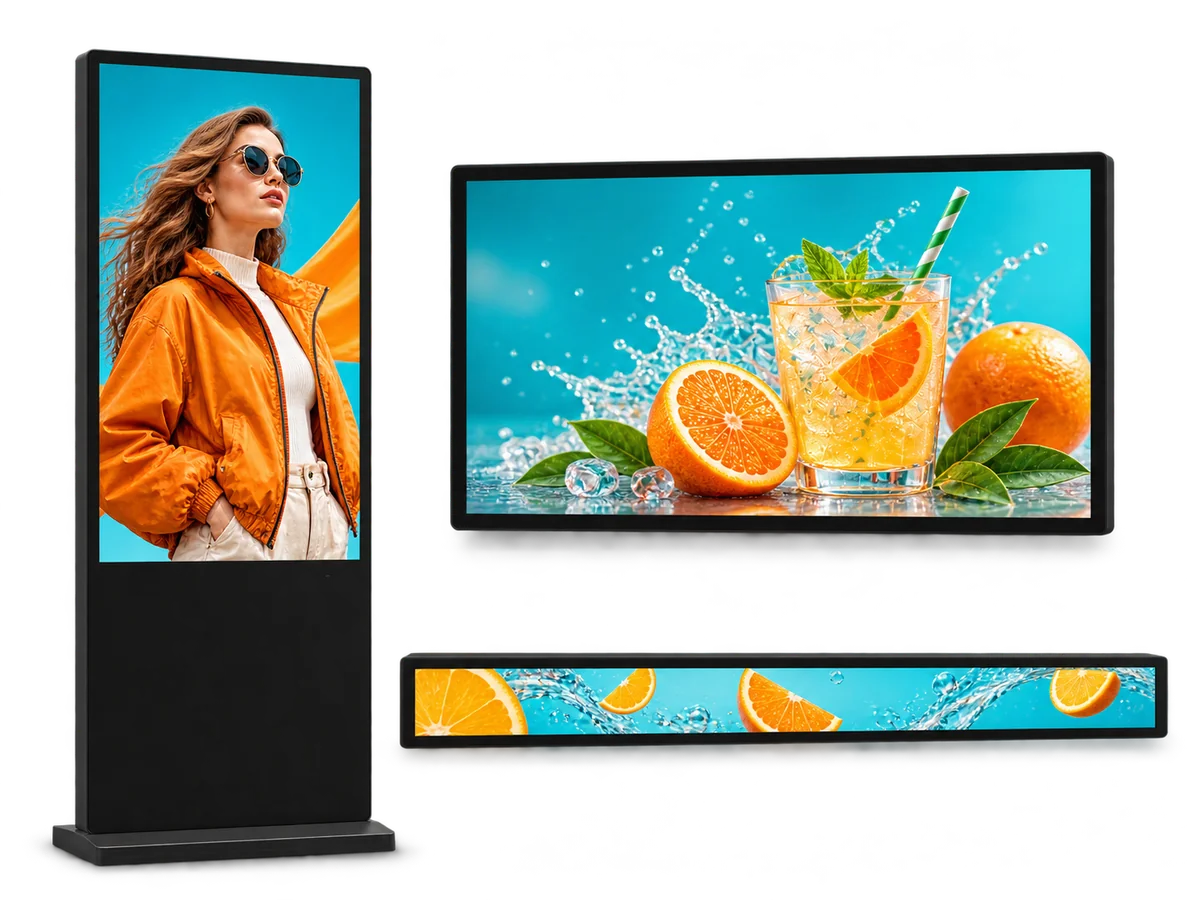
Compare wall-mounted, floor-standing and stretched displays, 15.6–98 inches, 250–700 nits, with Android or Windows players. Specify the format, mounting and content system for your project.
| Hardware option | Installation / power | Sizes & key specifications | Selection considerations |
|---|---|---|---|
| Wall-Mounted Digital Signage | Indoor wall | 15.6–98 inches; 250 / 400 nits; non-touch, PCAP or IR | Wall structure, orientation, cable route |
| Floor-Standing Digital Signage | Indoor floor | 32–86 inches; 400 nits; non-touch, IR or PCAP | Floor space, stability, service access |
| Stretched Bar LCD Display | Shelf, ceiling or fixture | 23.1–69 inches; 400 nits; regular bar or shelf-edge | Opening dimensions, mounting, viewing distance |
A slim indoor display for menus, advertising and information in portrait or landscape.
A freestanding screen for retail promotions, directories and indoor information.
Regular bar and shelf-edge displays for narrow, space-limited layouts.
The format should follow the job, not the other way round. A wall-mounted screen is for information that stays in one place: a directory, a menu, a promotion beside a lift. A floor-standing display is for a position without a suitable wall, or for a screen that needs to sit at eye level in a walkway. A stretched bar is for a narrow strip: a shelf edge, a cooler door, a reception desk.
Most projects use more than one. The mistake is to buy a floor-standing unit because it looks more impressive, when a wall-mounted screen would have been cheaper and easier to service. Decide the position and the viewing distance first; the format follows.
| Decision | Wall-mounted | Floor-standing | Stretched bar |
|---|---|---|---|
| Footprint | None; uses wall space | Takes floor space | Small; fits a shelf or fixture |
| Installation | Wall bracket; suitable substrate | Base, bolted fixing or mobile stand | Shelf rail, ceiling drop or custom frame |
| Viewing distance | 1–5 m | 2–10 m | 0.5–3 m |
| Best for | Corridors, meeting rooms, retail walls | Lobbies, showrooms, entrances | Shelf edges, cooler doors, price strips |
Indoor brightness is usually 250–400 nits. That is enough for a controlled corridor, a meeting room or a retail wall away from windows.
Go to 500–700 nits when the screen sits in a bright lobby, an atrium or a glazed entrance. If the display faces a window, specify 700+ nits and anti-glare glass; the reflection, not the panel, is usually the problem. Do not buy on nits alone: a 700-nit screen with glossy glass can look worse than a 500-nit screen with anti-glare treatment.
There are three common configurations: a built-in Android player, an external Android or Windows player, or a Windows PC. The built-in player is simplest for a single site; the external player is easier to upgrade; Windows is needed for some enterprise CMS and interactive applications.
Ask the CMS vendor which player and OS they support before specifying the screen. Changing the player after the pilot is more expensive than choosing it correctly at the start.
Wall-mounted: a standard bracket is supplied; the final fixing depends on the wall. Confirm the substrate, cable route and service clearance. Floor-standing: a weighted base, bolted fixing or mobile stand; check the floor is level and the base stays out of the walkway. Stretched: most strips run on 12 V or 24 V; confirm the adapter location and hide the cable.
For all three: a dedicated circuit is preferred, and wired Ethernet is more reliable than Wi-Fi. If the site uses Wi-Fi, test the signal at the mounting position, not at the desk.
We do not publish prices. The main variables are screen size and brightness, touch (none, PCAP or IR), player (built-in Android, external or Windows), mounting (wall, floor, ceiling or custom frame), quantity and repeatability, and certification or private-label requirements.
MOQ: sample orders from 1 unit; no minimum order quantity for production. Lead time: standard models typically ship in 3–7 working days after drawing and spec approval; custom units in 15–20 working days. To quote, send: format, screen size, orientation, brightness, mounting, player/CMS, quantity and installation country.
Need a custom build? See OEM/ODM custom display solutions.
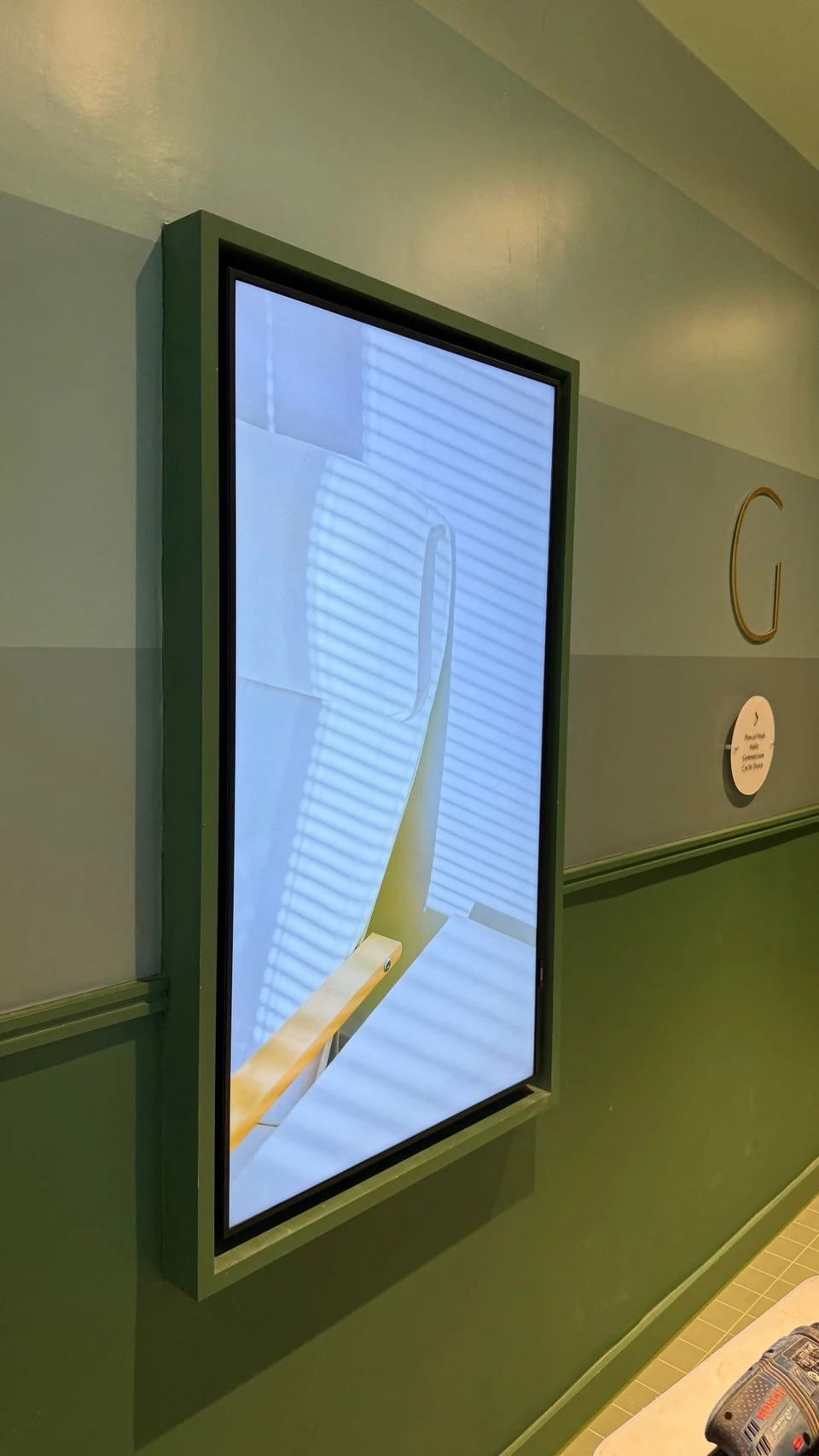
Indoor digital signage installed at an exhibition centre to show product promotions, mounted vertically on the exhibition wall.
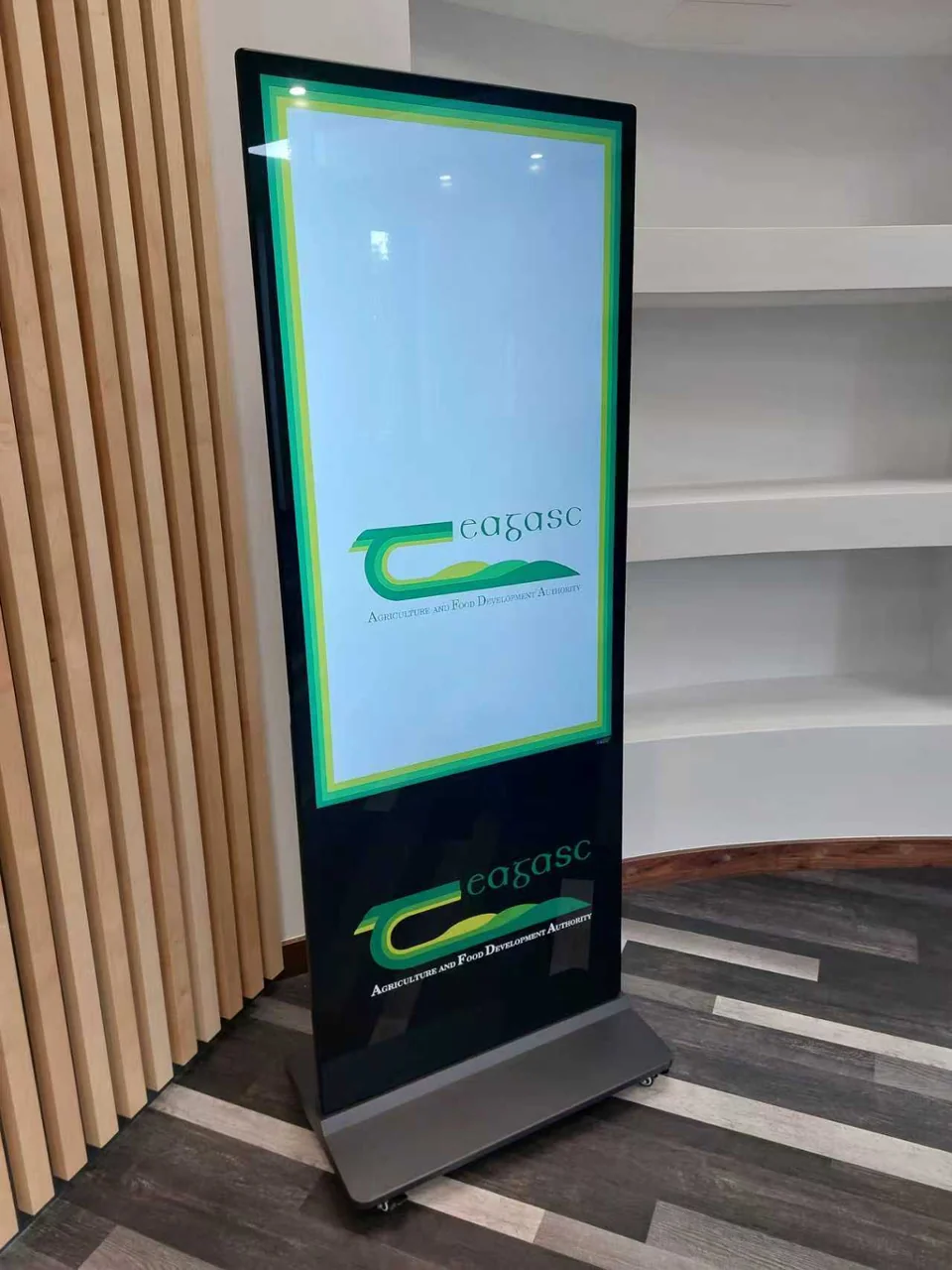
A custom floor-standing display for an agriculture and food development organisation in Europe, with branding on both sides.
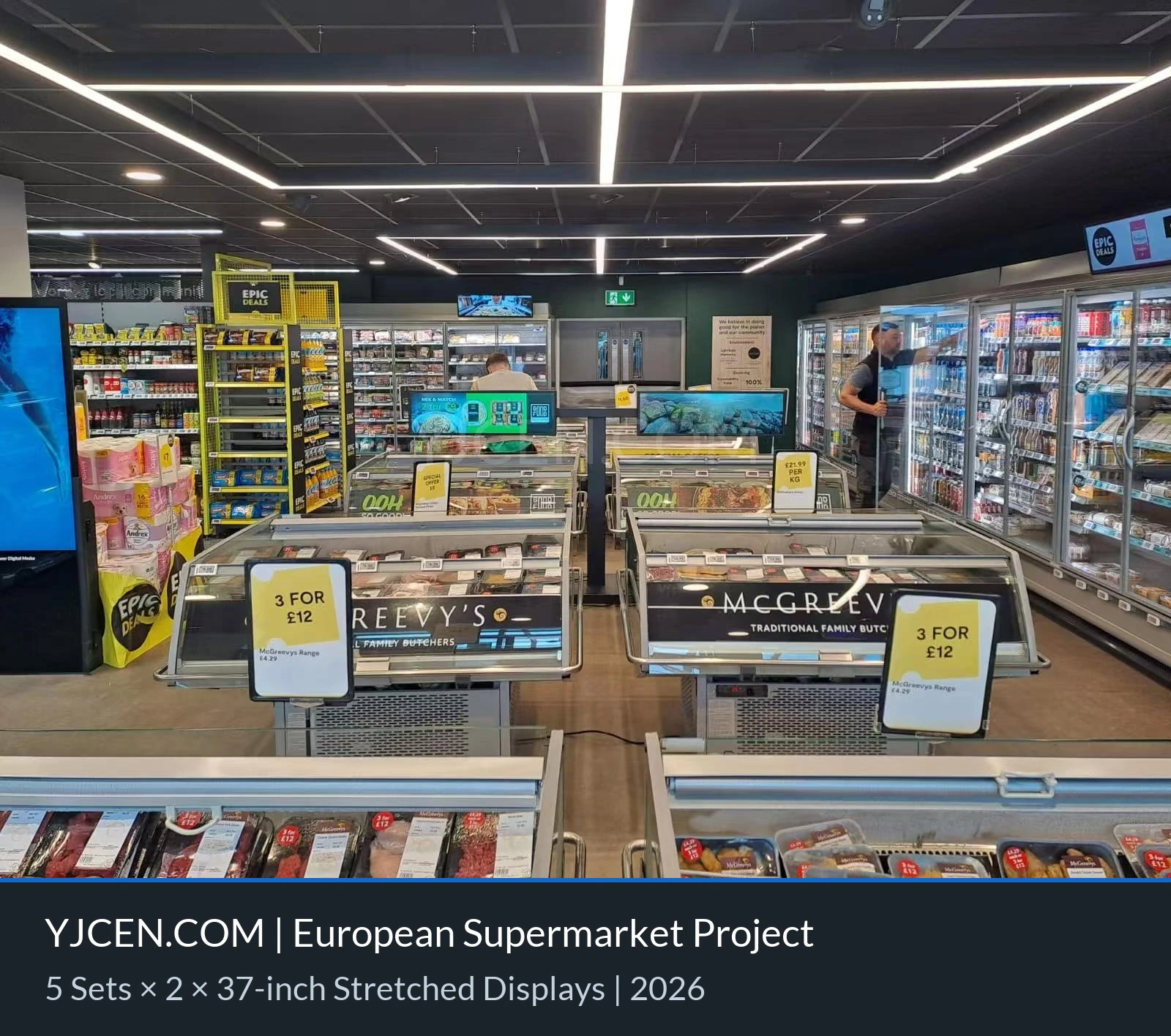
Stretched bar displays above shelves near the checkout area, showing product promotions and prices.
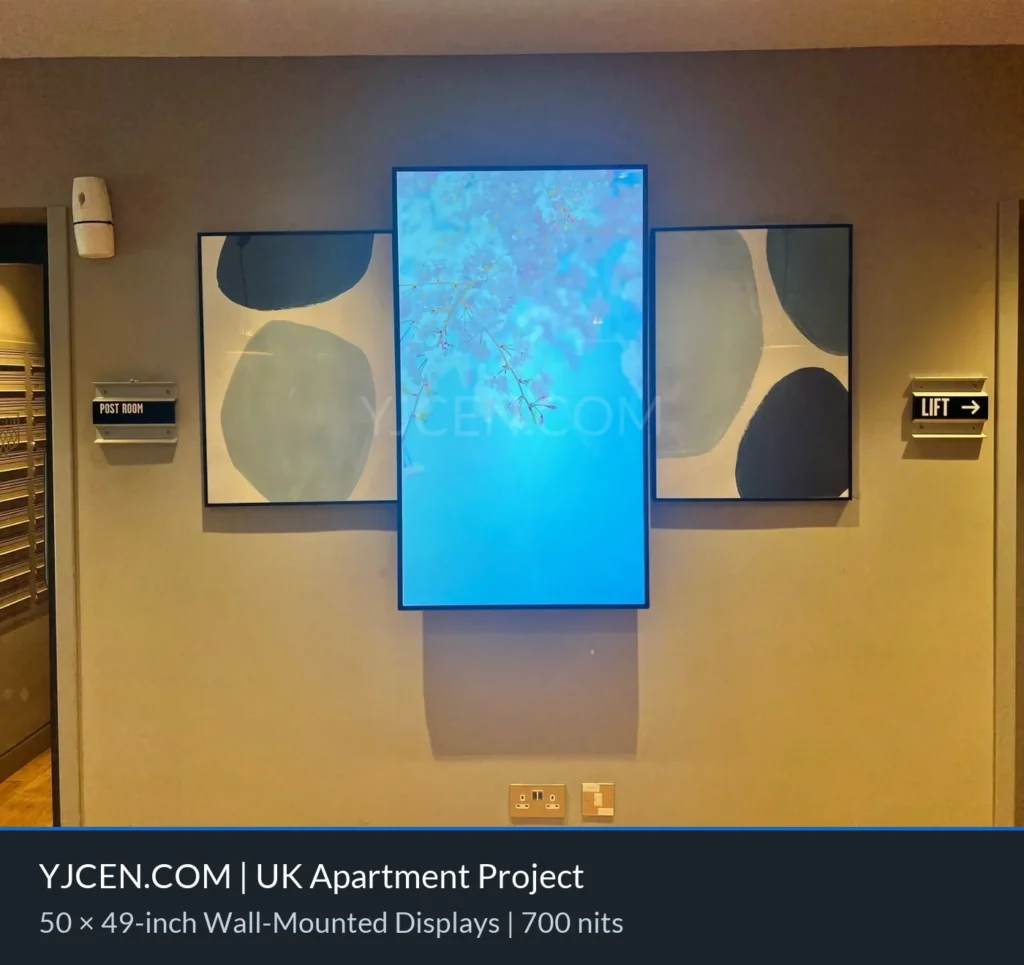
Fifty portrait wall-mounted displays for activity information and event notices beside lifts in a UK apartment project.
Wall-mounted if there is a suitable wall and the viewer stands 1–5 m away. Floor-standing if there is no wall, or the screen needs to sit at eye level in an open space. Stretched if the content is a single row of text or price on a shelf or fixture.
250–400 nits for a controlled indoor position; 500–700 nits for a bright lobby or atrium; 700+ nits with anti-glare glass if the screen faces a window. Check the position at the worst hour of the day.
Yes, if the player and OS support it. Tell us the CMS and the player it requires; we will confirm the Android or Windows configuration before quoting.
Wall-mounted: 15.6–98 inches. Floor-standing: 32–86 inches. Stretched: 23.1–69 inches, including shelf-edge formats. Custom sizes are available on request.
Yes. Wall-mounted and floor-standing models support portrait or landscape; the bracket and content layout change with the orientation. Stretched bars are usually landscape.
Yes. A standard wall bracket or floor base is supplied; the final fixing depends on the wall or floor. Custom frames and ceiling drops are quoted per project.
Commercial configurations support 24/7 operation. Confirm the player, brightness and ventilation for the exact model; a consumer TV is not a substitute.
Sample orders from 1 unit; no minimum order quantity for production. Standard models typically ship in 3–7 working days; custom units in 15–20 working days after drawing approval.
Request a hardware configuration and project quotation.
Android configurations include a free cloud-based CMS with no limit on the number of accounts.
Still comparing options? Select “Help me choose” and describe the intended use.
Project category: Indoor Digital Signage