Skip to content

Stretched Bar LCD & Shelf-Edge Displays

Ultra-wide stretched bar LCD displays for shelf-edge messaging, retail fixtures and custom signage spaces.

Part of the Indoor Digital Signage range.

Configuration options

Display format
Regular bar / shelf-edge models
Operating system
Android / Windows
OEM / ODM
Enclosure, branding & hardware

Factory-direct OEM/ODMSample orders from 1 unit 3-year warranty

View terms
View Projects

Prefer direct email or sending drawings/specs? Email info@yjcen.com

100% Pre-Shipment Inspection

Burn-in, image quality, touch, ports and appearance.

Who it's for

Stretched bar LCD displays for shelf edges, cooler doors, reception desks and custom fixtures. Choose it when the opening is wide and short and the content is a single row of text or price; send the fixture drawing before specifying the size.

Stretched LCD Screen Specifications

YJCEN bar type LCD displays include regular bar models from 24.2 to 69 inches and shelf-edge models in 23.1, 35 and 47.1 inches. Both ranges have 400-nit brightness. Each size has its own native resolution and enclosure dimensions, so the two ranges use separate specification tables.

Scroll horizontally to compare sizes and configurations.

Bar Type LCD Display — Regular bar display
Specification24.2″28.6″37″49″58.4″64″69″
Configuration & dimensions
ModelYJC-242-SDYJC-286-SDYJC-370-SDYJC-490-SDYJC-584-SDYJC-640-SDYJC-690-SD
Screen size24.2″28.6″37″49″58.4″64″69″
Screen orientationPortrait or landscape
Dimensions (mm)617.5 × 164.3 × 25 mm733.5 × 235 × 24 mm908.51 × 273.08 × 25.8 mm1227.48 × 368.01 × 25 mm1460 × 430 × 27 mm1548.94 × 608.97 × 27.2 mm1675.84 × 673.89 × 28 mm
Net weight5 kg7 kg8 kg12 kg18 kg25 kg30 kg
Display performance
Native panel resolution1920 × 4501920 × 5401920 × 5403840 × 10801920 × 5403840 × 14483840 × 1488
Active display area (mm)597.6 × 140698.4 × 196.43878.11 × 242.681195.78 × 336.311428.5 × 4001509.12 × 569.061635.84 × 633.89
Brightness400 cd/m²
Contrast ratio1200:1
Viewing angle178° / 178°
Response time6 ms
Backlight life50,000 hours
Operating hours24/7
System configuration & connectivity
Operating systemAndroid / Windows (selectable)
ProcessorRK3568 / RK3576 (Android); customizable
MemoryCustomizable
StorageCustomizable
ConnectionsUSB × 2, Ethernet RJ45 × 1
NetworkWi-Fi / LAN
Mobile networkOptional 3G/4G
AudioBuilt-in speaker
Power & operating conditions
Ingress protectionIP5X
Power supplyAC 100–240 V, 50/60 Hz
Maximum power consumption25 W30 W40 W50 W65 W90 W120 W
Operating environmentIndoor
Operating temperature0 °C – 45 °C
Storage temperature−10 °C – 50 °C
Operating humidity10%–80%

Refer to the selected model’s dimension drawing for the complete footprint and mounting details.

Stretched Bar LCD Display Features

A stretched bar LCD display, or stretched bar monitor, provides a wide, narrow screen for a shelf edge or retail fixture. The shelf-edge display can present prices, short product information and promotional graphics alongside merchandise, with the layout matched to the selected screen size and resolution.

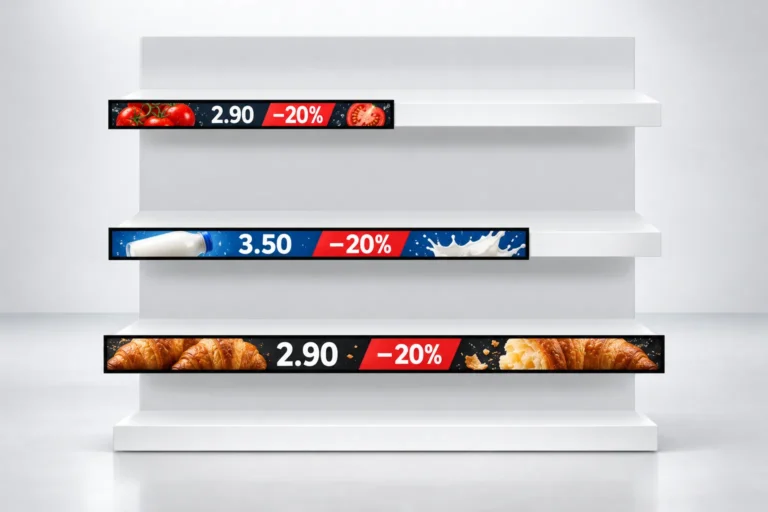
Illustration: Three stretched bar LCD displays of different lengths show grocery prices and 20% discount offers.

Standard and Custom LCD Screen Formats

Choose regular bar displays in 24.2, 28.6, 37, 49, 58.4, 64 or 69 inches, or shelf-edge displays in 23.1, 35 or 47.1 inches. Custom-size options are also available. Check the physical length, height and mounting arrangement alongside the diagonal screen size.

A stretched LCD display uses a different aspect ratio from a regular poster screen. Native resolution and the active display area are selected with the screen format. Those values give the designer the correct dimensions for product images and text.
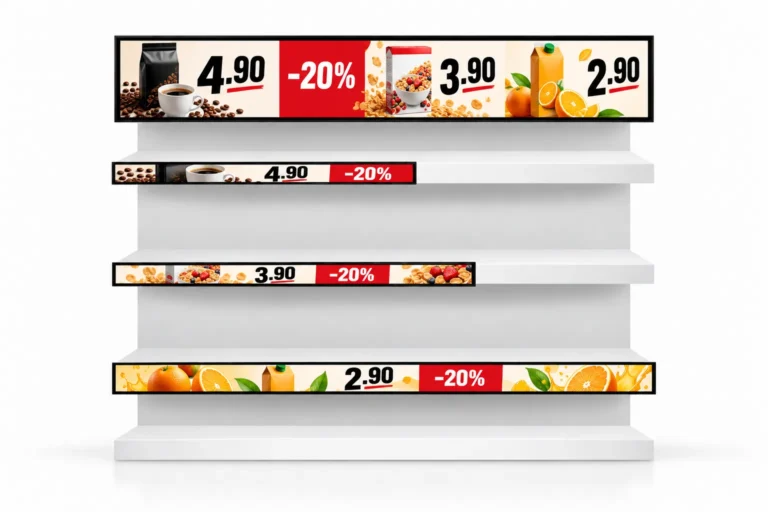
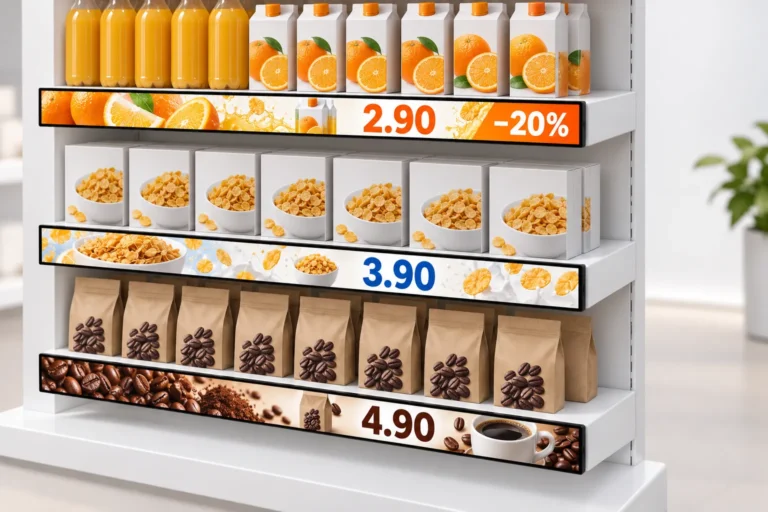
Illustration: Stretched bar LCD screens show coffee, cereal and juice prices in wide banners and separate promotion panels.

Content Layouts for a Stretched Screen

The stretched format suits a line of prices, a product comparison or a sequence of short promotional messages. Each part of the layout can sit close to the corresponding merchandise. Larger lettering and a limited number of elements keep the strip readable at shelf distance.

Artwork is prepared for the chosen screen resolution. A standard portrait poster can be redesigned into a horizontal composition, with the product image, price and short message given their own space. This uses the shape of the screen without distorting the original image.

Illustration: Shelf-edge LCD strips display prices and promotions for the juice, cereal and coffee placed directly above them.

Commercial LCD Configuration Options

The range is intended for commercial display use and offers a wide viewing angle. Available configurations include 24/7 operation, HDR support and dust-resistant, anti-static construction. The selected panel and player determine the available picture and playback functions.

Sizes and aspect ratios

Size Typical ratio Common use
24.2" 16:3.75 Shelf edge, price strip
28.6" 16:4.5 Retail shelf, cooler door
35" 19.2:1 Shelf, counter
37" 16:4.5 Supermarket shelf
49" 16:4.5 Long shelf run, ceiling strip

The aspect ratio is the point: a stretched display fits a shelf or a strip where a 16:9 screen cannot. Measure the shelf length and the available height before choosing.

Three practical checks:

  • Visible area after the frame — a 35" stretched screen loses height to the bezel.
  • Brightness for the position — a shelf under a spotlight needs 700 nits; a cooler door needs 500.
  • Viewing angle — a shelf is viewed from above and below; check the panel's vertical angle.

Installation and power

  • Power — most strips run on 12 V or 24 V; confirm the adapter location and the cable route.
  • Cable — a shelf strip needs a hidden route; a visible cable defeats the purpose.
  • Content — design for a long, narrow canvas; a 16:9 video will be cropped or letterboxed.
  • Control — USB or network; for a chain, a CMS that schedules by store.
  • Service — front access, because a shelf strip is usually surrounded by product.

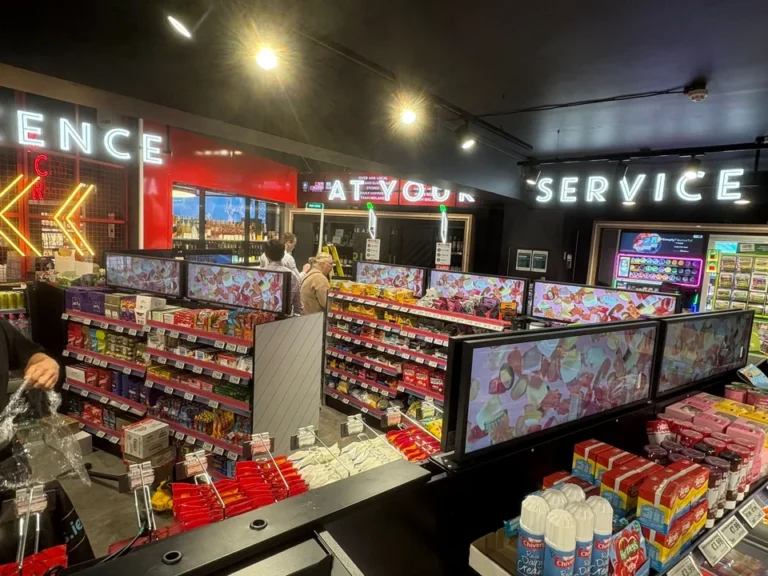
Horizontal stretched bar LCD screens above supermarket shelves near the checkouts, displaying confectionery promotions.
Europe · Photographed in 2026

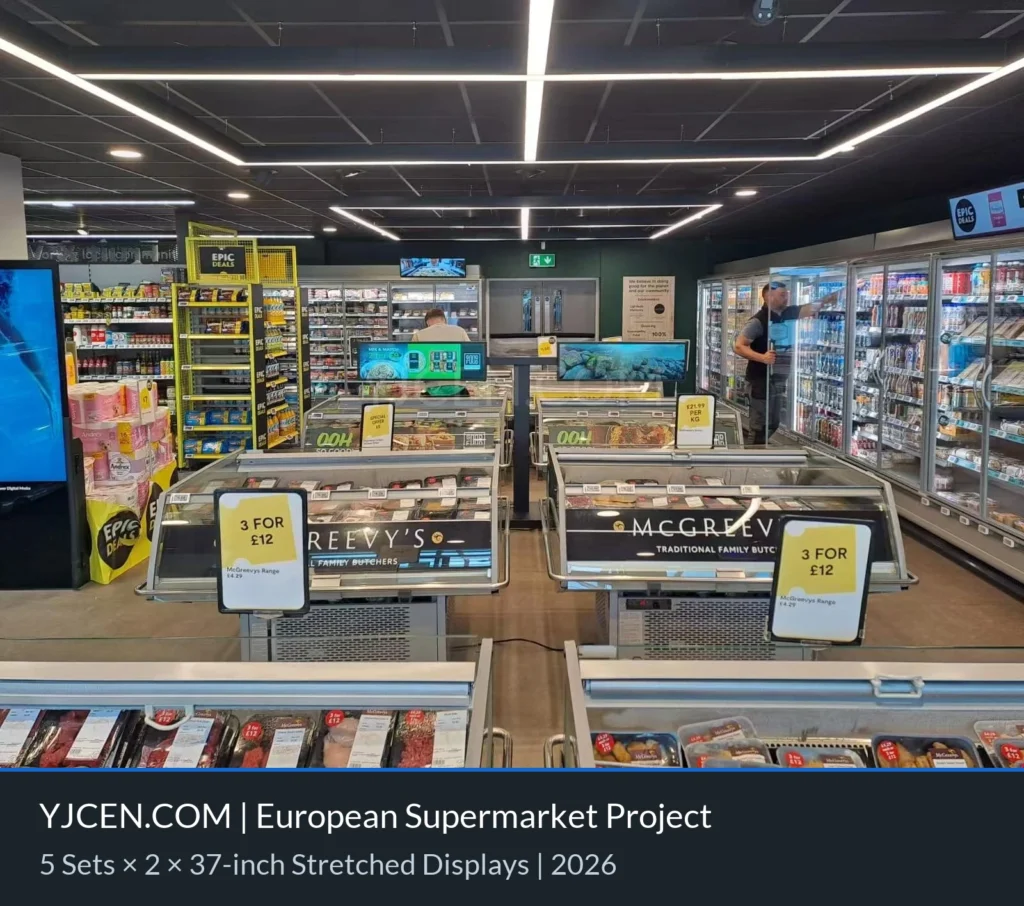
Bar LCD Displays in a European Supermarket

YJCEN supplied 10 37-inch stretched LCD displays to a system integrator for a supermarket in Europe. The installation uses five custom floor-standing supports, each carrying two screens above refrigerated display units.

The supermarket needed to rotate product offers and update prices and promotions while fitting the existing retail layout. The support dimensions were customized to the refrigerated units and available installation space.

Power and signal cables run inside the support columns. YJCEN supplied both the screens and the custom supports, matching the fixture dimensions and internal cable routing to the installation.

View all projects: Stretched Bar LCD Displays

Digital Shelf Edge Displays for Retail Promotions

A shelf edge LCD display can show the name, price or main feature of a product beside the shelf. It can also introduce a promotion or draw attention to a new item. The message stays close to the merchandise rather than appearing on a distant store display.

For full-window campaigns, see digital window displays.

A stretched bar display can sit along a shelf, within a product fixture or above a group of merchandise. Retailers can use it for feature comparisons, brand messages and changing promotions. The format is particularly useful where the display needs width but has limited vertical space.

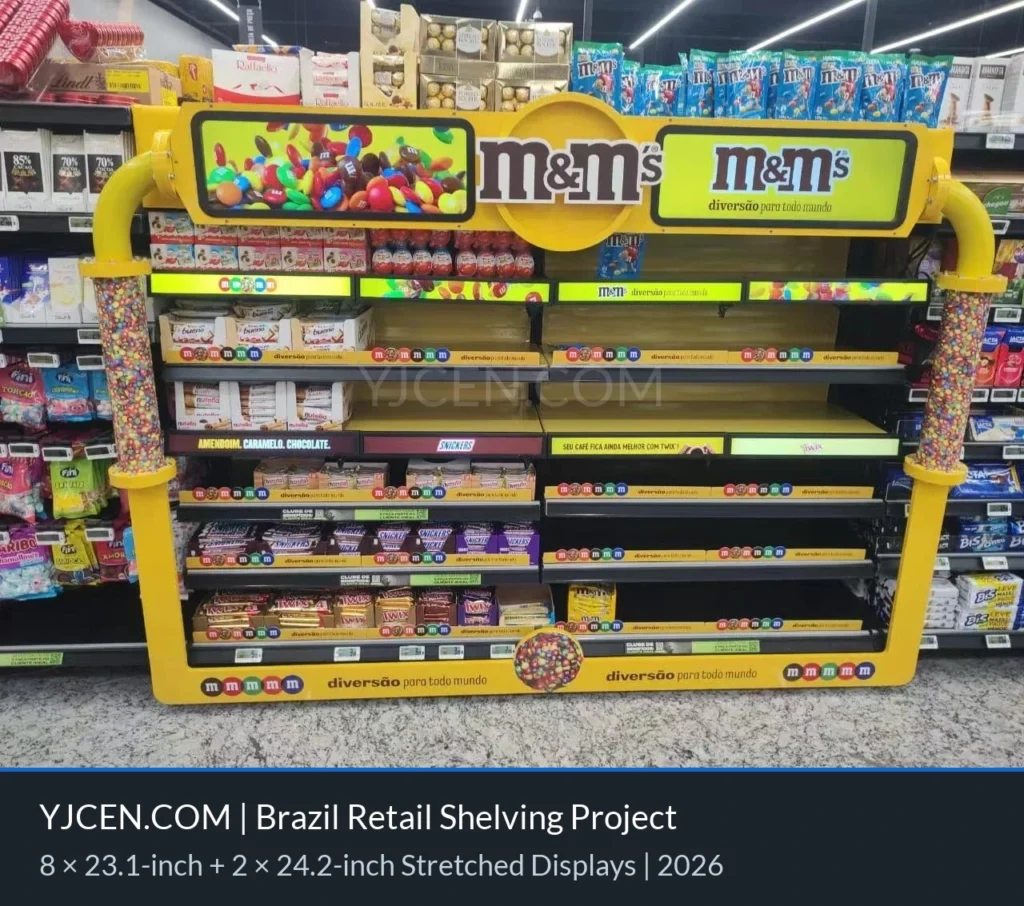
See how an integrator combined 23.1-inch shelf-edge screens with 24.2-inch top displays in our retail shelving project in Brazil.

Choosing the Screen Size and Resolution

Measure the available width, height and depth of the fixture before selecting the screen. Confirm the active display area and native resolution for that size, then prepare a sample with actual product names and prices. A stretched LCD display needs artwork laid out for its proportions.

For a digital shelf strip display project, include a fixture drawing, mounting clearance, planned cable route, available power connection and required quantity with your enquiry. These details help us review the display configuration for your shelving layout.

For a conventional rectangular screen, see our indoor digital signage. For a display with its own base, compare floor-standing digital signage.

Manuals and Drawings

Select your screen size and configuration to find the right documents.

37″ · Regular bar displayYJC-370-SD

Product Manual

Model specifications and configuration details.

Download PDF

Dimension Drawing

Drawing for the selected size and configuration.

Download PDF

Installation Manual

Series installation guide. See the model drawing for dimensions and mounting details.

Download PDF
Browse all product documents

OEM, certification and warranty

YJCEN offers enclosure, colour and private-label customization for integrators and brand owners. Android or Windows configurations, memory and storage can be customized; RK3568 and RK3576 are Android processor options. Your application can be pre-installed and tested on the selected hardware.

Android configurations include a free cloud-based CMS with no limit on the number of accounts.

Samples are available from 1 unit. Standard models typically ship in 3–7 working days and customized units in 15–20 working days. Sample lead time varies by product; the quotation specifies the delivery schedule.

YJCEN's quality management system is ISO 9001 certified. All YJCEN products are CE, RoHS, FCC and ETL certified. CB certification covers our product range.

YJCEN products have a 3-year warranty, excluding user-caused damage and faults caused by improper screen installation.

OEM/ODM options · CB certificate · Warranty terms

MOQ, lead time and what drives cost

MOQ: sample orders from 1 unit; no minimum order quantity for production.

Lead time: standard models typically ship in 3–7 working days after drawing and spec approval. Custom units typically ship in 15–20 working days, plus tooling if a new housing is required.

What drives cost: size, brightness, fixture opening and mounting.

What to send:

  • Opening dimensions and orientation
  • Screen size and aspect ratio
  • Mounting and power location
  • Quantity and destination country
  • Content format and project timing

Stretched LCD Display FAQs

Can one screen show information for several products?

Yes, the artwork or application can divide the horizontal display into several areas. Align those areas with the merchandise and allow enough space for each product name, price and message. For screen sizes and placement along retail shelves, see Stretched Bar LCD Displays: Retail Shelf Buying Guide.

What information is needed for a custom size?

Provide the fixture dimensions, required active display area, mounting space and quantity. A photo or drawing and sample artwork help us review the screen format and configuration. For screen fit, mounting space and cable routing, see Stretched LCD Displays: Retail Fixture Integration.

Can I use a normal poster file?

The content should be adapted to the selected screen’s aspect ratio and resolution. Rebuilding the layout keeps text readable and avoids stretching product images.

Will prices update automatically from my store system?

Automatic price updates require compatible software and a connection to the store’s data system. That integration is separate from the display hardware.

Do all sizes have the same resolution?

Native resolution and active display area vary by screen format. Use the selected model’s specifications when preparing content.

Can the display run throughout the day?

Commercial configurations support 24/7 operation. The final screen and player specification defines the operating conditions for the selected model.

What is the difference between a stretched bar LCD and a normal screen?

The aspect ratio: a stretched display is long and narrow (for example 16:4.5), designed to fit a shelf or a strip. A normal 16:9 screen cannot fill that shape without cropping.

Can it be used in a cooler or freezer door?

Yes, with a panel rated for the temperature and a door frame deep enough for the unit. Condensation is the main risk; check the sealing and the operating temperature.

Discuss Your Project

Send the available width and height, quantity and a sample of the content. We can help identify a suitable stretched display format. Contact YJCEN.