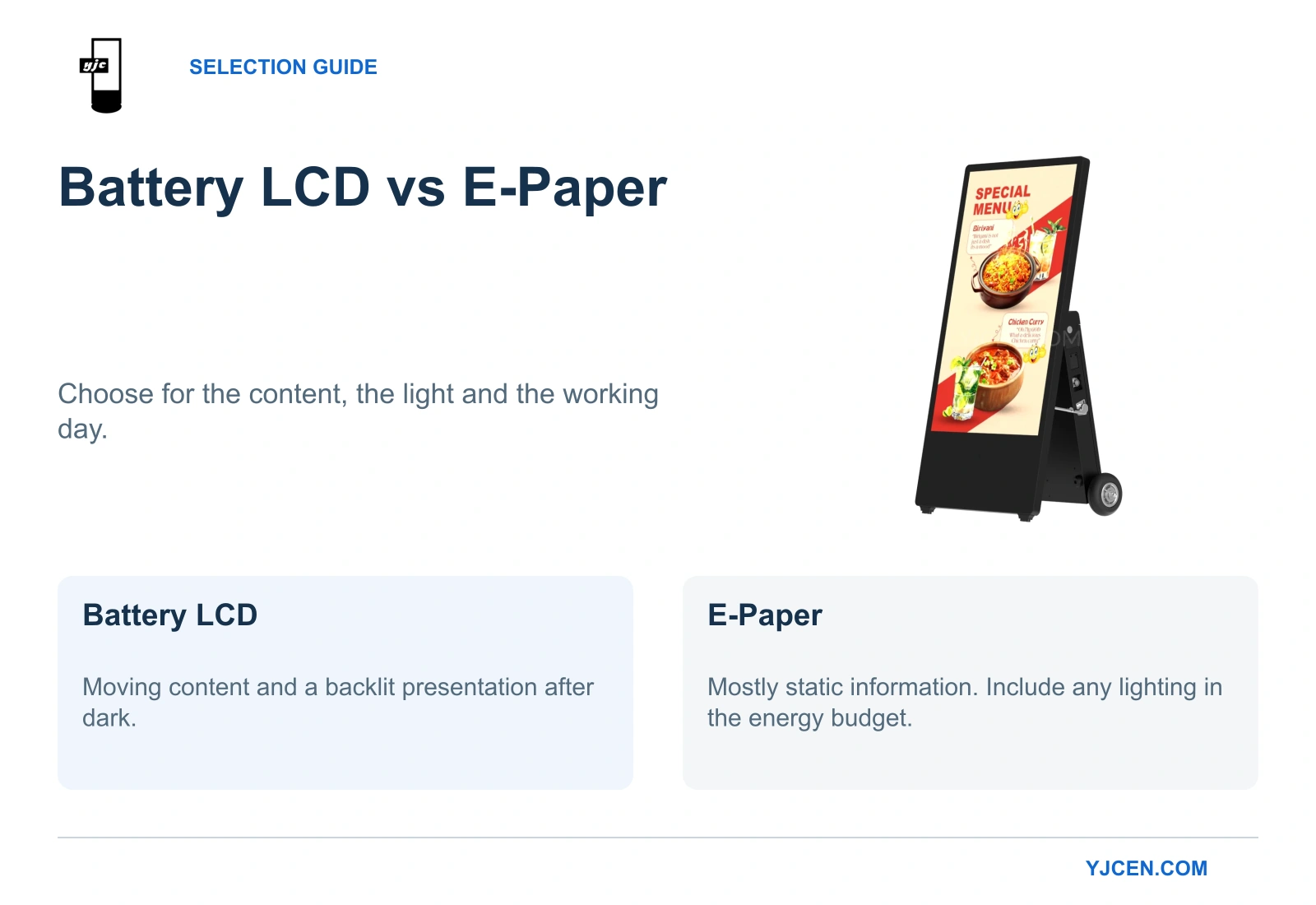
Choose battery LCD signage for continuous video, animated promotions and a backlit presentation after dark. Choose e-paper for mostly static information when long periods between charges matter more than motion. For buyers considering YJCEN’s 2500 Nits Outdoor Battery A-Board, the deciding question is whether the required content and brightness can run through the operating day—and whether the site provides enough time and space to recharge it.
1. Does your message need motion, or just occasional changes?
An opening-hours notice, a menu that changes between lunch and dinner, and a continuous promotional video are three different display tasks. Changing information twice a day does not, by itself, make LCD the better purchase.
| What the customer needs to see | Our starting recommendation | Reason |
|---|---|---|
| Opening hours, directions or prices that stay unchanged for long periods | E-paper | Holding static information makes practical use of its low-power image retention. |
| Product demonstrations, animated promotions or continuous video | LCD | Motion is central to the presentation, rather than an occasional transition between notices. |
| A static menu with a few scheduled changes | E-paper for daylight-only use; LCD if it must be read after dark | E-paper suits static content in daylight, but after dark it needs site lighting or a front light. |
For YJCEN’s 43-inch battery LCD, the native portrait resolution is 1080 × 1920. Design artwork for that portrait shape and judge legibility by the smallest essential price or instruction at the real customer position; a large screen does not make small text readable.
E Ink’s NRF 2026 preview describes video-capable Kaleido 3 displays, so e-paper capability extends beyond static notices. For a motion-led brief, we still start with LCD and assess any e-paper alternative using the same video, transitions and product colors.
2. Which technology suits daylight and evening use?
Reflective e-paper uses surrounding light to make its image visible, while a backlit LCD provides its own illumination through the panel. That difference, explained in E Ink’s technology documentation, makes e-paper a strong candidate for static information in bright daylight.
For LCD, brightness helps the image compete with ambient light and reflections. YJCEN offers 2,000- and 2,500-nit versions with automatic brightness adjustment, so the choice involves both the required light output and its effect on operating hours.
After dark, the lighting arrangement becomes decisive. A backlit LCD can present its content without relying on surrounding illumination; e-paper needs enough site lighting or a suitable front light, as described in E Ink’s front-light explanation.
For a daytime static notice, start with e-paper. For a promotion that must continue after nearby lighting is switched off, start with LCD or an explicitly illuminated e-paper system, including that illumination in the power budget.
For the LCD brightness decision, use the lowest setting that keeps essential text readable at the intended location. Choosing the brightest version automatically can reduce the hours available between charges without solving an actual viewing problem.
3. Will the battery LCD cover your operating day?
YJCEN’s two 43-inch high-brightness configurations use a 24 V, 78 Ah LiFePO4 battery, but their published maximum-brightness runtimes differ. The relevant comparison is the brightness and runtime together:
| Configuration | Listed maximum power consumption | Rated runtime at maximum brightness |
|---|---|---|
| 2,000-nit battery LCD | 115 W | Up to 14 hours |
| 2,500-nit battery LCD | 144 W | Up to 11 hours |
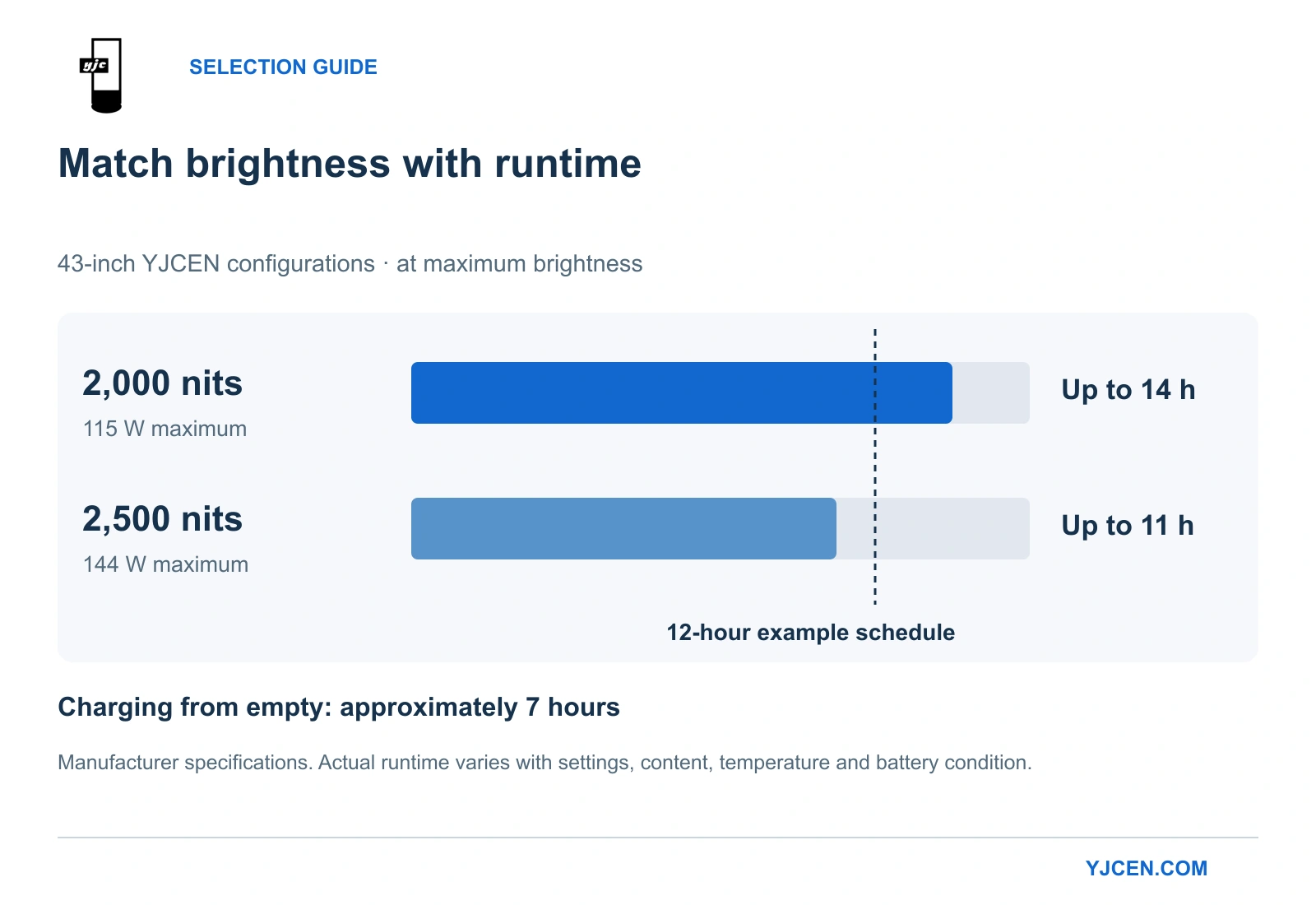
These are manufacturer specifications for the two configurations. Actual runtime varies with brightness settings, content, temperature and battery condition.
Consider a store that needs 12 hours of display operation at maximum brightness, with no charging break. The 2,500-nit version’s published 11-hour figure is already shorter than that requirement, so it is not the right configuration for that operating plan.
The 2,000-nit version is the better candidate if its light output is sufficient, because its published maximum-brightness runtime reaches 14 hours. The two hours above the 12-hour example is a planning margin, not a guaranteed reserve; run an operating trial at the intended settings to confirm it is enough for the site.
Both versions also list up to 42 hours at minimum brightness, with 45 W minimum power consumption. That figure cannot be used to plan a day that requires maximum brightness: a longer runtime at a setting that makes the message unreadable does not meet the brief.
Charging from empty takes approximately seven hours. For this battery LCD, the daily schedule therefore includes both the display period and a practical charging window, such as overnight storage near a power outlet.
Our selection approach is to match the necessary brightness first, then choose a configuration whose rated runtime exceeds the required display period. If the site needs sustained high brightness beyond the available battery runtime, start with a mains-powered outdoor display instead; if the message can remain static and charging access is infrequent, reconsider e-paper.
4. Does “zero-power” e-paper mean the whole sign uses no energy?
E-paper’s energy advantage is strongest when an image stays unchanged. E Ink describes this as bistability: the display can retain an image after power is removed, whereas an LCD needs continuous power to maintain an illuminated presentation.
Samsung’s explanation of Color E-Paper reports 0.00 W while displaying a static image. Its footnote states that consumption below 0.005 W is reported as 0.00 W under the cited IEC 62301 convention; this describes that static-image operating state, not a complete day of updates, communications and lighting.
For a fair comparison, include the energy needed to keep the whole sign performing the agreed task. A rarely changed daytime notice gives e-paper a strong advantage, while frequent updates and additional illumination add to the energy budget and must be included in any runtime calculation.
Image retention also creates an operational distinction: a readable message can still be out of date. When a price or event direction changes, judge update success by the new message on the physical screen. This is particularly important for an e-paper sign that can retain its previous image without power.
5. Does the complete outdoor unit fit your site and daily routine?
For an exposed outdoor position, compare complete assemblies, including the enclosure, battery, stand and any lighting. Daylight readability alone does not establish weather protection.
YJCEN’s outdoor battery powered digital signage combines an IP65 enclosure, a specified −20°C to +65°C operating range, and lockable wheels. Apply enclosure and temperature requirements to both proposals before comparing energy use, so that each unit suits the same outdoor position.
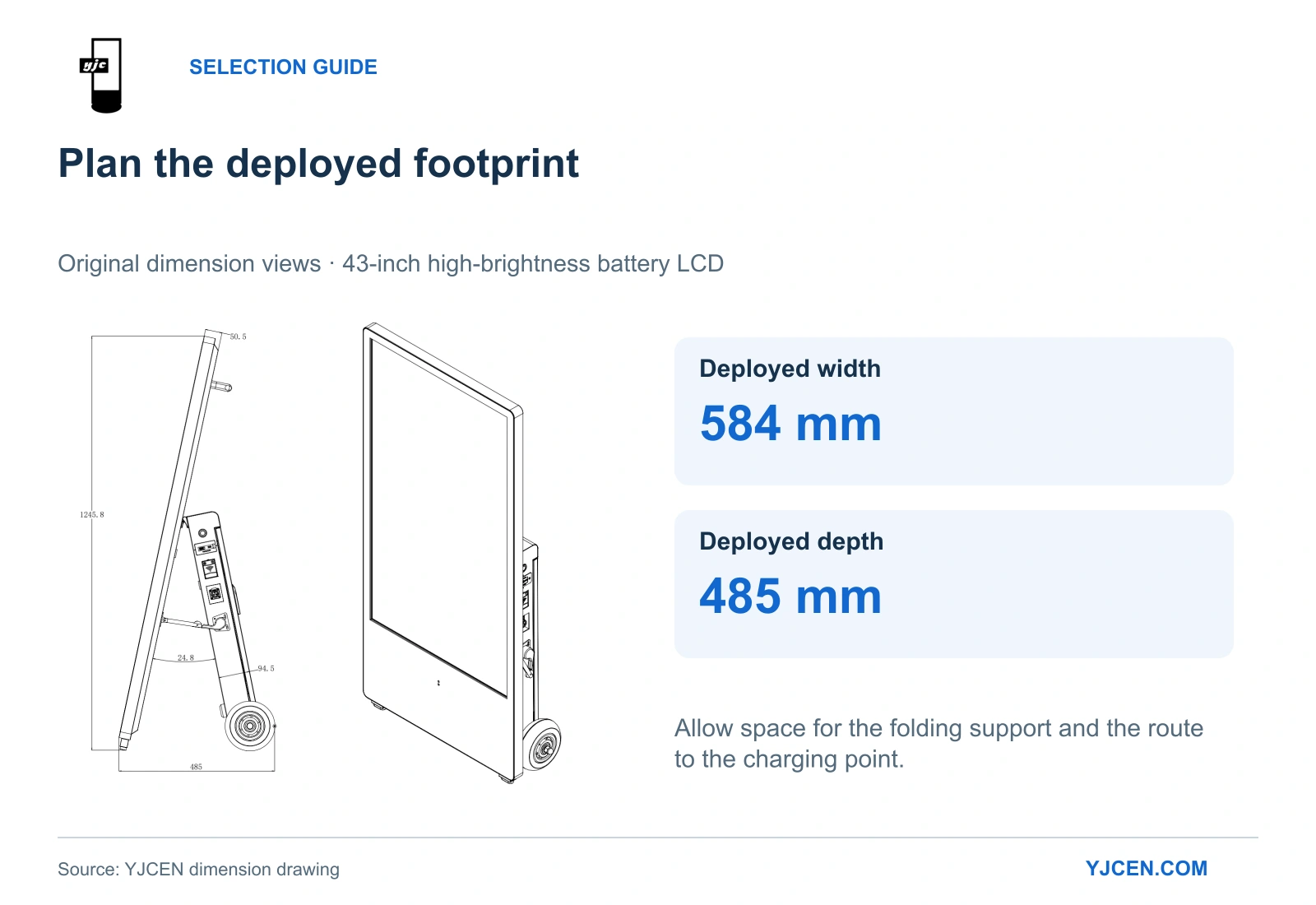
The 43-inch high-brightness dimension drawing shows a deployed footprint 584 mm wide and 485 mm deep, with a foldable support and 6-inch lockable casters. Use the deployed depth when planning its display position, rather than treating the thin screen body as the space the sign occupies.
The installation manual shows the rear handle being used to tilt the unit onto its wheels for movement. That makes the route to the charging point part of the purchase decision: reserve space for the deployed support and a practical route between the display position and storage.
For weather exposure and enclosure selection, see our outdoor digital signage selection guide. For a comparison with printed A-boards, see our digital A-board vs printed A-board guide.
Which battery LCD configuration should you price for your project?
If your project needs a backlit display with moving content, send YJCEN a representative image or video, site photos, the viewing distance, daily display hours and the available charging window. Include the installation country, required screen size and quantity.
For the 43-inch model discussed here, those details help select between the 2,000- and 2,500-nit configurations and assess the operating schedule before preparing a quotation. If the task is mainly static daytime information with little access to charging, e-paper remains a sensible option to compare.