Two IP66 Outdoor Digital Signage can have the same screen size, resolution, and 3,000-nit brightness specification—and still be suited to different locations.
Choosing the right display requires two questions to be answered together: Can people read the content, and can the equipment operate as required in that location?
High brightness does not establish resistance to rain and dust. A protective enclosure does not, by itself, establish that the LCD panel can handle prolonged exposure to heat and sunlight.
Start by identifying the conditions the display must withstand. Eliminate configurations that do not meet those requirements, then compare the remaining options. A stronger specification in one area cannot compensate for a missing requirement elsewhere.
This guide focuses on outdoor LCD digital signage, including advertising displays, drive-thru menu boards, and public information screens.
Quick Guide: Choose in This Order
Follow these steps to compare displays for your site.
- Define the site: Identify direct sunlight, rain exposure, local temperatures, and the audience’s viewing position.
- Check environmental suitability: Review ingress protection, operating temperature, material durability, and impact resistance.
- Verify readability: Assess brightness, reflections, text size, and viewing angles together.
- Compare complete configurations: Establish what the quotation includes, from protective glass and mounting equipment to media players and connectivity.
- Agree on acceptance criteria: Specify the content, viewing positions, and operating conditions the finished installation must support.
1. Define What “Outdoor” Means at Your Site
An exposed roadside display, a menu board beneath a canopy, and a screen installed behind a shop window face different conditions. They should not automatically receive the same specification.
| Installation condition | Priorities to assess | Common oversight |
|---|---|---|
| Fully exposed to sun and rain | Ingress protection, sunlight readability, and thermal performance | The screen front is protected, but rear connections or cable entries remain exposed |
| Under a canopy with open sides | Angled sunlight, wind-driven rain, and viewing position | Midday shade is mistaken for all-day shade |
| Behind a shop window, facing the street | Window reflections, solar heat, and readability through glass | A high-brightness window display is assumed to be suitable for exposed outdoor installation |
| Within reach of pedestrians or near a vehicle lane | Impact protection, secure mounting, and clear information presentation | Screen appearance receives more attention than contact risks and installation constraints |
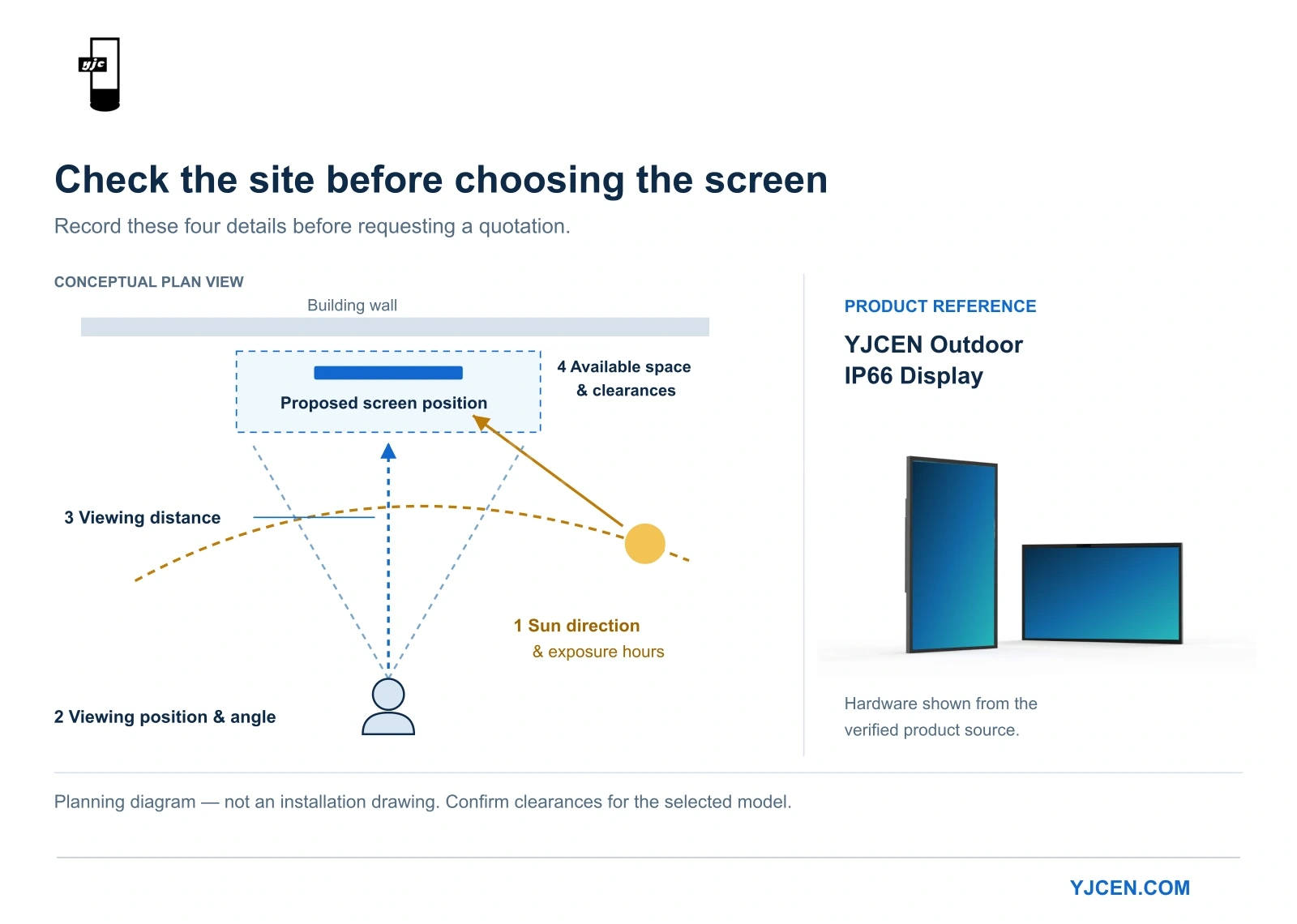
Before requesting a quotation, prepare a site photograph, the direction the display will face, approximate hours of direct sunlight, local temperature extremes, viewing distance, and sample content.
These details establish which features are essential and help avoid paying for capabilities the location does not require.
2. Choose Sufficient Brightness—and Assess Reflections
A nit is a unit of luminance: one nit equals one candela per square metre, or cd/m². It describes the brightness of the display surface, not a direct measurement of the sunlight falling on it.
For bright outdoor locations, including sites exposed to direct sunlight, a 3,000-nit display is a useful configuration to evaluate. However, no single brightness threshold guarantees readability in every installation.
Reflections also affect the result.
When ambient light reflects from the screen surface, dark areas appear lighter. This reduces the visible difference between text and its background. Increasing brightness can help, but it does not replace effective reflection control.
In his discussion of sunlight and daylight readability published through NIST, Edward F. Kelley examines display performance through reflected light and ambient contrast. This explains why brightness and dark-room contrast figures cannot fully describe outdoor viewing conditions.
Assess three factors together:
- Light output: Can the display provide sufficient brightness for the location?
- Reflections: Does the protective glass produce distracting glare or mirror-like reflections?
- Content: Are essential text and symbols large and distinct enough to read?
A promotional image with a large headline is easier to read than a menu containing many items and prices. The same screen may perform differently for those two tasks.
If the display operates after dark, check automatic brightness adjustment as well. Strong daytime output should be balanced with comfortable nighttime viewing.
Decision rule: When content is difficult to read, identify whether the cause is insufficient brightness, reflections, or content layout before choosing the remedy. More nits will not resolve every readability problem.
3. Treat IP66 as Ingress Protection, Not a Complete Outdoor Qualification
The IP classification system is defined by IEC 60529, Degrees of Protection Provided by Enclosures.
For IP66:
- The first 6 indicates dust-tight protection.
- The second 6 indicates protection against powerful water jets under specified test conditions.
This interpretation is also explained in BAPI’s technical guide to IEC enclosure ratings.
IP66 is relevant when selecting a display for exposure to airborne dust and rain. It does not establish suitability for immersion, high temperatures, salt corrosion, or mechanical impact.
Check the scope of the rating. A specification that applies only to the front of a display should not be interpreted as equivalent protection for its rear, connections, and complete enclosure.
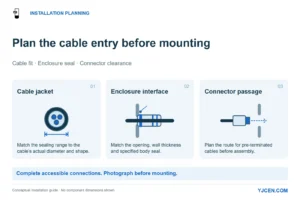
Installation also matters. Cable entries, access covers, and connectors must preserve the intended protection. Unapproved openings or poorly sealed connections can compromise an otherwise suitable enclosure.
Decision rule: For an exposed installation, compare protection for the complete, connected display. Address salt exposure, standing water, or unusual cleaning conditions separately rather than assuming IP66 covers them. For a comparison of enclosure protection ratings, see IP65 vs IP66 vs IP67 for Outdoor Digital Signage.
4. Evaluate Heat Resistance Across the Complete Display
An outdoor display receives heat from two sources: its operating components and solar radiation.
The surrounding air temperature is therefore different from the temperature of sunlit protective glass, the LCD panel, or internal components.
An operating temperature range is useful, but its conditions matter. For example, LG’s official 55XE3P-B specifications distinguish upper operating temperatures with and without direct sunlight. This illustrates why a temperature figure should be read alongside its applicable exposure conditions.
A complete thermal assessment includes:
- LCD panel: Suitability for the expected temperature and sunlight exposure.
- Optical materials: Heat resistance of films, diffusion materials, and adhesives.
- Enclosure and seals: Suitability for prolonged outdoor exposure and temperature changes.
- Thermal design: How heat is transferred away from the display’s internal components.
- Installation arrangement: Whether a wall, decorative surround, or additional housing restricts heat dissipation.
A metal enclosure alone cannot establish the thermal suitability of the panel and optical materials inside it.
Avoid combining separate specifications into an unsupported operating promise. A high brightness figure and a wide temperature range do not automatically demonstrate that the display maintains the same brightness at the highest ambient temperature under strong sunlight.
Decision rule: For hot, sun-exposed locations, check performance under conditions comparable to the project, including whether thermal protection reduces brightness. For cold locations, distinguish continuous operation from startup after a prolonged shutdown. For the cooling options behind that choice, see Outdoor Signage Cooling: Fans, AC & Fanless.
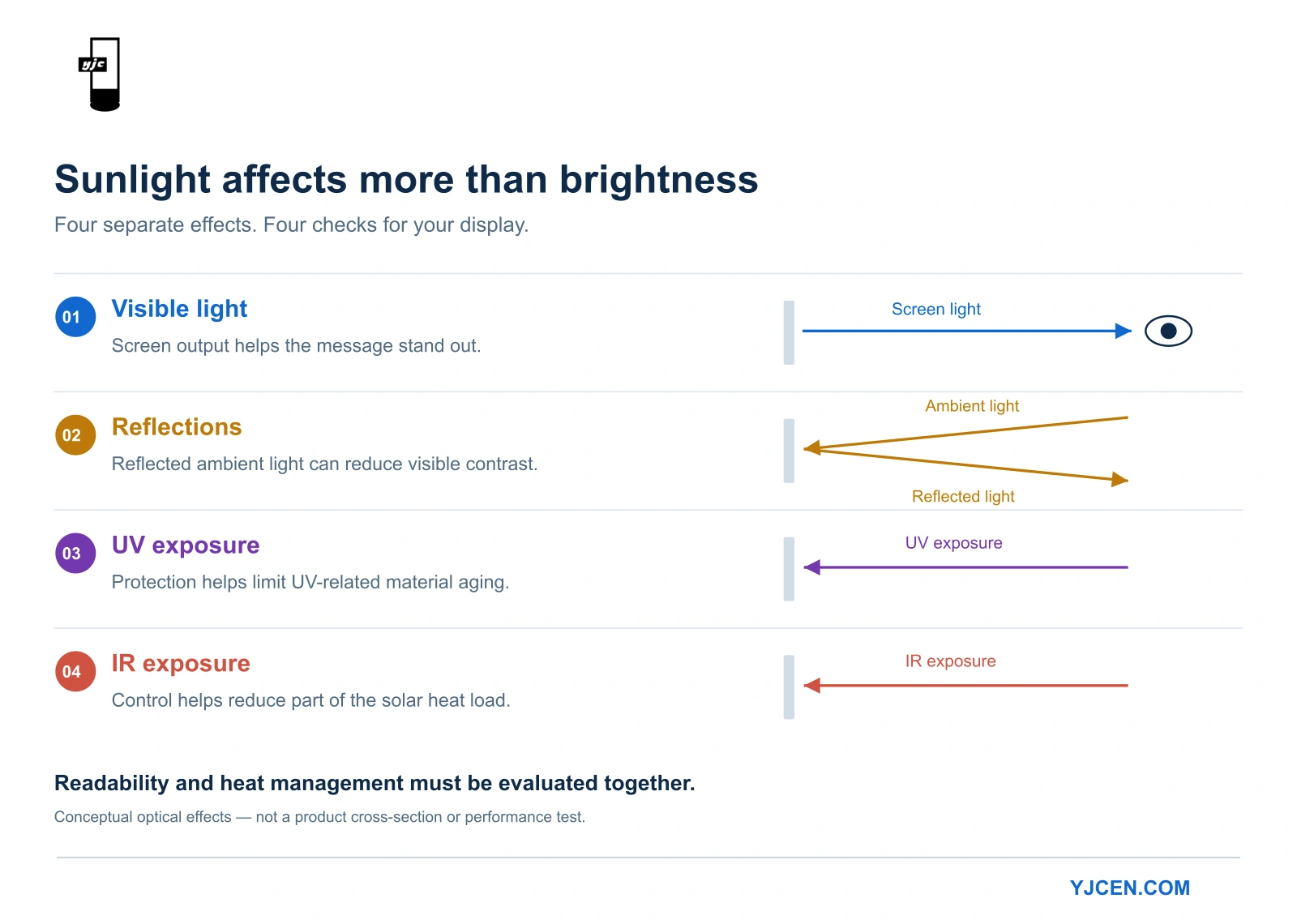
5. Understand the Different Roles of UV, IR, and Reflection Control
“Sunlight protection” can describe several different functions. Understanding each one makes product comparisons more useful.
| Feature | Main purpose | What it does not establish |
|---|---|---|
| UV protection | Reduces ultraviolet exposure affecting susceptible materials | Strong heat rejection by itself |
| IR control | Reduces part of the incoming solar heat load | Rejection of all solar heat or a replacement for thermal management |
| Anti-glare or anti-reflection treatment | Reduces the viewing interference caused by reflections | Sufficient brightness or high-temperature durability |
For example, 3M’s Prestige Series documentation describes UV protection and infrared rejection separately and identifies measurement conditions for its infrared performance. That distinction is useful when comparing supplier claims.
A high UV-blocking percentage should not be read as an equivalent percentage of total solar heat rejection. Likewise, infrared-rejection figures need a defined wavelength range and measurement basis before they can be compared meaningfully.
For a display, evaluate how these measures work in the finished optical assembly. The screen still needs clear images, appropriate visible-light transmission, and effective heat dissipation.
If a quotation says only “UV + IR,” it identifies a protection approach but does not provide enough information to compare two products’ performance.
Decision rule: At sites with prolonged sunlight exposure, assess UV and IR protection alongside heat-resistant materials and thermal design. No single rejection percentage should stand in for the complete thermal assessment.
6. Match Impact Protection to the Installation
A display within reach of pedestrians, luggage, or shopping trolleys faces different contact risks from one mounted at height.
Mechanical impact protection is classified through the IK system under IEC 62262. It addresses a different requirement from IP ingress protection.
When a specification states an IK rating, establish whether it applies to:
- The protective glass.
- The enclosure.
- The complete assembly.
If the documentation specifies IK10 protective glass, describe it accordingly. Do not automatically extend that rating to every part of the equipment.
Glass thickness alone is also not a substitute for an impact rating, and an impact rating does not replace secure mounting.
Decision rule: For publicly accessible installations, assess front protection and mounting security first, then consider installation height or additional physical protection where appropriate. Impact resistance does not mean the display is unbreakable.
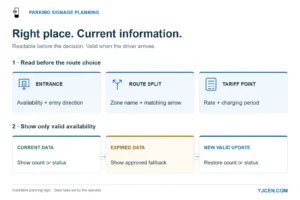
Outdoor wayfinding: shared directions or a personal route?
For shared directions, a non-touch screen can keep arrows, destinations and a site map visible to everyone approaching. A touch kiosk suits visitors who search for a destination or build an individual route. Place it beside the main walking route so people can stop without blocking others. The map application, updates and offline behaviour need to be planned with the display hardware.
For base, cable-entry and service-space planning, use Outdoor Digital Totem Installation & CAD Guide.
7. Compare Quotations on the Same Basis
A comparison limited to screen size, brightness, and price can hide important differences.
Use consistent conditions when evaluating shortlisted products:
| Comparison item | What should be comparable |
|---|---|
| Brightness | Measurement basis and the finished configuration being quoted |
| Sunlight readability | Content, viewing distance, angle, and lighting conditions |
| IP protection | Complete enclosure versus partial protection, including connected cable entries |
| Temperature range | Operating versus storage conditions, and direct-sunlight applicability |
| UV and IR protection | Measurement basis and the components or layers covered |
| IK protection | Glass, enclosure, or complete assembly |
| Mounting equipment | Included supports, bases, sealing components, and installation accessories |
| Playback and connectivity | Standard versus optional players, software licences, and network modules |
First identify which proposals meet the essential requirements. Then compare the prices of those qualifying configurations.
For example, a less expensive display with front-only protection should not be treated as equivalent to a complete exposed-outdoor configuration without further assessment.
Conversely, a higher specification is not automatically better value when the site does not require it. To put these choices into a comparable quotation, use Outdoor LCD Display Buying Checklist: RFQ & Technical Specs.
A Real Project: Matching Outdoor Performance to Menu Content and Site Space
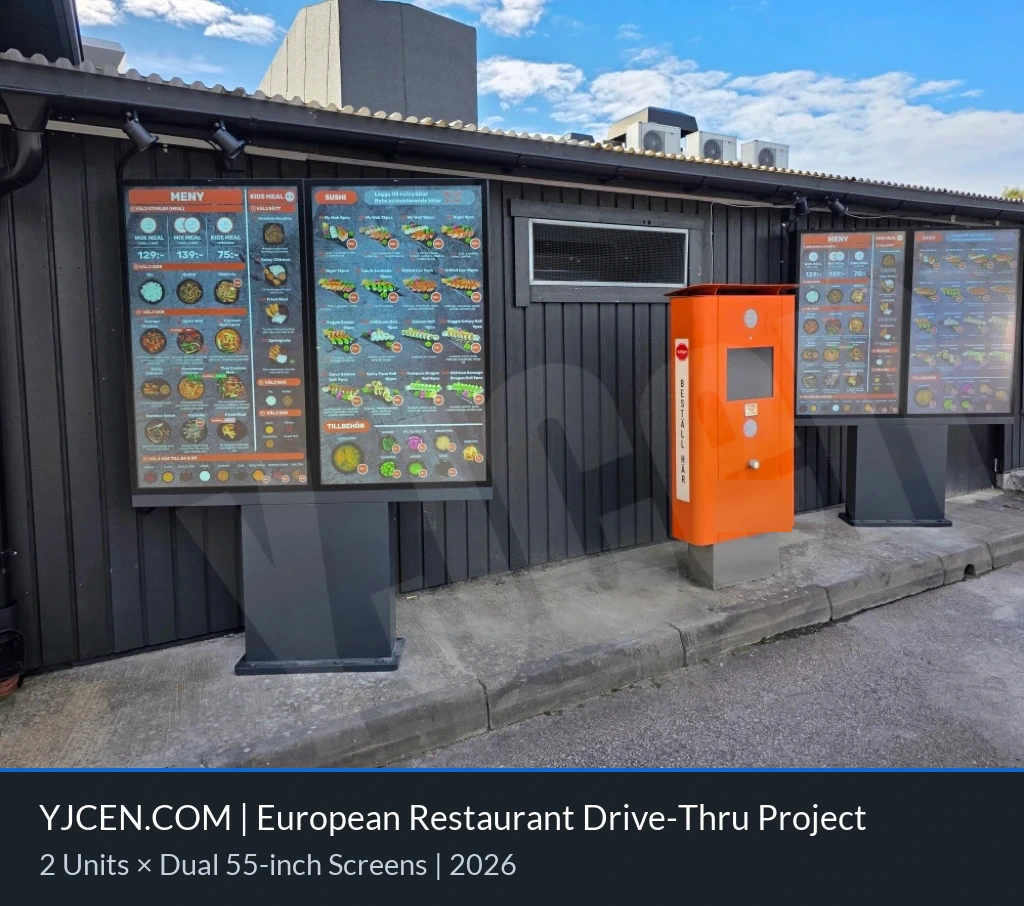
In the YJCEN dual-screen drive-thru menu board project for a European restaurant, the customer was planning display equipment for a new restaurant.
The selection needed to accommodate menu and promotional content, fit the space allocated beside the drive-thru lane, and work within the customer’s broader plan for separate pedestrian and vehicle routes.
The selected configuration comprised two freestanding dual-screen units, each containing two 55-inch portrait displays—four screens in total—with 3,000-nit brightness and IP66 protection.
The project brings together three practical selection decisions:
- The environment informs equipment requirements. Brightness and ingress protection need to suit the lane-side application.
- The content informs screen configuration. Menu categories, prices, and promotions influence how much display area is needed.
- The site constrains the layout. Adding screens increases the equipment’s overall width, which must fit the available installation area.
For a similar project, use the planned menu to establish the required display area, then assess single-screen or multi-screen configurations against the available space and viewing conditions.
The value of this example is the selection process. A dual-screen arrangement suited this project; it is not a default recommendation for every restaurant.
8. Verify Readability and Operation Together Before Ordering
A useful demonstration should resemble the intended installation as closely as practical.
Agree on five things in advance:
- Content: Use representative menus, advertisements, or information pages—not only vivid full-screen images.
- Viewing position: Check the intended distance and main viewing angles, including polarized sunglasses where relevant.
- Timing: Include periods when sunlight or reflections are most challenging.
- Configuration: Use the intended protective glass, orientation, and installation arrangement.
- Results: Establish whether essential information remains readable and whether brightness reductions or other behaviour affect its intended use.
A short on-site demonstration can help assess readability. It does not replace environmental and temperature test documentation. Both serve a purpose in the purchasing decision.
If an on-site sample is unavailable, review demonstrations and technical evidence from comparable conditions, then agree on acceptance requirements for the delivered installation.
Photographs are useful for documenting the site, but camera exposure changes the apparent brightness of a screen. They should not be the sole evidence of readability.
How the YJCEN Outdoor IP66 Display Addresses These Requirements
For projects requiring high brightness, dust and water protection, and a wide operating ambient temperature range, the YJCEN Outdoor IP66 Display is a configuration to consider.
Its specified features address the main selection areas discussed in this guide:
| Product feature | Related selection requirement |
|---|---|
| 3,000-nit brightness | Light output for bright viewing environments |
| IP66 protection | Protection against dust and water ingress |
| −45°C to +65°C operating ambient temperature | Matching the specified operating range to site conditions |
| Heat-resistant LCD and related optical materials | Display-component suitability for outdoor thermal conditions |
| UV + IR protection | Control of ultraviolet exposure and part of the solar heat load |
| Anti-glare glass and circular-polarization design | Reflection management and viewing with polarized sunglasses |
| 5 mm tempered protective glass, specified as IK10 | Impact protection for the front glass |
The final model and installation arrangement should be matched to the site’s sunlight exposure, climate, viewing distance, content, and mounting structure.
When requesting a quotation, provide site photographs, screen orientation, direct-sunlight hours, temperature conditions, and sample content. These details help turn a general product enquiry into a configuration suited to the project.
Making the Final Choice
List the requirements the installation must meet, then assess each shortlisted configuration against them.
If an essential requirement is missing, resolve it before comparing optional features. Higher resolution, additional software functions, or a lower price cannot compensate for an environmental limitation that prevents the display from doing its job.
Once several proposals meet the requirements, compare the complete delivered cost, control functions, service arrangements, and ease of use.
The final choice should have a clear basis: the display can operate in your location, follow your operating schedule, and let the audience read the information you need to communicate.
Need help choosing an outdoor display?
Send us a site photo, your preferred screen size, quantity and project location. Include details of direct sunlight, expected temperatures and mounting constraints. YJCEN can help you compare suitable configurations and prepare a quotation based on your requirements.