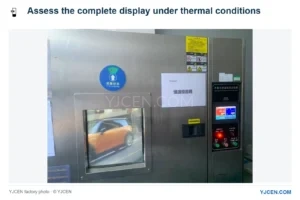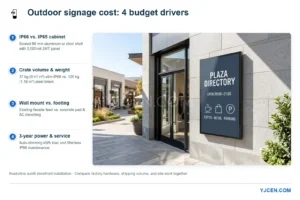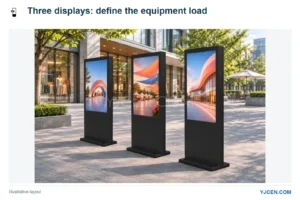
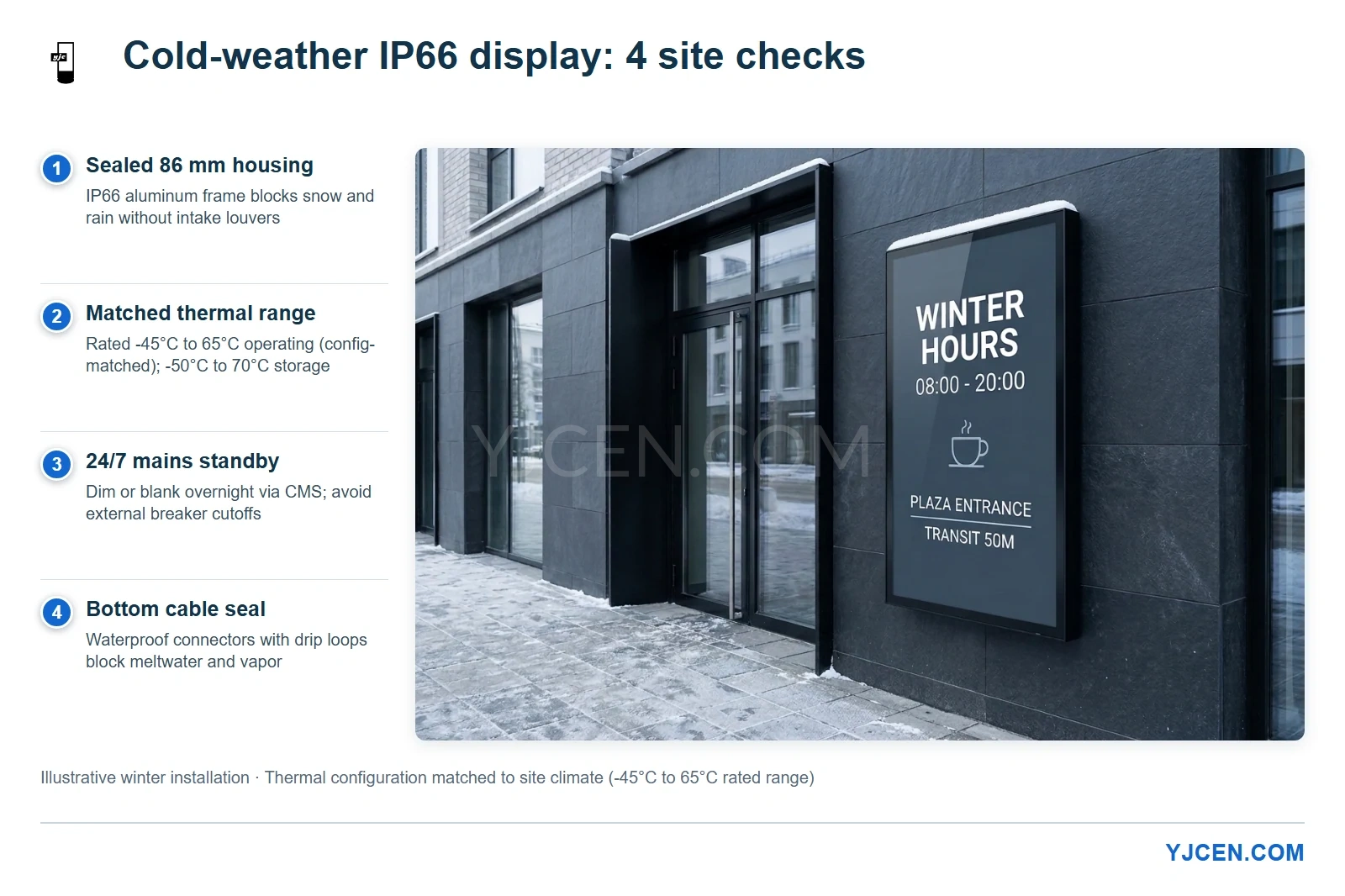
Illustrative winter installation showing the four checks that protect a sealed 86 mm IP66 outdoor display in sub-zero weather: louver-free aluminum sealing, climate-matched -45°C to 65°C thermal configuration (-50°C to 70°C storage), continuous 24/7 mains standby, and bottom waterproof cable sealing.
Freezing air alone rarely destroys an outdoor LCD. Most winter failures happen when a screen cold-soaks overnight after power is cut, or when daily temperature swings draw moisture past a loose seal onto cold electronics. Specifying sealed IP66 weatherproof outdoor digital signage rated to -45°C operating (with the matching thermal configuration) and -50°C storage only pays off when site power, cable sealing, and freight warm-up match local winter lows.
Sort Your Site by Record Winter Low Before Choosing Hardware
Treating every cold installation as one generic winter project leads to overspending in mild coastal cities or losing displays during the first deep freeze. A UK storefront facing -4°C sleet has a very different failure risk from a transit plaza in Northern Europe or Canada dropping to -30°C overnight.
Use your installation city’s record overnight low rather than its monthly average to set engineering priorities:
| Record Winter Low | Primary Field Risk | Hardware & Site Priority |
|---|---|---|
| 0°C to -10°C (wet maritime winters) | Freezing rain, wet snow, and repeated freeze-thaw condensation across 0°C | Sealed louver-free IP66 aluminum cabinet, bottom drip loops, and clear drainage below the housing |
| -10°C to -25°C (continental & Northern European winters) | Sluggish liquid crystals after cold soak, morning glass fogging, and stiff PVC cables | Climate-matched thermal configuration, cold-flex outdoor cabling, 24/7 unswitched AC power, and bench software recovery tests |
| -25°C to -45°C (deep-freeze & high-latitude sites) | Hard cold-start stress after grid outages, extreme thermal pressure swings, and frost-heave wall loads | Project-specific thermal build for the -45°C rating, surge/outage planning, sealed indoor freight warm-up, and 1-unit sample validation |
In wet maritime climates, blocking wind-driven moisture and meltwater comes first. Once winter nights push well below -10°C, how the system manages cold startup, continuous standby power, and cable flexibility becomes just as decisive as the enclosure seal.
Why Freezing Weather Causes Ghosting and Internal Fogging
Two physical mechanisms sit behind almost every winter service ticket on outdoor LCD hardware.
Cold liquid crystals turn sluggish
Standard indoor LCD panels are built to run down to 0°C. Below freezing, the liquid crystal fluid thickens, stretching normal 6 ms pixel switching into obvious lag, smeared motion, or dark trailing on scrolling text.
Forcing full backlight and driver load into a deeply cold-soaked panel without matched thermal control accelerates electronics stress. That is why YJCEN’s -45°C to 65°C operating specification explicitly calls for the matching thermal configuration rather than treating a mild-climate build as identical to an arctic-grade build.
Thermal cycling turns loose seals into moisture pumps
When a 3,000-nit backlight and winter sun warm a sealed metal cabinet by day, the air inside expands. When night drops temperatures below freezing, that internal air cools and contracts, creating slight negative pressure.
Any half-tightened cable collar or crooked port cap lets humid night air get pulled across freezing aluminum walls and circuit boards. Once an interior surface falls below the dew point, liquid water forms inside the front glass or across the power supply.
IP66 does not test internal condensation. Under EN 60529, IP66 proves dust tightness (IP6X) and resistance to powerful water jets (IPX6). Keeping the cabinet dry through winter requires pairing that physical seal with steady thermal control and airtight cable entries.
Operating vs. Storage Temperature: Freight Warm-Up and Model Sizing
Buyers often spot -50°C on a spec sheet and assume a screen can sit frozen in a yard overnight and boot right away. Keep the three environmental limits across YJCEN’s 32-inch to 75-inch OD09 series distinct:
| Specification | YJCEN OD09 IP66 Rating | Practical Rule on Site |
|---|---|---|
| Operating temperature | -45°C to 65°C (with appropriate thermal configuration) | Share the site’s lowest recorded winter temperature before ordering so the thermal build matches it. |
| Storage temperature | -50°C to 70°C | Unpowered crated transit and warehouse limit only; never an energized cold-start rating. |
| Operating & storage humidity | 10% to 80% (non-condensing) | Keep internal moisture in vapor form by preventing sudden cold-to-warm air shocks. |
Do not power up frozen freight inside a warm workshop
Many winter units get damaged indoors before installation even starts. A display arrives off an unheated truck at -15°C, technicians carry it into a 20°C staging room, and someone rips open the inner plastic wrap to install signage software right away.
Warm room air hits the freezing aluminum frame and condenses water across internal boards within minutes. Keep the inner moisture bag sealed while the unit warms slowly in a dry room. Because a 55-inch unit weighs 37 kg and a 75-inch unit weighs 70 kg, allow several hours or overnight until the metal no longer feels icy before unsealing and applying test power.
Why sealed 86 mm enclosures beat vented cabinets in snow
Open-loop fan-cooled enclosures pull outdoor air across filtered intake louvers. In wet snow, sleet, or road-salt slush, those filters ice over, choke airflow, and let damp mist reach internal boards.
Every unit in YJCEN’s OD09 IP66 outdoor display line uses a fully sealed 86 mm aluminum cabinet with no external intake louvers, IK10 tempered glass, and built-in smart temperature, fan, and backlight controls. On exposed facades such as the two 55-inch slim IP66 entrance displays installed in the UK without overhead canopy cover, eliminating external vents removes the primary entry path for driving rain and freezing mist.
Model sizing for winter power circuits and wall loading
Size exterior anchors and dedicated circuits from exact model specifications rather than rough diagonal estimates. All six OD09-A models run on AC 100–240 V, 50/60 Hz with 3,000-nit automatic light-sensing brightness and 24/7 duty rating:
| Model | Size | Resolution | Dimensions (mm) | Net Weight | Max Power | Winter Site Planning Note |
|---|---|---|---|---|---|---|
| YJC-320-OD09-A | 32″ | 1920 × 1080 | 750.8 × 445.4 × 86 | 17 kg | 135 W | Compact masonry or steel columns; light dedicated-circuit load |
| YJC-430-OD09-A | 43″ | 1920 × 1080 | 994 × 582.4 × 86 | 26 kg | 165 W | Narrow storefronts; verify cold-flex cable bend radius behind 86 mm depth |
| YJC-490-OD09-A | 49″ | 3840 × 2160 | 1127 × 657 × 86 | 31 kg | 180 W | Entry 4K size; plan two-person lift on wet or icy pavement |
| YJC-550-OD09-A | 55″ | 3840 × 2160 | 1262 × 732.8 × 86 | 37 kg | 230 W | Core retail and transit size; verify cladding structural backing before anchoring |
| YJC-650-OD09-A | 65″ | 3840 × 2160 | 1481 × 856 × 86 | 50 kg | 385 W | Dedicated 24/7 AC circuit advised; allow extended indoor freight warm-up |
| YJC-750-OD09-A | 75″ | 3840 × 2160 | 1703.2 × 982.2 × 86 | 70 kg | 450 W | Mechanical lift required; check freeze-thaw wall integrity and surge protection |
Any unit built for January still faces July solar heat six months later. Balance both seasons together using our guide on outdoor digital signage cooling and thermal management.
Winter Power, Snow Glare, and Touch Decisions People Overlook
Three practical operating choices separate trouble-free winter deployments from repeat truck rolls.
1. Keep 24/7 mains online instead of using overnight lighting timers
Tying an outdoor display into a storefront lighting timer that cuts AC power every night at 22:00 is one of the costliest winter habits. Cutting main power drops internal heat to zero during the coldest hours, forcing a full overnight cold soak and a harsh 07:00 startup at peak condensation risk.
| Overnight Power Method | Thermal Swing | Cold-Start & Fogging Risk | Winter Recommendation |
|---|---|---|---|
| External timer / breaker cutoff | Severe daily drop to ambient low | High: daily cold soak plus morning dew-point swing | Avoid below freezing |
| 24/7 unswitched mains + CMS blanking | Moderate and stable | Low: LED backlight powers down while controls stay live | Standard cold-climate practice |
Wire every winter display to an unswitched 24/7 circuit and blank the screen via Android or Windows scheduling after hours. If a winter storm triggers an actual utility outage, wait for steady grid power rather than repeatedly toggling breakers, and pre-test software auto-recovery on the bench before deployment.
2. Plan for low winter sun, snow glare, and early darkness
High brightness is not just a summer requirement. Low-angle winter sunlight bouncing off fresh snow creates severe glare that washes out dim screens, yet northern winters also bring dark skies by 16:00.
YJCEN’s OD09 panels combine 3,000-nit brightness, visibility through polarized sunglasses, and a built-in smart ambient light sensor. Content stays legible across bright snow at noon, then automatically steps down after dusk to cut night power draw and avoid glaring into dark streets.
3. Skip touch unless the application truly requires it
Touch is optional on the OD09 series, and winter is where unnecessary touch layers create extra work. Thick winter gloves, sleet films, and frozen droplets on exterior glass complicate touch sensitivity and can cause false triggers if left uncalibrated.
For pure advertising, transit timetables, or outdoor menus, specify the non-touch IK10 tempered glass model. When public interaction is mandatory, tell us up front whether users wear gloves and whether the facade faces freezing rain so touch behavior is validated on a sample before volume production.
Sealing Bottom Cable Entries, Drainage, and Field Connections
Water almost never gets through intact front glass or solid aluminum. Winter moisture failures almost always start at the bottom connector bay, an uncapped service port, or snow packed tightly against a recessed bottom edge.
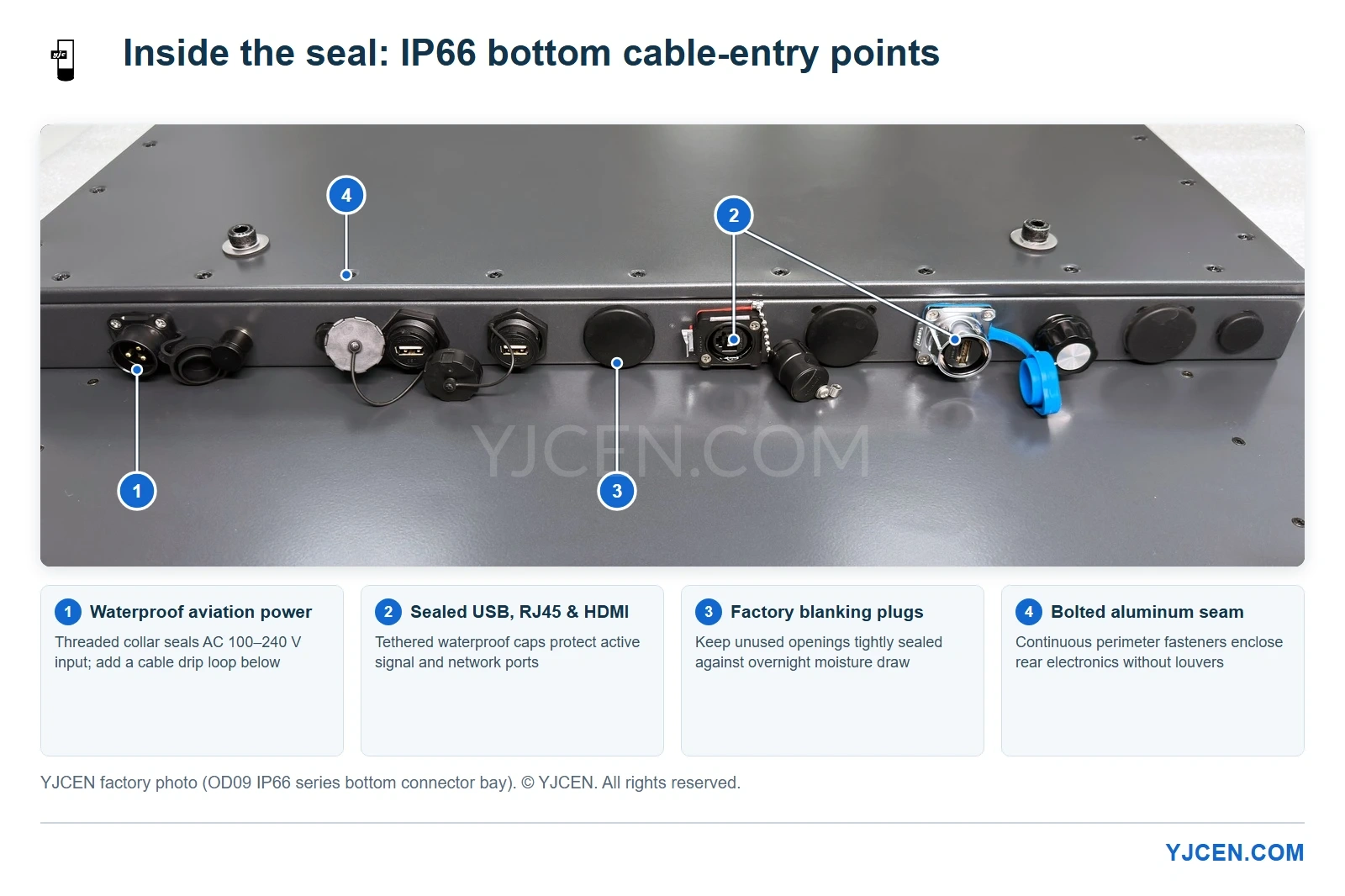
As shown in the OD09 factory connector bay above, all power and signal entries face downward along the rear sealed module: a threaded waterproof aviation power port, waterproof USB (×2), RJ45, and HDMI ports with tethered caps, and solid factory blanking plugs over unused openings. Protect that seal on site with four straightforward rules:
- Form a U-shaped drip loop below every cable entry. Let AC power and LAN lines dip below the connector bay before curving upward into the ports so meltwater drips off the bottom of the loop instead of wicking along the jacket into connector threads and freezing.
- Terminate and torque connectors before lifting the screen. Follow the IP66 installation manual sequence: anchor the wall bracket with M10×100 expansion bolts, attach the hook bars to the rear VESA mounts using the M8×10 304 stainless steel screws, connect and tighten every waterproof plug while you have a clear line of sight, and then hang the cabinet. Threading a waterproof collar blindly underneath a 50 kg screen in freezing weather is how O-rings get pinched.
- Lock down unused port caps after every service visit. Technicians frequently uncap a USB port to load content or pull logs, then leave the tethered cover half-seated with gloved hands. One loose cap breaks pressure integrity during overnight cooling.
- Keep the bottom edge clear of pooled meltwater and use cold-flex cables. Never recess a sealed display into a tight stone or metal pocket that traps slush and refreezing water around the bottom cable bay. Pair bottom clearance with cold-rated cable jackets that will not stiffen and crack inside external glands; see our outdoor display cable gland and IP continuity guide for jacket fit and compression checks.
Winter Symptom Troubleshooting: Fast Field Diagnosis
When a cold-climate site reports an issue, match the visible symptom to its physical cause before pulling a unit off the wall:
| Observed Winter Symptom | Most Likely Cause | Immediate Field Check & Prevention |
|---|---|---|
| Fog or droplets behind front glass at sunrise | Dew-point condensation from overnight thermal cycling or a loose seal | Check bottom port caps, blanking plugs, and gland tightness; confirm 24/7 mains power with no night breaker cutoff. |
| Heavy motion blur or trailing text in sub-zero air | High liquid-crystal viscosity inside a deeply cold-soaked panel | Verify mains power stayed online overnight and confirm the thermal build matches the actual ambient low. |
| Unit trips or fails right after indoor staging | Freezing freight unsealed and powered up inside a warm room | Stop energizing cold stock immediately; enforce sealed warm-up acclimation before opening inner wrap. |
| Intermittent network drop or power fault after sleet | Meltwater tracking straight cables into connector threads and freezing | Add U-shaped drip loops below the entry bay, dry and reseat waterproof collars, and switch to cold-flex cable jackets. |
How to Validate Hardware Before Ordering in Volume
Before committing to a multi-site northern rollout, verify both enclosure proof and your own software behavior on a single unit.
YJCEN’s OD09 series is backed by third-party EN 60529 report BKC23114331KS (Shenzhen BKC Testing Co., Ltd., tested on YJC-550-OD09-A for IP6X dust protection and IPX6 100 L/min water jets, listing 32-inch through 75-inch OD09 models). Every outdoor display also completes our 8-hour factory rain test, 72-hour burn-in aging, and full functional and sheet-metal inspection prior to shipment.
With 1-unit sample orders (roughly 3–7 working days for standard builds; 15–20 working days for custom builds) and in-house pre-installation of your Android or Windows software, your team can confirm scheduled night dimming, power-loss auto-recovery, and physical bracket clearance before winter installation crews roll out. All models carry ISO 9001, CE, RoHS, FCC, and ETL certifications with a 3-year warranty.
Frequently Asked Questions
Can an IP66 rating alone stop condensation inside an outdoor display?
No, IP66 verifies dust and water-jet protection, not internal condensation control. Under EN 60529, the rating tests external ingress only, so preventing winter fogging still requires airtight cable entries, 24/7 power discipline, and a thermal build matched to local winter lows.
How should you manage power overnight on an outdoor display in freezing weather?
Keep the display on 24/7 unswitched AC power and blank the screen in software. Cutting main power via an external timer lets the cabinet deep cold-soak overnight, raising both morning cold-start stress and condensation risk.
Why should a cold-delivered display warm up before indoor testing?
Moving a sub-zero metal cabinet into a warm workshop condenses water on internal boards. Keep the inner protective wrap closed until the aluminum housing reaches room temperature, then unseal and power on the unit for software staging.
Share Your Winter Site Conditions for a Matched Specification
Planning an outdoor deployment in freezing, snowy, or high-humidity regions? Send us your installation city and record winter overnight low, target screen size (32″–75″), and whether the site supports 24/7 continuous AC power (plus any touch requirement).
Our engineering team will match the right OD09 IP66 thermal configuration, send exact dimension drawings and EN 60529 documentation, and set up a 1-unit sample with your signage software pre-tested before you lock in project quantities.