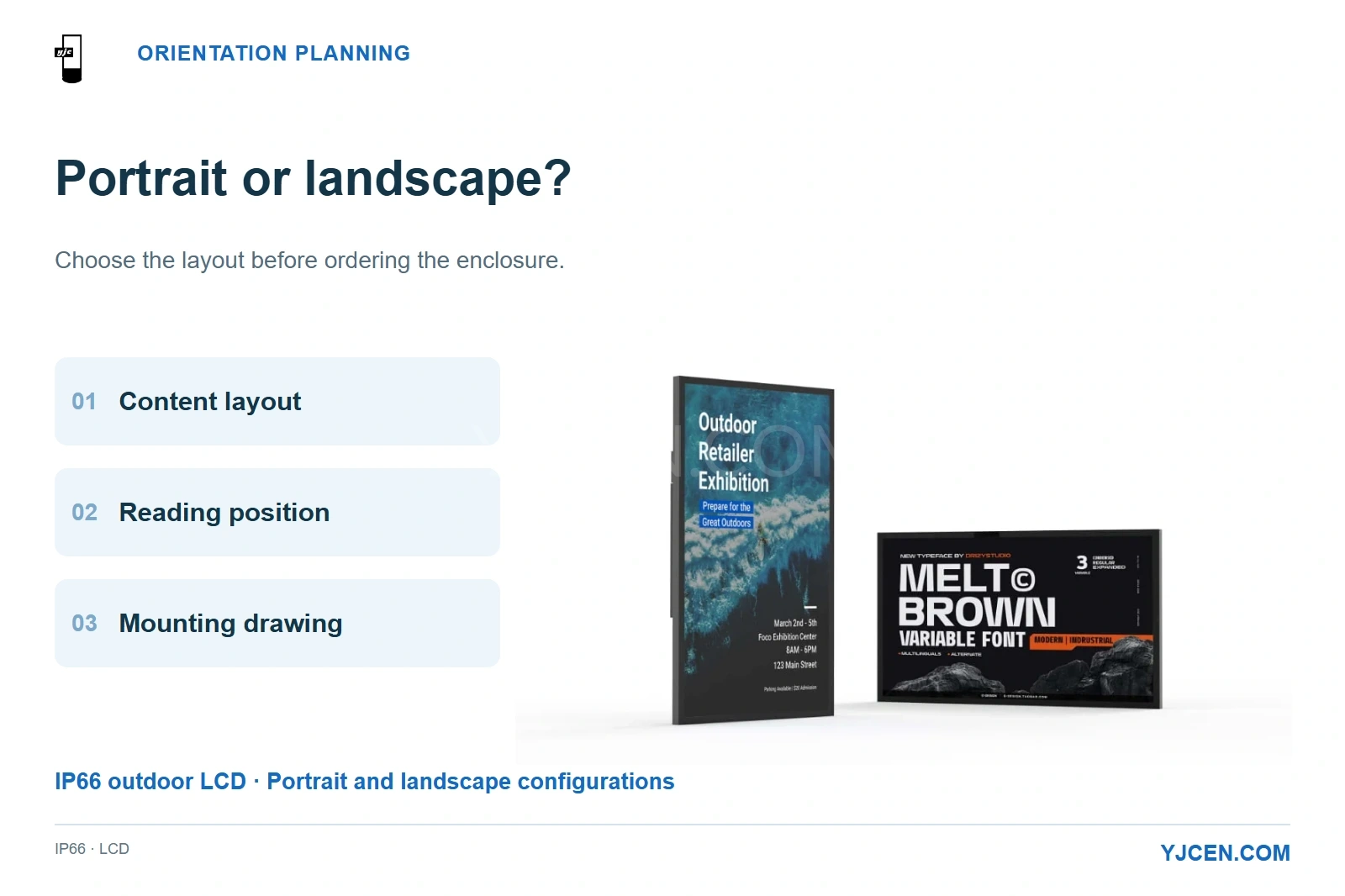
YJCEN’s IP66 range supports portrait and landscape. Select the content layout, reading position and mounting arrangement together.
Choose portrait for a tall, single-column message and a narrow installation space; choose landscape for wide video, side-by-side choices and shallow mounting zones. Then match that layout to the cabinet and support structure before ordering. YJCEN’s IP66 Outdoor Digital Signage supports portrait or landscape, so the useful question is which arrangement keeps the required information readable while fitting the site.
Lock orientation with three things together: the actual content layout, the reading position and the mounting drawing. A screen that fits the wall but forces the customer to shrink every price is the wrong fit.
1. Which Content Actually Needs Portrait or Landscape?
Start with the message the viewer must understand before moving on: a price, a menu choice, an entrance direction or a promotion. Keep that message visible in the first frame; supporting content can follow after it.
Landscape gives a long line of text and several columns more room across the screen. Portrait gives stacked categories, vertical artwork and a single prominent offer more room from top to bottom.
| Content and viewing task | Starting orientation | What makes the choice work |
|---|---|---|
| Existing widescreen promotional video | Landscape | The original composition fills the screen without cropping or large unused bands. |
| Several menu packages compared at the same time | Landscape | Choices can sit side by side with prices aligned for a quick comparison. |
| One offer above a short list of benefits | Portrait | A clear top-to-bottom hierarchy uses the narrow frontage effectively. |
| Vertical campaign artwork at a pedestrian entrance | Portrait | The artwork and display share a tall composition, provided the main message is readable on approach. |
| A long destination name and a direction arrow | Landscape | The destination can stay on one line without reducing its lettering to fit. |
| A directory with many destinations | Either, after editing | Grouping and the smallest essential text matter more than the orientation label. |
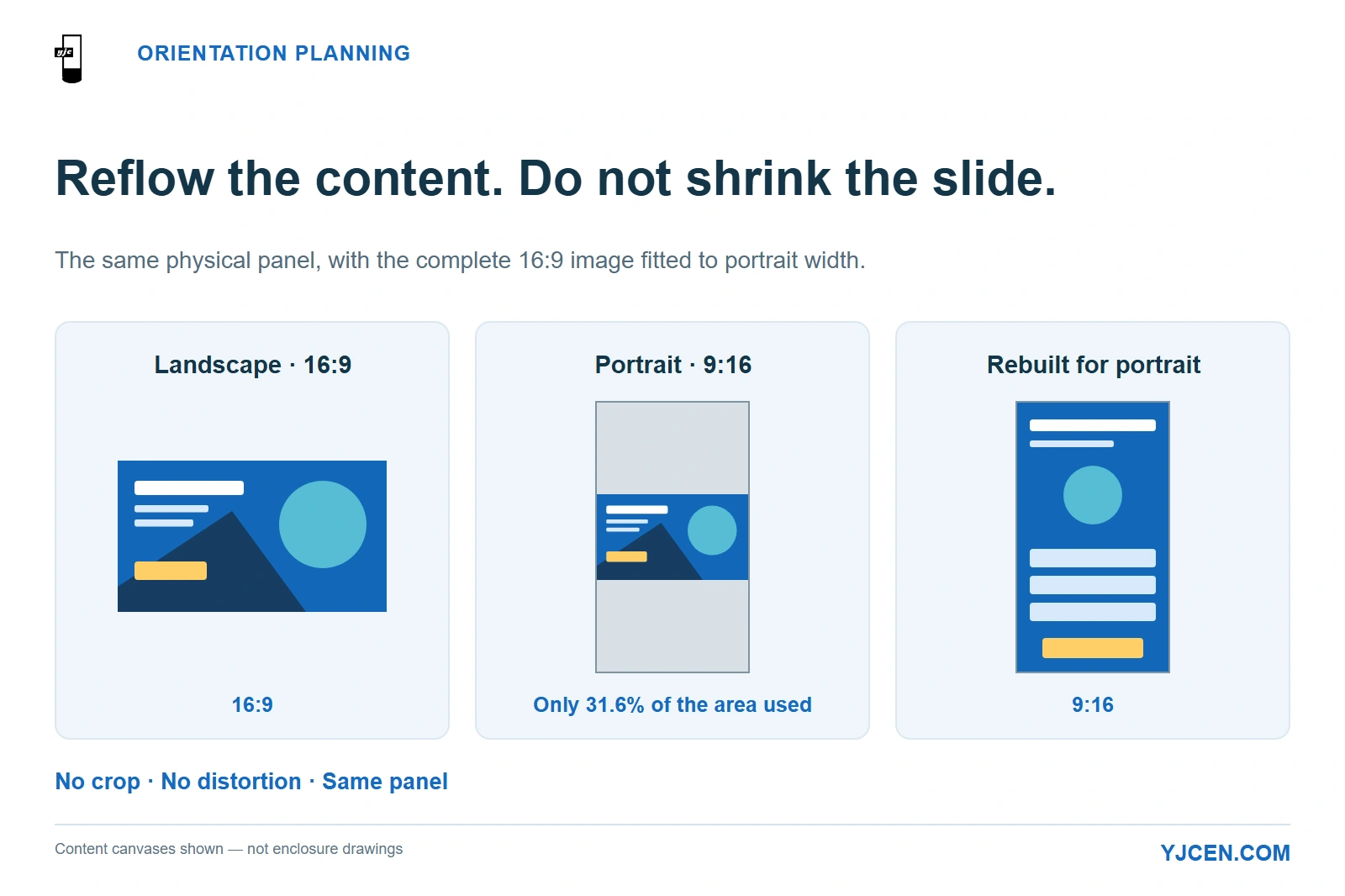
Reflow the layout instead of shrinking the slide
A 16:9 landscape image fitted in full across the width of a 9:16 portrait screen occupies only about 31.6% of that screen’s area. This is a geometric result for uncropped, aspect-ratio-preserving playback: most of the portrait canvas remains unused.
For the same physical panel, the fitted image is 9/16 as wide as it was in landscape. Its lettering shrinks by the same factor; an illustrative 40 mm-high letter becomes about 22.5 mm high, with no change in viewing distance.
If the site needs portrait, rebuild the composition as a vertical layout: stack the choices, simplify the image and keep the essential price or instruction prominent. If the customer must reuse a large library of unchanged widescreen videos, landscape avoids that redesign work.
2. How Does Orientation Change the Cabinet, Bracket and Wind Design?
Separate rotating the content from selecting the physical configuration. Software can rotate an image, but the installation still needs the right enclosure, bracket position, cable route and service access.
For YJCEN’s Outdoor Wall-Mounted Digital Signage, select the OD-W configuration before setting the wall fixing positions. The 55-inch landscape cabinet occupies 1420 mm of wall width and 930 mm of height; a portrait order needs its own cabinet and mounting layout.
| 55-inch IP65 wall-mounted configuration | Landscape | Portrait |
|---|---|---|
| Cabinet width × height | 1420 × 930 mm | Confirm on selected OD-W portrait drawing |
| Active image width × height | 1209 × 680 mm | Use the active-area dimensions on the selected portrait drawing |
| Installation priority | Fit the cabinet across the available wall width | Fit the selected cabinet within the available height and narrow frontage |
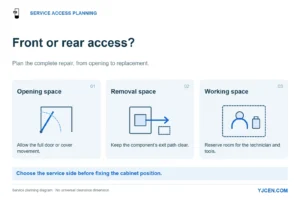
Reserve space for door movement, mounting hardware and working access around the cabinet. The active image dimensions describe the content area, not the equipment envelope.
A narrow wall section can favour portrait, while a low fascia can favour landscape. Set the fixing positions from the selected configuration’s drawing rather than swapping the landscape cabinet’s width and height.
Portrait is not automatically the lower-wind option
Rotating the same rectangular face by 90 degrees preserves its area when viewed straight on. Wind demand also changes with the complete shape, exposure, support arrangement and the distance between the wind force and its resisting connection.
NASA’s explanation of aerodynamic drag relates force to wind speed, reference area and a coefficient affected by shape and orientation to the flow. For a display installation, that supports comparing the actual mounted assemblies rather than assuming a narrow-looking screen creates a lighter structural load.
A high portrait panel can put more of its surface above a low support; a wide landscape panel can require a longer support span. Give the structural designer the selected cabinet envelope, mass, elevation, fixing layout and site exposure so the bracket or foundation is designed for the arrangement being purchased, under the applicable local code.
For a floor-standing installation, carry the selected cabinet’s base footprint and fixing layout into the civil drawing. The base width, anchor pattern and screen diagonal are different dimensions with different jobs.
3. Which Orientation Keeps the Important Text Readable at Distance?
Neither orientation has an inherent reading-distance advantage. The advantage comes from giving the essential words more physical space in the chosen layout.
YJCEN’s 55-inch IP66 configuration has a 1210 × 680.8 mm active image area in landscape, reversed in portrait, and a 3840 × 2160 native panel. Turning the display changes the shape of the content canvas; it does not enlarge the panel or add pixels.
That distinction matters when the design team proposes “4K” as the answer to small prices. Higher pixel density can render fine detail, but the viewer still has to distinguish the physical height of each character from the intended position.
AVIXA’s display-size guidance connects the displayed image area and element height with viewing distance. Apply that relationship to the smallest text that carries the decision, rather than sizing the installation around its largest headline.
Prepare one representative frame for each candidate orientation using the same essential information. Show it at the proposed physical size and read it from the actual stopping or approach position, including the relevant off-axis view.
| What happens with the representative frame? | What to change before ordering |
|---|---|
| Prices become small when three choices are squeezed across portrait | Stack the choices, reduce secondary copy or use landscape. |
| A long instruction wraps into several short lines | Shorten the instruction or allocate a wider landscape canvas. |
| The message fits, but an approaching viewer cannot finish reading it | Reduce the information in that frame and keep the required action visible. |
| Both layouts fail at the planned distance | Enlarge the essential text, change the display size or move the reading position closer. |
Use the maximum intended reading distance, the viewer’s eye level and the time available to understand the message together. A person stopping beside a directory has a different reading task from a driver approaching a menu board.
Lock the orientation once the content is readable from the planned position and the mounting layout fits. Then check the BOM for the site’s exposure: match brightness, reflection control and weather protection to shade, canopy exposure or direct sun and rain. Keep the agreed content layout and mounting position fixed during that comparison.
4. Should the Display Sit Under a Canopy or in a Freestanding Cabinet?
A canopy favours landscape when vertical space is limited
A landscape screen can use the broad strip above an entrance without extending as far downward as a portrait screen of the same diagonal. Position the actual active image in the elevation drawing, so a fascia edge or roof beam does not hide the content from the approach route.
Distinguish a vertical display mounted below a canopy from a screen laid flat against the soffit. Portrait and landscape describe the image orientation; a face-down installation introduces a separate mounting and operating position.
For the IP66 display, the wall-mount installation uses a bracket and a hook assembly attached to the rear VESA holes. Keep the lifting, hook-engagement and cable-connection path accessible when placing that assembly beneath a canopy; do not box it into a recess that prevents installation or removal.
A freestanding cabinet makes the reading position independent of the wall
When the available wall faces away from approaching visitors, move the message to their route with Outdoor Floor-Standing Digital Signage. YJCEN’s standard IP65 floor-standing configurations use portrait screens, making them a direct starting point for vertical entrance notices and stacked information.
For the 55-inch single-sided configuration, the cabinet is 1990 mm high and 800 mm wide, while its base footprint is 800 × 400 mm. The narrow cabinet profile alone does not describe the space occupied on the pavement or the access needed behind it.
Keep the standard portrait cabinet when the content can be organised vertically and the location suits that footprint. If a wide, simultaneous comparison is essential, choose a suitable landscape display and support arrangement rather than turning the floor-standing cabinet onto its side.
5. RFQ: Send the Orientation with the Content Proof
Send one annotated site elevation and the representative content frame together. This lets the mechanical layout and the reading task be assessed as one configuration before the enclosure and bracket are ordered.
6. Frequently Asked Questions
Can YJCEN’s IP66 outdoor display be used in portrait and landscape?
Yes. The range supports both orientations; specify the required arrangement with the content frame and mounting drawing.
Can I change an outdoor display from portrait to landscape using software alone?
No. Image rotation does not change the cabinet’s mounting arrangement, cable route or service access.
Does portrait automatically reduce the wind load?
No. The complete assembly, mounting height, support geometry and site exposure determine the structural design.
Will a landscape video fill a portrait screen without cropping or distortion?
No. Preserving the full widescreen image leaves unused space, so a full-height portrait presentation needs a redesigned layout.
Is a larger screen always the first solution to small text?
No. Remove secondary information and compare both layouts before increasing the diagonal or changing the mounting position.
Does support for landscape include a face-down soffit installation?
No. Treat a face-down screen as a separate installation position in the mechanical and operating specification.
Send the Site Drawing and Content Frame
Send your site elevation, proposed reading positions and one representative content frame for an outdoor display mechanical-fit discussion. Include the RFQ above so YJCEN can compare the portrait or landscape configuration with the available mounting space before the cabinet arrangement is finalised.