Why can an LCD look dark through polarized sunglasses?
Polarized lenses can interact with light leaving an LCD, making it darker at some orientations. A higher brightness specification alone does not prove sunglasses compatibility.
- Compare the same image with and without representative polarized glasses.
- Observe changes when the lenses or viewing orientation change.
- Test the final optical assembly in the intended portrait or landscape position.
- Ask for evidence for any optical option; do not remove or replace panel films as a field troubleshooting step.
The cause can be an interaction between the display’s optical layers and the lenses. It is not automatically a backlight fault, and increasing the brightness may not solve it. Assess the complete display with its final front glass, intended orientation and representative eyewear.
What an LCD polarizer does
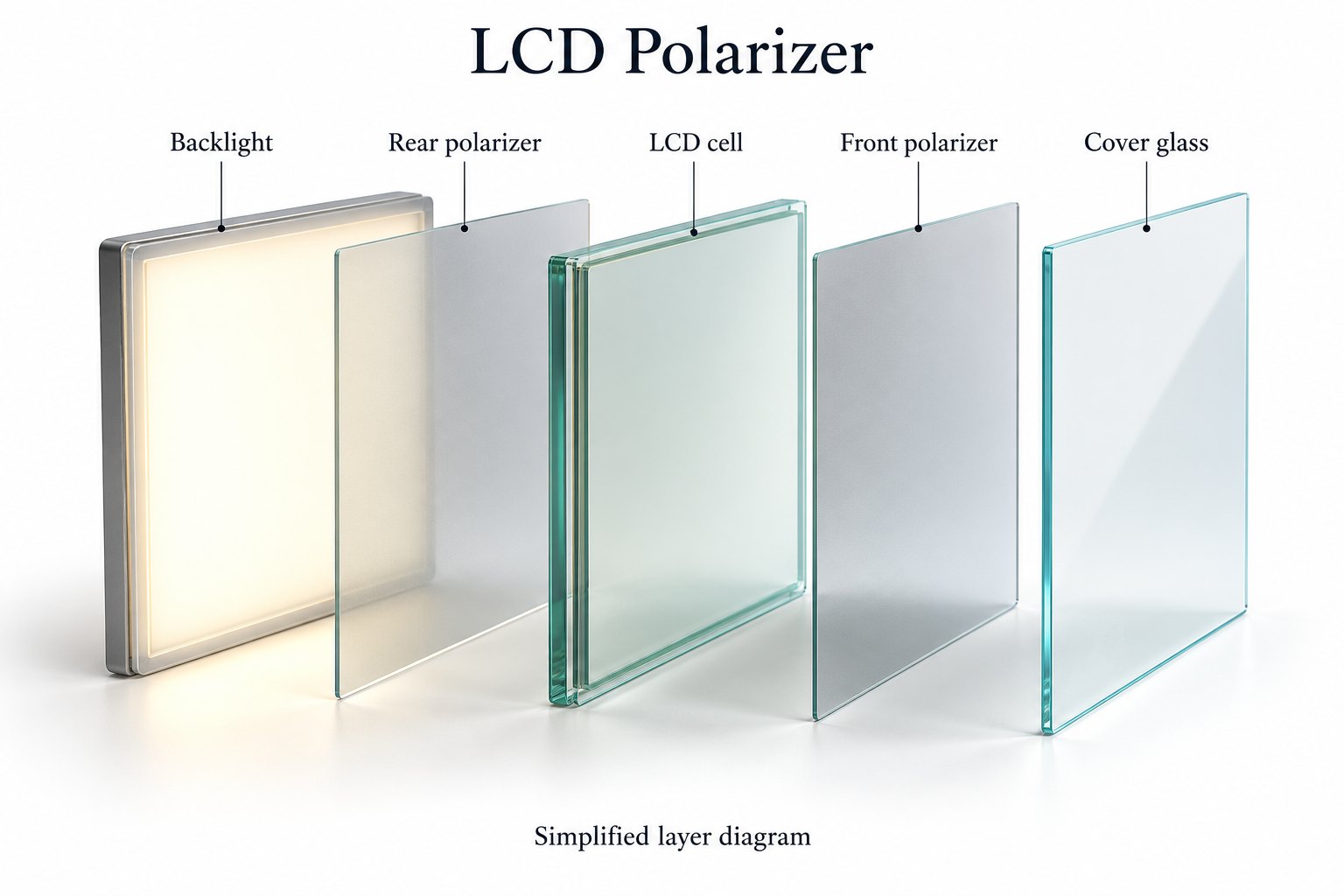
Polarization describes the orientation of a light wave’s electric field. A linear polarizer preferentially transmits one direction of polarization. In an LCD, polarizing layers work with the liquid crystal cell to control transmitted light and form the image. The simplified layer diagram illustrates the principle, not a particular product’s construction.
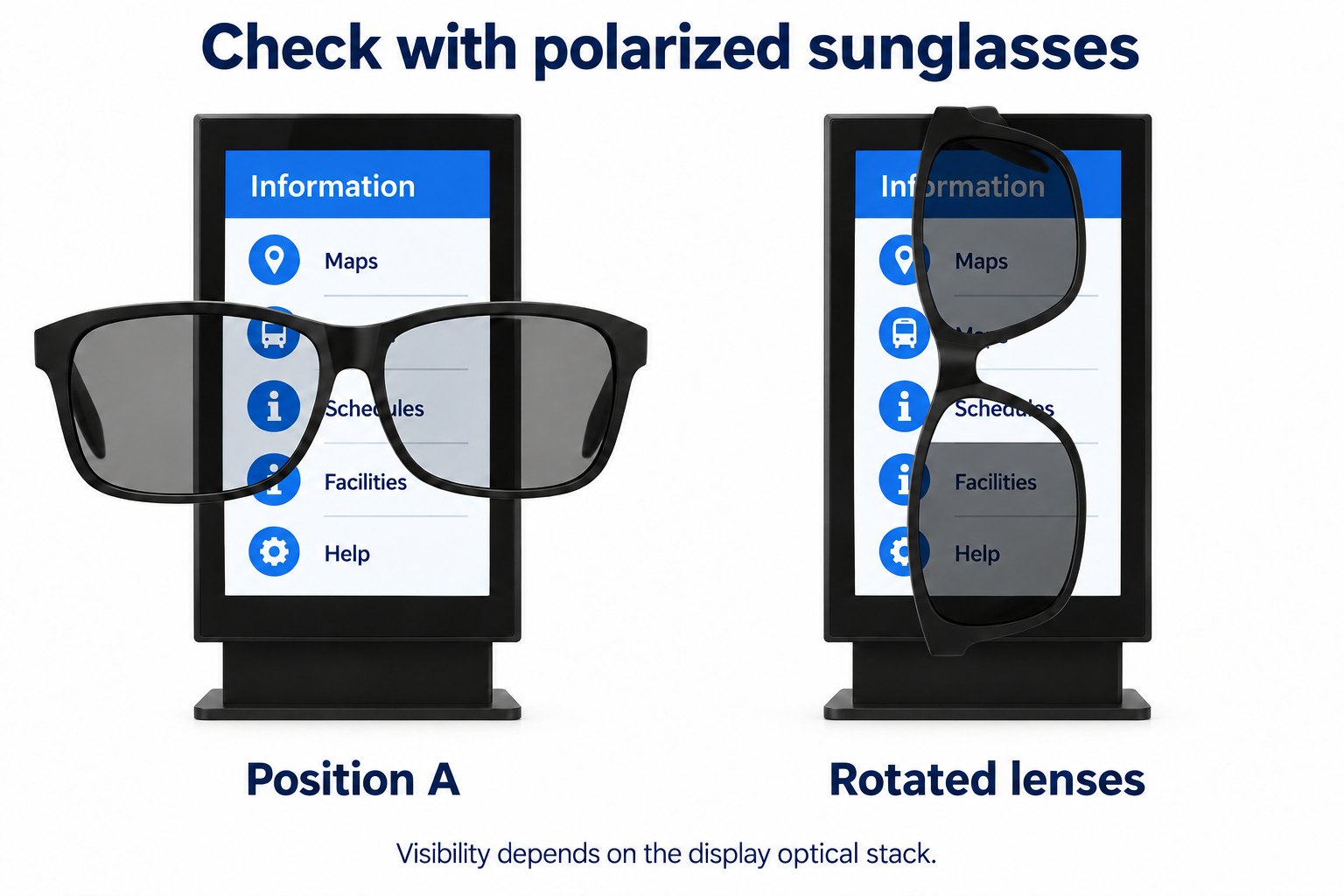
Polarized sunglasses introduce another optical filter in front of the viewer. Depending on the light leaving the display and the relative orientation of the lenses, less light may reach the eye. Rotating the lenses can therefore change the apparent brightness without changing the image signal or backlight setting.
For the optical background, Edmund Optics explains polarization and polarizing filters. Real display assemblies can include additional films and glass, so an idealized two-filter explanation cannot predict every finished screen’s behavior.
Recognize the symptom before changing settings
Begin with the same image and brightness setting. Look at the display without sunglasses, then through a representative pair of polarized lenses. Keep your viewing position stable. If the apparent brightness changes strongly as the lenses rotate, record that behavior for the supplier to assess.
A screen that remains dark without sunglasses needs a different initial investigation. Check whether the problem affects the entire image, only certain content or a particular input. Do not attribute every visibility complaint to polarization simply because the installation is outdoors or the audience wears glasses.
Also distinguish reflection from selective darkening. A bright reflected window may obscure content even without eyewear. Polarization-related darkening can change with lens orientation while the reflected environment remains similar. Both effects can exist together, so record them separately in the sample review.
A phone photograph can help document the setup, but it is not a complete acceptance method. Exposure and processing may change between frames. Note what the reviewer sees directly, and record the lens orientation, viewing position and display settings alongside any photographs.
Why the complete optical assembly matters
The panel is only one part of the viewing path. Protective glass, touch layers, coatings and additional optical films may be present in the finished commercial display. Ask the supplier to identify the relevant configuration rather than assuming that a bare-panel demonstration represents the delivered unit.
Do not transfer an observation from one model or screen size to every product in a range. Different configurations may use different panels or optical stacks. Request a representative sample for the exact item being considered and keep its identification in the approval record.
For a touch kiosk, include the final touch assembly. For signage behind a shop window, include the actual glazing in the evaluation where practical. The purpose is to review the viewing path that the customer will use, not only the components that are easiest to demonstrate.
If the supplier changes the front-glass or film configuration after sample approval, ask whether the eyewear check needs repeating. Keep the approved version linked to the quotation. A small-looking component change should not be assumed irrelevant to an optical acceptance requirement.
Portrait and landscape need separate checks
Changing the physical orientation of a display changes its relationship to the viewer and their glasses. A result observed in landscape should not be treated as proof of the same result in portrait. Evaluate the intended orientation using a configuration that the display manufacturer approves for that installation.
Do not rotate a mounted or energized cabinet merely to experiment. Use a safely prepared sample setup and follow the supplier’s installation instructions. If the intended product is fixed in portrait, test it in that position rather than relying on a landscape demonstration of a related panel.
Check more than a perfectly level head position. People look toward information screens while walking, leaning or standing to one side. Include reasonable variations that reflect the actual use. Record the positions at which important text remains readable instead of trying to invent a universal pass angle.
Brightness and polarization are different requirements
Brightness is important for daylight visibility, but a higher luminance figure is not proof of compatibility with polarized sunglasses. Keep the two checks separate. First confirm that the screen is readable in the intended lighting without eyewear, then evaluate it through the relevant lenses.
Use the operating settings that the project will actually employ. If the display changes brightness automatically, assess representative daytime and evening conditions. Record whether the observation was made at a fixed setting or under automatic control, so another reviewer can repeat the comparison.
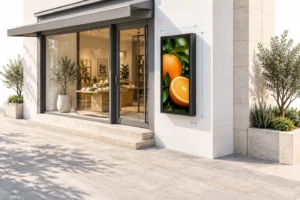
For window-facing digital signage, describe the glazing, screen position and viewing direction when asking for advice. A brightness number alone does not describe the reflections or eyewear interaction at a particular storefront.
Avoid treating maximum brightness as a universal corrective action. It can change the appearance of the image, but the underlying optical relationship still needs assessment. Ask the supplier which configuration is intended for the viewing conditions and verify it on the completed sample.
Ask about optical options with clear evidence
Some commercial display designs use additional optical measures to improve viewing through polarized sunglasses. For example, Sharp/NEC’s high-brightness display white paper discusses a quarter-wave filter in this context. That is a product-design example, not evidence that every commercial display includes the same feature.
If a supplier proposes a quarter-wave plate or another optical film, ask for the supported configuration and a sample demonstration. Confirm which orientations, viewing conditions and eyewear were assessed. A component name on a quotation should lead to an evaluation plan, not replace one.
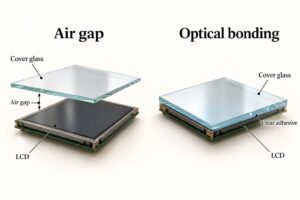
Do not assume that anti-glare treatment, anti-reflection treatment or optical bonding guarantees sunglasses compatibility. Those terms describe other aspects of the optical assembly. Ask a separate question about polarized eyewear and request evidence for the finished display being offered.
Likewise, a clear result through one pair of glasses is useful but limited evidence. Different lenses and viewing positions can produce different observations. Agree which representative eyewear and conditions form the project’s acceptance check, and state the limits of that check honestly.
Build a useful sample test
Prepare the content and viewing position
Use the real information layout, including its smallest necessary text and symbols. A directory, price list or menu is more useful than a full-screen photograph alone. Include light and dark areas so the review is not limited to a single type of artwork.
Mark the normal viewing locations and distances. Include standing and seated positions if both are relevant. Record the mounting height and screen orientation. The same display can be easier or harder to read when the installation changes the angle at which people see it.
Set representative lighting conditions and note them in plain language. For a shop window, record whether the check occurred in direct sun, bright overcast conditions or after dark. A single indoor demonstration should not be described as proof of readability in all outdoor conditions.
Compare without changing several variables at once
Start without eyewear and record whether the content meets the reading task. Then add the selected sunglasses while keeping the source, display settings and position unchanged. Rotate the lenses through a practical range and note any substantial loss of readability.
Repeat with the other representative eyewear chosen for the project. Keep the observations associated with the correct pair rather than combining them into one vague statement. If a result differs, retain that difference in the report and ask the supplier to explain what further assessment is appropriate.
When comparing two display samples, use the same content and comparable operating conditions. Identify each sample clearly. Avoid presenting a brighter setting on one unit as evidence that its optical configuration is inherently better. The aim is a fair comparison of the intended use.
Write an acceptance record that can be repeated
Record the display model, size, optical configuration where disclosed, orientation and picture settings. Add the test content, viewing positions and eyewear description. These details make it possible to repeat the check after a replacement unit or a configuration change.
State the outcome in terms of the task. For example, record whether a customer can distinguish the necessary price digits or direction arrows from the normal approach. Avoid a broad claim that the screen is “sunglasses proof” based on one brief demonstration.
Keep photographs as supporting evidence and note their limitations. If the project requires a measured optical specification, agree the method and equipment with the supplier or a qualified test provider. A visual inspection and a laboratory measurement answer related but different questions.
Keep field diagnosis separate from panel repair
A polarizer is part of the display’s optical system. This guide is intended to help specify and assess a commercial installation, not to instruct users to peel films from an LCD. Removing or replacing optical layers without the correct process can damage the assembly or change its performance.
If a previously approved display behaves differently, record the model and any maintenance or configuration changes. Compare it with the approved content and settings. Check whether the observation occurs without glasses as well. Give the supplier this information before proposing a component replacement.
For marks, discoloration or uneven areas, take photographs under consistent conditions and describe when they appear. Do not diagnose a damaged polarizer from one photograph alone. The supplier may need to inspect the panel, front glass and other parts of the assembly to identify the cause.
Keep operating conditions within the product’s documented limits while investigating. Do not use unapproved heat, solvents or improvised films as a remedy. Arrange service according to the supplier’s instructions and retain the original sample-approval record for comparison.
What to include in an inquiry
Describe where the screen will be installed and who will read it. Specify portrait or landscape, mounting height, typical viewing distance and whether sunglasses are common among the audience. Include photographs of the site and representative content if available.
Ask whether polarized-eyewear viewing has been assessed for the proposed complete configuration. Request the conditions of any demonstration and identify the sample you need to evaluate. If an optical option is suggested, ask whether it changes other relevant specifications or installation requirements.
For outdoor commercial LCD projects, confirm weather protection, operating environment and optical requirements separately. An enclosure rating does not establish sunglasses readability, just as a favorable eyewear check does not establish outdoor installation suitability.
Common LCD polarizer questions
Is the screen faulty if it darkens through sunglasses?
Not necessarily. The lenses can interact with the light leaving the display. Compare the same screen with and without eyewear and note what happens when the lenses rotate. If the display is also abnormal without glasses, investigate that symptom separately with the supplier.
Will turning the brightness up always fix the problem?
No. Brightness and polarization-dependent viewing should be assessed separately. Test the intended operating mode and ask about the complete optical configuration. Do not promise a solution based only on a higher brightness specification.
Does portrait orientation always make the screen dark?
No. Behavior depends on the display assembly, lenses and their relative orientation. Test the exact product in its approved intended position. A rule based only on portrait or landscape would ignore important differences between optical configurations.
Can I add a generic film to solve it?
Do not assume a generic film will provide an acceptable result. Ask the display supplier about supported options and evaluate the finished assembly. The optical, thermal, touch and service implications need consideration for the actual product, rather than an improvised surface modification.
Review the viewing conditions with YJCEN
Share the proposed screen location, orientation, lighting and eyewear requirements with YJCEN’s team. We can discuss a configuration to evaluate for the project. Confirm the final optical details and acceptance conditions against the quotation and approved sample before ordering.