Where should a mall put digital signage first?
Match the visitor task to the screen format, then lock power, mounting, CMS ownership and any interactive software before you request a hardware quote.
- Put wayfinding at route decisions and menus where guests choose orders.
- Use wall or totem screens for non-interactive ads and public notices.
- Specify window or atrium formats only after checking glass, daylight and viewing distance.
- Separate hardware from maps, CMS and payment apps — name the software owner.
Mall operators use digital signage to guide shoppers, promote tenants, publish time-sensitive notices and support service desks. The hardware choice follows the visitor task and the mounting conditions — not a single “best screen for malls.”
This guide covers seven practical applications. For each one: where to place it, what problem it solves, and which screen formats fit. Use the closing table to turn a location into a product shortlist and an RFQ checklist.
1. Tenant advertising and brand promotion
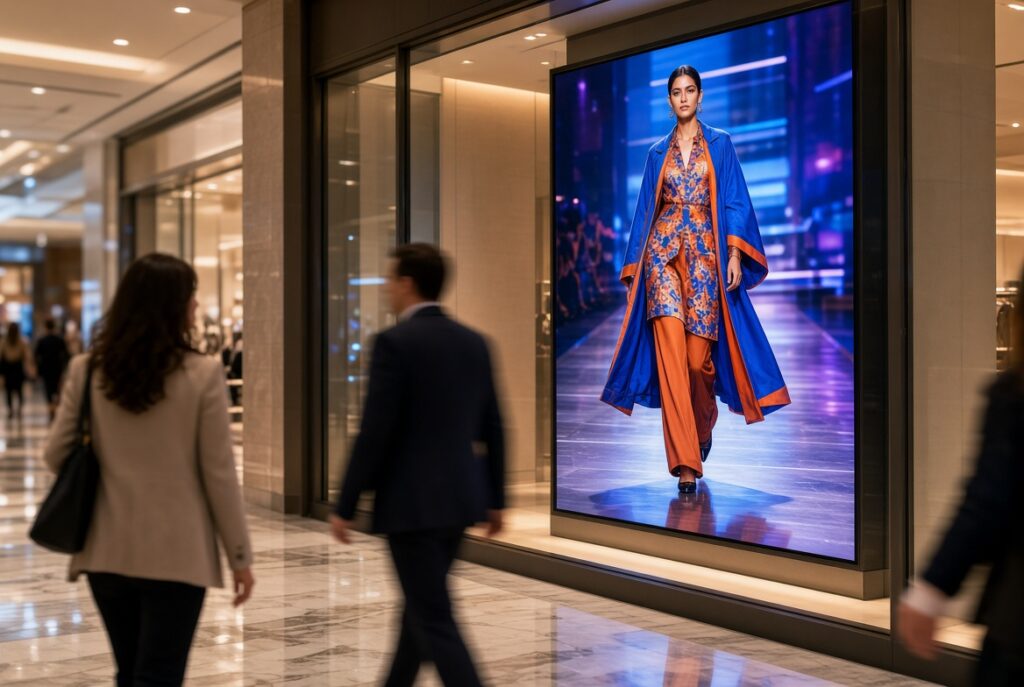
Dynamic tenant ads in high-traffic zones can support mall media revenue and tenant exposure when content slots and playback are managed.
Where to place
- Main and secondary entrances
- Atriums and open courts
- Escalator and elevator waiting areas
- Pillars or walls along major pathways
Problems it solves
- Static lightboxes: rotating image or video updates without reprinting.
- Shared media inventory: lease time slots across tenants when the CMS supports it.
- Time-bound offers: push limited campaigns to nearby foot traffic.
Suitable screen formats
- LCD video walls in atriums for large brand films — see LCD Video Wall.
- Wall-mounted indoor LCD on corridors and pillars — see Indoor Digital Signage.
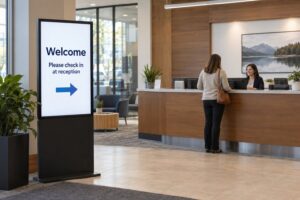
- Floor-standing / totem units at entrances when wall space is limited — see Digital Signage Totem.
Integrator check: agree loop length, daypart schedule and who sells the inventory. Confirm cable routes and lockable player access before the first tenant campaign goes live. A bright atrium still needs readable creative at the planned viewing distance.
2. Floor navigation and digital wayfinding
Large malls need directories shoppers can search. Wayfinding only works when the application, venue map data and destination list are in scope — the kiosk hardware alone is not a map system.
Where to place
- Directories at main entrances
- Elevator lobbies and escalator landings
- Major intersections on each floor
Problems it solves
- Lost shoppers: search stores and routes when the wayfinding app and data are maintained.
- Information-desk load: fewer repeated “where is…” questions when directories stay accurate.
- Optional search logs: useful if the app provides them; search counts are not foot-traffic proof.
Suitable screen formats
- Interactive freestanding or wall-mounted touch kiosks — typically a vertical touchscreen sized for standing use. See Interactive Kiosk.
Integrator check: treat maps, store codes and closed-unit updates as operational data with an owner. Hardware acceptance is separate from “does the directory find Store X today?” Test search, route display and a known missing store before handover.
3. Event and promotion announcements
Seasonal events and sales need fast updates. Screens near the event zone and entrances outperform paper posters when content can be changed centrally.
Where to place
- Around the event atrium or stage
- Main entrances
- Near the customer service centre
Problems it solves
- Same-day schedule and rule updates
- Event atmosphere with trailers or live feeds when the player supports them
- Higher visibility than roll-ups in busy concourses
Suitable screen formats
- Floor-standing posters / totems on stable indoor sites with power and service access — Digital Signage Totem.
- Portable formats only when the project requires frequent moves — confirm power on Portable Digital Signage.
- Video-wall backdrops for main stages — LCD Video Wall.
Integrator check: if units move between events, specify transport protection, power drop locations and who republishes content after each move. Fixed totems need a clear base footprint that does not block fire routes.
4. Digital menu boards in food courts
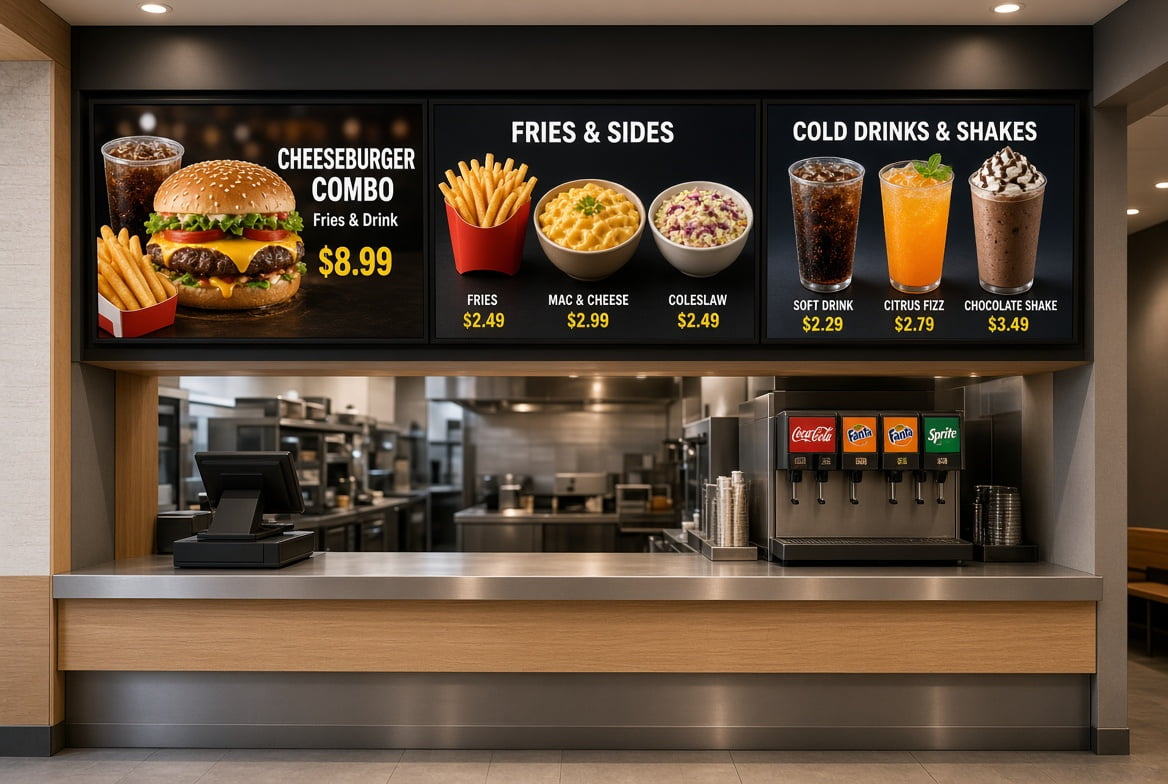
Food courts benefit from menus that change without reprinting and from clear combo presentation above the counter.
Where to place
- Above each restaurant ordering counter
- At the food-court entrance as a restaurant index
Problems it solves
- Daily specials and price changes without reprint cost
- Clearer item presentation that speeds choice when layout is readable
- Optional self-order terminals beside the counter when ordering software is ready
Suitable screen formats
- Landscape wall-mounted indoor displays in a horizontal menu run — Indoor Digital Signage.
- Self-service ordering kiosks when payment and POS links are specified — Self-Service Ordering Kiosk.
Integrator check: align brightness and mounting height with counter sightlines. Menu boards and ordering kiosks are different scopes: boards need a player/CMS; kiosks need ordering and payment applications named in the project documents.
5. Storefront window campaigns
Windows are the first stop for passing shoppers. High-brightness window-facing screens suit glass locations; street-facing sites need a daylight review.
Where to place
- Storefronts facing the mall corridor
- Street-facing windows where the retailer has exterior frontage
Problems it solves
- Stopping power versus static mannequins when motion content is well produced
- After-hours brand presence while the store is closed
- Premium brand cues when the creative matches the location
Suitable screen formats
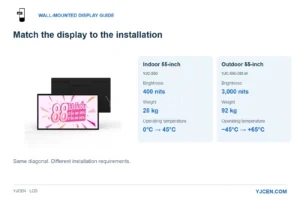
- Window-facing high-brightness displays — select around glass, orientation, reflections, viewing distance and hours. Review street-facing sites in daylight; one brightness number does not prove fit for every window. See Digital Window Displays.
- Transparent LED/OLED overlays are a different product class — specify only when the project includes that technology and creative plan.
Integrator check: photograph the glass at peak sun and after dark before locking brightness. Confirm whether the display sits inside the glass (window-facing) or in open weather — those are different product paths. Content that works on a corridor poster may wash out on a sunlit façade.
6. Public information and emergency alerts
A mall screen network is also an operations channel. Daily service notices and emergency override depend on the CMS and control rights, not on one special enclosure.
Where to place
- Across advertising, wayfinding and service screens already in the estate
Problems it solves
- Opening hours, loyalty and facility notices
- Weather or lost-and-found messages when content ops allow
- Emergency override to show exits and instructions when the CMS supports priority takeover
Suitable screen formats
- The existing network plus a CMS with emergency priority. Hardware refresh still follows the location rules in the table below.
Integrator check: document who can trigger override, how screens recover to normal playlists, and which languages the emergency templates include. Do not assume every player on site shares one control plane until that architecture is confirmed.
7. Interactive enquiry and dwell services
Lounges and service desks can host loyalty lookups, parking payment, coupon print or simple surveys when those applications are in scope.
Where to place
- Seating and lounge areas
- Near family zones
- Customer service centres
Problems it solves
- Self-serve enquiry that frees desk staff for complex cases
- Optional entertainment or photo features when the software is licensed
- Structured feedback collection when survey tools are provided
Suitable screen formats
- Multi-touch interactive kiosks built for public use — Interactive Kiosk.
- Large touch video walls only when multi-user software and safety clearances are specified.
Integrator check: list every connected service (loyalty API, parking vendor, printer). Public touch surfaces need a cleaning plan and spare parts path. Accept the kiosk only after the live applications pass a scripted guest journey.
Choose hardware for the mall location
| Location and task | Display format | Power, mounting and service | Software responsibility | Product option |
|---|---|---|---|---|
| Corridor walls or pillars: promotions and public info | Indoor wall-mounted LCD | Wall support, orientation, power, cable routing, maintenance clearance | Player/CMS and who updates content | Indoor Digital Signage |
| Entrances or event points: non-interactive advertising | Indoor floor-standing / totem | Base footprint, stable placement, power, keep circulation clear | Playback and content-update workflow | Digital Signage Totem |
| Directories and visitor search | Touchscreen information kiosk | Reach to controls, enclosure space, power, connectivity | Wayfinding app, maps, destination data and maintainer — separate from hardware | Interactive Kiosk |
| Glass storefront campaigns | Window-facing high-brightness display | Glass type, daylight, reflections, operating hours | Creative and player schedule for window hours | Digital Window Displays |
| Atrium brand films / stage backdrop | LCD video wall | Structure, seam plan, service access, heat | Wall controller / CMS and content ops | LCD Video Wall |
Frequently asked questions
Do all seven applications need different screen models?
Not always. Corridor ads and public notices often share indoor wall-mounted LCD. Wayfinding and enquiry need touch and separate applications. Windows and atriums usually need different optical or structural specs — quote them as their own lines.
Can one CMS run advertising and emergency messages?
Only if the selected CMS supports priority override and your operations team owns the templates. Confirm that capability in writing; do not infer it from a media-player brochure.
Should food-court menus and ordering kiosks be the same project?
They can share a site survey, but scopes differ. Menu boards are playback displays. Ordering kiosks need POS and payment integration. Keep the bill of materials and acceptance tests separate.
RFQ checklist before you request a quote
- List each location with the visitor task (ad, wayfinding, menu, window, event).
- Note wall vs floor vs window mounting and any structural limits.
- Name the CMS or player and who publishes content.
- For interactive sites, name the application and data owner (maps, loyalty, parking).
- State quantity, orientation, power availability and service-access needs.
Use the location and visitor task to shortlist formats, then confirm size, quantity, power and software scope. For a hardware discussion, send the RFQ list via Contact Us.