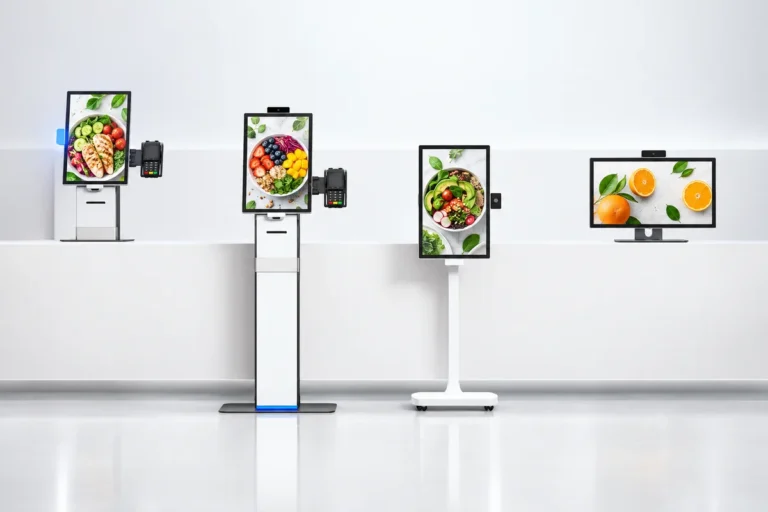
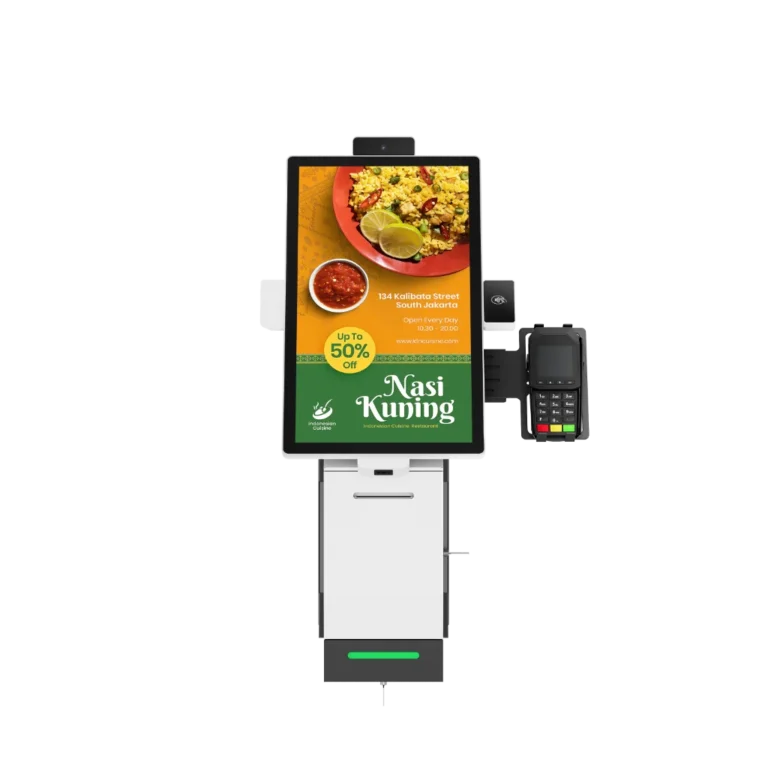
Modular self-service ordering kiosk with detachable QR scanner, thermal printer, and camera modules showing restaurant menu display
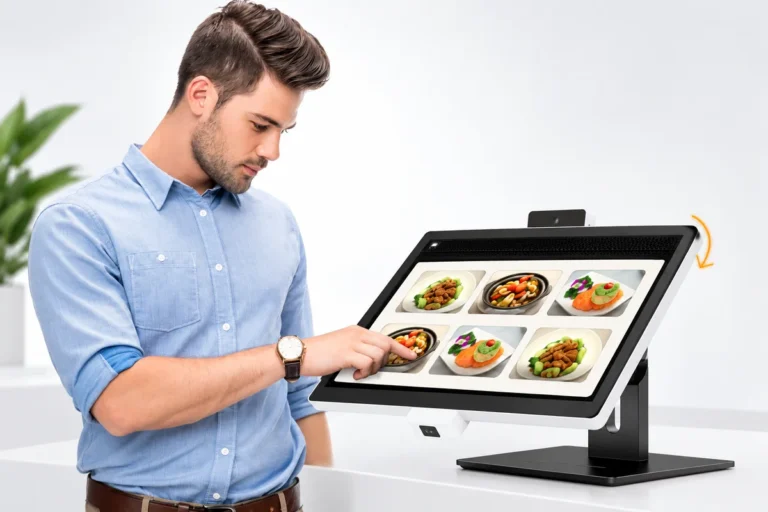
Ergonomic self-service kiosk with adjustable tilting touchscreen showing user-friendly angle and height customization for comfortable ordering
Various self-service kiosk bracket and mounting options including desktop standard, vertical standard, vertical simple, and desktop simple brackets for flexible installation
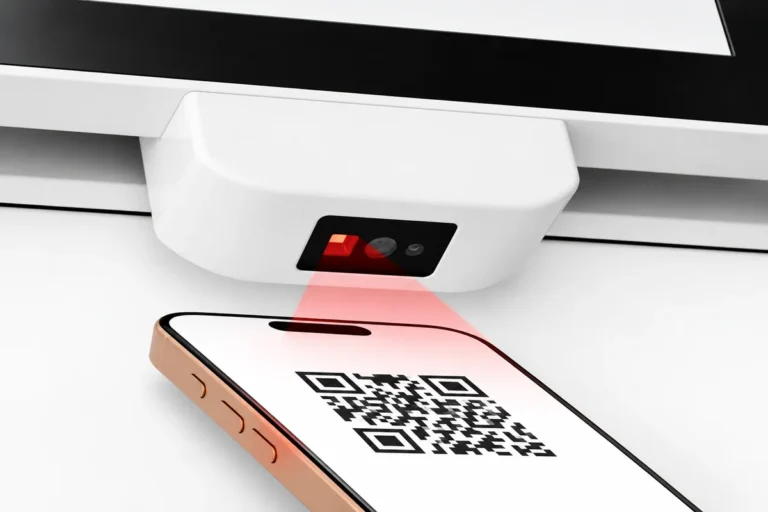
Self-service kiosk QR code scanner enabling contactless payment and easy checkout with smartphone scanning
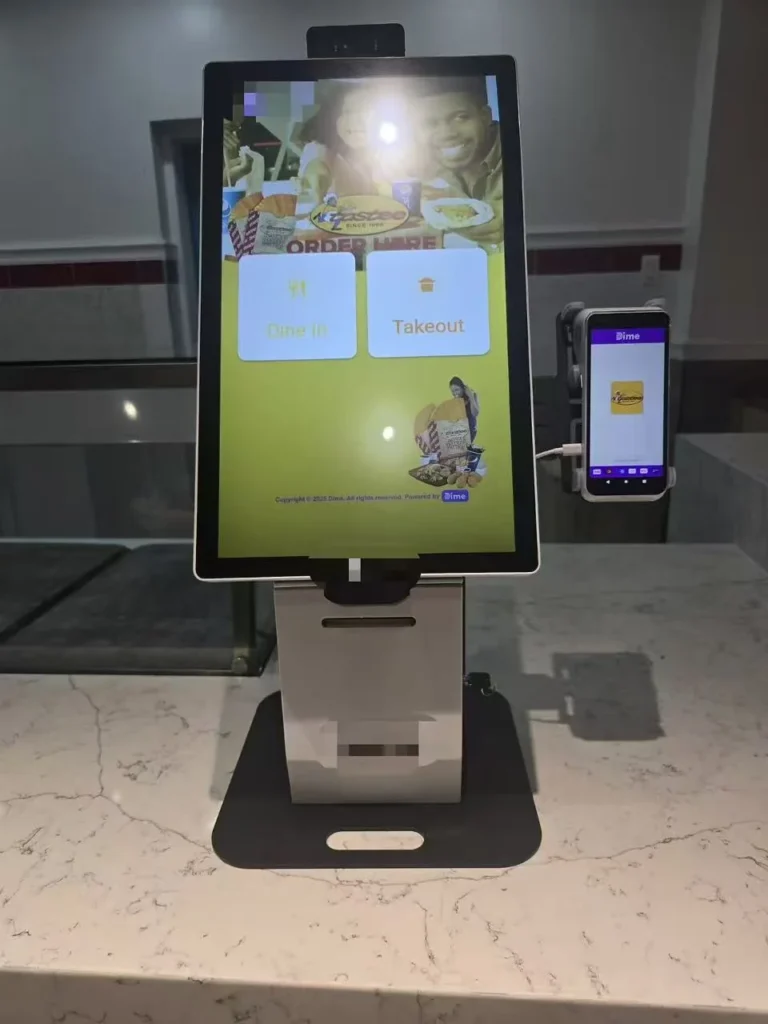
Adjustable camera viewing angle on self-service kiosk with facial recognition and biometric authentication technology
1 / 5
Modular self-service ordering kiosk with detachable QR scanner, thermal printer, and camera modules showing restaurant menu display
Ergonomic self-service kiosk with adjustable tilting touchscreen showing user-friendly angle and height customization for comfortable ordering
Various self-service kiosk bracket and mounting options including desktop standard, vertical standard, vertical simple, and desktop simple brackets for flexible installation
Self-service kiosk QR code scanner enabling contactless payment and easy checkout with smartphone scanning
Adjustable camera viewing angle on self-service kiosk with facial recognition and biometric authentication technology
New Release

Modular Self-Service Kiosk Hardware

YJCEN modular self-service kiosk hardware combines a touchscreen with detachable screen, stand and camera components for restaurant ordering terminals. Choose a 15.6, 21.5 or 23.8-inch screen and the payment and receipt-printing configuration required by the application.

  • Detachable screen, stand and camera
  • 15.6 / 21.5 / 23.8-inch touchscreens
  • Receipt printer and payment configurations
  • Wi-Fi and 4G connection options

Product Resources

Download technical documentation and installation guides to help you get the most out of your product

Product Manual

Complete product specifications and features guide

Download (462 KB)

Dimension Drawing

Technical drawings and measurements

Download (566 KB)

Installation Manual

Step-by-step installation instructions

Download (10 MB)

Product Overview

Explore the product features, application options and configuration details for this commercial display solution.

View full product details, specifications and applications

Product Features

Self service kiosk hardware can be arranged around the space available and the tasks customers need to complete. This product uses detachable screen, stand and camera components, allowing the terminal configuration to be discussed at component level.

Detachable Components

The stand, screen and camera form separate parts of the modular design. This gives a project team a clearer way to define the terminal layout and the components required. The selected arrangement can follow the counter, display position and customer interaction area.

The product supports plug-in component connections within the agreed configuration. A module’s physical fit and interface are still part of its specification. This keeps the modular design useful without assuming that every peripheral can be exchanged with any other device.

Touchscreen Menu Interface

The touch screen kiosk is available with 15.6, 21.5 and 23.8-inch screens. The smallest size suits a compact ordering position. The larger sizes provide more display area for menus, product photographs and customer controls.

The touchscreen is used through the selected restaurant application. Menu layout, item options and the order-review screen come from that application, while the display hardware provides the interaction area.

Payment and Receipt Hardware

A self service payment kiosk combines customer interaction with the selected payment hardware. Available configurations support bank-card, mobile, QR and NFC payment workflows through the relevant provider. Receipt printing gives customers an order or transaction record from the application.

The terminal also offers an HD camera where the project needs one. Payment services, transaction handling and the use of the camera are specified with the software. They are not automatic functions of the enclosure or touchscreen.

Product Specifications

SpecificationDetails
Screen Size15.6 / 21.5 / 23.8 inches
DesignModular terminal with detachable screen, stand and camera
TouchscreenHD touchscreen
Receipt PrinterReceipt-printing configuration
Payment ConfigurationBank card, mobile, QR and NFC through selected hardware/provider
CameraHD camera configuration
ConnectivityWi-Fi and 4G options
Primary ApplicationRestaurant ordering and payment
SoftwareApplication and integration specified for the project

Applications

Quick-service restaurants can use the terminal for customer ordering and checkout. Cafés and staff canteens can configure it around their menus. Takeaway counters can use an ordering interface suited to collection and payment, with those functions provided by the connected application.

A compact counter and a separate ordering station may need different component arrangements. Check the space customers need to select items, use the payment device and collect a receipt, together with access for staff to replace paper and service the terminal.

Choosing an OEM Configuration

Wi-Fi and 4G options provide different routes to network connectivity. The connection can support the ordering application and its linked services, subject to the site’s network and mobile coverage. Software integration matches the screen, payment terminal and printer to the chosen workflow.

For an OEM kiosk project, the useful starting point is the component list and interface requirements. YJCEN can review the hardware arrangement around that specification, including the screen size, stand and peripherals.

For a complete wall-mounted or floor-standing ordering unit, see our self-ordering kiosk. For visitor information and directories, explore the interactive kiosk.

Frequently Asked Questions

Can I replace a module with any third-party component?

The modular design uses defined physical connections and interfaces. Confirm the replacement component’s dimensions, connection and software compatibility before including it in the hardware configuration.

Can YJCEN review an OEM hardware configuration?

Yes. Share the screen size, component list and interface requirements. The proposed arrangement can then be checked against the available hardware options.

What should I test before a restaurant rollout?

Test menu selection, payment, receipt output and order handover using the selected application and peripherals. Check network connectivity and staff access to components in the intended terminal arrangement.

Which payment methods can it support?

Configurations can support bank-card, mobile, QR and NFC workflows. The actual services depend on the payment hardware, provider and application selected for the market.

Are software and payment services included?

These are separate parts of the project scope. The hardware is configured around the ordering application and payment service requirements.

Is this the same as the standard self-ordering kiosk?

Both support restaurant ordering. The modular terminal uses detachable components, while the standard range offers complete wall-mounted and floor-standing ordering units.

Discuss Your Project

Send your preferred screen size, component arrangement and software interfaces for a modular kiosk hardware review. Contact YJCEN.

Related Products

Explore more products from our digital signage collection

Outdoor wall-mounted digital signage display showing 50% off sale promotion with weatherproof enclosure and mounting brackets

Outdoor Wall-Mounted Digital Signage

<p>YJCEN outdoor wall-mounted digital signage displays provide a fixed screen for advertising, directions and notices on a building exterior. The range combines a 3,000-nit LCD panel, IP65 enclosure and anti-glare tempered glass, with a reinforced wall-mount bracket supplied.</p>
<ul><li>32–98 inch size range</li><li>3,000-nit LCD panel</li><li>IP65 enclosure and anti-glare tempered glass</li><li>Reinforced wall-mount bracket included</li></ul>

View Details
LCD video wall display with ultra-narrow bezel showing seamless 2x2 screen array with wave imagery

LCD Video Wall

<p>Build a shared display from multiple LCD panels. YJCEN LCD video walls support large images and multiple-source layouts, with 46, 55 and 65-inch panels and 0.88, 1.8 or 3.5mm bezel options.</p>
<ul><li>46 / 55 / 65-inch panel options</li><li>0.88 / 1.8 / 3.5mm bezel options</li><li>500–700-nit brightness range</li><li>Single-image or multiple-source layouts</li></ul>

View Details
Outdoor IP66 waterproof display for retailer and exhibition use with portrait and landscape orientation options

Outdoor LCD Display

<p>YJCEN outdoor LCD displays show advertising, menus and public information outside shops, restaurants and other commercial sites. Available in six sizes from 32 to 75 inches, the range combines a 3,000-nit panel, 4K UHD resolution and an IP66 enclosure.</p>
<ul><li>32 / 43 / 49 / 55 / 65 / 75 inches</li><li>3,000 nits with automatic brightness adjustment</li><li>4K UHD display with Android 11</li><li>IP66 enclosure with tempered front glass</li></ul>

View Details