After you pick a modular kiosk platform, every quote line still has to become one deliverable configuration with a revision ID. On a Self Service POS Kiosk, map each named module — screen, stand, camera, receipt printer, payment hardware — to a physical interface and a power path, then freeze that set as a versioned BOM before production. Modular here means detachable components with defined connections, not hot-swap or universal interchange.
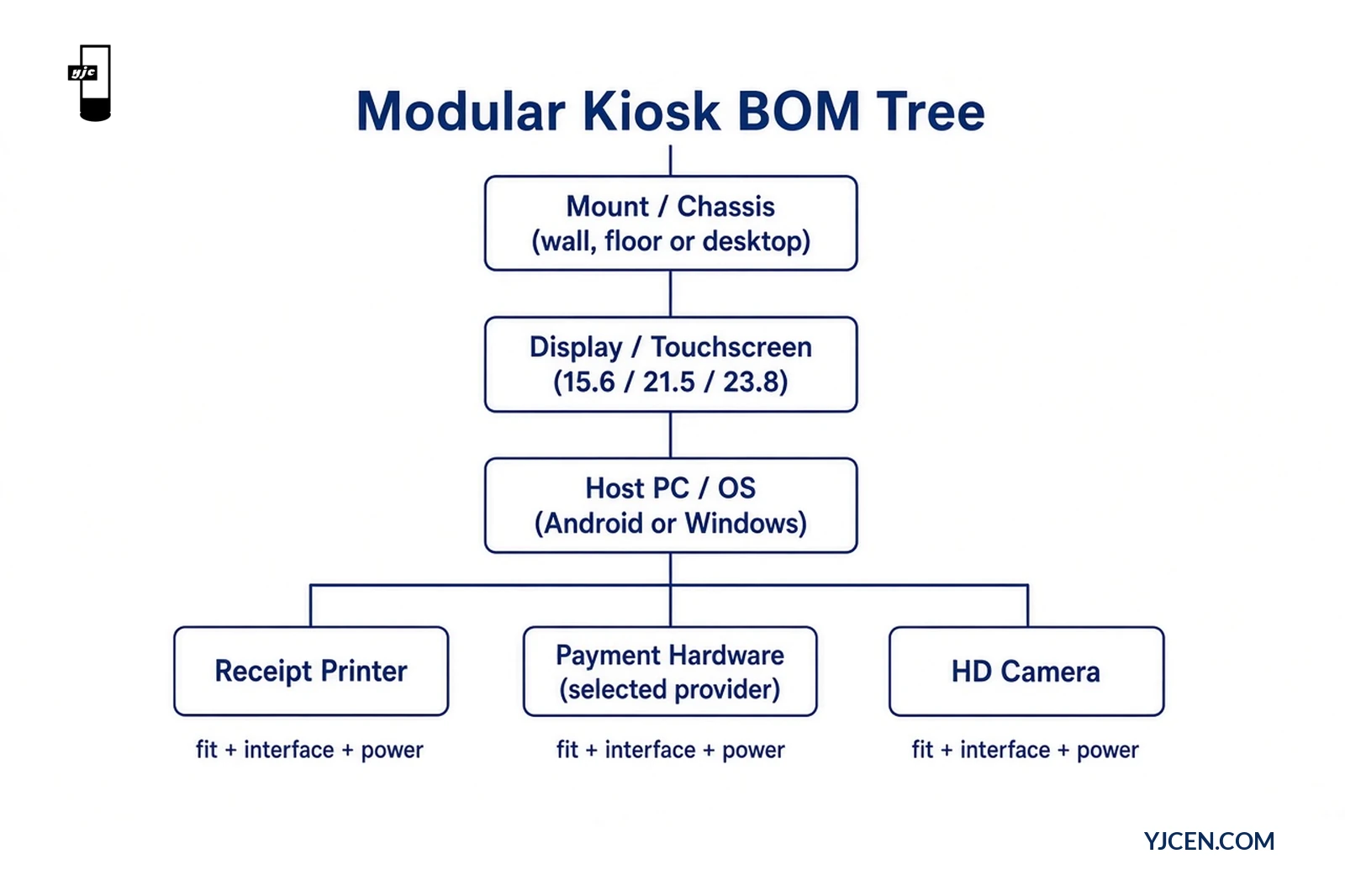
Which quote lines belong in a modular kiosk BOM?
Treat the quote as a component list, not a brochure. For this modular line, the minimum BOM rows are:
| BOM row | What to write on the quote | Verified options on this line |
|---|---|---|
| Screen / model | Exact size + model string | 15.6″ YJC-156-K · 21.5″ YJC-215-K · 23.8″ YJC-238-K |
| Mount format | One mounting configuration | Wall-mounted / floor-standing / desktop |
| Orientation | Portrait or landscape | As stated for the selected size |
| PC / OS | OS choice and board class | Android or Windows (selectable); processor class as quoted |
| Receipt printer | Printer configuration present / absent | Receipt-printing configuration when ordered |
| Payment hardware | Named terminal + provider (project-owned) | Bank card, mobile, QR, NFC through selected hardware/provider |
| Camera | Camera configuration present / absent | HD camera configuration when ordered |
| Network | Connectivity path | Wi-Fi / LAN; optional 3G/4G |
| Software scope | Who supplies the application | Application and integration specified for the project — not bundled as default |
A row that only says “payment” or “printer” without a model or configuration flag is not ready for fabrication. Payment methods and camera use are specified with the software; they are not automatic functions of the enclosure.
How do module names map to interfaces and power?
Every BOM leaf needs three fields: physical fit, host interface, and power method. Missing any one of them turns a modular quote into a change order later.
| Module | Interface fields to lock | Power note | Fit note |
|---|---|---|---|
| Touchscreen + chassis | Internal panel/board link per selected model | AC 100–240 V, 50/60 Hz for the terminal (max ~25 / 28 / 33 W by size) | Detachable screen and stand — still a defined connection |
| Host PC | USB × 2, Ethernet RJ45 × 1 as listed host ports | Covered by terminal PSU unless a separate board PSU is quoted | Memory/storage customizable — write the quoted values |
| Receipt printer | USB or vendor link named on the RFQ | Printer power from terminal or dedicated feed — state which | Confirm paper path and service access for the chosen mount |
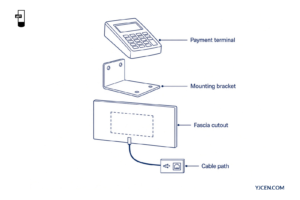
| Payment terminal | USB, Ethernet or vendor link from that terminal’s datasheet | Powered USB / separate PSU / PoE only if the terminal vendor supports it | Dimensions and mount method from the terminal drawing — not from a generic bay sketch |
| Camera | USB or board camera link as quoted | Usually from host | HD camera configuration when ordered; software owns use case |
| Network | Wi-Fi / LAN; optional 3G/4G modem | Modem power if optional cellular is selected | Site coverage and firewall are project-owned |
Before treating a third-party part as part of the hardware configuration, confirm dimensions, connection and software compatibility. Plug-in connections exist within the agreed configuration; a module’s physical fit and interface remain part of its specification. Do not assume every peripheral exchanges with every other device.
Use a blank interface matrix on the RFQ and fill it per project:
| Port / path | Assigned to (module + model) | Cable exit / length | Owner (YJCEN / integrator / payment provider) |
|---|---|---|---|
| USB 1 | |||
| USB 2 | |||
| Ethernet RJ45 | |||
| Wi-Fi | |||
| Optional 3G/4G | |||
| Printer link | |||
| Payment link | |||
| Camera link | |||
| AC inlet | Terminal PSU | — |
What turns a filled BOM into a versioned configuration?
A deliverable configuration is the BOM rows plus interfaces plus a revision record that everyone can cite on drawings, packing lists and acceptance tests.
Freeze these five fields together:
- Configuration ID — project code + size/mount shorthand (example pattern:
PROJ-215-FLOOR-R1, defined by your team — not a catalog SKU invent). - BOM revision —
R1,R2… with date and author. - Module list hash — screen model, mount, OS, printer yes/no, payment model string, camera yes/no, network options.
- Interface assignment — filled matrix above.
- Software / payment scope note — application owner and payment provider named, with a clear statement that services are separate from hardware.
Configuration revision log (copy into the project folder)
| Rev | Date | Changed modules | Why | Drawing / quote ref | Signed |
|---|---|---|---|---|---|
| R1 | Initial freeze | Baseline | |||
| R2 | |||||
| R3 |
Change any leaf (screen size, mount, payment model, OS) → bump the revision. Shipping mixed revisions under one project name is how field failures get mis-blamed on “the modular platform.”
Which verified example can you use as a baseline?
One verified platform baseline (YJC-215-K line) — not a customer-specific BOM:
| Field | Baseline example |
|---|---|
| Model | YJC-215-K |
| Screen | 21.5″, 1920 × 1080, portrait or landscape |
| Mount | Desktop, wall-mounted or floor-standing — pick one for the site |
| Design | Modular terminal with detachable screen, stand and camera |
| Host ports | USB × 2, Ethernet RJ45 × 1 |
| Network | Wi-Fi / LAN; optional 3G/4G |
| OS | Android or Windows |
| Options | Receipt-printing configuration; payment through selected hardware/provider; HD camera configuration |
| Environment | Indoor; IP5X; 0 °C – 45 °C |
| Power | AC 100–240 V; max 28 W at 21.5″ |
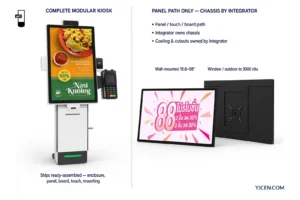
This baseline proves the platform rows. It does not invent a payment-terminal SKU, a printer part number or a hot-swap claim. For a complete wall-mounted or floor-standing ordering unit (integrated 80 mm thermal printer class on that line), compare the Self-Service Ordering Kiosk. Neighbor articles cover whether peripherals are needed and how a single payment terminal fits mechanically — this piece only maps quote lines to a versioned config.
What should you send for an OEM configuration review?
Share this package for an OEM configuration review:
- Screen size (15.6 / 21.5 / 23.8) and preferred mount
- Full component list with exact payment-terminal and printer model strings
- Interface requirements (which module uses which USB/Ethernet/vendor link)
- OS preference and whether a sample (MOQ 1) is required
- Country, quantity and installation type
YJCEN can review the hardware arrangement against available options via custom display solutions. We provide size-specific manuals and dimension drawings — ask us for the matching size and mount, or use Product Downloads as the file shelf.
For related planning: how to choose a self-service kiosk, the software and peripheral checklist, and the self-service kiosk cost budget guide.
Decision this article settles: after selecting this modular platform, quote module names become a deliverable only when each leaf has fit + interface + power, the interface matrix is filled, and a configuration revision ID freezes the set. Until then, treat the quote as provisional — not as a production BOM.
FAQ
Does modular mean any third-party module drops in?
No. Confirm dimensions, connection and software compatibility first.
Are payment and ordering software included?
No. Hardware, application and payment services are separate scopes.
Which screen models are on this modular line?
Three models: YJC-156-K, YJC-215-K and YJC-238-K.
What host ports are listed?
USB × 2 and Ethernet RJ45 × 1, plus Wi-Fi/LAN and optional 3G/4G.
Can YJCEN review an OEM component list?
Yes. Share screen size, component list and interface requirements.
When should the configuration revision bump?
Whenever screen, mount, OS, printer, payment model or camera changes.
Discuss Your Project
For a modular kiosk hardware quotation, send screen size, mount format, component arrangement, quantity and installation country. Include OS preference, peripheral models with interfaces, and the intended payment provider so the hardware scope can be reviewed against a versioned BOM. Contact YJCEN.