What should you check about PWM dimming?
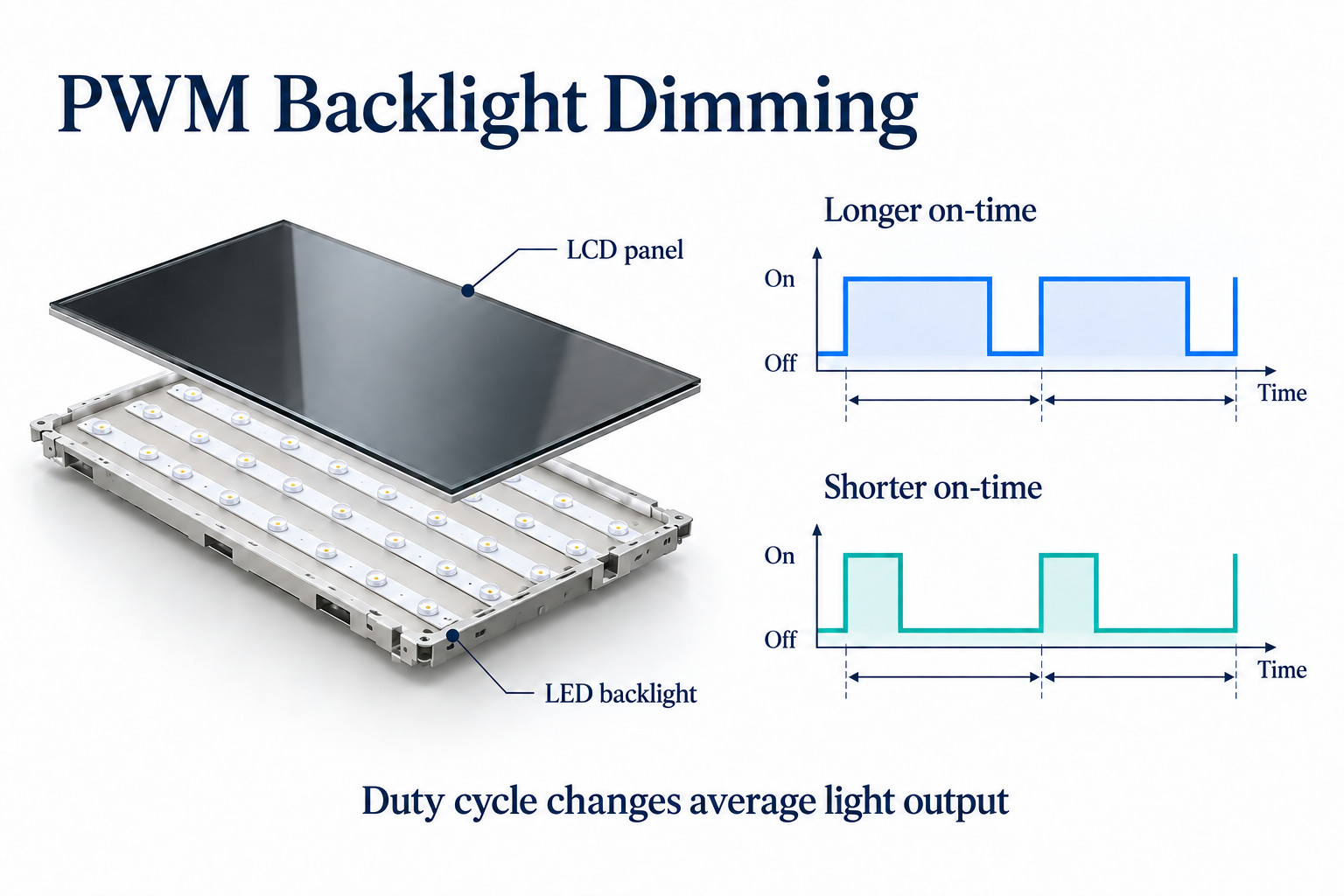
PWM controls average backlight output by changing the on-time within a switching cycle. Its frequency is separate from the screen's image refresh rate.
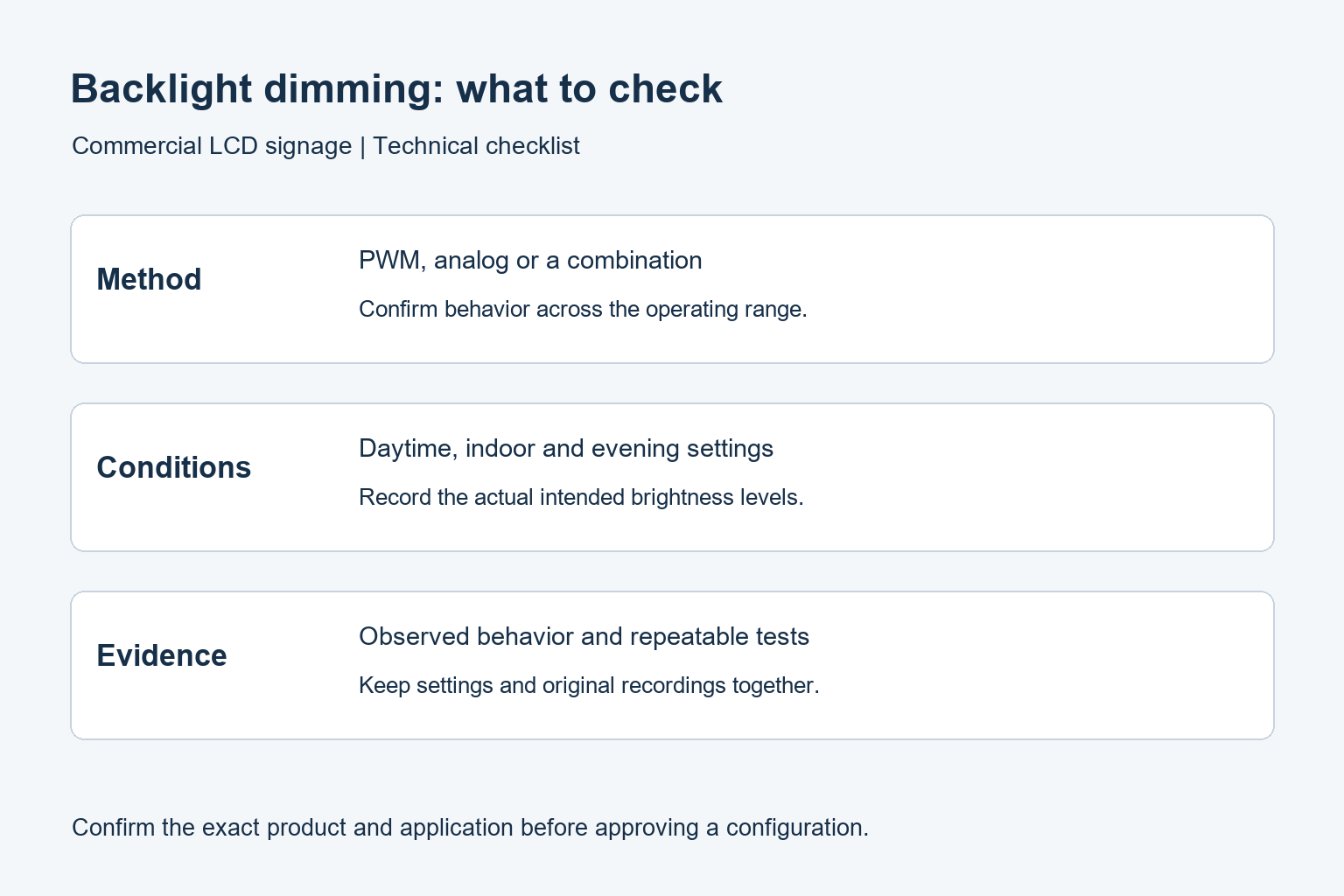
- Ask whether the model uses PWM, analog dimming or a combination.
- Test the production configuration at the brightness levels the site actually needs.
- Use steady patterns and real content so animation does not confuse the observation.
- Record operating modes, viewing conditions and any camera setup used for acceptance.
For buyers, the useful question is not simply whether a screen uses PWM. Ask how its backlight behaves across the brightness range, whether that behavior suits the installation, and what evidence supports the supplier’s answer. This guide covers LCD backlights, not direct-view LED walls or phone OLED panels.
What PWM dimming changes
PWM stands for pulse-width modulation. In a simplified backlight circuit, the LED current switches between an on state and an off state. Duty cycle describes the share of each cycle spent on. A lower duty cycle usually reduces average light output. Frequency describes how often that cycle repeats.
Frequency and duty cycle are different settings. Two backlights can have the same average brightness while using different pulse timing. The behavior also depends on the driver circuit and its response at low output. A single advertised frequency does not describe every operating condition.
Analog dimming instead changes the LED current level. Some designs combine analog and PWM control. Texas Instruments explains these approaches in its LED dimming technical article. That circuit explanation is a useful foundation; it does not identify the dimming method inside an unspecified commercial display.
PWM frequency is not the screen refresh rate
Refresh rate describes how often the display updates the image. PWM describes the timing used to control backlight output. Both may be expressed in hertz, but they refer to different processes. A 60 Hz video input therefore does not establish the frequency of the backlight’s dimming pulses.
Keep these fields separate on a purchasing checklist. Request the supported video timing for the player connection and the backlight control information for brightness adjustment. Our refresh rate and response time guide explains the image-motion side of the comparison.
Where dimming matters in a signage project
Displays that stay on after sunset
A shop-window display may need strong output during the day and a much lower setting at night. Review both conditions during sample evaluation. Do not accept a full-brightness demonstration as evidence of performance throughout the range. Include the lowest setting that staff will actually use, rather than only the menu’s minimum value.
Screens near a staffed counter
A reception screen or ordering kiosk may remain in a worker’s peripheral view for hours. Ask the site team to evaluate the proposed brightness in the intended position. Record specific observations and settings. Avoid turning a subjective comment into a medical claim or assuming that one observer represents every viewer.
Displays appearing in recorded video
If signage will appear behind a presenter or in a store’s video content, include the actual camera in the trial. Bands or brightness variation in footage require investigation, but a phone recording alone does not identify the cause or measure flicker. Treat the recording as evidence of an interaction to reproduce under controlled conditions.
A practical sample-check sequence
Start with the production configuration: the proposed panel, controller, firmware, player and power supply. Ask the supplier to identify substitutions. A sample with different electronics may not answer the question for the final order, even when the enclosure and screen size look identical.
- Record the model, firmware, picture mode, room lighting and brightness setting before changing anything.
- Use a steady test image and representative customer content. Avoid a flashing animation that could confuse the observation.
- Compare the intended daytime, normal indoor and evening settings. Change one setting at a time and note the result.
- Repeat the relevant checks with automatic brightness enabled, if that option is part of the proposed configuration.
- For a camera-related concern, record the camera model, frame rate, exposure settings and display setting together.
- If the requirement is numerical, agree on an appropriate light-output measurement method and reporting format with the supplier.
A repeatable record is more useful than a video labelled only “flickering screen.” Include when the effect appears, whether it is visible directly or only on camera, and whether another brightness level changes it. Keep the original files so the supplier can compare like-for-like evidence.
Questions to include in a display enquiry
Ask whether dimming uses PWM, analog control or a combination, and whether the method changes across the adjustment range. Request the conditions behind any frequency or flicker statement. Also ask whether the quoted behavior applies to the exact screen size and configuration being ordered.
Separate automatic brightness from the dimming method. A light sensor can decide when output should change, while the driver determines how that output is produced. Ask how the sensor is positioned, whether staff can override it, and what setting is restored after a restart.
For window-facing commercial displays, describe the shopfront orientation and evening operating hours. For indoor digital signage, describe the viewing distance and surrounding lighting. These details help define a meaningful sample test without inventing a universal brightness target.
How to write acceptance criteria
Use a short test sheet tied to the intended application. It should name the content files, operating modes, brightness levels, observation positions and any recording equipment. State who will review the results and which conditions require another sample or a technical investigation.
If a project requires a particular measured result, specify the measurement procedure as well as the limit. “Flicker-free” on its own leaves the test conditions unclear. Do not substitute an uncalibrated phone clip for the agreed measurement or assume that an LED driver’s component specification describes the assembled display.
Retain the approved configuration with the order. When a later batch changes panel or controller, ask whether the original evidence still applies. This is especially useful when several branches need to use the same night-time settings and staff procedures.
Common questions
Does PWM automatically mean a display is unsuitable?
No. The implementation, output range and use conditions matter. Evaluate the complete display at the settings that the site needs. A procurement decision should use the agreed test results, not a blanket rule based only on the name of the dimming method.
Can I avoid the issue by leaving brightness at maximum?
That is not a general solution. Maximum output may be inappropriate for an indoor or night-time installation, and its backlight behavior still needs confirmation. Choose the operating brightness for the site, then evaluate the display at that level.
Can a specification sheet prove camera compatibility?
It can provide useful information, but the final camera and display combination needs checking. Agree on the intended recording settings and inspect actual footage before rollout. Do not promise a clean result for every camera or exposure setting.
Planning a commercial signage installation? Send YJCEN your screen size, installation conditions and operating schedule. Include any low-brightness or filming requirements so the proposed configuration can be checked against the right conditions.