How should you assess LCD mura?
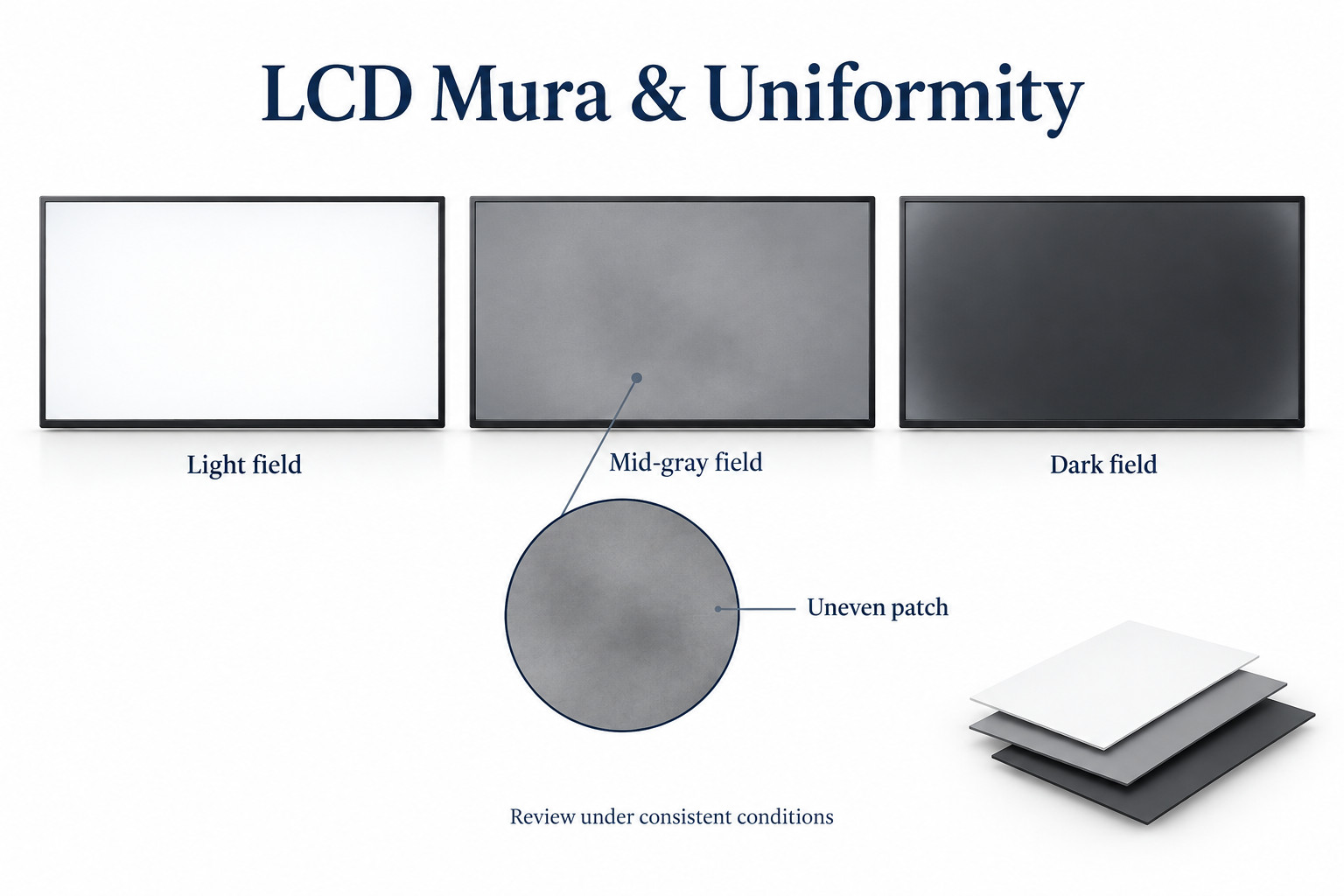
Mura describes visible unevenness such as cloudy patches, bands or brightness differences. It does not identify one specific failed component.
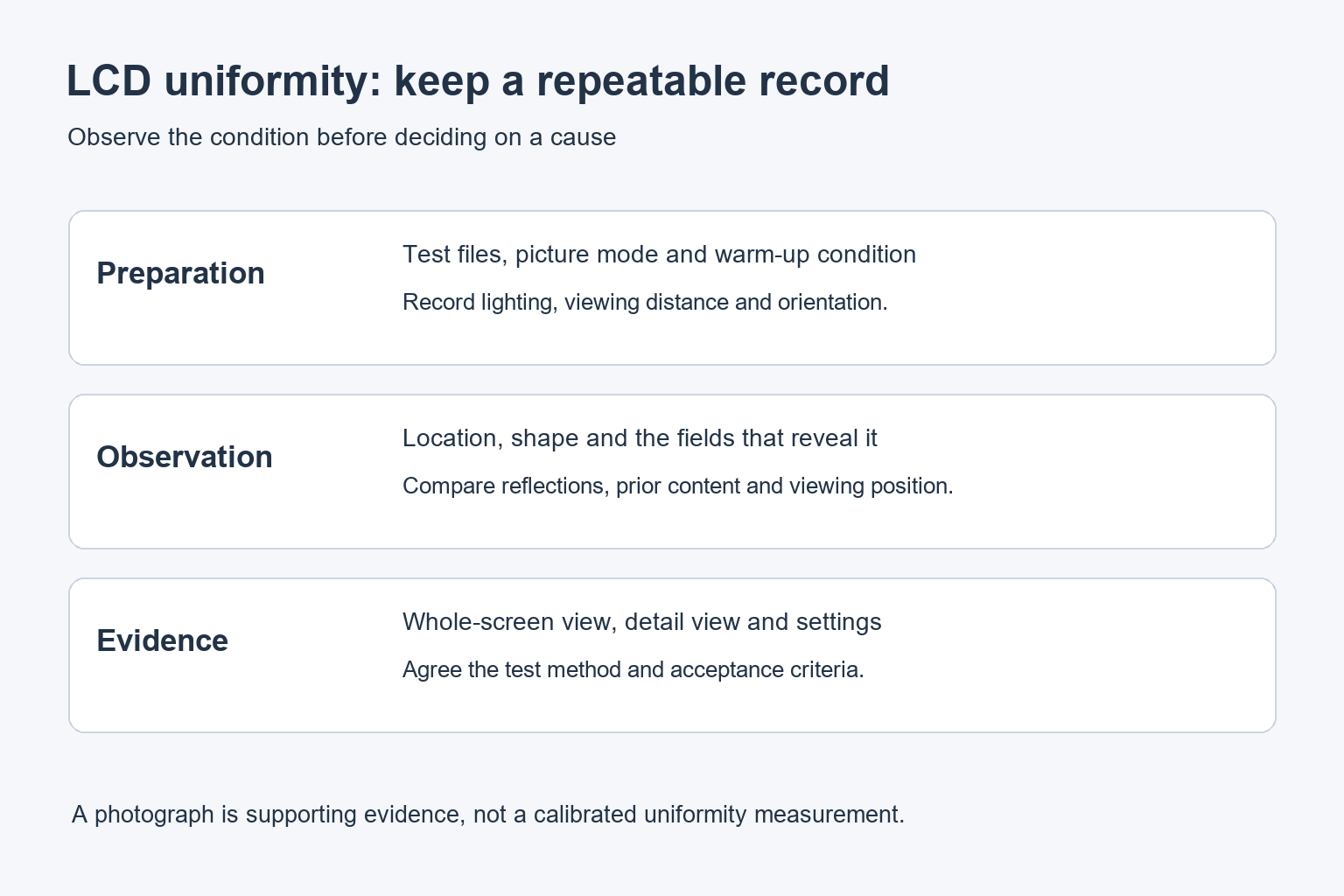
- Record the model, picture mode, brightness, preparation time and lighting.
- Use agreed light, mid-gray and dark fields, followed by real content.
- Keep viewing position and photographs consistent across comparisons.
- Agree acceptance conditions before ordering; do not invent a universal test distance or assume calibration will remove every patch.
For commercial signage, uniformity matters most when it affects the intended message. A pale corporate background, a dark menu and a photograph can reveal different issues. This guide explains how to record a concern and agree a repeatable acceptance check with the supplier.
What mura means on an LCD
Radiant Vision Systems describes mura as unevenness or clouding in display images. Its technical explanation identifies several possible contributors, including the backlight, optical layers, cell structure and mechanical stress. Similar-looking patches can therefore have different causes.
A photograph alone rarely establishes which component is responsible. Begin with a description of where the variation appears, which test field reveals it and whether it changes with viewing position. That record is more useful than immediately labelling the panel or backlight defective.
The term can also be used for other display technologies, including OLED. This article focuses on commercial LCD assemblies. A correction method described for an emissive display should not be assumed to repair an LCD with a different optical structure.
Separate uniformity from other visible issues
| Observation | First comparison | Why it matters |
|---|---|---|
| Broad patch on a flat field | Same file, settings and viewing position | Helps record spatial unevenness consistently |
| Bright shape that moves as you move | Reflected windows and room lights | The environment may be contributing |
| Outline of a previous message | Earlier content and the supplier’s retention check | May involve image retention rather than a fixed patch |
| Individual bright or dark dot | Pixel inspection under the agreed conditions | Pixel defects use a different acceptance question |
| One video wall panel differs from the next | Matched input and picture settings | Panel-to-panel matching differs from within-panel uniformity |
These comparisons narrow the investigation; they do not replace a technical diagnosis. If a shape resembles previously displayed content, our LCD image-retention guide covers a separate check. Keep the two observations distinct in the service report.
Prepare a controlled inspection
Let the display reach the specified condition
Follow the manufacturer’s preparation and warm-up guidance. Record the picture mode, brightness setting, operating time and ambient conditions. Comparing a just-started screen with a warmed-up reference can make the result difficult to interpret.
EIZO’s display-test instructions recommend preparation before testing and include separate uniformity, pixel and viewing-angle checks. They also advise assessing the result in the context of the display category. Treat a visual test as a structured observation, not an automatic warranty decision.
Keep the source and view consistent
Use known test files rather than a compressed image copied from a chat message. Confirm that the test fills the active image area as intended. Record any scaling, dynamic picture processing or automatic brightness setting that may change the display during inspection.
Start from a centered position at the agreed distance. Then review the positions used in the actual installation. Our LCD viewing-angle guide explains why moving away from the center can change the apparent image.
Review more than one test field
A single white screen is not a complete uniformity assessment. Use the agreed light, medium-gray and dark fields, followed by representative signage content. Name the files and retain the exact versions so the supplier can reproduce the sequence.
On each field, note the location and shape of the concern. Does it remain fixed? Does its visibility change with the gray level? Is it visible in the real menu or information page? Record those answers instead of relying on a general description such as “bad screen.”
Different inspection goals need different conditions. A controlled low-light check can reveal dark-field variation, while the installed display must also be assessed under normal lighting. Keep both conditions in the record rather than presenting one as a substitute for the other.
Make photographs useful without overstating them
Photograph the whole display straight on, then add a closer view of the area of concern. Keep exposure and white balance consistent across comparison images where the camera permits. Include the test file name and display settings with the photographs.
Automatic exposure, reflections, lens shading and image processing can change the appearance of a screen in a photograph. A dramatic camera image is not automatically a measurement of what viewers see. Ask for direct inspection or an agreed instrument method when the result is disputed.
Do not press, twist or loosen the display to test a suspected mechanical cause. Changing the assembly can create damage and make the original condition harder to assess. Keep the unit in its approved installation and refer the evidence to qualified service personnel.
Agree acceptance criteria before a bulk order
Specify the content, test fields, viewing distance, preparation, lighting and picture settings used for acceptance. If a numerical uniformity requirement is needed, define the measurement positions, calculation and equipment as well as the threshold.
A percentage without a method is incomplete. Different point locations or formulas can produce different results from the same display. Ask the supplier to explain how its figure was obtained and whether it applies to the complete assembly being quoted.
Keep a sample record that both sides can refer to. For a rollout, include photographs of the accepted sample, the configuration and the agreed inspection procedure. This makes later discussions about replacement units more specific and repeatable.
Uniformity and video wall calibration are related but different
Adjusting white point or brightness can help match neighboring screens when the hardware supports those controls. It does not follow that ordinary picture settings will remove every patch within one panel. Separate panel matching from spatial uniformity during commissioning.
Our commercial video wall calibration guide covers the matching workflow. For a commercial LCD video wall, review both individual panels and the assembled image under the agreed viewing conditions.
For a new indoor signage display, send YJCEN your sample content and acceptance requirements. Confirm the offered configuration and review process before ordering. Do not assume a correction feature or numerical tolerance that has not been specified.
Common questions about LCD mura
Is mura the same as a dead pixel?
No. Mura describes uneven appearance over an area, while a pixel defect concerns individual picture elements. They require different observations and acceptance criteria.
Can software remove every uneven patch?
No. Some displays provide supported uniformity correction, but that does not establish a universal repair for every physical cause. Use the manufacturer’s diagnosis and supported procedure.
Should I judge the screen only on a black image?
No. Inspect the agreed test fields and the actual content under recorded conditions. The acceptance decision should reflect the specified application and test method.