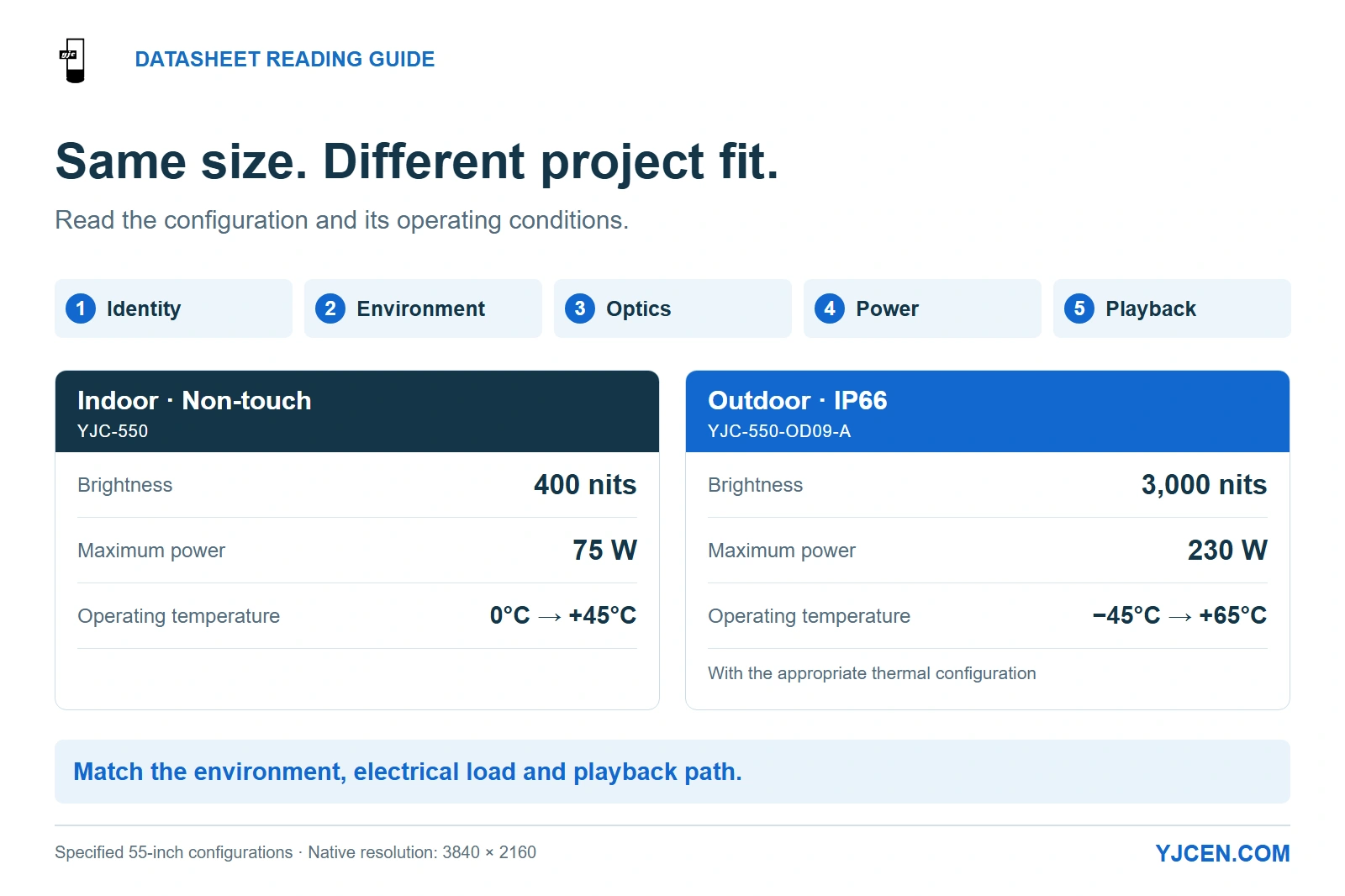
Both illustrated configurations use 55-inch 3840 × 2160 panels: the indoor version lists 400 nits and 75 W maximum, while the IP66 outdoor version lists 3,000 nits and 230 W maximum. Their operating ranges are 0°C to +45°C indoors and −45°C to +65°C outdoors with the appropriate thermal configuration.
Read a commercial LCD datasheet in this order: identify the exact configuration, match its environment, evaluate the optical specifications, then check power and playback connections. For project fit, duty hours describe the operating schedule, brightness needs a viewing condition, IP applies to a defined enclosure, and operating temperature must match the equipment running at its installed location.
Read across related fields before ranking products by a single number. A useful specification combines a value, the configuration it belongs to, and the conditions under which it applies.
1. Which Datasheet Fields Should You Read First?
Start with the fields that can rule a configuration out. There is little value in comparing contrast ratios if the enclosure is intended for indoors and the project places it outside in rain.
| Read in this order | Find these fields | Decision to make |
|---|---|---|
| Identity and physical fit | Model, screen size, touch option, orientation, enclosure dimensions and drawing revision | Keep the quotation, panel specification and mounting drawing tied to the same configuration. |
| Environment | Indoor/outdoor use, IP/IK, operating temperature and installation conditions | Select the enclosure and thermal configuration for the actual location. |
| Optical performance | Native resolution, brightness, contrast and reflective-surface treatment | Match the content and viewing conditions, including reflected light. |
| Electrical demand | Supply voltage and frequency, maximum and typical power where stated | Give the electrical designer the correct load and supply requirements. |
| Playback and control | OS, processor, memory, storage, input direction and control functions | Choose the playback path and allocate the hardware and software needed to run it. |
A worked comparison: two 55-inch YJCEN configurations
YJCEN’s 55-inch non-touch Indoor Digital Signage configuration and 55-inch IP66 Outdoor Digital Signage configuration both have 4K panels. Their environmental and electrical specifications lead to different installation decisions.
| Field | Indoor non-touch: YJC-550 | Outdoor: YJC-550-OD09-A | What changes in the project |
|---|---|---|---|
| Native panel resolution | 3840 × 2160 | 3840 × 2160 | The same pixel count does not make the two enclosures interchangeable. |
| Brightness | 400 nits | 3,000 nits | Select for the lighting and exposure at the viewing position. |
| Operating environment | Indoor | Outdoor, IP66 | An exposed outdoor location calls for the outdoor enclosure. |
| Operating temperature | 0°C to +45°C | −45°C to +65°C with the appropriate thermal configuration | Include the required thermal configuration in the selected outdoor build. |
| Maximum power | 75 W | 230 W | Carry the selected model’s maximum load into electrical planning. |
| Documented connections | USB × 2; Ethernet RJ45 × 1 | USB × 2; HDMI IN × 1; Ethernet RJ45 × 1 | An external HDMI player needs an explicitly specified HDMI input. |
For an indoor notice display using the selected onboard player, the indoor configuration addresses the indoor job. Moving that display to an exposed exterior wall changes the enclosure, thermal and power requirements even when the content remains the same.
2. Do Duty Hours, Backlight Life and Warranty Mean the Same Thing?
Read these as three separate purchasing fields. YJCEN’s two configurations above both specify 24/7 operation and 50,000-hour backlight life; those entries answer different questions.
| Field | Meaning for selection | How to use it |
|---|---|---|
| Operating hours / duty | The stated operating schedule for the configured display | Match the planned daily schedule and installation conditions to the duty rating. |
| Backlight life | A life figure for backlight performance under its stated conditions | Use the defined endpoint and conditions for replacement planning; record any missing endpoint instead of assuming one. |
| Warranty | The stated after-sales coverage period and terms | Keep it as a separate commercial commitment in the purchase agreement. |
Choose a configuration rated for the hours the screen will actually run. Turning a display off overnight changes its schedule, but it does not resolve an unsuitable environment or mounting arrangement.
When comparing a commercial display with a consumer TV, use the operating schedule, orientation and warranty terms as separate selection criteria. Do not convert a backlight-hour figure into a promised whole-display service life or warranty duration.
3. How Should You Read Brightness, Contrast and Resolution?
Brightness needs an exposure condition
Classify the location first: controlled indoor lighting, a glazed frontage, a shaded canopy or direct sun. Then compare the specified brightness and the surfaces between the viewer and the image.
A nit and a cd/m² express the same luminance unit. Keep any “typical,” “minimum” or “peak” qualifier attached to the value when comparing offers; those labels are not interchangeable.
The 400-nit indoor and 3,000-nit outdoor examples above represent different product configurations, not universal pass/fail thresholds. For a direct-sun position, select the outdoor configuration and evaluate representative content from the intended viewing position, including the reflection of bright surroundings.
NIST’s work on daylight readability evaluates display contrast under ambient illumination, including reflected light. That makes the display’s front surface and the direction of light relevant alongside its brightness figure.
Contrast needs a measurement condition
Keep the contrast ratio paired with its test conditions. A ratio measured without the site’s ambient reflections does not describe the contrast a pedestrian will see at a reflective frontage.
For competing offers, compare results measured under equivalent conditions or evaluate the candidates under the same proposed viewing conditions. A larger isolated contrast number is not a substitute for that comparison.
Native resolution and playback resolution are separate
Native resolution is the LCD panel’s pixel grid. The player, application and input path must also deliver the content format the project requires.
Select the size-specific resolution before preparing artwork. In YJCEN’s IP66 range, the 32- and 43-inch panels are Full HD, while the 49-, 55-, 65- and 75-inch panels are 4K; a family-level “4K” headline is not the specification for every size.
4. Do IP and IK Describe the Panel or the Complete Enclosure?
Attach each rating to the assembly it describes. A panel module integrated into a custom cabinet and a finished enclosed display are different items in the bill of materials.
IEC 60529 classifies protection provided by enclosures using the IP code. IEC 62262 addresses enclosure protection against external mechanical impacts using the IK code; the two fields answer different exposure questions.
For a finished display, retain the model and enclosure configuration associated with the rating. For a module built into your own cabinet, define the protection requirement for the completed assembly, including its front, doors and cable entries.
YJCEN’s IP66 range specifies IP66 ingress protection and IK10 impact resistance as separate characteristics. Choose the required IP protection for the installation’s exposure and keep the impact requirement as a separate line in the specification.
Keep CE, FCC and RoHS documentation tied to the named product and configuration in the submittal package. A certification-logo row does not supply a missing enclosure rating or operating-temperature range.
5. Which Temperature Range Applies While the Display Is Running?
Use the operating-temperature range for a powered display and the storage-temperature range for its specified non-operating conditions. Preserve any qualification about cooling, heating, orientation or installation around those values.
The indoor YJC-550 example specifies operation from 0°C to +45°C and storage from −10°C to +50°C. For a location that must operate below 0°C, select a configuration with an operating range covering that temperature rather than using the lower storage limit.
For the outdoor configuration, retain the qualification attached to −45°C to +65°C: the appropriate thermal configuration. State the site’s ambient range and solar exposure when selecting that build, and leave the specified heat-removal paths available after installation.
Also identify what temperature the field describes: surrounding air, a component or another defined measurement point. A forecast air temperature and a panel surface heated by direct sun are different measurements; do not substitute one for the other.
6. What Do Power, I/O and Player Specifications Actually Commit You To?
Separate maximum load from energy consumption
Use the maximum-power entry as an input to electrical design, alongside the specified supply and any other required electrical characteristics. The 75 W and 230 W figures in the worked example are maximum values, not measured average consumption for a campaign.
For an energy-cost estimate, use representative average-power data for the intended brightness, content and operating schedule. Multiplying maximum watts by operating hours produces a maximum-power scenario, not a measured operating-cost result.
Choose a playback path before choosing system options
| Intended use | Fields to resolve | Configuration consequence |
|---|---|---|
| Run the application inside the display | OS version, processor, RAM, storage and application requirements | Select the onboard hardware for that application. |
| Use an external media player | Explicit video input, supported signal format and input selection | Include the external player and matching signal path in the BOM. |
| Update content over a network | LAN/Wi-Fi connection plus the chosen application’s delivery method | Allocate the network setup, content platform and software licenses. |
| Control screen power or inputs remotely | Named control function, protocol and commands | Specify the control method independently from video playback. |
“HDMI IN” identifies a video input; “RJ45” identifies a connector, not a complete remote-control feature list. Assign content updates to the chosen application and display control to the documented control interface.
YJCEN’s indoor configuration separates its Android processor, memory and storage details from the Windows option. Keep the selected OS and its hardware together in the order rather than carrying Android specifications into a Windows quotation.
YJCEN supplies the selected display hardware and can preinstall and test customer software. Allocate the CMS or application, licenses, content account and network setup to the project’s software provider or integrator so that hardware delivery and application deployment meet at a defined configuration.
7. Which Datasheet Mismatches Should Stop an Order from Being Released?
Resolve a mismatch at the row that changes the build. This produces a usable configuration rather than a generic request for “more technical information.”
| Mismatch | Decision before ordering |
|---|---|
| The family headline says 4K, but the selected size lists Full HD | Use the selected panel’s native resolution for the order and content layout. |
| A storage limit is being used as a powered operating limit | Select equipment whose operating range covers the powered installation. |
| The quote changes from Android to Windows but keeps the Android hardware row | Replace the system section with the selected Windows hardware configuration. |
| An external player is planned, but the connection list does not identify a suitable input | Specify the required input or choose an onboard playback path before releasing the hardware. |
| The IP/IK statement applies to a component or front surface, while the order needs a complete enclosure | Define the protected assembly and its required ratings on the order. |
| The screen size matches, but the quoted touch option or mounting drawing differs | Resolve the configuration and use its matching mechanical drawing. |
| A peak or maximum value is being compared with a typical or average value | Align the definitions and operating conditions before ranking the offers. |
Carry the selected configuration, site exposure, mounting arrangement and playback responsibilities into the outdoor LCD buying checklist before the final BOM comparison. This keeps the price comparison tied to equipment that can perform the same project task.
8. Commercial LCD Datasheet FAQ
Does a 24/7 duty rating specify the display’s service life?
No. It describes the operating schedule; backlight life and warranty coverage are separate fields.
Does 50,000-hour backlight life guarantee the whole display will last that long?
No. Use the backlight-life definition for replacement planning and assess warranty coverage separately.
Can brightness alone establish whether a display is suitable outdoors?
No. Match the exposure, enclosure protection, thermal configuration and viewing conditions as well.
Does an IP rating include an IK impact rating?
No. Read the ingress and mechanical-impact ratings as separate enclosure characteristics.
Can I use the storage-temperature range while the screen is powered?
No. Use the operating range and its stated installation conditions for powered use.
Does an RJ45 port guarantee remote screen-power control?
No. Specify the control function and supported protocol separately from the network connection.
Should I check the player as well as the panel’s native resolution?
Yes. The player, application and input path must support the required content format too.
Send the Configuration You Need to Build
Send the candidate datasheet, selected size and touch option, site exposure, operating schedule and intended playback path. Add the site or mounting drawing for custom display configuration and mechanical-fit coordination, so the hardware selection, installation fit and software responsibilities can be carried into one quotation.