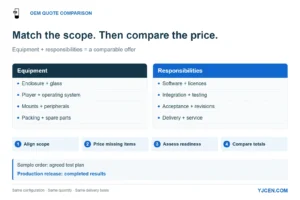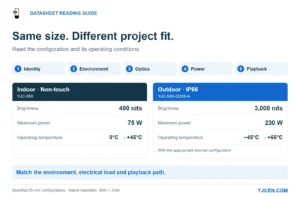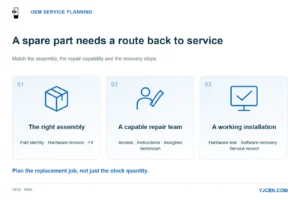
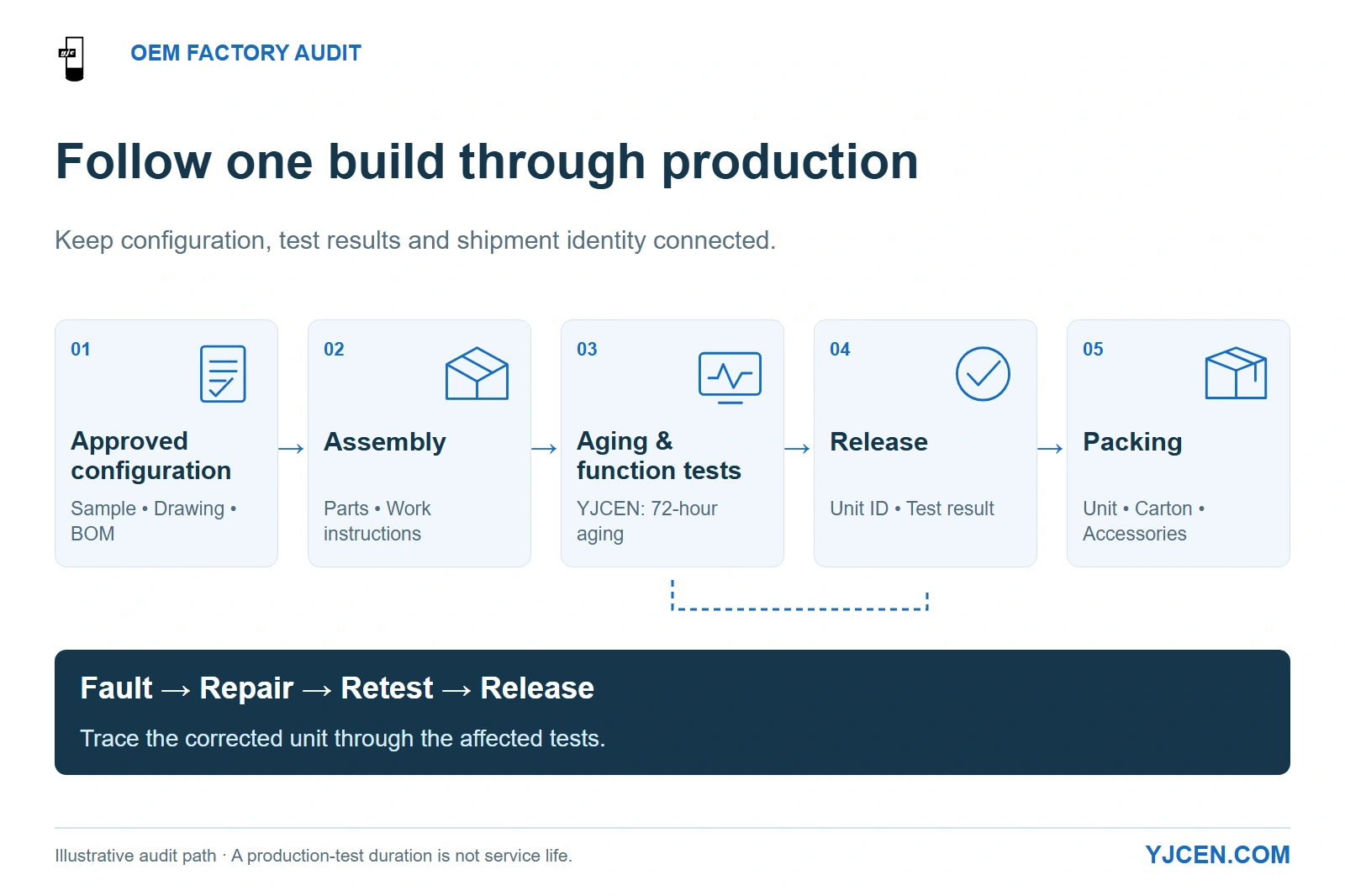
Follow the approved configuration through assembly, testing, release and packing. YJCEN specifies 72-hour aging; the diagram also shows a fault returning through repair and retesting before release.
Before awarding production to a China OEM display factory, follow one proposed configuration from sample approval through assembly, aging, final inspection and packing, then examine how failed units and component changes are handled. For an Interactive Kiosk project, that means connecting the selected touch technology, computer, application build and accessories to the units your installation team will actually receive on site.
Audit the handoffs between stages: the approved configuration must reach the line, a repaired unit must return through the appropriate tests, and a released unit must retain its identity through packing. A polished demonstration becomes useful evidence when the factory can connect it to those records.
1. Which documents make the factory visit useful?
Send the proposed configuration and audit agenda before the visit. Build the document pack around the order you intend to place, with a named revision for the sample, drawings and bill of materials (BOM).
| Request before the audit | What it enables you to decide |
|---|---|
| Factory legal identity, manufacturing address and quality-system certificate | Whether the contracting and manufacturing roles are clear and the certificate covers the relevant organisation and activities |
| Configuration sheet, drawing revisions and component list for the proposed build | Which screen, touch assembly, controller, power supply and accessories must remain consistent |
| Production flow showing in-house and subcontracted operations | Where assembly, testing, rework and packing take place, and who controls each handoff |
| Completed inspection and aging records for a comparable build, with customer details redacted where necessary | Whether records identify the tested unit or batch, conditions, results and release decision |
| Packing specification and applicable transport-test report, if required by the project | Whether the shipped assembly and its packaging match the delivery route |
| Product documentation matched to the destination and ordered configuration | Whether the proposed unit has the evidence your importer or project requires |
Match commercial-display certification documents to the ordered configuration while keeping factory quality-system certification in its own file. This separates the organisation’s management system from the product evidence used for the shipment.
Choose one recent production batch as the audit example. A record set from that batch gives you something concrete to follow on the line, rather than collecting unrelated photographs from different projects.
2. What should you follow from assembly to aging?
Start with incoming components and follow their movement into an assembled display. At each station, look for the connection between the work instruction, the fitted parts and the record that permits the unit to move onward.
YJCEN’s quality inspection process includes incoming inspection, production-supervisor sign-off of the first article, in-process checks, aging and final inspection. That sequence makes the first-article record a useful starting point: it should connect the approved build to the instructions used for the rest of the batch.
| Station | Demonstration to request | Consequence for the order |
|---|---|---|
| Incoming parts | A component receipt linked to an accepted or rejected material record | Parts rejected at receipt stay out of assembly |
| Assembly | The current drawing and work instruction beside the unit being built | Cable routing, connectors, fixing points and enclosure details follow the approved revision |
| Exposed-board handling | Personnel grounding, protected work areas, suitable handling containers and their verification records | Boards remain protected during assembly, transfer and rework |
| Aging | A unit’s start/end record, running workload, settings and any interruption or fault | The recorded duration represents the intended operating screen, not simply time spent on a rack |
| Final function test | Display, touch, required ports and supplied accessories exercised after assembly and aging | The delivered configuration is checked beyond whether an image appears |
For electrostatic discharge (ESD), follow the handling route into rework as well as normal assembly. The EOS/ESD Association’s auditing guidance covers personnel, grounding, work surfaces, packaging and verification across the areas where sensitive devices are handled; a mat or wrist strap on display is only one part of that system.
YJCEN specifies 72-hour aging, full-function testing and sheet-metal inspection for its production process. To make an aging record useful for your project, pair the duration with the operating workload and fault history: a looped advertising video exercises a different workload from a kiosk application using touch, networking and peripherals.
Factories may call a stage “aging,” “burn-in” or “endurance testing.” Compare the running conditions and recorded results under those labels; treat the hours as a production-screening duration, not a service-life figure.
3. Can a failed unit be traced through repair and release?
Ask the team to take one recorded failure through its correction and retest. This reveals whether the process can control exceptions, rather than only demonstrating units that passed immediately.
Use the following as the audit path for the selected unit or batch:
| Traceability link | What the record should connect | If the connection is missing |
|---|---|---|
| Finished-unit serial or unique production ID | Work order, configuration revision and final test result | Hold release of the affected build until its identity is resolved |
| Installed panel and controller | Component model/revision and relevant incoming lot | Establish the affected population before accepting a substitution or repair action |
| Aging exception | Fault, interruption, corrective action and subsequent test result | Keep the unit in the rework path until the required retest is completed |
| Replaced component | Removed part, replacement part and tests affected by the change | Repeat the affected functional checks before release |
| Carton or pallet identification | The released units and their accessories | Correct the packing record before dispatch |
Choose the traceability depth around the consequence of a defect. If a controller issue could require a software change across the rollout, you need to identify which delivered units contain that controller revision; an overall shipment quantity is insufficient for that task.
Agree who can release a repaired unit and how a repair affects the aging or test sequence. The useful answer is a defined retest route with a recorded result, rather than restarting every possible test or accepting an unrecorded repair.
4. Will the approved display arrive in the approved condition?
Follow the product into packing with its actual base, brackets, keys, cables and other supplied items. Loose hardware needs its own restraint so it cannot move against the screen or enclosure during transport.
YJCEN’s inspection-to-packing process places function, display and endurance testing before final checks and secure packing. During the audit, connect that final check to the packing list and labelled shipment, so the inspected assembly remains identifiable after it is boxed.
| Packing issue | Choice to settle before production |
|---|---|
| Screen and enclosure contact | Define supported surfaces, edge protection and separation from loose accessories |
| A kiosk shipped with its base detached | Identify each package, the included installation items and the assembly instructions delivered to the receiving team |
| Parcel, pallet or freight shipment | Select packaging and handling instructions for the actual route and packed configuration |
| Moisture exposure during storage or transit | Specify the barrier, desiccant or other moisture-control arrangement needed for the route, plus how it is closed and stored |
| Transport-test evidence | Match the tested package revision, product mass/configuration and procedure to the proposed shipment |
Choose any required package test around the distribution route. ISTA distinguishes screening tests from simulations of transport hazards, so a generic “drop tested” statement needs the procedure and the product-package combination to become a useful comparison.
When the packing design changes, identify what changed in support, cushioning, restraint or package mass before carrying an earlier result into the new shipment. Set the receiving team’s damage-reporting photographs and unit identification at the same time, so a delivery problem can be traced back to the affected package.
5. How do you keep mass production consistent with the sample?
Define consistency as matching the approved configuration and agreed performance, with a controlled route for changes. Use a retained sample together with a revision-controlled record of its hardware, appearance, application build and accessories.
A real configuration example: YJCEN lists both 32-inch PCAP and IR touch versions under model YJC-320-IK, while Android and Windows are selectable across the range. The base model code therefore needs the touch and computer configuration alongside it on the order and production record.
| Freeze at sample approval | Why it matters on the production line |
|---|---|
| Panel, touch technology and touch controller | A screen can show the same image while presenting a different interaction stack to the application |
| Computer, operating system, drivers and application build | The app that worked on the sample needs the same agreed runtime and interfaces in production |
| Enclosure drawing, finish and mounting revision | A connector or mounting change can affect site fit even when the screen diagonal stays the same |
| Peripheral models and accessory list | A different printer, scanner or payment device can change mounting, drivers and integration |
| Accepted appearance and functional criteria | Production staff need a usable reference for release decisions |
Set the change-approval route during sample approval: identify the proposed replacement, its effect on fit and function, and the tests repeated before the new revision is released. Keep accepted alternatives on the configuration record so purchasing and production use the same list.
YJCEN can pre-install and test a customer’s application on the selected hardware. For a customer-supplied CMS, ordering or payment application, assign the application build, accounts, licences and integration approval to the responsible software or payment team; use that agreed setup for the sample and production test plan.
6. What can a remote audit establish?
Use a live session in which you select the unit identifier, request a view of its assembly or test stage, and follow the corresponding record on screen. Keep the identifier visible when the camera moves between the product, test station and packing label.
| Audit task | Practical remote method | Escalation when the decision remains unresolved |
|---|---|---|
| Configuration identity | Close-up of labels and fitted options matched to the controlled configuration sheet | Sample inspection for inaccessible or unclear details |
| Aging and rework history | Screen-share the dated record for the selected unit and its corrective actions | Additional records or independent on-site review |
| Touch, playback and required ports | A live run using the agreed content and application build | Local sample testing where latency or video quality hides behaviour |
| Packing completeness | Show the unit, accessories, restraint and package label in sequence | Pre-shipment inspection of the packed order |
Agree permission before recording or sharing customer and component information. Redacted records can protect another customer’s identity while retaining the fields needed to follow the manufacturing process.
7. Copy this OEM factory-audit request into your project email
Send this with the configuration sheet and drawings. Replace the choices with the requirements for your intended build.
End the audit with a production decision tied to the affected build. Missing release records, uncontrolled substitutions or unresolved failures need closure before that build proceeds; minor document corrections can have an owner and due date without reopening unrelated approvals.
8. Factory-audit FAQs
Does an ISO 9001 certificate replace a production audit?
No, a quality-system certificate does not replace auditing the proposed production build. Follow the selected configuration through assembly, testing and release.
Is 72 hours a universal burn-in requirement for commercial displays?
No, 72 hours is YJCEN’s stated aging duration, not a universal requirement. Record the workload, conditions and fault handling alongside the duration.
Can the same model code identify different touch configurations?
Yes, YJC-320-IK is available with either PCAP or IR touch. Retain the selected touch configuration in the production record.
Should component substitutions trigger another sample approval?
Yes, substitutions affecting fit, function or compliance need renewed approval. Route the change through the approval owner and repeat the affected checks.
Can an audit start remotely?
Yes, an audit can begin with live demonstrations and record review. Escalate unresolved physical checks to sample or on-site inspection.
Does a successful hardware test approve a payment integration?
No, hardware testing alone does not approve the payment integration. The application and payment teams approve integration on the agreed hardware and software build.
Send the build you intend to put into production
Send your enclosure or site drawings, selected display configuration, application and peripheral requirements, destination and audit request for OEM display and kiosk configuration review. Use the same build reference for mechanical fit, sample approval and the production discussion, so your team and YJCEN are working toward the same deliverable.