Digital Signage Examples & Real Commercial Use Cases by Industry
Practical examples of digital signage from 19 commercial sectors. Each one shows where the screen is installed, how bright it needs to be and how it is mounted, from sunlit shop windows and supermarket shelves to outdoor drive-thru lanes and self-service kiosks.
Featured Commercial Digital Signage Examples & Use Cases
Eight digital signage use cases, each shown with a real customer installation: where the screen sits, what it shows and which hardware it uses.
Retail & Storefronts
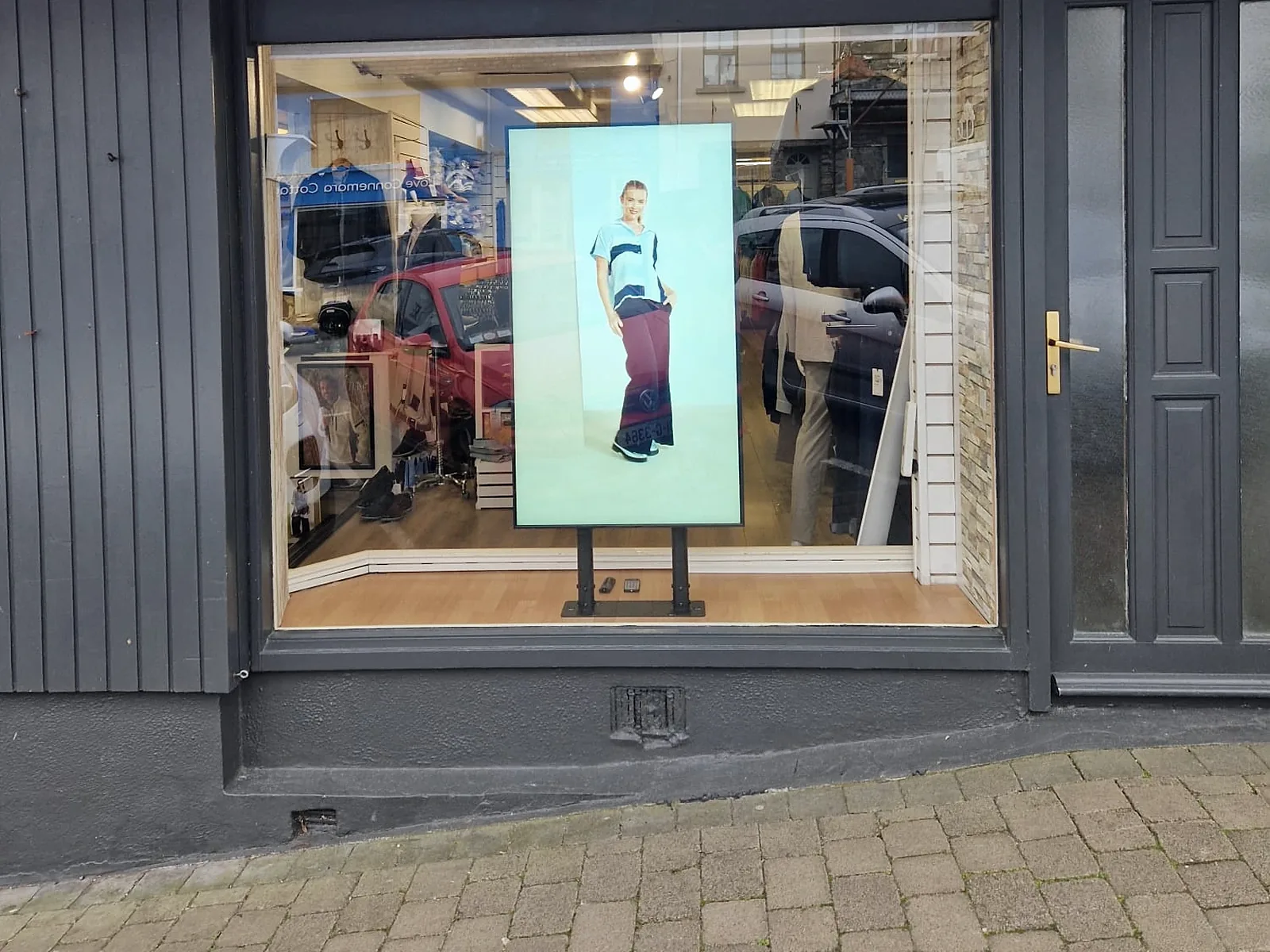
Floor-standing window displays face the street through shop glass, while shelf-edge bar LCDs and in-store screens carry offers down the aisle.
Typical hardware: 2,500–3,000-nit window LCD · stretched bar LCD
Shopping Malls & Atriums
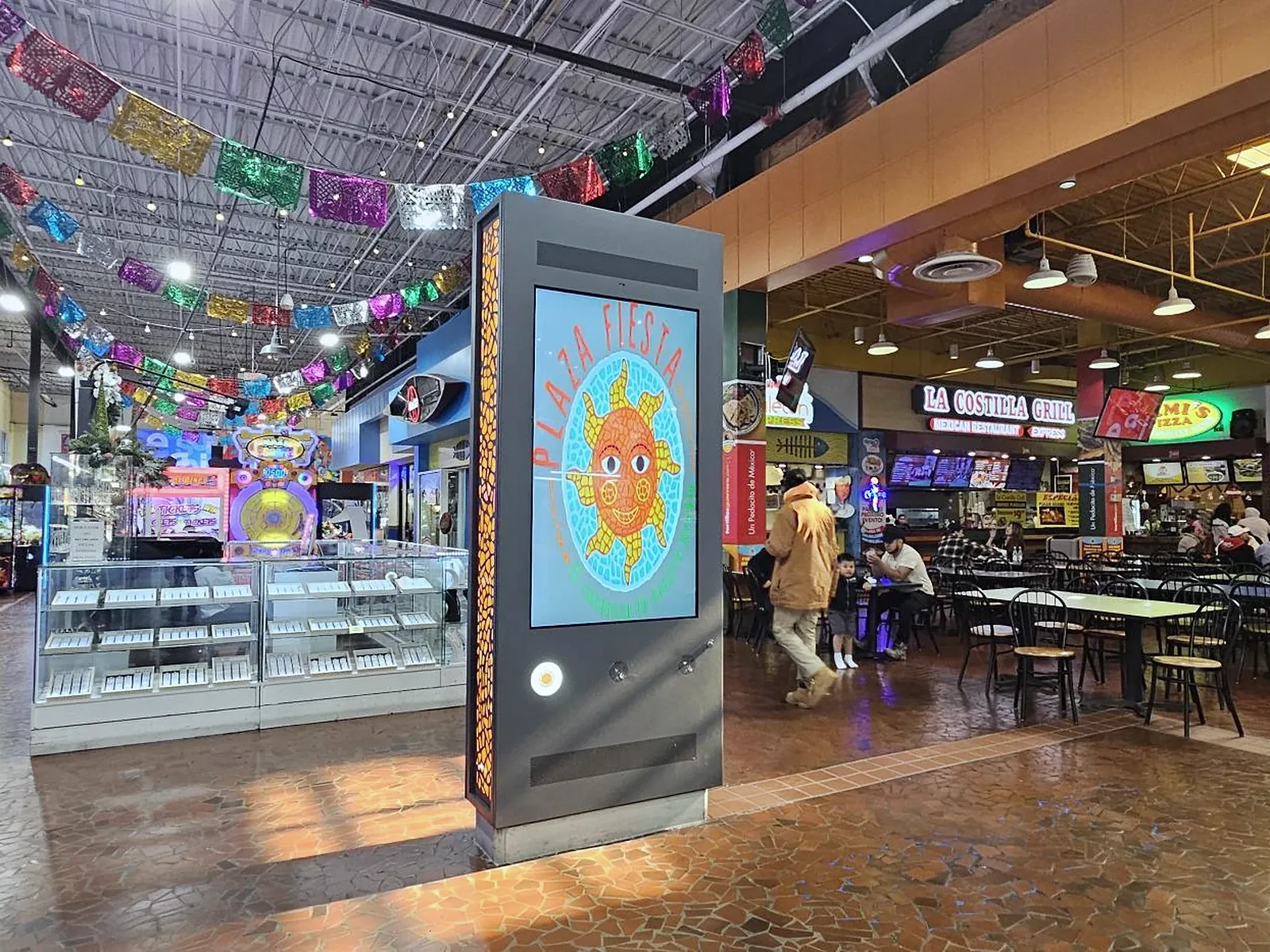
Double-sided totems in concourses and food courts carry tenant promotions and wayfinding to shoppers walking in both directions.
Typical hardware: double-sided floor-standing LCD · touch wayfinding kiosk
QSR & Drive-Thru
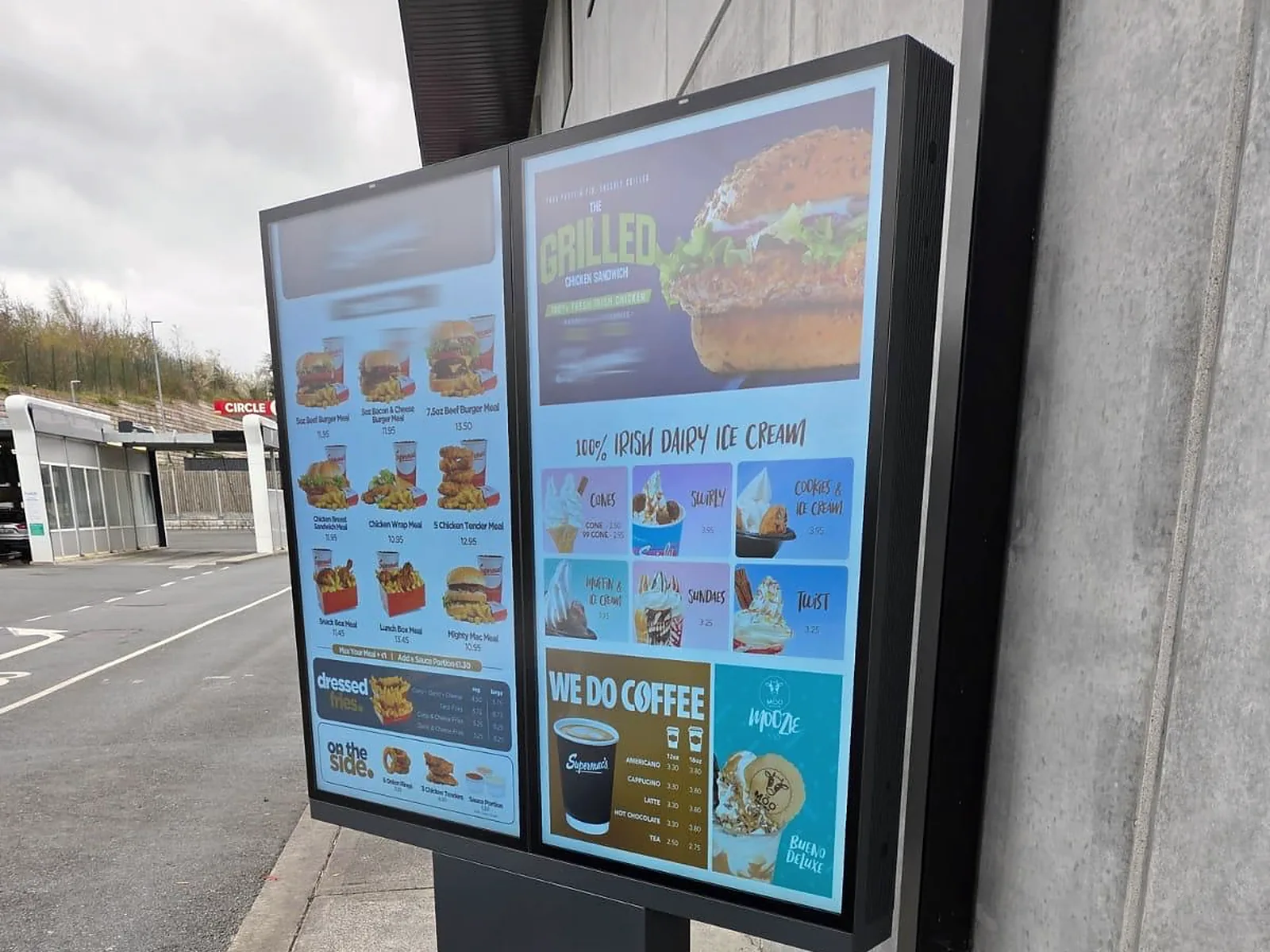
Drive-thru menu boards stay readable in direct sun, while counter menus and self-order kiosks shorten the queue inside.
Typical hardware: IP66 drive-thru menu board · self-ordering kiosk
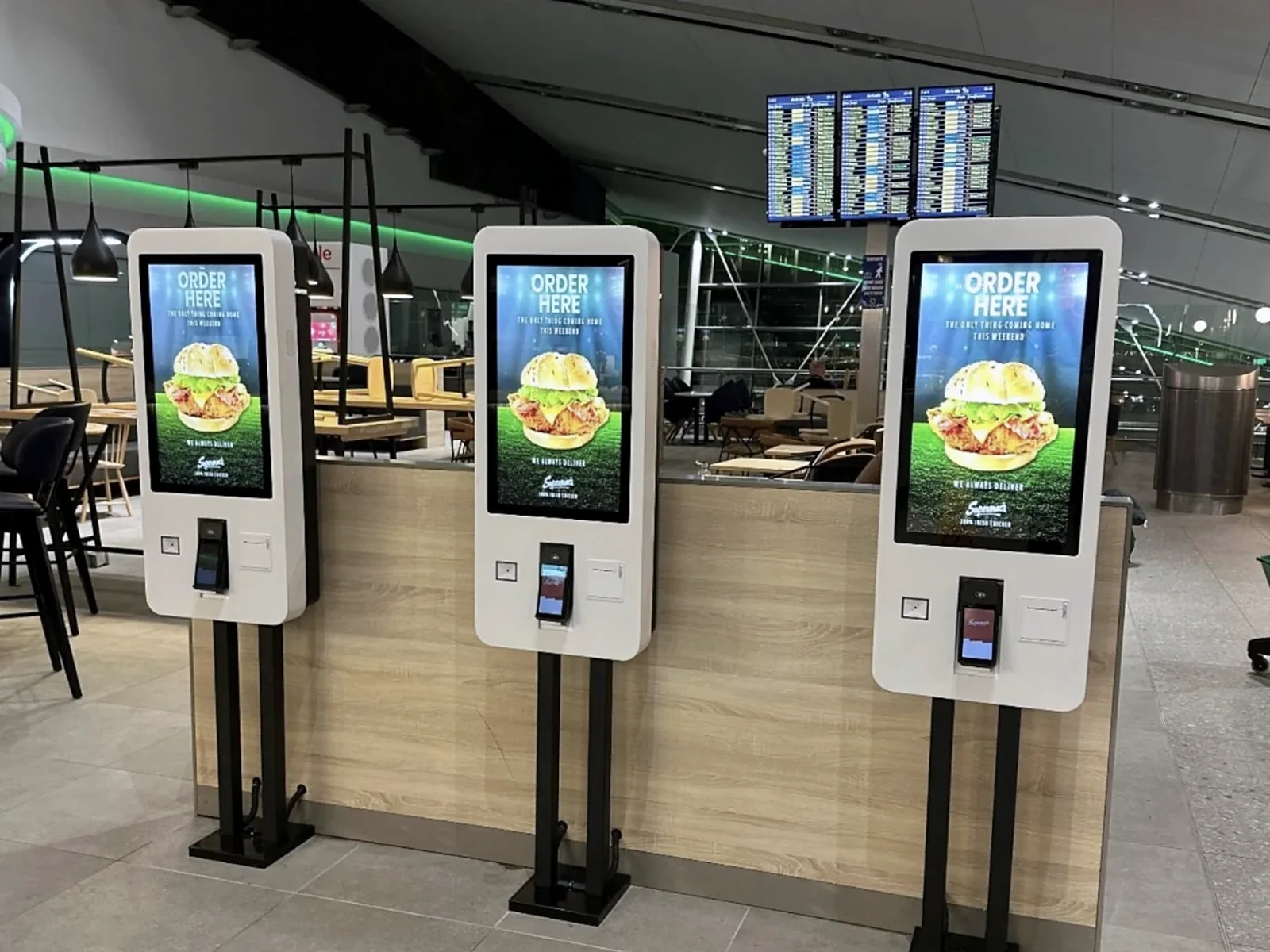
Airports & Transit Hubs
Self-ordering kiosks in terminal food courts take orders around the clock, alongside passenger information and gate screens.
Typical hardware: freestanding ordering kiosk · indoor information display
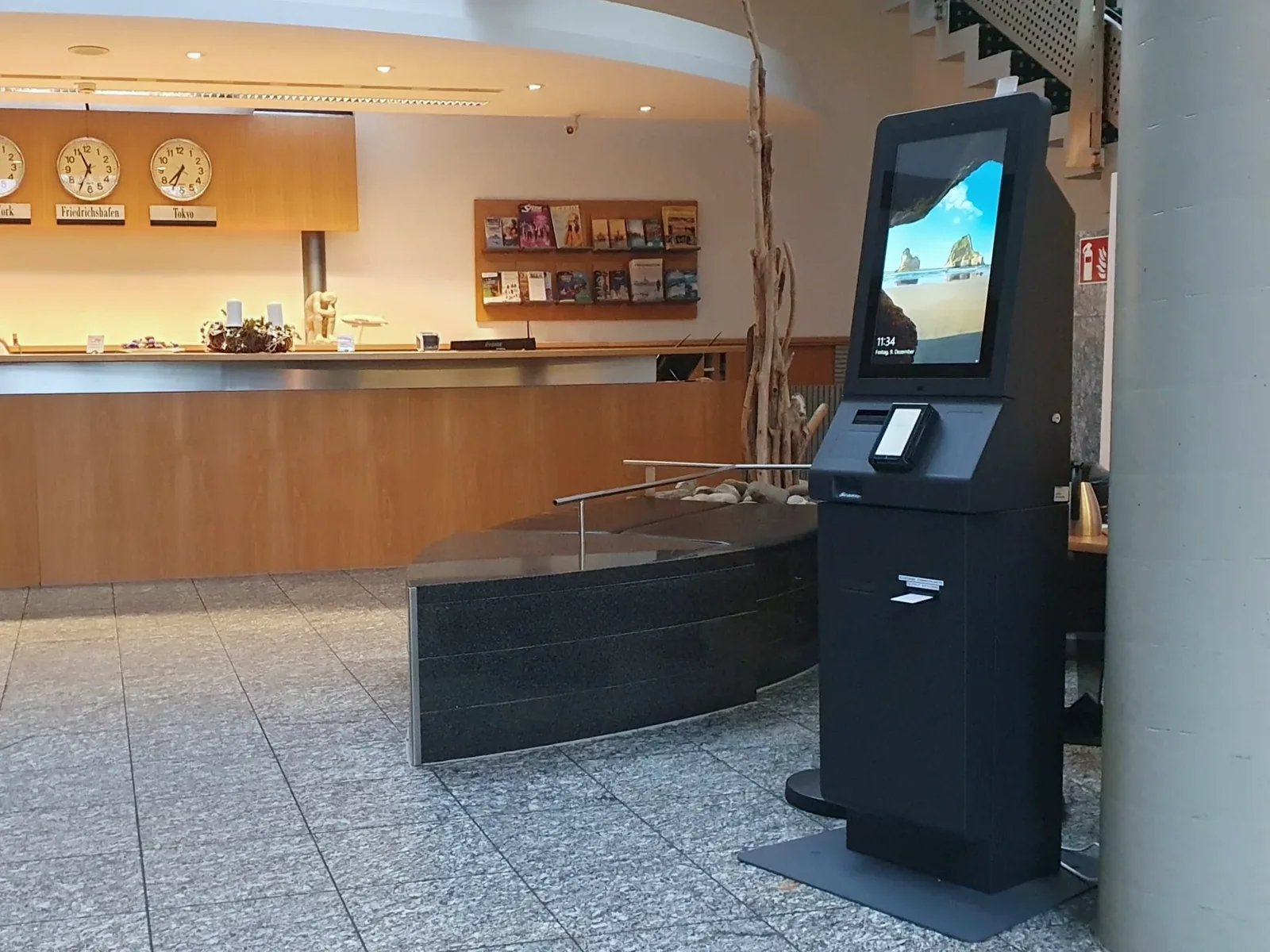
Hotels & Hospitality
Lobby check-in kiosks take pressure off the front desk, while corridor and event screens show dining, meeting and room information.
Typical hardware: self-service check-in kiosk · wall-mounted display
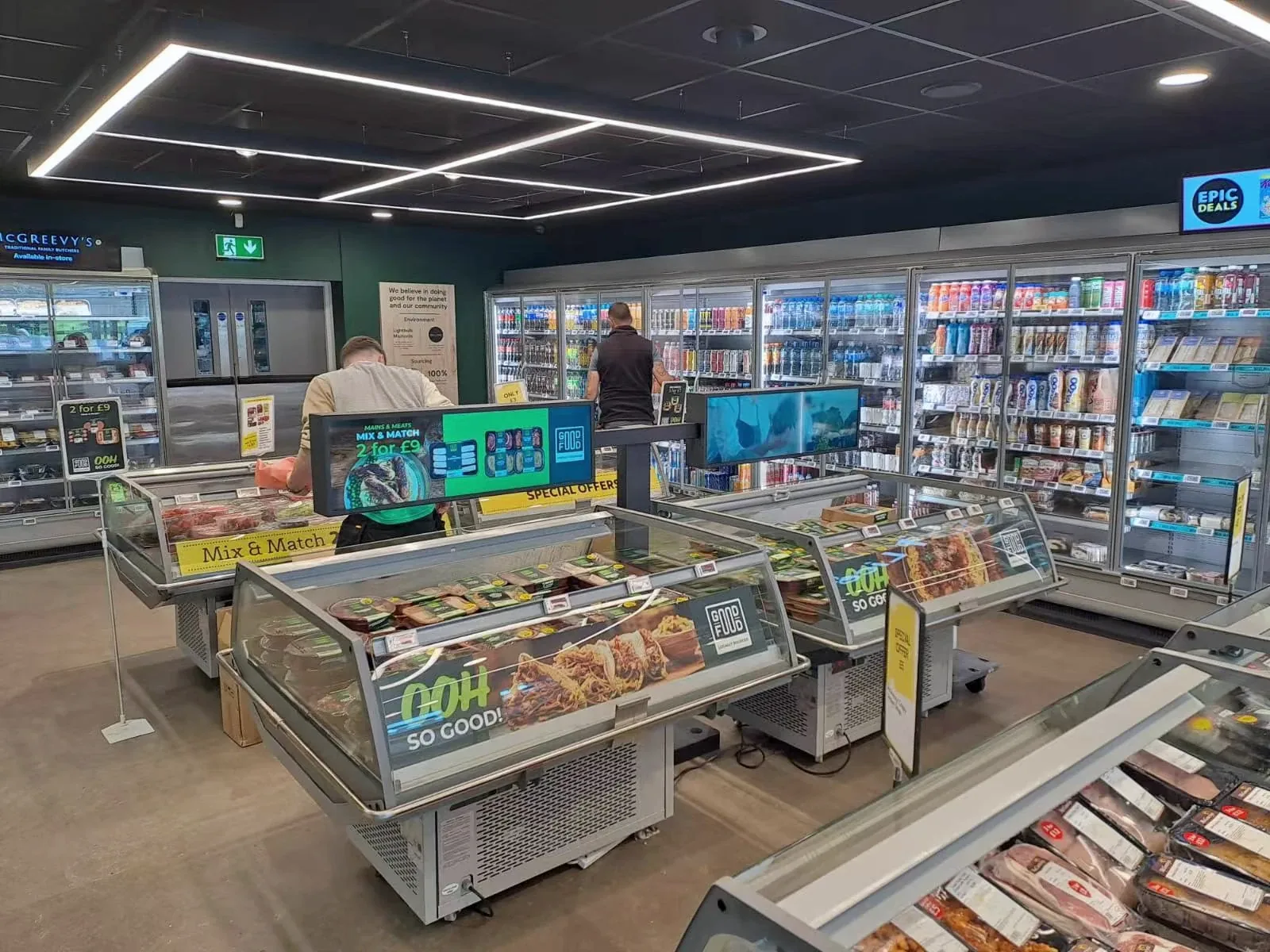
Supermarkets & Grocery
Stretched bar LCDs mounted above chilled islands and shelves put prices and promotions where shoppers make the decision.
Typical hardware: stretched bar LCD · entrance promotion totem
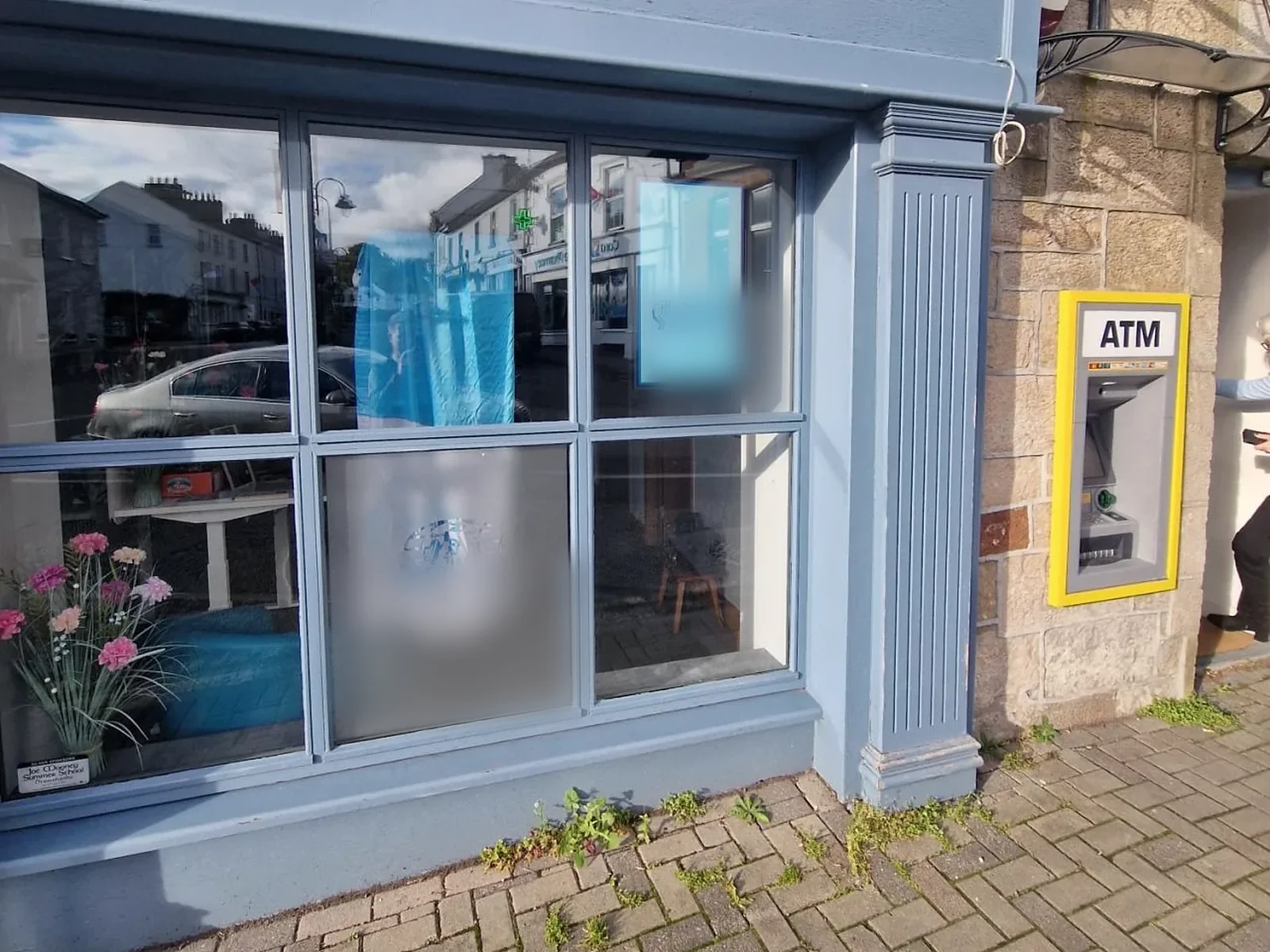
Banks & Credit Unions
Window displays beside the ATM show rates and notices to the street, while lobby screens handle queues and service updates.
Typical hardware: high-brightness window display · indoor queue screen
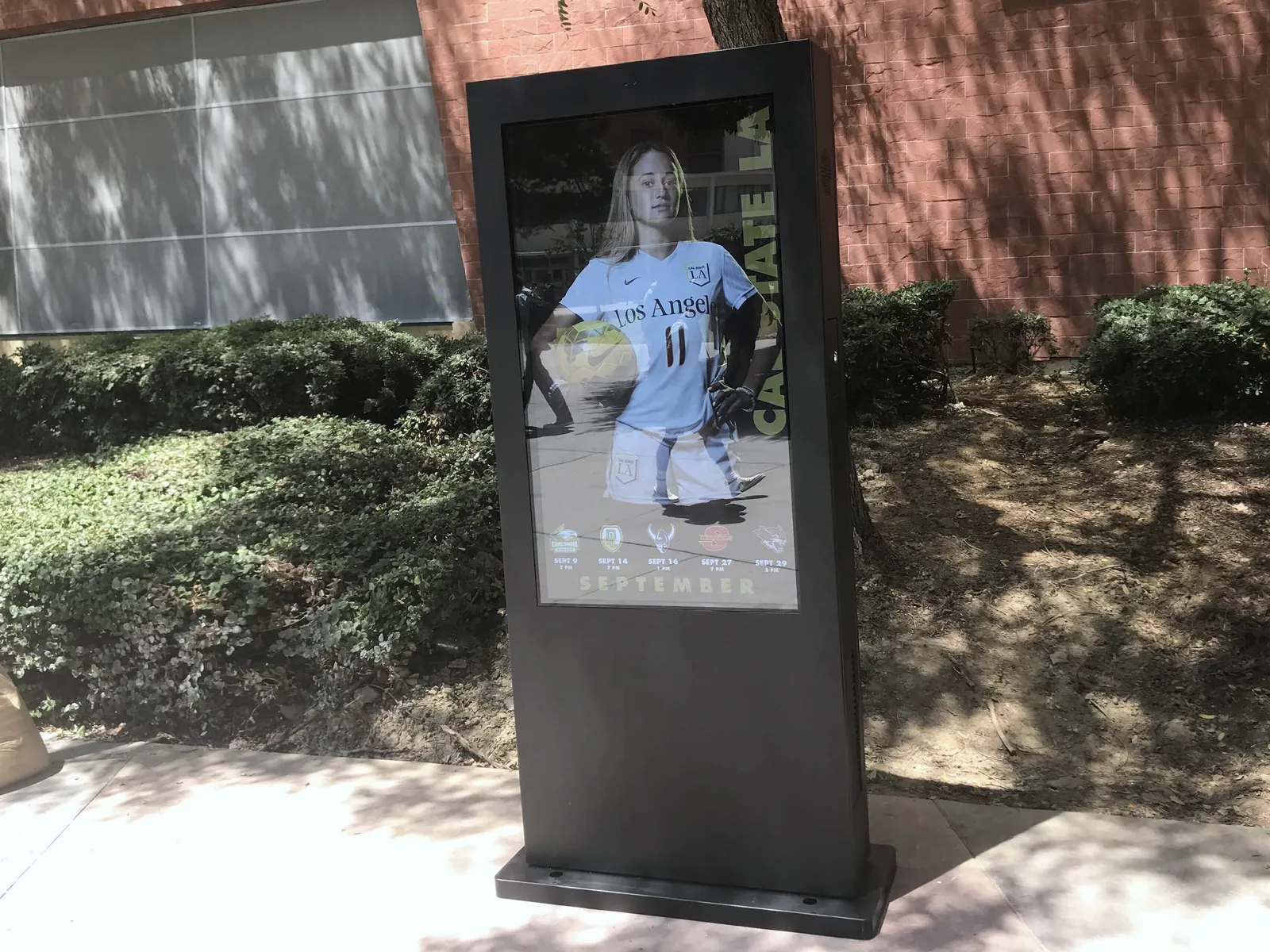
Schools & University Campuses
Outdoor kiosks on campus walkways carry events, athletics and safety notices, while indoor screens cover timetables and room changes.
Typical hardware: outdoor floor-standing kiosk · indoor wall display
Industries Using Digital Signage: Complete Sector Index
All 19 sectors in one place. Each entry opens a placement guide or the matching product category.
Retail & Food Service
- Retail & StorefrontsWindow, shelf-edge and in-store displays for chain storesProduct category
- QSR & Drive-ThruDrive-thru menu boards, counter menus and ordering kiosksProduct category
- Supermarkets & GroceryShelf-edge bar LCDs, chilled-aisle promotions and entrance totemsGuide
- Shopping Malls & AtriumsConcourse totems, touch wayfinding and anchor-store windowsGuide
- Gas Stations & ForecourtsOutdoor forecourt displays and in-store coffee and food promotionsGuide
- Car Dealerships & ShowroomsShowroom spec totems, window offers and service-bay status screensGuide
- Salons & Service RetailService menus, window promotions and sidewalk battery A-boardsGuide
Hospitality, Travel & Venues
- Hotels & HospitalityLobby check-in kiosks, corridor and event schedule screensGuide
- Airports & Transit HubsPassenger information, concourse dining kiosks and gate signageGuide
- Museums & Cultural VenuesGallery maps, multilingual exhibit panels and ticket-hall guidanceGuide
- Events, Trade Shows & VenuesPortable displays for room changes, registration and wayfindingGuide
- Gyms & Fitness CentersClass timetables, training-zone screens and membership offersGuide
Public, Education & Community
- Healthcare & Waiting RoomsQueue displays, patient information and check-in kiosksGuide
- Libraries & Public InformationEntrance totems, floor directories and study-room noticesGuide
- Schools & University CampusesOutdoor campus kiosks, timetable and alert screens indoorsGuide
- Churches & Community CentersLobby welcome boards, service times and weekend event screensGuide
Matching Industry Installations to Commercial Display Hardware
Start with the site conditions (daylight, weather and how people will use the screen), then choose the display category.
Sunlit glass & shelf edge
Window LCD with anti-glare glass; 250–700-nit stretched bar LCDs inside the store.
Retail chains, real estate agencies, banks, pharmacies, supermarkets
Full outdoor & drive-thru
IP65 / IP66 enclosures with IK10 glass options for direct sun and rain.
Gas stations, QSR drive-thrus, university campuses, outdoor plazas
Indoor lobbies & corridors
Wall-mounted, floor-standing and double-sided commercial LCDs for all-day operation.
Shopping malls, offices, clinics, libraries, gyms, dealerships
Self-service & pop-up
PCAP or IR touch kiosks with printer, scanner and payment options; LiFePO4 battery A-boards.
Restaurants, hotels, airports, clinics, trade shows
Real Digital Signage Installations from Customer Projects
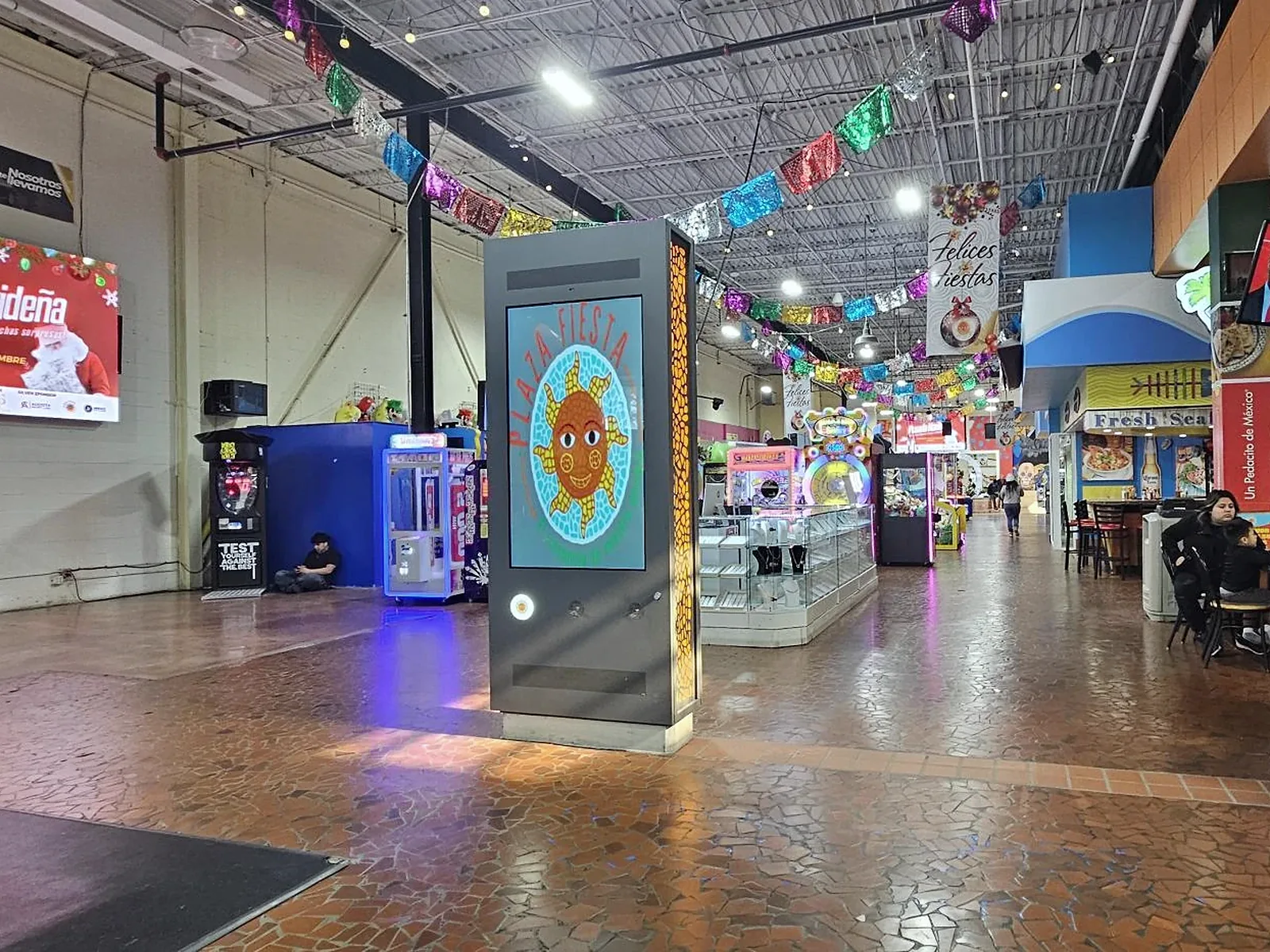
Custom 65-inch double-sided mall signage
Atlanta, USA · Shopping mall
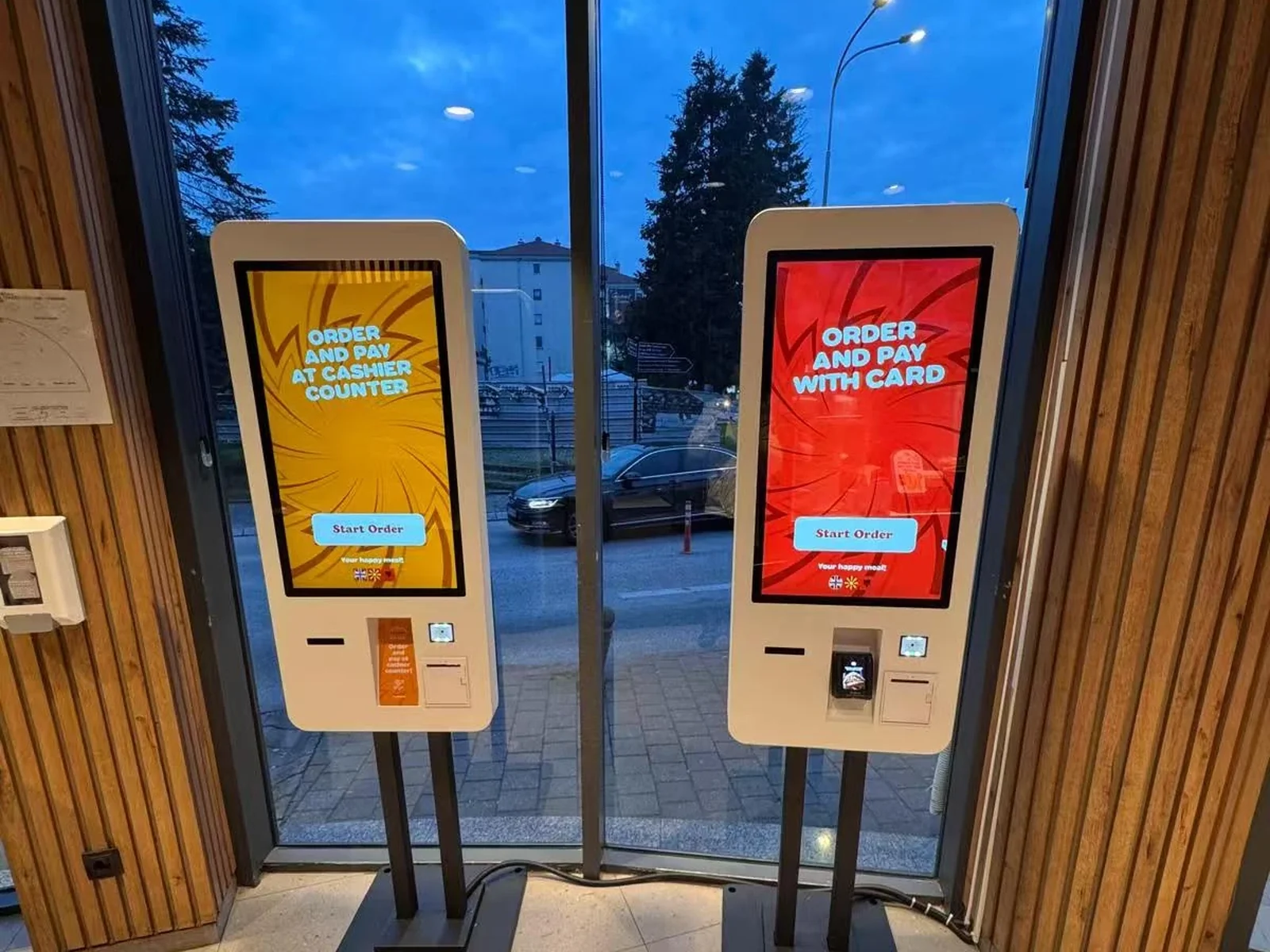
Restaurant chain self-ordering kiosk rollout
North Macedonia · Quick-service restaurant
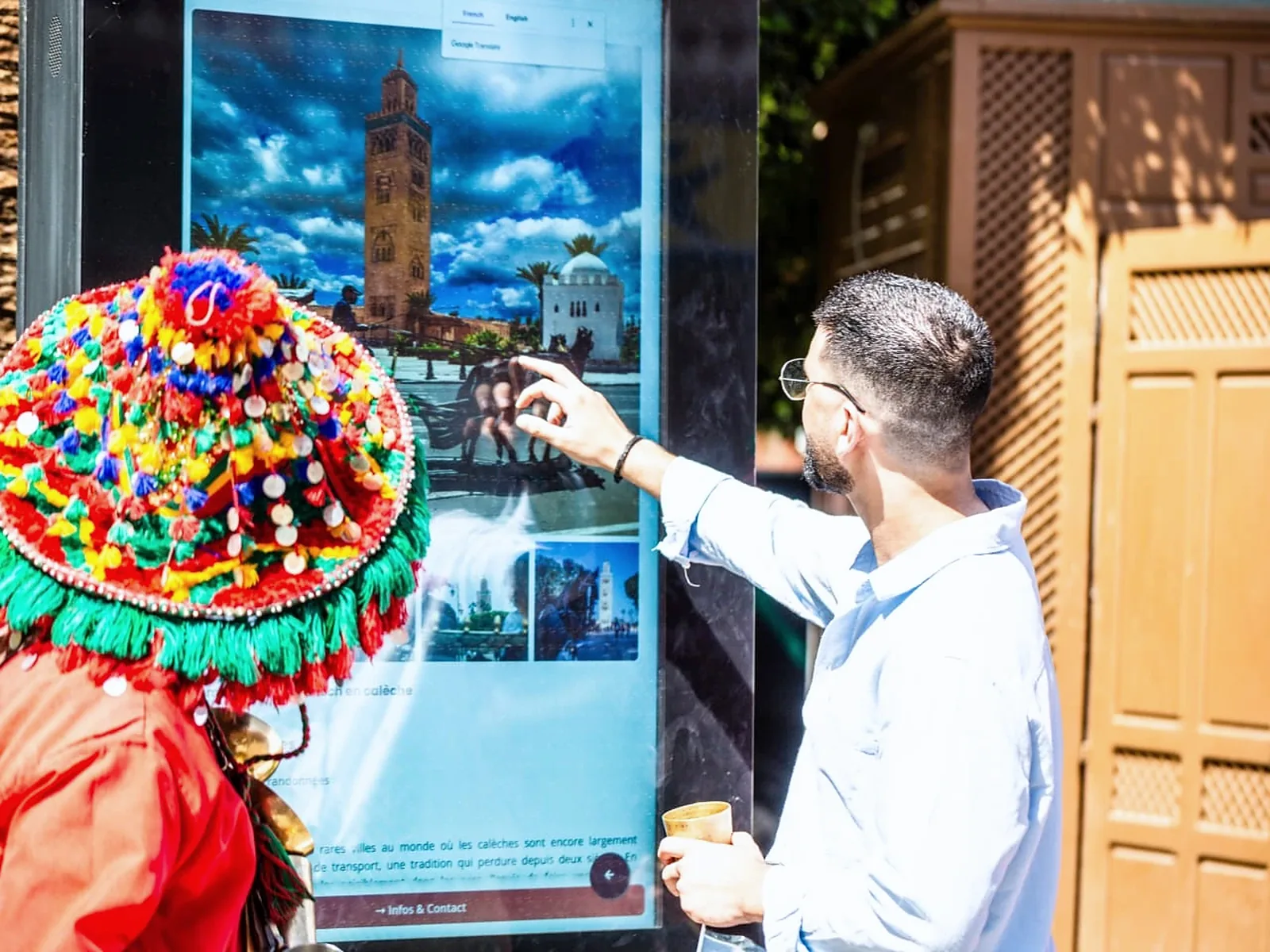
10 × 55″ outdoor wayfinding kiosks
Marrakech, Morocco · Outdoor wayfinding
Key Hardware Decisions Across Multi-Industry Rollouts
What brightness does each industry zone need?
Controlled indoor areas such as clinics, offices and lobbies usually run at 250–500 nits, and bright atriums at 500–700 nits. Screens behind sunlit shop windows need 2,500–3,000 nits with anti-glare glass. Drive-thru lanes and outdoor totems in direct sun need up to 3,000 nits.
Can mixed display types run the same CMS software?
Yes. YJCEN commercial displays and kiosks can be configured with Android or Windows, or with HDMI input for an external media player. Multi-site integrators can then manage window screens, shelf bars and kiosks from one CMS platform.
What OEM/ODM customization is available for rollouts?
For multi-unit rollouts we support custom RAL enclosure colours, logo printing, dedicated mounting brackets and pre-cut bays for thermal printers, QR scanners and payment terminals. See OEM/ODM custom builds.
Planning a multi-site rollout?
Send your venue type, target screen sizes, indoor or outdoor mounting conditions and estimated quantity. Our engineering sales team will reply with matching hardware, datasheets and factory pricing.