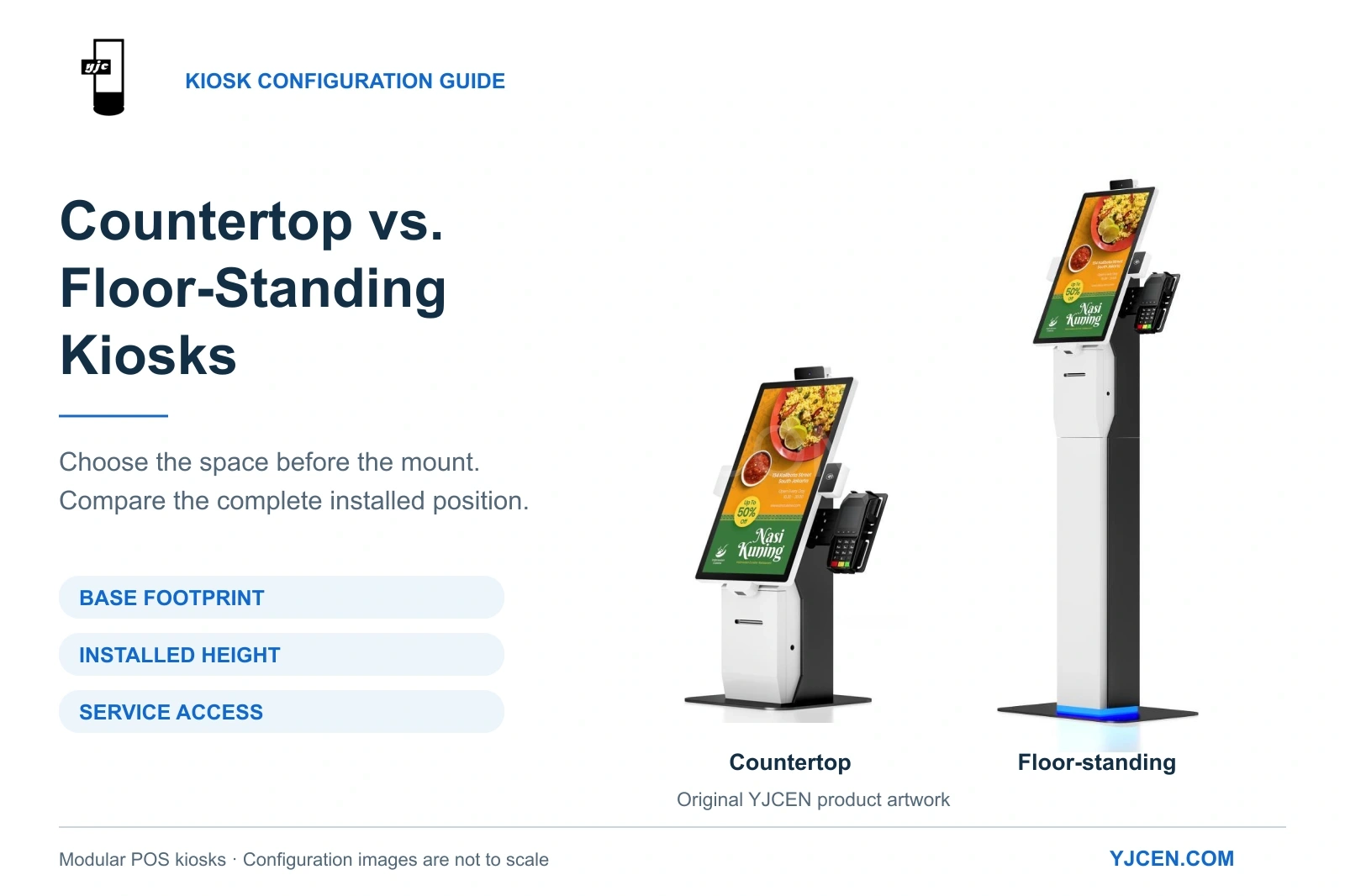
The modular POS kiosk supports countertop and floor-standing configurations. Compare the available support surface, installed screen position and service access when choosing the mounting format.
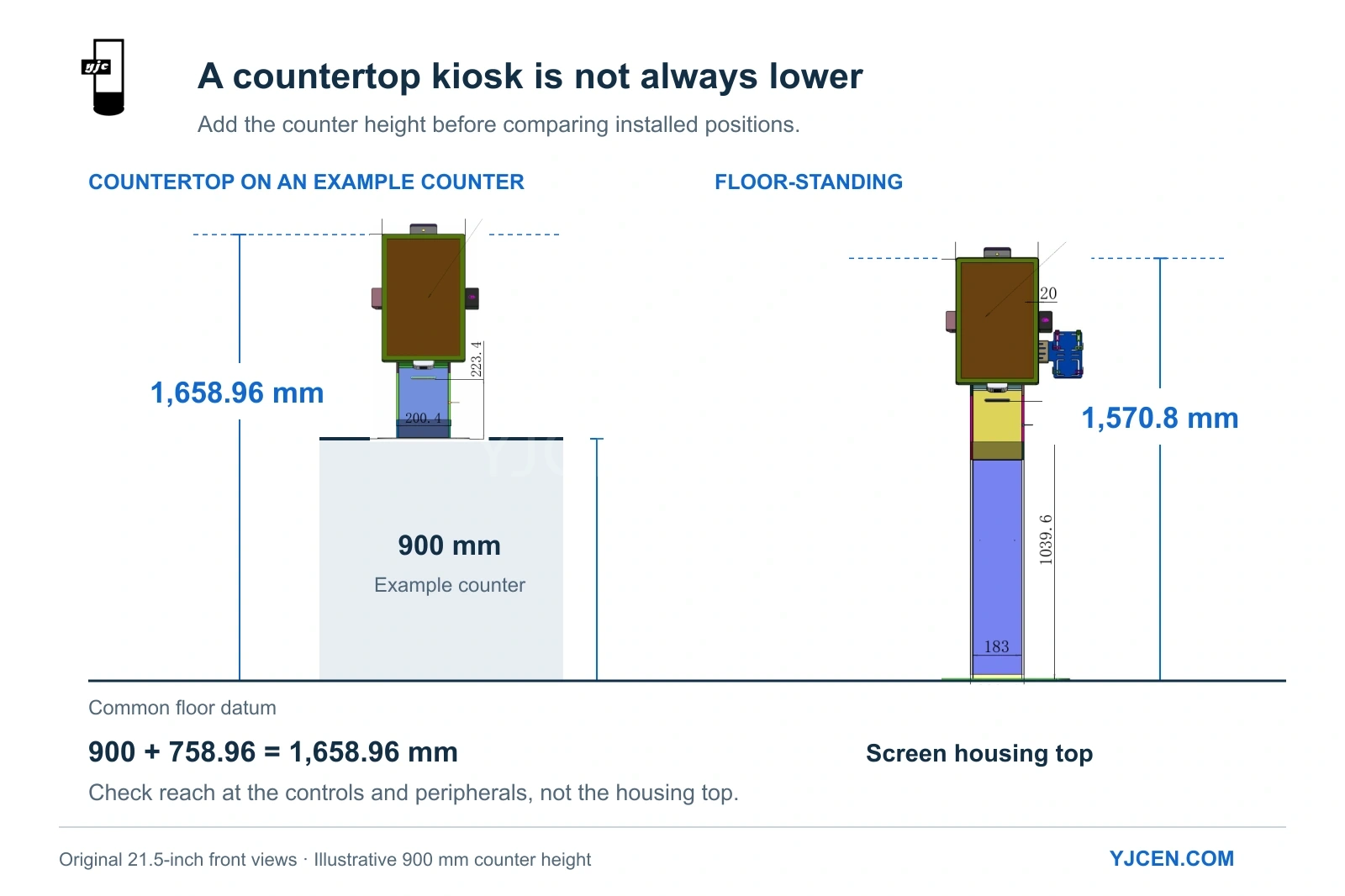
Executive Summary: Choosing between a countertop and a floor-standing kiosk requires more than selecting a screen size. Based on YJCEN’s Self Service POS Kiosk engineering data, a standard desktop configuration uses a 340 × 330 mm base footprint, while a floor-standing pedestal requires 540 × 370 mm. Crucially, installing a desktop kiosk on an example 900 mm counter places the screen housing higher (1,658.96 mm) than the standalone floor unit (1,570.8 mm), directly impacting accessibility and reach limitations.
1. Defining the Transaction Layout: Counter vs. Dedicated Floor Space
Determine the customer ordering position before selecting the hardware mount. A countertop kiosk leverages existing furniture and keeps staff nearby, while a floor-standing kiosk creates an independent ordering zone.
| Site Condition | Recommended Mount | Operational Logic |
|---|---|---|
| Dedicated customer-facing section on an existing service counter | Countertop | Positions the ordering terminal beside assisted service without occupying floor space. |
| Counter is heavily used for food handover or packing | Floor-standing | Prevents the ordering terminal from competing with the collection workflow. |
| Customers must order before reaching the pickup zone | Floor-standing | Establishes a distinct first step in the customer routing layout. |
| Limited space for both counter frontage and floor queuing | Layout Revision Required | A mounting format change cannot fix fundamentally flawed transaction spacing. |
2. Base Dimensions and Physical Equipment Footprint
The base dimension only dictates the required supporting surface; the screen housing and payment peripherals define the complete physical envelope.
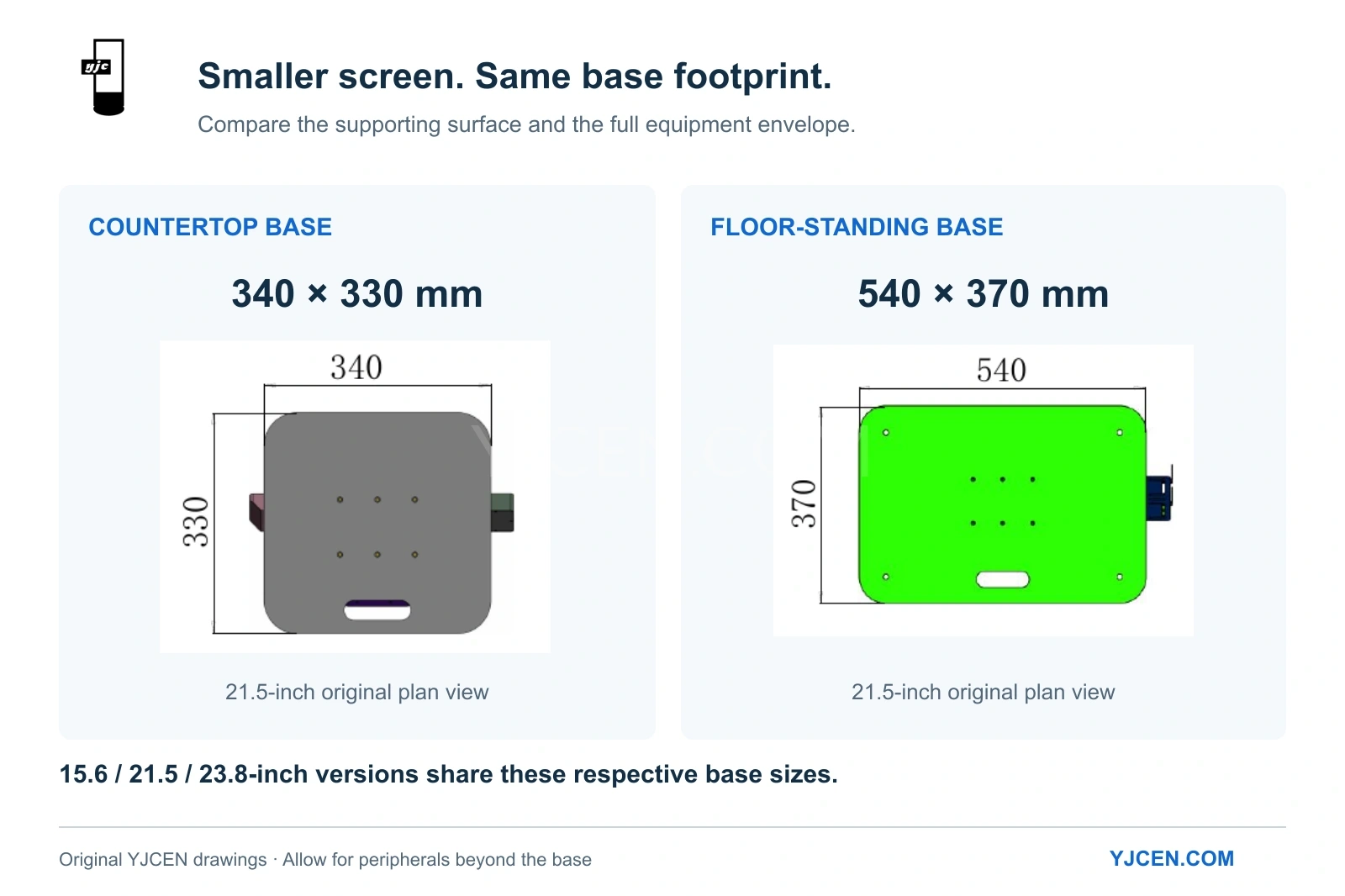
Comparing YJCEN’s 21.5-inch modular kiosk configurations reveals key footprint differences:
| Specification | Desktop Configuration | Floor-Standing Configuration |
|---|---|---|
| Base Width × Depth | 340 × 330 mm | 540 × 370 mm |
| Screen Housing Width (Portrait) | 308.7 mm | 308.7 mm |
| Height to Top of Screen Housing | 758.96 mm (above counter) | 1,570.8 mm (from floor datum) |
Source engineering drawings: 21.5-inch desktop configuration and 21.5-inch floor-standing configuration.
Engineering Note: Across YJCEN’s modular series, the 15.6, 21.5, and 23.8-inch desktop versions all utilize the same 340 × 330 mm base, while their floor-standing equivalents share the 540 × 370 mm base. Reducing the screen size does not reduce the base footprint.
3. Screen Height & Ergonomics: Assessing Reach Limits
A common misconception is that a countertop kiosk sits lower than a floor-standing unit. In reality, the counter height becomes part of the total installed elevation.
For example, mounting the 21.5-inch desktop model on an example 900 mm counter: 900 mm counter + 758.96 mm equipment height = 1,658.96 mm to the top of the screen housing.
This places the screen housing higher than the corresponding floor-standing unit (1,570.8 mm). To comply with accessibility guidelines (such as the U.S. Access Board’s 15–48 inch unobstructed reach limit), operators must evaluate the exact height of the UI buttons, the POS payment terminal, and the receipt slot, not just the top of the cabinet.
4. Clear Floor Space and Customer Approach
A kiosk installation must accommodate the hardware, the user, and the surrounding traffic flow.
When planning a layout:
- Plot the Complete Envelope: Include all projecting peripherals (e.g., card readers, scanners), not just the base plate.
- Define the Operating Space: As a starting reference, the U.S. Access Board’s clear floor space guide mandates a minimum 30 × 48-inch rectangular area at accessible elements.
- Map the Exit Route: Ensure users can step away toward the pickup area without obstructing the entrance or the next kiosk user.
5. Maintenance Access and Cable Routing
Routine service access often dictates the final mounting decision. The YJCEN modular kiosk installation manual specifies front access for paper roll replacement and rear access for stand assembly and cable termination.
- Countertop Deployments: Ensure the front receipt panel can open fully. Do not recess the unit into fixed joinery that blocks rear I/O ports or the 100–240 V AC power feed.
- Floor-Standing Deployments: The vertical column design allows internal power cable routing. Allocate sufficient clearance behind the pedestal to open the rear service doors before bolting the base to the floor.
Both configurations require planned AC power and a reliable network drop (Wi-Fi or LAN). For peripheral integration specifics, refer to our self-ordering kiosk software and peripheral guide.
6. How to Finalize Your Hardware Selection
Select the countertop configuration if a dedicated counter bay accommodates the 340 × 330 mm base, passes ergonomic reach tests, and allows easy front-paper loading. Opt for the floor-standing configuration if the counter is congested and the floor plan supports the 540 × 370 mm footprint alongside necessary queue clearances.
For broader hardware specification checks beyond mounting formats, consult our comprehensive self-service kiosk buying guide.
Sourcing Modular Kiosks for Your Project?
Provide YJCEN with a top-down layout sketch detailing your available width, depth, and counter heights. Include your preferred screen size, POS peripheral requirements, and target OS.
Our engineering team will review your brief against our modular hardware configurations to provide accurate dimensional drawings and wholesale quotations.