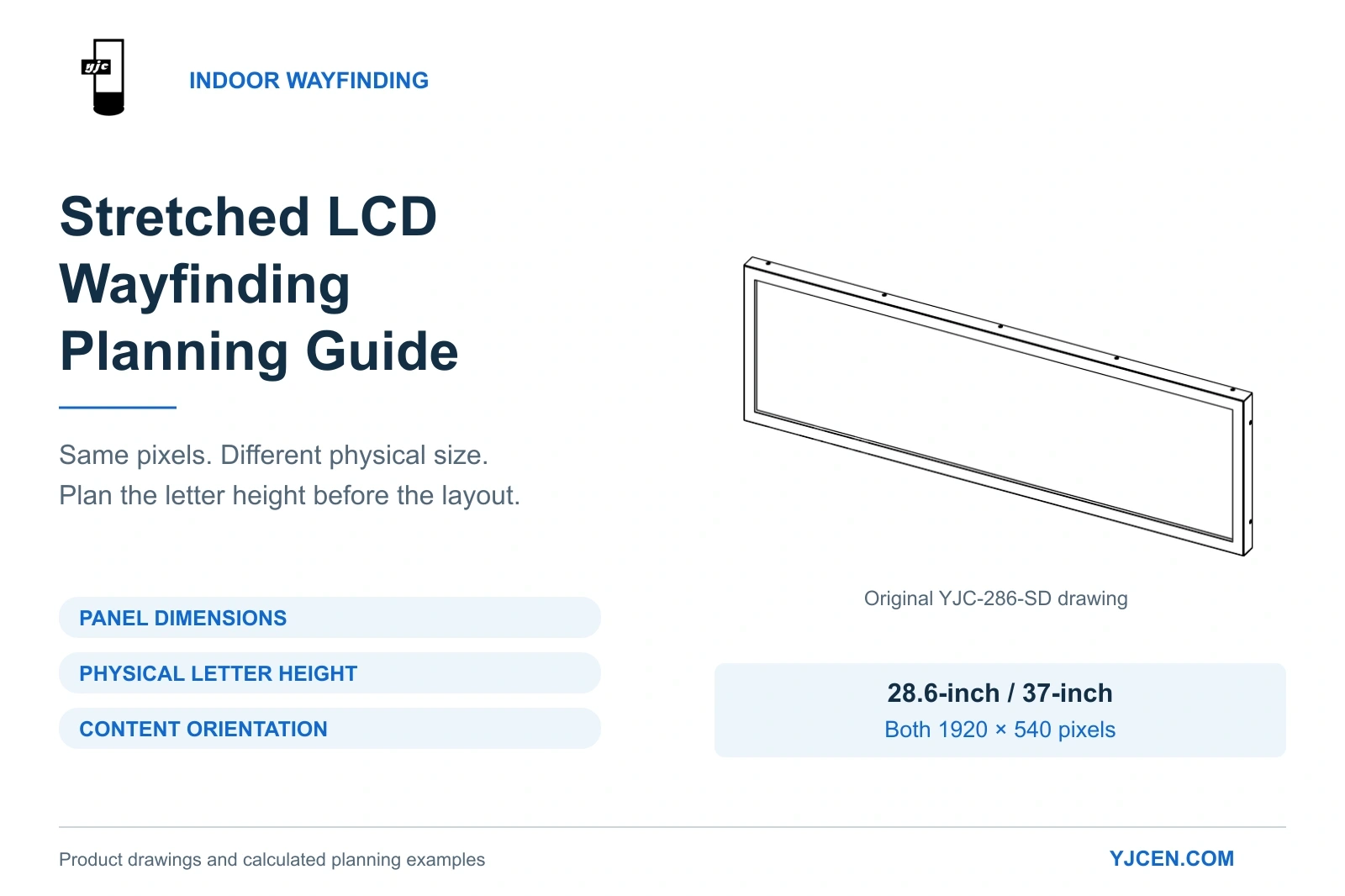
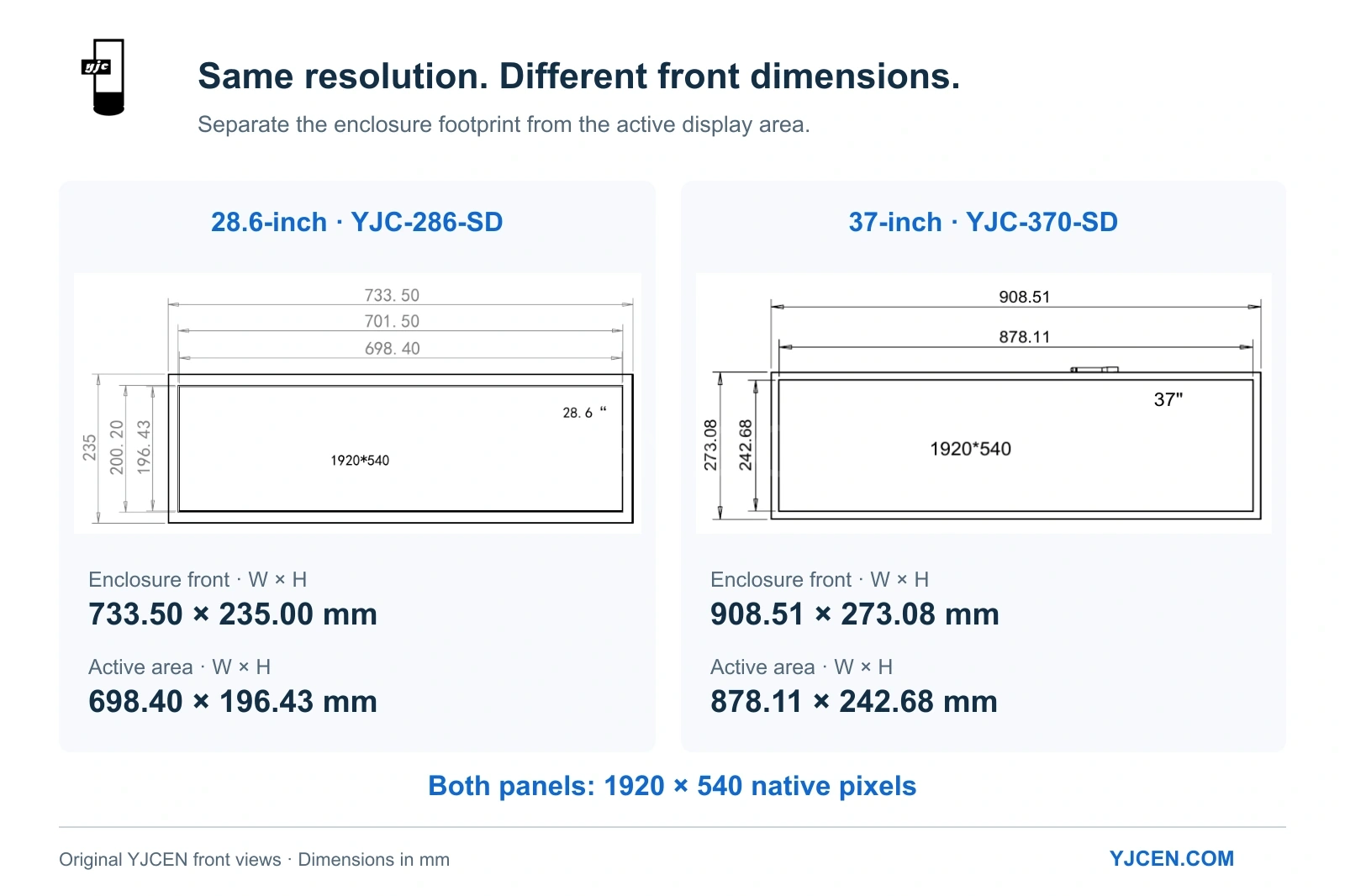
Indoor wayfinding selection connects three decisions: panel dimensions, physical letter height and content orientation. The product view is an original YJCEN engineering drawing.
Executive Summary: A stretched LCD (bar-type display) is a practical hardware choice for localized indoor directional wayfinding. Based on YJCEN’s Bar Type LCD Display engineering data, both our 28.6-inch and 37-inch models share a 1920 × 540 native resolution. Selecting between them does not increase the pixel canvas; rather, the 37-inch model produces larger physical lettering at the same pixel height. Match that letter height to the viewing and installation requirements.
1. Defining the Core Wayfinding Function
Allocate a single, location-specific task to each stretched screen. The display should provide immediate routing information (e.g., directing visitors toward customer service or order collection at a junction) without requiring user interaction.
Keep destination names and directional arrows simultaneously visible. Relying on a rotating promotional playlist forces users to wait for essential routing data. If your project requires searchable tenant directories or interactive multi-floor maps, a standard stretched screen is insufficient; refer to our comprehensive digital wayfinding planning guide.
2. Panel Resolution vs. Physical Enclosure Dimensions
A common engineering oversight is assuming a larger screen provides more pixel real estate. Both the 28.6-inch and 37-inch YJCEN models utilize a 1920 × 540 panel. The critical difference lies in the physical active area and the required installation footprint.
| Hardware Specification | 28.6-inch Model (YJC-286-SD) | 37-inch Model (YJC-370-SD) |
|---|---|---|
| Native Panel Resolution | 1920 × 540 pixels | 1920 × 540 pixels |
| Active Area (Landscape W×H) | 698.40 × 196.43 mm | 878.11 × 242.68 mm |
| Enclosure Front (Landscape W×H) | 733.50 × 235.00 mm | 908.51 × 273.08 mm |
| Supported Orientation | Portrait or Landscape | Portrait or Landscape |
| Operating Environment | Indoor | Indoor |
Engineering Data Sources: YJCEN 28.6-inch model specifications and 37-inch model specifications.
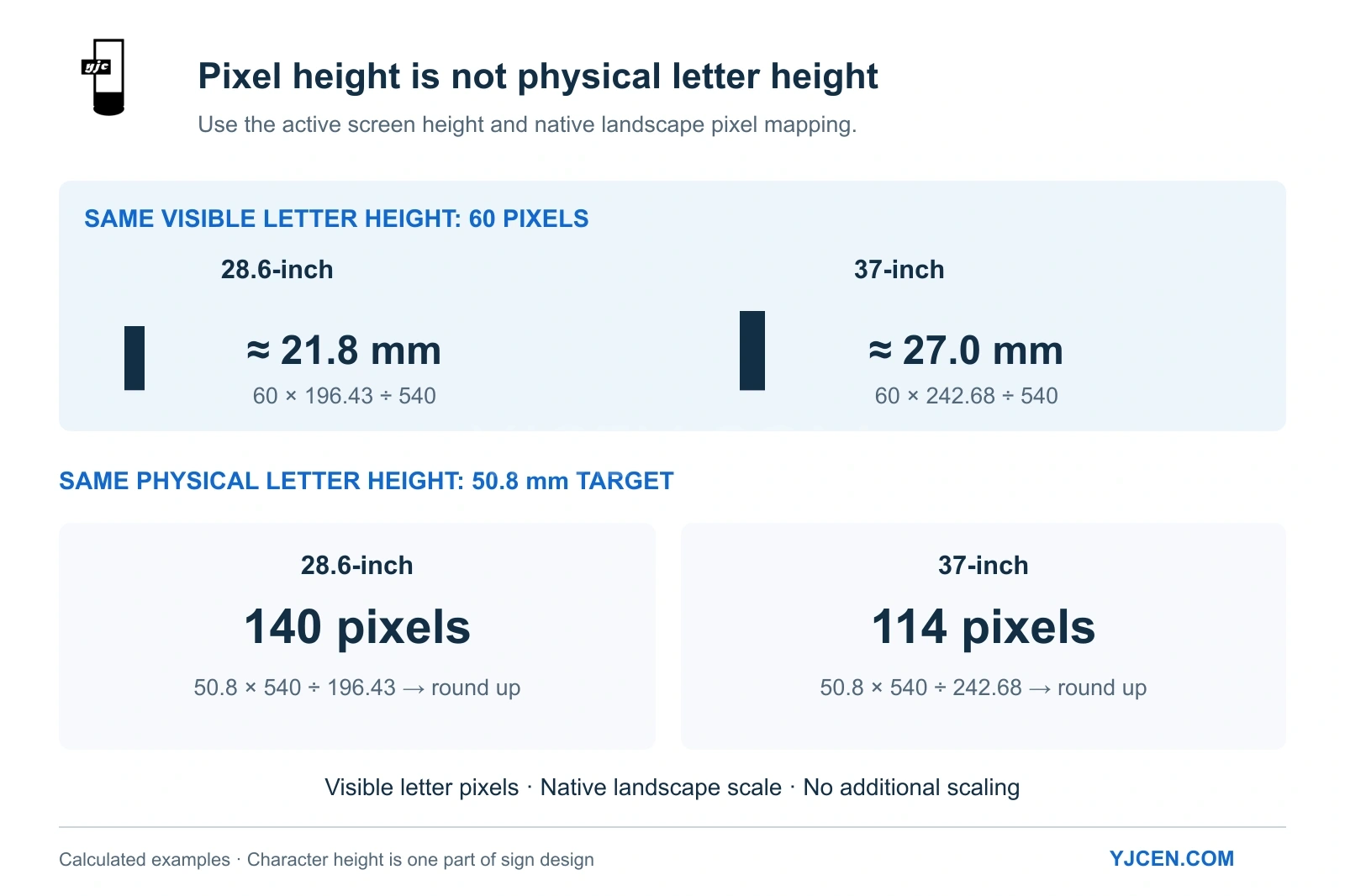
Calculating Physical Character Height: For a landscape image mapped to the native panel without additional scaling, calculate physical height from the visible letter pixels, not the software font-size setting: Physical Height (mm) = (Visible letter height in pixels × Active screen height in mm) ÷ Total vertical panel pixels.
For an unscaled 60-pixel tall letter: 28.6-inch model: 60 × 196.43 ÷ 540 = approx. 21.8 mm 37-inch model: 60 × 242.68 ÷ 540 = approx. 27.0 mm
Choose the 37-inch model when the installation environment demands larger physical typography to maintain legibility at a distance. Opt for the 28.6-inch model when wall space is constrained.
3. Compliance and Viewing Distance (ADA Standards)
Define the required physical character height before finalizing the layout. A font size that appears legible on a workstation monitor may fail compliance checks when installed at elevation.
For U.S. deployments, the U.S. Access Board’s guidelines on signs dictate character height based on mounting elevation and viewing distance. For visual characters whose baseline is above 70 inches and up to 10 feet above the floor, with a horizontal viewing distance under 15 feet, the specified minimum height is 2 inches (50.8 mm). Here, viewing distance is measured to an obstruction preventing closer approach; character height alone does not establish compliance with the other applicable sign requirements.
Pixel Allocation for 50.8 mm (2-inch) Characters:
| Hardware Model | Required Pixel Calculation | Minimum Visible Letter Height (Rounded Up) |
|---|---|---|
| 28.6-inch | 50.8 × 540 ÷ 196.43 | 140 vertical pixels |
| 37-inch | 50.8 × 540 ÷ 242.68 | 114 vertical pixels |
For this 50.8 mm target in an unscaled landscape layout, the 37-inch panel consumes fewer vertical pixels (114 vs 140), leaving more vertical canvas space for line spacing or dual-language text.
4. Logical Canvas: Landscape vs. Portrait Layouts
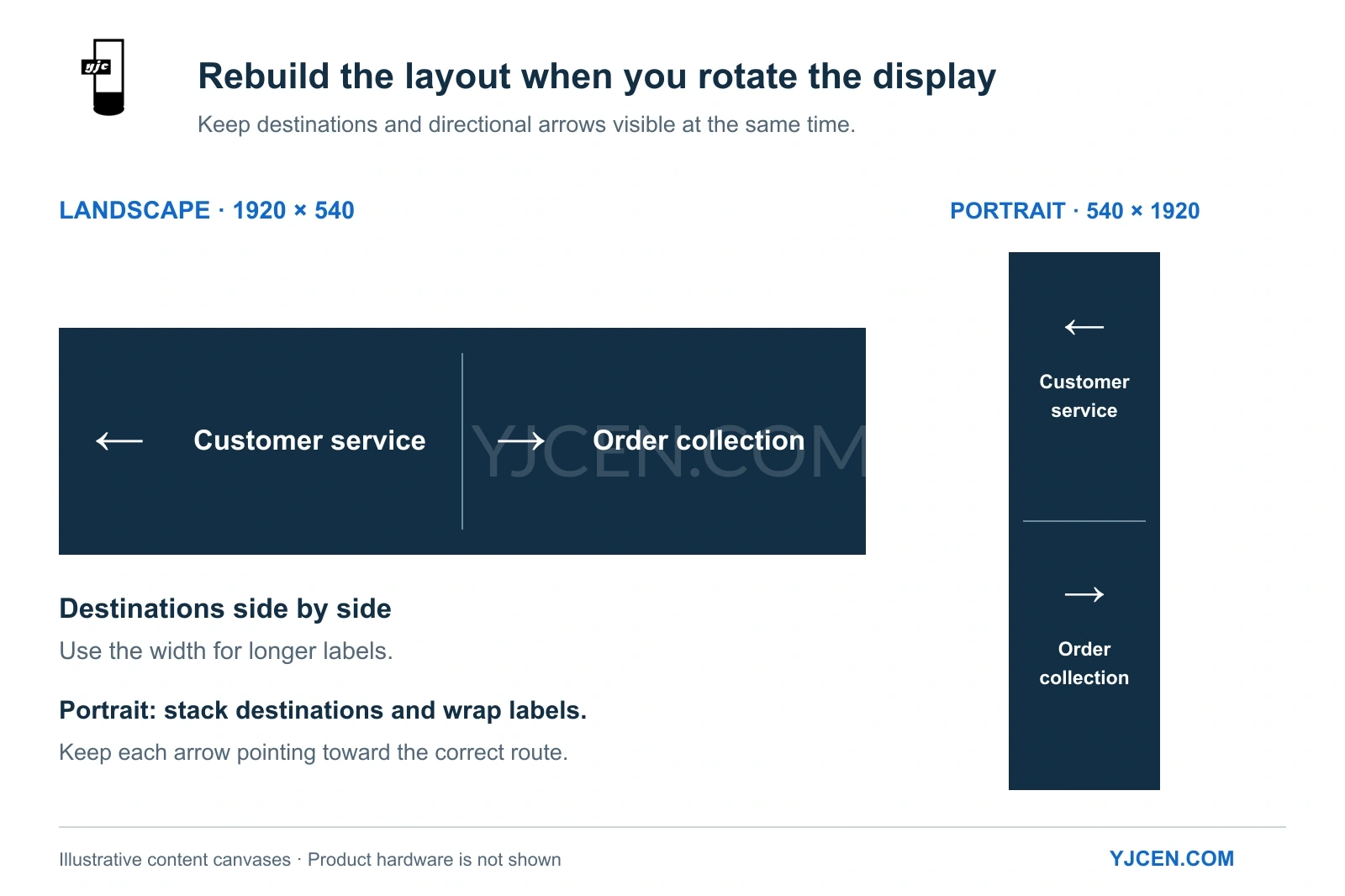
Changing the physical orientation fundamentally alters the logical content canvas. A 1920 × 540 landscape canvas becomes a constrained 540 × 1920 portrait canvas, severely limiting text line length.
| Layout Parameter | 1920 × 540 (Landscape) | 540 × 1920 (Portrait) |
|---|---|---|
| Message Arrangement | Destinations displayed side-by-side | Destinations stacked vertically |
| Arrow Placement | Beside the destination text | Above the destination text to maximize text width |
| Label Formatting | Text can remain on one line when it fits | Text often requires line breaks |
Never simply rotate a finalized landscape image file. Rebuild the portrait artwork natively to ensure directional arrows remain accurate relative to the physical environment. Furthermore, ensure critical routing information is decipherable without relying solely on color cues, adhering to W3C accessibility guidelines.
5. Playback Configuration and Network Integration
The YJCEN 28.6-inch and 37-inch stretched models operate on Android 11 OS, featuring USB media loading and standard Wi-Fi/LAN connectivity. The documented configuration uses onboard Android playback; an HDMI input is not listed in these model specifications.
Pre-Deployment Content Checklist:
- Canvas Mapping Test: Display a full-resolution (1920×540 or 540×1920) test image with corner markers and an “UP” indicator to confirm exact orientation and scaling.
- Edge Verification: Ensure no destination names or critical arrowheads are cropped by the physical bezel.
- Physical Legibility Check: Measure the installed character height on the active screen rather than relying on software font-size settings.
- Reboot Protocol: After a planned restart, verify that the intended application, orientation and content are restored; record any required startup configuration.
For advanced troubleshooting regarding content scaling or rotation, consult our display aspect-ratio guide.
Sourcing Stretched Displays for Your Integration Project?
When inquiring about ultra-wide LCD displays, please provide our engineering team with your proposed mounting height, available architectural dimensions, intended viewing distance, and target OS/CMS requirements.
This technical brief allows YJCEN to accurately match the active display area to your specified physical character height and provide a precise wholesale quotation.