How should a car dealership plan its display content?
Plan showroom and service screens around the customer's next question. Vehicle promotion and service guidance may need different locations and content owners.
- Check the actual walking route, sight lines and full base footprint.
- Have the sales team approve vehicle details and the service team approve service messages.
- Confirm the player, update method and scheduled offer changes.
- Pilot real content and verify that displayed specifications match the intended vehicle model.
A display beside a vehicle serves a different purpose from a screen in a service lounge. Putting the same long promotional playlist on both can leave neither audience well served. This guide covers commercial LCD display placement, content ownership and the checks to make before ordering a dealership installation.
Plan around the showroom and service journey
The window-display range offers brightness up to 3000 nits for screens installed behind storefront glass. Use that configuration for a vehicle promotion facing the forecourt, and choose the layout around one model, its key details and a clear invitation to enquire. Digital Window Displays.
Walk through the premises as a first-time visitor. Note where sales customers stop, where service customers queue and which entrance delivery drivers use. Mark those positions on a floor plan. A screen should be visible before the customer needs to make a decision, with room to pause without blocking other people.
Digital displays already support several automotive uses. Samsung’s account of its Toyota dealership project describes screens used to browse models, specifications and offers. That is an example of a particular deployment, not evidence that every display includes vehicle data or configurator software.
| Location | Useful screen content | Check on site |
|---|---|---|
| Main reception | Sales and service directions, appointments process | Visibility from the door and clear walking space |
| Beside a showroom vehicle | Model overview, equipment and viewing invitation | Correct vehicle, variant and content revision |
| Window facing the forecourt | One vehicle image and a short local message | Daylight, reflections, ventilation and viewing angle |
| Service lounge | Service explanations and collection process | Readability from seats and appropriate sound settings |
| Consultation area | Detailed comparison or an approved application | Software, input method and data connection |
Choose a display for its position
Showroom floor displays
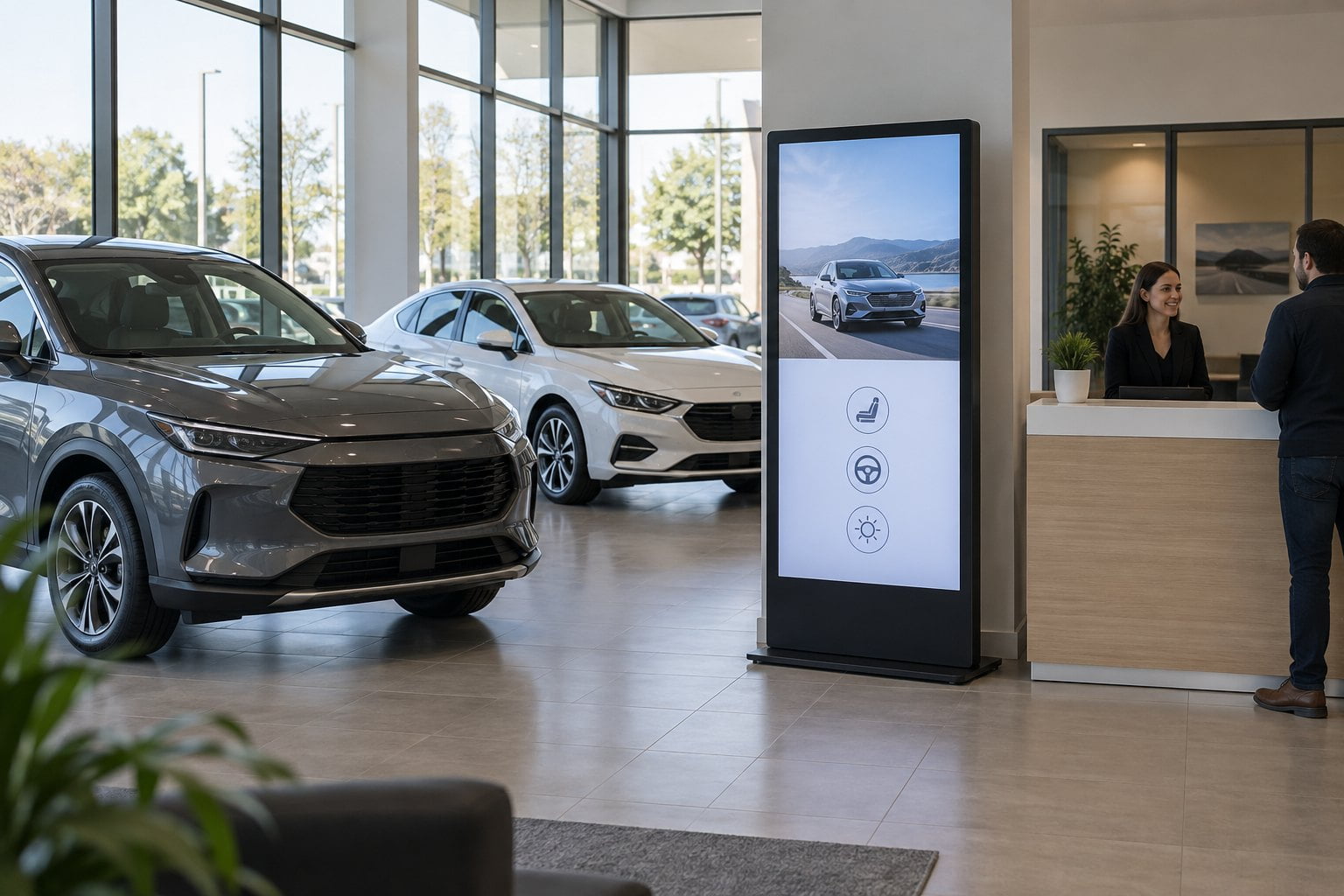
A portrait floor-standing screen can sit near a reception point or a featured vehicle. Check the complete base footprint, not just the screen diagonal. Allow space for doors, cleaning equipment and people standing in front of the content. Plan the power route before deciding that a freestanding unit can go anywhere.
Our floor-standing digital signage is a relevant product category for indoor showroom planning. Confirm the proposed model’s dimensions, installation requirements and playback configuration against the site. Use your real promotional artwork when reviewing a sample.
Window-facing screens
A bright showroom does not automatically need the same display at every position. A screen facing through sunlit glass has different conditions from one facing customers indoors. Inspect reflections during the times the message matters, including the late-afternoon angle if sunlight reaches the window then.
Compare high-brightness window displays for that specific position. Ask the supplier about sustained operation, direct-sun exposure, heat management and the surrounding clearance. An indoor window-facing unit is not automatically suitable for rain or installation outside the building.
Service reception and waiting areas
A landscape wall-mounted commercial display can work where customers wait in a seated position. Check the text from the farthest chair, not only from directly in front of the screen. Keep the display out of a location where people must turn around repeatedly to see routine information.
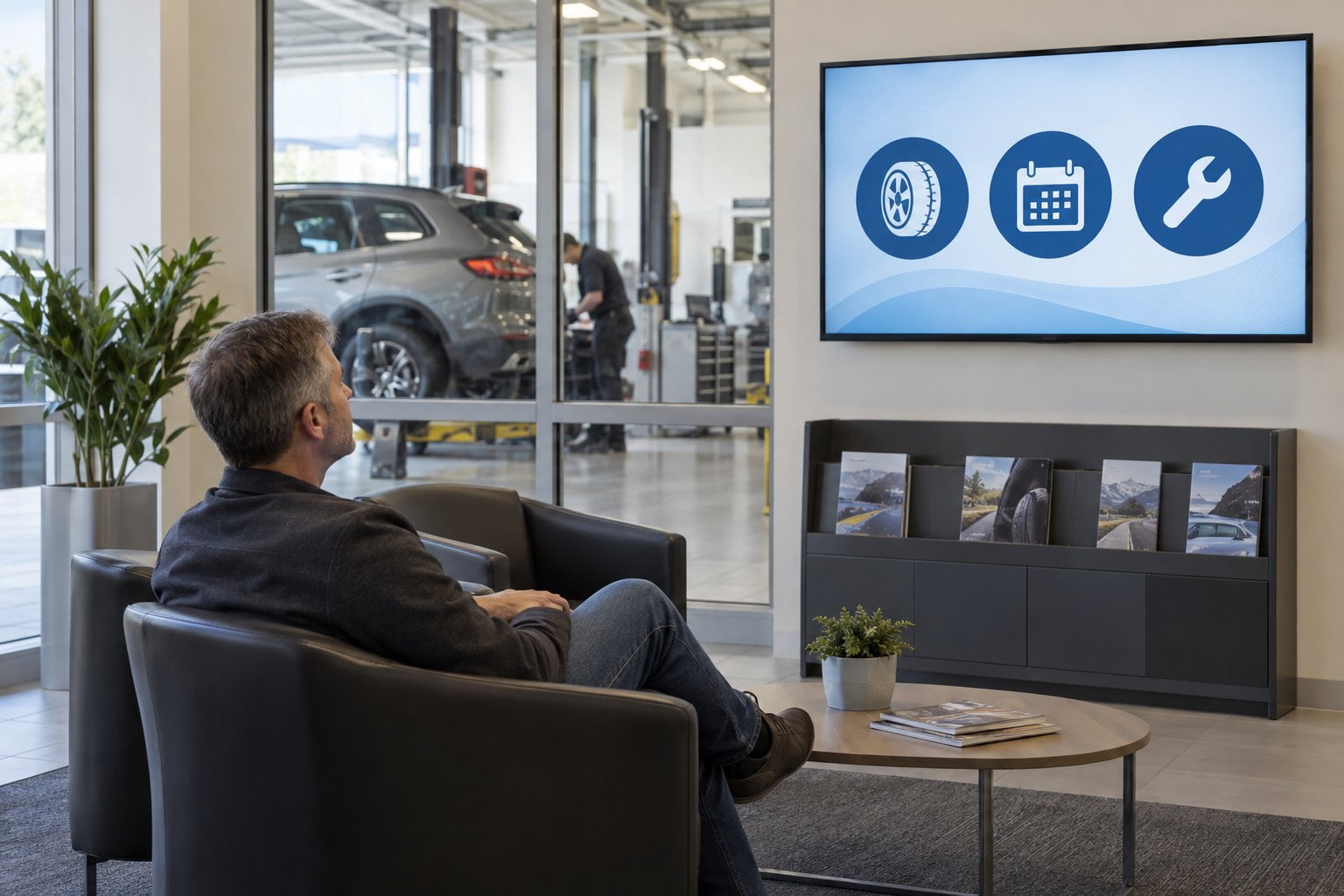
Use the lounge playlist to answer recurring questions, such as where to collect a vehicle or how to request an explanation of the work. General maintenance content can sit between these messages. Personal service status needs an appropriate data workflow; do not put customer names or vehicle details on a public screen by default.
Keep vehicle details and offers accurate
Assign an owner to each type of information. The sales team should approve vehicle descriptions; the service team should approve service messages. A marketing coordinator can control the layout and schedule without becoming the person expected to verify every equipment option.
Separate general brand material from stock-specific content. A video showing optional equipment should not sit beside a different vehicle in a way that implies the displayed car includes it. Identify the relevant model or variant and remove the content when the vehicle or offer changes.
Give each promotion a start date, an end date and an approval record. In Samsung’s Burt Brothers automotive-service case study, expired posters were one of the problems the business wanted to address. For your own rollout, test that scheduled content actually disappears from the screen when it expires.
Do not reduce important offer conditions to text that cannot be read at the viewing distance. Have the responsible commercial team approve the final artwork and applicable wording. A screen manufacturer cannot determine whether a particular vehicle offer is appropriate in every market.
Decide how information reaches the screen
A commercial LCD is only one part of the system. Confirm whether playback uses an integrated player or an external device, what formats it accepts and who controls updates. A supported operating system does not mean every dealership application will run correctly.
If stock information should update automatically, identify the source and test the connection with the actual software provider. Decide what happens when a vehicle is sold, an image is missing or the connection fails. A manually maintained slide and a live stock feed need different responsibilities and acceptance tests.
For a simple installation, a controlled playlist may be sufficient. Our digital signage media player guide explains the playback questions to resolve. Ask for a demonstration using the proposed hardware and your content, including a restart and a temporary network interruption.
Run a small pilot before a wider rollout
Start with one useful location and a defined review period. Ask reception staff whether customers can find the intended information. Check whether the screen is blocked when the showroom is busy, whether sunlight changes the image and whether staff can correct a message without specialist help.
- Approve the screen position, mounting method and cable route.
- Test the smallest text from the actual customer viewing positions.
- Confirm that displayed vehicle details match the intended model.
- Run a scheduled offer change and check the screen after the end time.
- Restart the player and verify that the correct content resumes.
- Test the agreed fallback when the data connection is unavailable.
- Record the content owner and the person responsible for maintenance.
Record specific faults and adjustments rather than assuming that more screens will improve the result. If customers miss the directions, change placement or wording first. If updates are routinely late, fix the publishing process before expanding it to other branches.
Questions about dealership digital signage
Can one screen serve both sales and service?
It can if both audiences see it and the information remains clear. At a shared entrance, simple directions may work well. Detailed vehicle promotions and service explanations usually need different playlists or locations because customers stop for different reasons.
Does a showroom display need a touchscreen?
Only when customers or staff need to make selections. A scheduled promotional screen does not need touch. A configurator requires suitable software, a supported input method and testing of the whole application; a touch panel alone does not provide those functions.
What should be included in a display enquiry?
Provide photographs of the installation position, viewing distance, lighting conditions, operating hours and sample content. Identify whether the screen is indoors, window-facing or exposed outdoors. Contact YJCEN with these details to discuss the commercial display hardware and configuration for your dealership.
Share your screen size, installation environment and quantity for a display quotation.