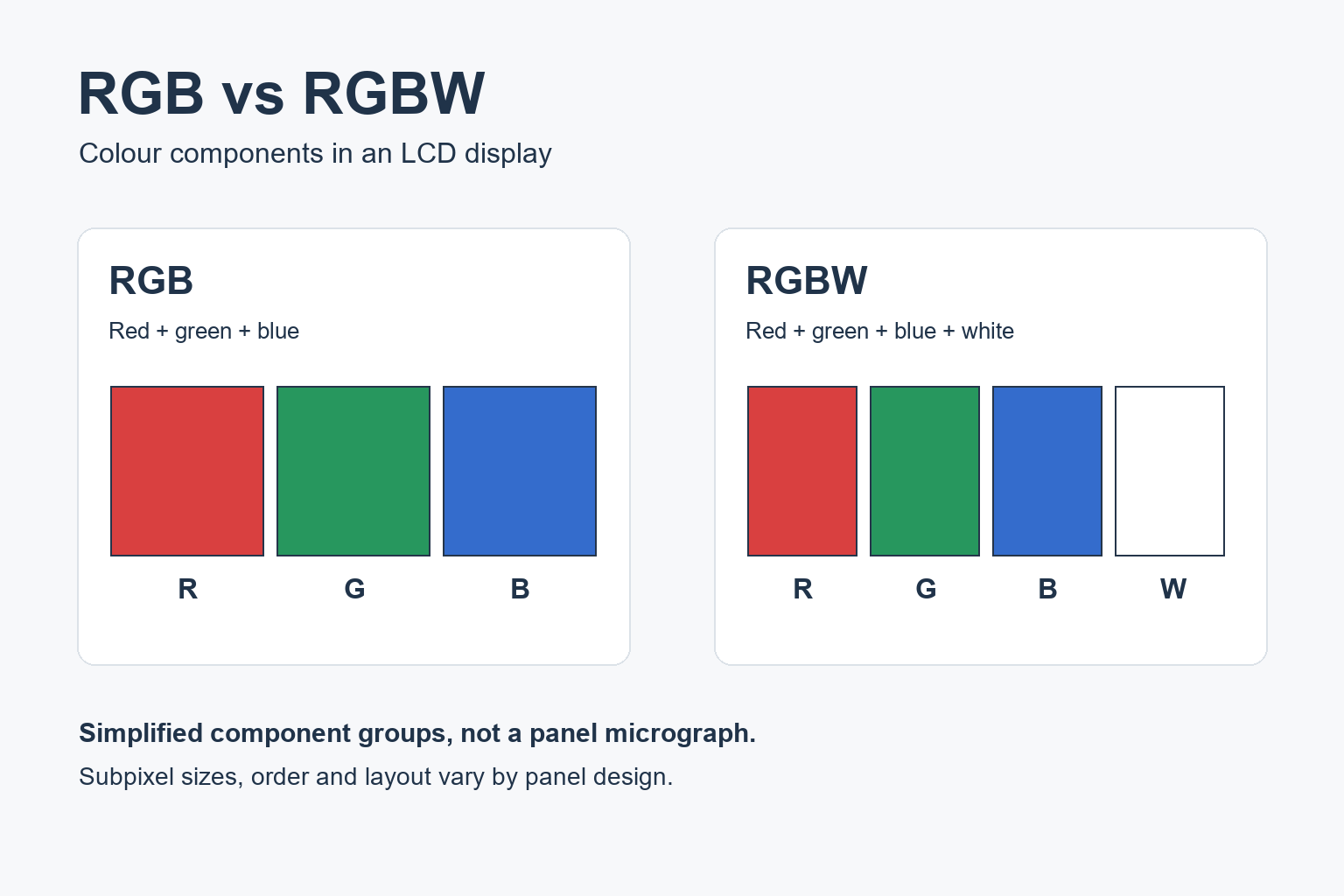
RGB LCD panels use red, green and blue subpixels. RGBW designs add a white (or high-transmission) component. Those letters alone do not prove sharper text, accurate brand colours, or lower electricity use. This page covers LCD digital-signage panels — not RGBW LED lighting strips.
Four confirmations before you compare quotes
- Write the exact panel model and native resolution on the quote (plus any supplier-stated subpixel description).
- Compare white field, saturated logos, photos and the smallest critical text on the same test playlist.
- Judge the finished screen at the planned brightness / picture mode, real viewing distance and ambient light — including glass or a touch surface when those are part of the install.
- If you compare power: measure watts at the same content, same luminance target and same operating mode. Do not copy another vendor’s WhiteMagic or brochure RGBW % onto this SKU.
Engineering literature (for example Semenza in Information Display, Elliott / Credelle / Higgins, and historical JDI WhiteMagic reports) explains why white subpixels exist. Treat those figures as historical context, separate from brochure claims for a named SKU. Select hardware from a verifiable product line, then lock acceptance to that configuration’s documentation and a sample check with your playlist.
Colour-range claims are separate — see color gamut for commercial displays. Near-read / PPI mechanics are separate — pixel density for signage readability. Side approaches are separate — LCD viewing angle guide. Multi-panel seams are separate — LCD video wall bezel size.
What RGB and RGBW mean on an LCD (not an LED strip)
| Term | What it answers on an LCD signage panel | What it does not answer |
|---|---|---|
| RGB | Subpixel layout built from red, green and blue components | Automatic sharpness, brand-colour accuracy, or lower power |
| RGBW | Layout that adds a white (or high-transmission) component alongside R/G/B | Proof that the finished screen is brighter, softer, or cheaper to run |
| LED strip “RGBW” | Lighting product with coloured LEDs + white LEDs / CCT control | Anything about LCD signage subpixels, text edges or panel RFQ acceptance |
Same letters, different systems. Strip controllers, CCT targets and lighting wiring do not prove commercial LCD performance. Keep the RFQ scoped to LCD panel subpixels, native resolution and a content test. Route hardware by use-case — for example Digital Window Displays or indoor digital signage — then verify the selected configuration’s documentation in Downloads. Category pages do not prove that a line defaults to RGB or RGBW.
Why a white subpixel exists — and what to measure
A white (or high-transmission) subpixel can raise backlight transmission for white fields and low-saturation content. Write measured watts and visibility for the finished commercial display at matched playlist, luminance target and picture mode. The full optical stack and drive path still require that check. Tie every brightness or power claim to stated measurement conditions — not to the letters RGBW alone.
White-field brightness is not saturated colour
White-field luminance and deep red / blue logo performance answer different questions. A brighter white patch does not establish that brand reds and blues stay acceptable under the same settings. Put saturated brand patches and photographs in the same playlist at matched brightness, with exaggerated picture modes off. If a supplier states a gamut figure, read it with method — coverage versus area, and the named reference — then verify visually. How to read those claims: color gamut for commercial displays.
Text detail and 4K input acceptance
Accepting a 4K signal is not the same as native panel detail, and neither is automatic readability. Require native W×H in writing, disable unintended player scaling, and test small type and fine horizontal / vertical lines from the real standing positions. Layout, native resolution, scaling, sharpening and the player path dominate over blanket “RGBW is soft / RGB is sharp” rules. For stop-and-read UI mechanics, cross pixel density for signage readability and the kiosk lines below.
Decision table: use-case × what to verify × RFQ wording
Fill each cell with the project’s actual model, content and distances. Use a matched content test — not the RGB / RGBW letter label alone.
| Use-case | What RGB vs RGBW decision must answer | Must verify / record | How to write it in the RFQ | YJCEN reference |
|---|---|---|---|---|
| Shop-window / high ambient | Whether the finished screen stays readable for the promo and keeps brand / saturated colours acceptable under day light — not whether the letters say RGB or RGBW | Exact model; native resolution; quoted brightness with method (white field vs mixed content; picture mode); day and night check through glass; smallest critical message; reflections / placement | “Quote model X at size D. State luminance method (white-field / mixed playlist) and picture mode. Acceptance: promo readable in ≤ T s at distance F through glass, day and night; logo reds/blues checked on the same playlist.” | Window high-brightness display. Cross color gamut for how to read gamut claims. |
| Menu / directory / stop-and-read | Whether smallest prices / labels and coloured text stay sharp and usable at the standing position — subpixel label alone is not the answer | Native W×H; player scaling off unintended modes; black-on-white / white-on-black / coloured small type; thin H/V lines; closest + typical viewing positions | “Native resolution W×H in writing. Acceptance content = final menu/directory page. Smallest critical price/label pass/fail at N m and side approach S with intended player output. Panel RGB/RGBW label is informational only unless sample fails.” | Near-read / UI: interactive kiosk or self-service kiosk; standing info: floor-standing display. Readability: pixel density. |
| Touch / ordering UI | Interface comfort under real touch angle + final cover glass; RGBW is not a touch-accuracy claim | Same text pack + touch target size / spacing; final protective surface; customer approach angle; app orientation | “Test with final glass/touch surface and real app build. Touch targets ≥ … mm. Record orientation. Do not treat RGB/RGBW as a touch-spec substitute.” | Interactive kiosk / self-service kiosk. Side approach: LCD viewing angle guide. |
| Indoor promo / lobby mixed content | Mixed playlist (photo + text + dark scenes + brand colours) at matched settings; group match if several screens are visible together | One shared test file; comparable size / settings; white areas and saturated patches and photos; approved sample record for the install team | “One test playlist for every candidate. Match brightness target and picture mode. Approve a named configuration; panel substitution needs re-approval with the same playlist.” | Indoor digital signage; standing lobby: floor-standing display. Multi-unit seams: bezel size + LCD video wall. |
| Power / OPEX comparison | Measured watts under equivalent luminance, content and mode — not a brochure “RGBW saves X%” line | Same playlist; same target luminance; same operating mode; warm-up notes; what was measured (panel + PSU + player?) | “Report power at L nits (method …) with playlist P and mode M. Do not copy WhiteMagic or any third-party % onto this quote line.” | Route hardware by use-case first (window / indoor / kiosk links above). Submit the measurement ask via Contact. |
Quick A vs B: letter labels do not settle the quote. White-field visibility, saturated colour / photo acceptability, and smallest-text / fine-line pass-fail are three separate scores on the same playlist. Keep historical literature numbers out of any specification cell.
Myth vs check
| Claim / confusion | Fillable rule | What to require instead | YJCEN reference |
|---|---|---|---|
| “RGBW LCD = RGBW LED strip” | False. Same letter set, different systems. Strip wiring / CCT / LED controllers do not prove LCD signage performance. | State “LCD panel subpixels” on the quote. Ignore lighting-strip checklists for panel approval. | Keep scope on LCD signage; hardware by use-case: window high-brightness, indoor digital signage, interactive kiosk. |
| “RGBW always saves power / always looks brighter” | No transferable brochure %. Write measured watts and visibility at matched playlist, luminance target and picture mode; an RGBW % from another panel does not transfer to this SKU. | Record wattage + visibility pass/fail under those matched conditions; demand method notes on any brightness / power figure. | Contact for the named configuration. |
| “Brighter white = better colour” | Different questions. White-field luminance does not establish deep red / blue logo brightness or saturation. | Include saturated brand patches and photos in the same playlist at matched settings; ask for gamut statement with method — then verify visually. | How to read gamut claims: color gamut. |
| “4K input = fine text OK” | No. Input acceptance ≠ native panel detail ≠ readability. | Pair native W×H + content test (menu / directory at intended size) from real positions. | Pixel density / readability; kiosk lines above. |
| “RGBW always soft / RGB always sharp” | Blanket false. Layout, native resolution, scaling, sharpening and player path dominate; designs differ. | Request model + native res + (if available) subpixel description; run fine-line and small-type tests; fix player scaling before blaming subpixels alone. | Same product-line anchors. |
| “Datasheet WhiteMagic / lab % applies to this commercial SKU” | Do not copy. Historical JDI / WhiteMagic or paper results concern those comparisons only. | Keep citations as engineering context. Quote measured figures for the named model under stated conditions. | Spec sheets: Downloads when available for the selected config. Case pages = install context only; never derive catalogue nits / power / gamut from a case. |
Shop-window / high ambient
Daylight through glass stresses both visibility and brand colour. Compare candidates on one promo playlist: white areas, saturated logos, photos and the smallest critical message. Run day and night checks from the sidewalk position. Record luminance method and picture mode on every brightness figure. Hardware path: window high-brightness display. Colour-range reading stays a separate guide — color gamut.
Menu, directory and touch UI
Stop-and-read jobs fail on small prices, coloured labels and thin lines long before the RGB / RGBW letter settles the debate. Test the final menu or directory page from the standing positions, with unintended scaling off. For touch / ordering, validate the real app build on the final cover glass and approach angle — RGBW is not a touch-accuracy claim. Hardware: interactive kiosk or self-service kiosk; standing info: floor-standing display. Readability mechanics: pixel density. Side comfort: LCD viewing angle guide.
Indoor promo / lobby mixed content
Mixed playlists expose white fields, photos, dark scenes and brand colours under one set of settings. Use one shared test file for every candidate at matched brightness target and picture mode. Approve a named configuration; require re-approval with the same playlist before any panel swap. Hardware: indoor digital signage or floor-standing display. When several panels sit in one view, seams and uniformity are separate from the subpixel label — bezel size and LCD video wall.
Seven-step comparison test
Run this pack before locking an RGB vs RGBW decision. Keep photographs and settings as separate records from the content file itself.
- List candidates with exact commercial model, diagonal, orientation and supplier-stated subpixel system (RGB / RGBW / other).
- Lock native resolution W×H from each selected configuration’s documentation — not from a marketing label alone.
- Build one test playlist: white field, saturated brand patches, representative photos, smallest critical text, fine H/V lines.
- Match operating conditions: same brightness target, same picture mode, same player output path; note warm-up if power is compared.
- View from real positions: intended distance, side approach, glass or touch surface when those apply; for windows, day and night.
- Score three tasks separately: white-field visibility, saturated colour / photo acceptability, smallest-text / fine-line pass-fail.
- Record and sign off: playlist version, settings, photos, named approver; retest with the same pack after any panel substitution.
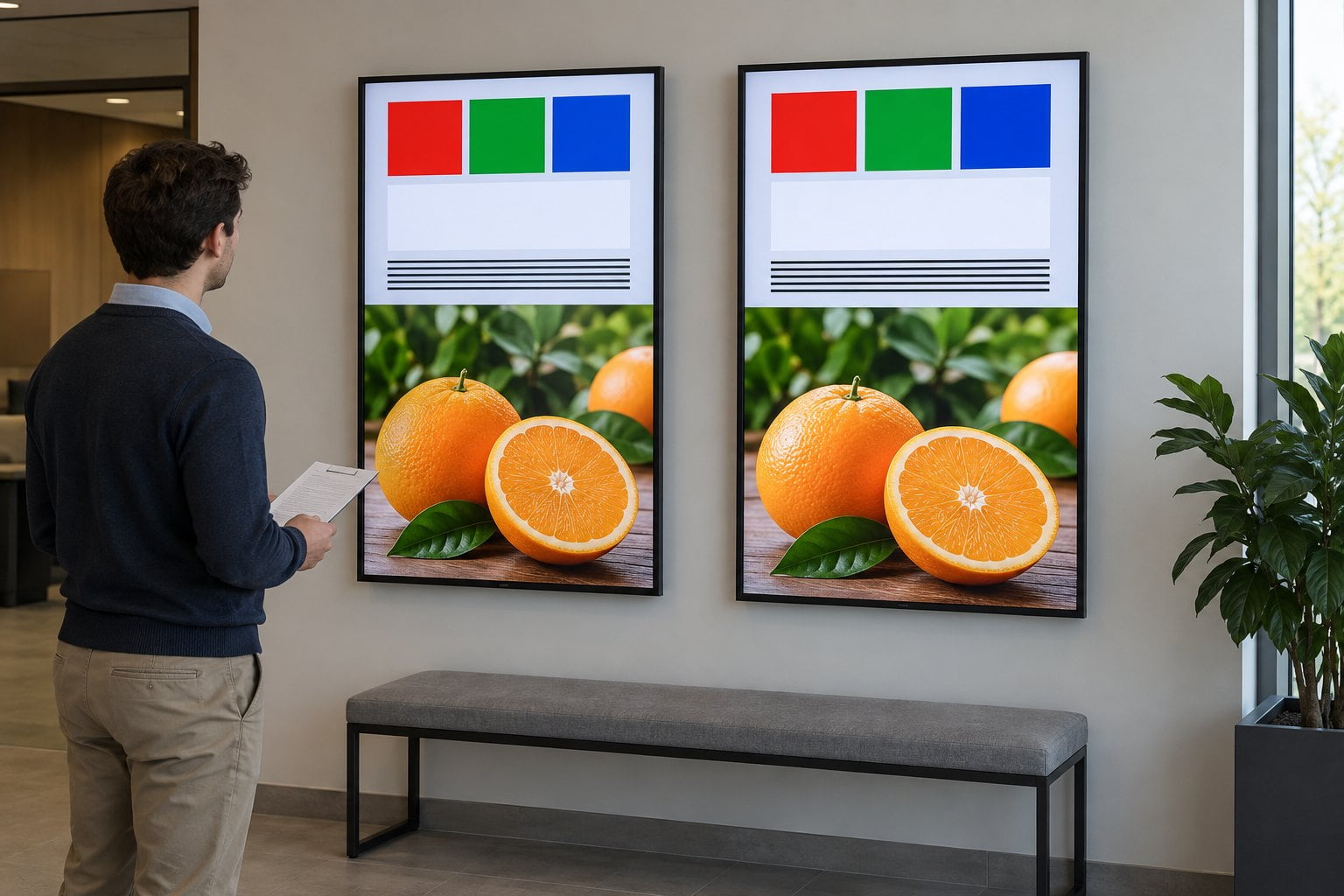
RFQ / acceptance record
| Field | What to record |
|---|---|
| Model / size / orientation | Exact commercial model string; diagonal; landscape / portrait |
| Subpixel system | RGB / RGBW / other as supplier-stated; not a quality grade by itself |
| Native resolution | W×H from the selected configuration’s documentation |
| Brightness figure | Value + method (white field / mixed) + picture mode + ambient notes |
| Power (if compared) | Watts at matched luminance, playlist, mode; what hardware was included |
| Colour checks | Brand patches / photos pass-fail; any gamut claim labelled coverage / area + reference (cross color gamut) |
| Text / detail pack | Smallest critical text; fine lines; player output mode; scaling / sharpening notes |
| Viewing / install | Distance, glass, touch surface, lighting (day / night if window) |
| Acceptance pack | Playlist version, photos, settings, named approver; retest on panel swap |
| Sign-off | Written approval before substitution |
Pre-quote checklist
- [ ] Every quote line: model + diagonal + native resolution + landscape / portrait
- [ ] Subpixel system recorded as supplier-stated (RGB / RGBW / other) — not a quality grade
- [ ] Brightness / power figures (if any): value + method + picture mode + test-content note
- [ ] Test pack: white field, saturated brand colours, photos, smallest text / fine lines on one playlist
- [ ] Viewing notes: distance, glass, touch surface; window jobs include day / night
- [ ] Do not copy WhiteMagic / third-party % onto this SKU line
On-site / sample checklist
- [ ] Final files played through the intended player / output mode
- [ ] Candidates compared side-by-side or in sequence at the agreed brightness target
- [ ] White-field visibility, saturated colour, and smallest-text tasks recorded (pass / fail)
- [ ] Window jobs: day and night; touch jobs: final cover glass and real approach angle
- [ ] Playlist version, settings, photos and named sign-off retained
- [ ] Panel swap: same template retested
YJCEN hardware anchors
Select the product line that matches the task, then confirm that configuration’s documented model, size and native resolution:
| Use case | Product / guide | How to use it here |
|---|---|---|
| Window / high ambient | Window high-brightness display | Day / night acceptance through glass; category page ≠ subpixel proof |
| Touch / ordering UI | Interactive kiosk, self-service kiosk | Near-read + final cover glass; RGBW ≠ touch accuracy |
| Indoor network signage | Indoor digital signage | Indoor wall-mount / network product-line entry |
| Standing lobby / directory | Floor-standing display | Mid / near info screens |
| Multi-panel LCD walls | LCD video wall, bezel size | Subpixel label plus seams / uniformity as separate checks |
| Colour-range claims | Color gamut | How to read statements for the named configuration |
| Readability / PPI | Pixel density | Separate from “RGBW looks soft” debates |
| Side readability | LCD viewing angle guide | Separate from subpixel system |
| Drawings / manuals | Downloads | Confirm native resolution and install size for the selected config |
| RFQ pack | Contact | Size, location, viewing distance, content samples, measurement asks |
FAQ
Is an RGBW LCD the same as an RGBW LED strip?
No. Same letters, different systems: LCD subpixels are not lighting strips. Strip controllers, CCT or wiring do not prove signage LCD performance. Scope the RFQ to panel model, native resolution and a content test. Route hardware by use-case via window high-brightness or indoor digital signage.
Does RGBW always use less power or always look brighter?
No. There is no transferable brochure %. Write measured watts and visibility at matched playlist, luminance and picture mode; do not copy WhiteMagic or third-party savings onto a quote line. Require method notes on any brightness / power figure, then confirm the named configuration via Contact.
Does a brighter white field mean better brand colours?
Not by itself. White-field luminance does not establish deep red / blue logos. Put brand patches and photos in the same playlist at matched brightness with exaggerated modes off. Read any gamut claim with method — color gamut — and still verify visually.
Does accepting a 4K signal prove fine text will be sharp on RGB or RGBW?
No. Input acceptance ≠ native resolution ≠ readability. Require native W×H, disable unintended scaling, and test small type and fine lines from real standing positions. For stop-and-read UI use interactive kiosk and pixel density checks. RGBW is not automatically soft; RGB is not automatically sharp.
Should every digital-signage project insist on RGB (not RGBW)?
Specify the result and verify the proposed panel. Fine text, colour-critical graphics and bright windows need different checks. RGB can be a procurement rule where your testing supports it, but the label alone does not replace a sample with your playlist. Record accepted model and settings; re-approve before panel swap. Side-angle comfort: viewing angle.
What should go in the RFQ / acceptance pack for an RGB vs RGBW decision?
Model, native W×H, playlist results, viewing notes, named approver. Also record supplier-stated subpixel system, brightness/power methods if claimed, white + saturated + photo + small-text scores, and a retest rule after panel swap. Route by application (window high-brightness or indoor digital signage). Send samples via Contact.
Next step — RFQ checklist
Lock the decision with these fields, then send them to YJCEN:
- Exact commercial model, diagonal, orientation, supplier-stated subpixel system (RGB / RGBW / other)
- Native resolution W×H from the selected configuration’s documentation
- One shared test playlist (white field + saturated brand patches + photos + smallest text / fine lines)
- Brightness / picture mode used for acceptance; day/night notes for window jobs
- Power comparison (if any): watts at matched luminance, playlist and mode
- Viewing notes: distance, glass, touch surface; named approver and retest rule on panel swap
- Hardware line for the task: window high-brightness display, indoor digital signage, interactive kiosk, self-service kiosk, floor-standing display, or LCD video wall
- Drawings from Downloads when available for that config