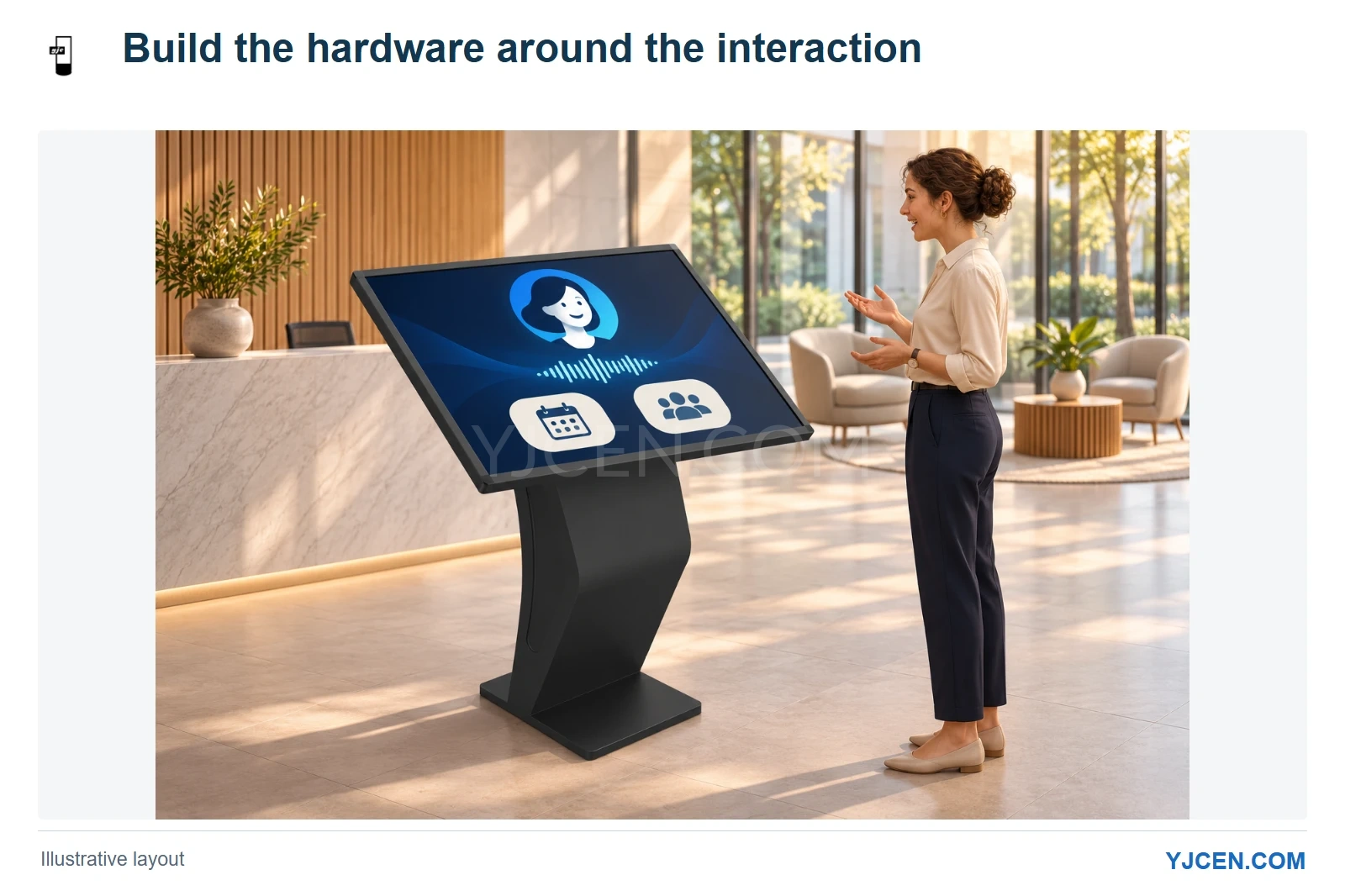
The scene illustrates customer-supplied reception software on the YJCEN kiosk form. Computing, camera and audio integration follow the application and visitor position.
For an AI reception kiosk, we start with what the customer’s application needs to display, capture and play. Our Interactive Kiosk can provide the touch display and computing platform, with camera and audio integration developed around the application. Whether the AI service runs on a server or locally changes the hardware discussion, but the visitor’s position still determines how the camera, microphone and speakers should be arranged.
What will the application run on the kiosk itself?
A server-based AI service can still leave substantial work on the terminal: rendering an animated interface, capturing and encoding camera input, playing speech and communicating with peripherals. We would map those local tasks before choosing the processor, memory and storage.
For a browser-based reception interface, begin with the supported browser, operating system and camera/audio requirements. For a locally installed application, add its installation package, supported system versions and peripheral dependencies so that the hardware discussion follows the software that will actually run.
Our kiosk range offers Android or Windows configurations, and the hardware can be selected around customer software. A fixed specification such as “i7 plus a camera” gives less useful direction than an application requirement stating where rendering and inference happen and which devices the program must access.
| Application arrangement | Hardware decision we would make first | Why it changes the build |
|---|---|---|
| Web interface connected to a remote AI service | Match the browser and local media tasks to the operating system and computing platform. | The kiosk still handles its display, input and audio path. |
| Installed application with local processing | Use the application’s system and performance requirements to select the host. | Local processing changes the workload inside the terminal. |
| Application using a camera, microphones and speakers together | Plan interfaces and physical placement as one arrangement. | Each device must work with the application and the visitor’s position. |
Should the camera follow the screen size or the task?
We can integrate a camera and select its resolution around the customer’s requirement. For reception, the useful starting point is what the application needs to see: a face at the speaking position, a document presented near the terminal, or a larger area around the visitor.
Those tasks lead to different placements. A visitor-facing camera should relate to the expected standing or seated position, while document capture needs a clear presentation area; increasing the display diagonal does not settle either viewing arrangement.
We would choose the camera position and required image together before finalizing the opening in the enclosure. This keeps the mechanical design tied to the application rather than leaving an attractive front panel with a poorly placed camera.
How should the microphone and speakers work together?
We can integrate microphone arrangements and support single, dual or distributed multiple-speaker solutions, with echo-cancellation support in the configured audio solution. The choice starts with where a person will speak and who should hear the response.
For a reception point used by one visitor at a time, we would direct the conversation toward that visitor position. Where the installation needs a different listening area, a different speaker arrangement can be discussed without assuming that adding more speakers automatically improves speech interaction.
The microphone also hears the sound played by the terminal, so capture and playback belong in the same application test. Use the intended voice interaction and response playback when evaluating the arrangement; a microphone working on its own tells you less about the complete conversation path.
For a browser application, the W3C media-capture specification defines echo cancellation as an audio-track constraint. Include the application’s capture settings in the integration discussion alongside the microphone and speaker positions, so the software path and physical arrangement can be evaluated together.
What does our fitness-mirror testing contribute?
On a fitness mirror manufactured by YJCEN, we completed camera, voice-recognition and audio-playback testing with the customer’s fitness application. The camera captured the user’s body movement as part of that application interaction.
For an AI reception project, we would carry over the same integration focus: run the customer’s actual interaction across camera input, voice input and audio output on the chosen hardware. The camera view for a fitness movement and the view for a reception conversation are different, so the reception layout should follow its own user position.
That experience is useful when a project involves several devices working together. It gives us a concrete basis for discussing the customer’s app and hardware interfaces without presenting a single preset AI reception specification.
When should the enclosure be customized?
Start with an existing kiosk format when its viewing angle, mounting and internal space suit the interaction. We would change the enclosure where camera position, audio openings, peripheral access or the installation space requires a different arrangement.
Our OEM/ODM configuration work covers enclosures, motherboards and peripheral integration. Send the component models where they have already been chosen, or describe the required function where hardware selection is still open; this lets the mechanical and computing proposals develop together.
Touch can remain useful alongside voice for choosing a service or entering information. Add scanning or printing only when the reception journey needs those information kiosk functions, so each additional interface serves the application.
Questions about AI reception kiosk hardware
Can YJCEN build a camera into the kiosk?
Yes, camera integration is available, with the specification chosen around the customer’s application. The capture task and user position help determine the camera and its mounting location.
Does a server-based AI service remove the need to plan local computing?
No, the terminal still runs its local display, media and interface tasks. Match the host to those tasks and to the application’s supported operating system.
Does this include the AI receptionist software?
No, this arrangement is for hardware integration around customer-supplied software. We can pre-install and test the application on the selected hardware.
Bring the application into the hardware discussion
Bring us your AI reception application while the hardware layout is still open. Share its system requirements, where processing will run and how visitors will use the camera and voice functions; a demo or interface specification can start the discussion. Our engineers can then discuss the host, camera, audio and enclosure as one configuration around your software.