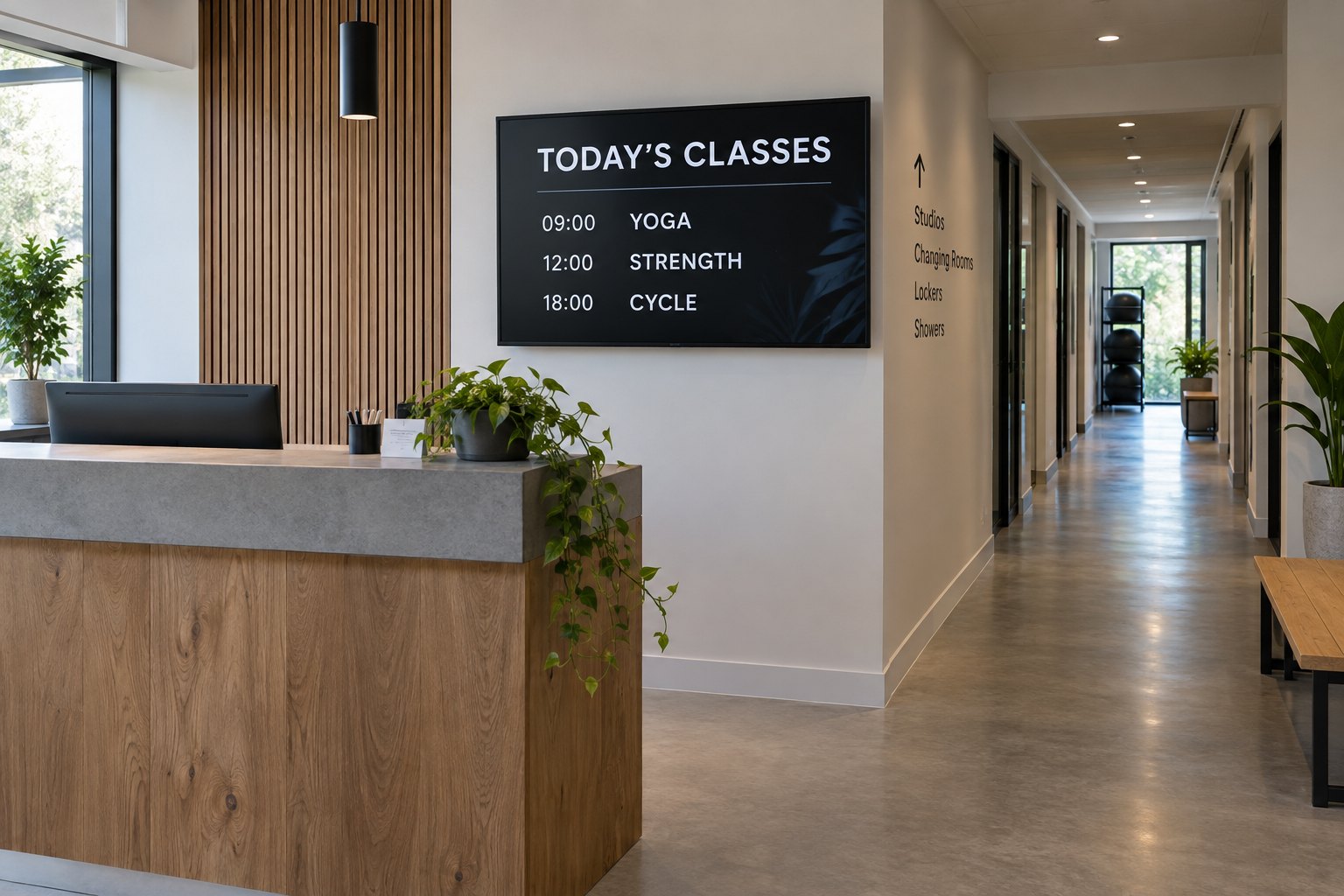
Where should gym screens go, and what should they show?
Place screens where members need the next piece of information: reception, studio entrances and other decision points. Keep class information easy to find.
- Give timetables a fixed place rather than hiding them inside promotional loops.
- Use an approved timetable or booking system as the source of truth.
- Assign an editor and backup, and expire cancelled sessions and temporary offers.
- Pilot one reception screen and one studio screen with real schedules, updates and restarts.
Start with two or three communication jobs, then choose the screen positions and hardware. This guide explains how to plan a fitness center installation that staff can keep accurate without turning every update into a technical task.
Where should a gym put digital signage?
The 55-inch and 65-inch indoor displays both use 3840 × 2160 pixels at 400 nits. Choosing the larger panel increases the physical size of the same layout, which is useful when class information must be read from farther across a room. Indoor Digital Signage.
Walk the building as a new member would: entrance, reception, changing area, studio and exit. Note where someone stops to ask a question. Those points often offer better screen locations than a large empty wall with no clear audience.
| Location | Main job | Useful content | Placement check |
|---|---|---|---|
| Reception | Help members get started | Today’s classes, room changes and reception instructions | Visible before people reach the desk |
| Studio entrance | Confirm the room and session | Class name, start time and entry instructions | Readable without blocking the doorway |
| Training floor | Share brief facility updates | Maintenance notices, staffed session times and simple reminders | Does not require turning away from moving equipment |
| Cafe or juice bar | Help customers choose | Current menu, availability and service hours | Seen before joining the queue |
| Exit or lounge | Explain the next step | Upcoming events and how to book a session | Enough time and space to read or scan a code |
Avoid showing a full weekly timetable everywhere. At the front desk, today’s schedule is easier to scan. Outside a studio, the current and next sessions usually matter more. Keep room names consistent with the signs on the doors and in your booking system.
Match the display to the room
Wall-mounted or freestanding?
A wall-mounted indoor digital signage display is worth considering for permanent reception and corridor positions. Confirm the wall support, mounting arrangement and cable route before ordering. The screen should be accessible for maintenance without removing reception furniture or closing a busy passage.
A floor-standing digital signage display can provide a separate information point where wall mounting is impractical. Check its footprint against queues, doors and cleaning routes. A freestanding enclosure is not automatically intended to be moved daily; confirm handling and installation requirements for the model.
Brightness, reflections and operating hours
Check the proposed position in daylight and after the gym’s lights are on. Mirrors, windows and overhead lighting can obscure a message even when the display appears bright enough. Move a sample screen or adjust its angle before assuming that a higher brightness specification will solve the problem.
Specify the opening schedule and screen orientation when requesting hardware. A gym that opens early and closes late has different operating needs from a studio running a few sessions each evening. Ask the supplier to confirm the supported schedule and portrait operation for the actual model.
Pool areas, saunas and locations exposed to cleaning spray need a separate environmental assessment. Do not place an ordinary indoor display there on the strength of a similar product photograph. List moisture exposure, temperature and cleaning practices in the requirements sent to the supplier.
Keep class information separate from promotions
Give schedules a fixed place in the layout instead of hiding them between advertisements. When a class changes rooms, members should not have to watch an entire playlist to find the correction. Promotional slides can use another screen or a separate area that does not make the timetable too small.
Amazon’s fitness center signage guide identifies schedules, facility information and cafe promotions as useful applications. Turning those ideas into a working installation still requires a clear source for each item and someone responsible for updates.
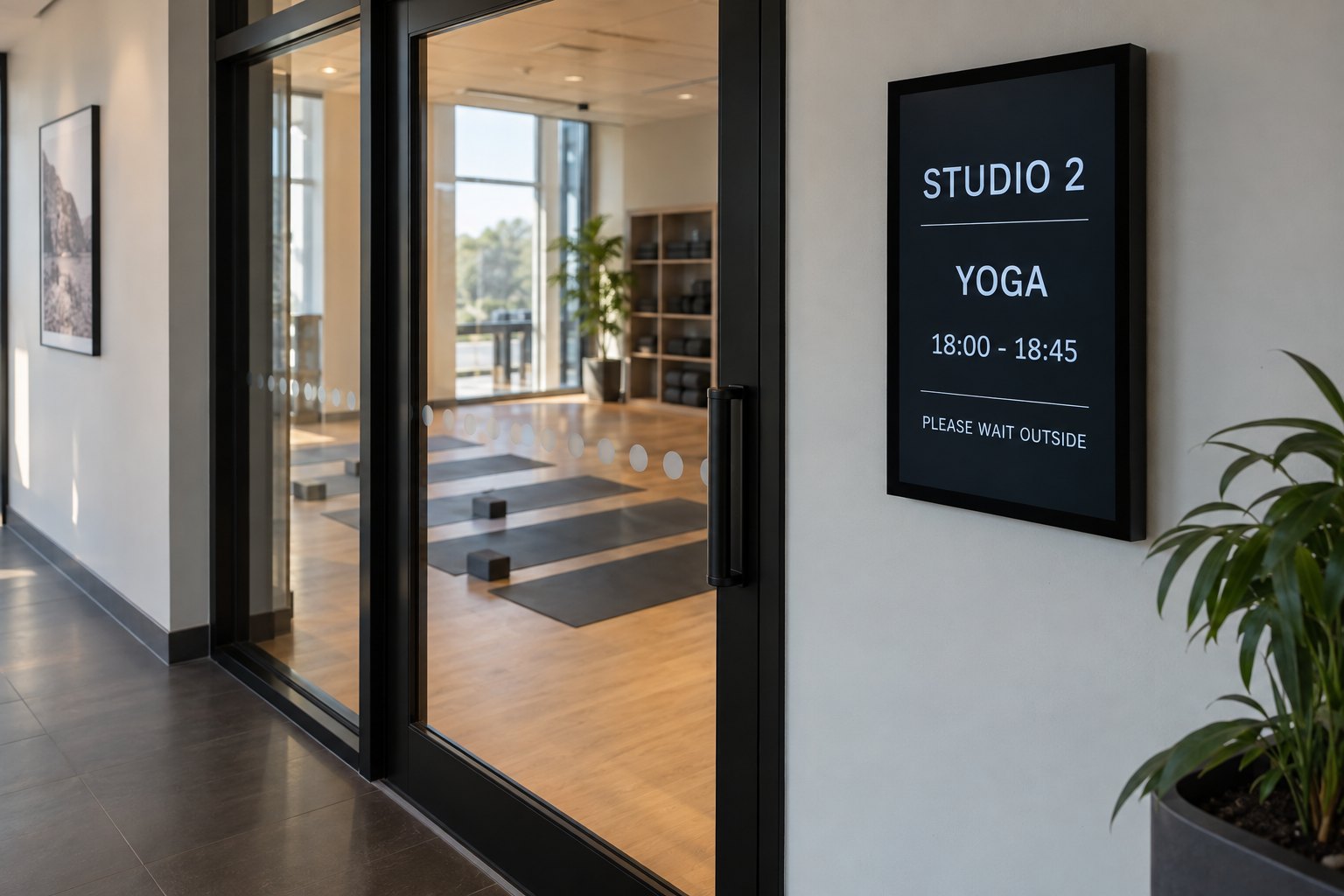
For example, a studio entrance layout might show “STUDIO 2,” “YOGA,” the session time and a short entry instruction. Keep membership offers on a reception or lounge screen. Each display then has a specific job, and staff can check its accuracy at a glance.
Decide how schedules reach the screens
The display shows the content, the player runs it, and a content management system (CMS) handles publishing and scheduling. These functions may be built into one device or supplied separately. An Android or Windows hardware option does not, by itself, establish compatibility with the gym’s booking platform.
For a small installation, staff may update a timetable template manually. With multiple studios, an approved connection to the booking system may reduce duplicate entry. Ask for a demonstration with sample classes, including a cancellation and a room change. Check how quickly each update appears on the correct screen.
- Choose the booking system or approved timetable as the source of truth.
- Assign a primary editor and a backup for each location.
- Set expiry dates for events, temporary notices and promotions.
- Confirm what remains visible if the network or schedule feed stops.
- Keep member contact details and private booking records out of public layouts.
A stale timetable can be worse than an empty schedule panel. During testing, stop the feed and observe the result. Decide whether the screen should show the last update time, a general notice or another approved fallback. Agree this behavior with the software provider before rollout.
Design for a quick glance
Use a clear heading, generous spacing and a short message. Test the layout from the place members will actually stand. If class names or times are difficult to read, remove secondary information before adding another content panel. A desktop preview cannot reveal every reflection or sightline problem.
Make ordinary notices understandable without sound. Gym music and exercise noise make spoken announcements in promotional videos unreliable. Use captions where speech carries information. Avoid fast flashing effects and motion that competes with a timetable or draws attention away from exercise.
Place QR codes where someone can stop comfortably. Show a brief instruction such as “Book your next class,” and test the code on several phones from the intended position. Do not use a distant screen above exercise equipment as the only route to important instructions.
Test one reception screen and one studio first
A small pilot can reveal problems before they spread across the building. Use actual room names and a sample operating day. Ask a staff member who did not build the playlist to make a routine change; this shows whether the workflow is manageable after installation.
- Check readability at busy times and from the usual approach direction.
- Change a class time and confirm that only the intended screens update.
- Cancel a session and verify that the old notice disappears.
- Restart the display and player to check automatic playback.
- Test a network interruption and the agreed fallback message.
- Confirm that expired promotions leave the playlist on time.
Measure practical results: whether members can find a studio, how long a schedule correction takes and which questions reception still receives. Treat these as checks for your own installation, rather than assuming that adding screens guarantees more sales or fewer cancellations.
Questions before buying gym digital signage
Can we reuse an existing TV?
Possibly. Check its condition, input connection, mounting, supported operating schedule and restart behavior with the intended player. Our commercial display versus consumer TV guide explains the main differences to review before relying on an existing television.
Do all gym screens need an internet connection?
Not for every type of playback. A local playlist and a live class schedule have different requirements. Confirm offline behavior for the proposed system; the online and offline digital signage guide explains the distinction.
What should we send with a hardware inquiry?
Send photographs of each position, viewing distances, opening hours, orientation and your preferred software or player. Identify any window-facing or damp locations separately. Contact YJCEN with your gym display requirements to discuss suitable hardware configurations.
Share your screen size, installation environment and quantity for a display quotation.