How should you budget for digital menu boards?
Start with the screen layout, playback hardware, mounts and site work. This article's hypothetical three-screen indoor example totals $3,945 for equipment and installation; it is not a quotation or a market-wide price.
- Use the exact display, player and mounting configuration when comparing offers.
- Price electricity and physical maintenance separately.
- Keep software and licensing outside this example, and check the stated exclusions such as freight, taxes and major site work.
This guide covers that equipment and installation budget. Software licenses and subscription fees are excluded from every calculation below. The three-screen example uses hypothetical US-dollar inputs to show the method; the figures are not market averages or YJCEN quotations.
Start by deciding where customers will read the menu, how many screens the layout needs and how long they will run each day. Those decisions make a supplier’s price easier to assess than a general price per screen.
What goes into a digital menu board budget?
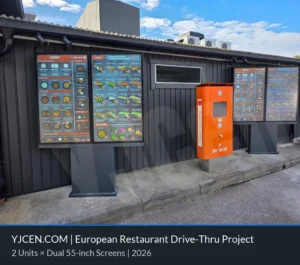
The 55-inch drive-thru range lists maximum system power of 230 W, 460 W and 690 W for one, two and three screens. Budget the electrical installation around the selected screen count; these maximum ratings are not measured daily energy consumption. Outdoor Digital Menu Boards.
Separate the equipment purchase from site work and ongoing physical running costs. An indoor wall installation may need only a few brackets and short cable runs. An outdoor drive-thru can require a support structure, foundations and a much longer power route. Mixing them into one estimate hides the main differences.
| Budget item | What to include | Question for the supplier |
|---|---|---|
| Display hardware | Screens, housings and any included internal playback hardware. | Which exact model and configuration does the price cover? |
| External media players | Players, power supplies and necessary signal adapters, where required. | Does the proposed display already contain a suitable player? |
| Mounts and supports | Wall brackets, ceiling mounts, rails, stands or structural supports. | Are all mounting components included and suitable for the location? |
| Installation | Site survey, fitting, alignment, cable routing and equipment checks. | Which tasks are included in the installation price? |
| Power and network preparation | Required outlets, cable runs and physical network equipment. | What must the restaurant prepare before installation day? |
| Delivery and handling | Packing, transport, insurance where agreed and movement into position. | Where does the delivery service end? |
| Physical running costs | Electricity, planned cleaning, inspections and service allowances. | Who performs the work and which parts or visits are chargeable? |
Ask for quantities and unit prices, then mark each item as included, separately priced or still to be confirmed. An empty cell should not be treated as a zero. Keep optional equipment outside the base total until you decide it is necessary.
Choose the screen layout before comparing display prices
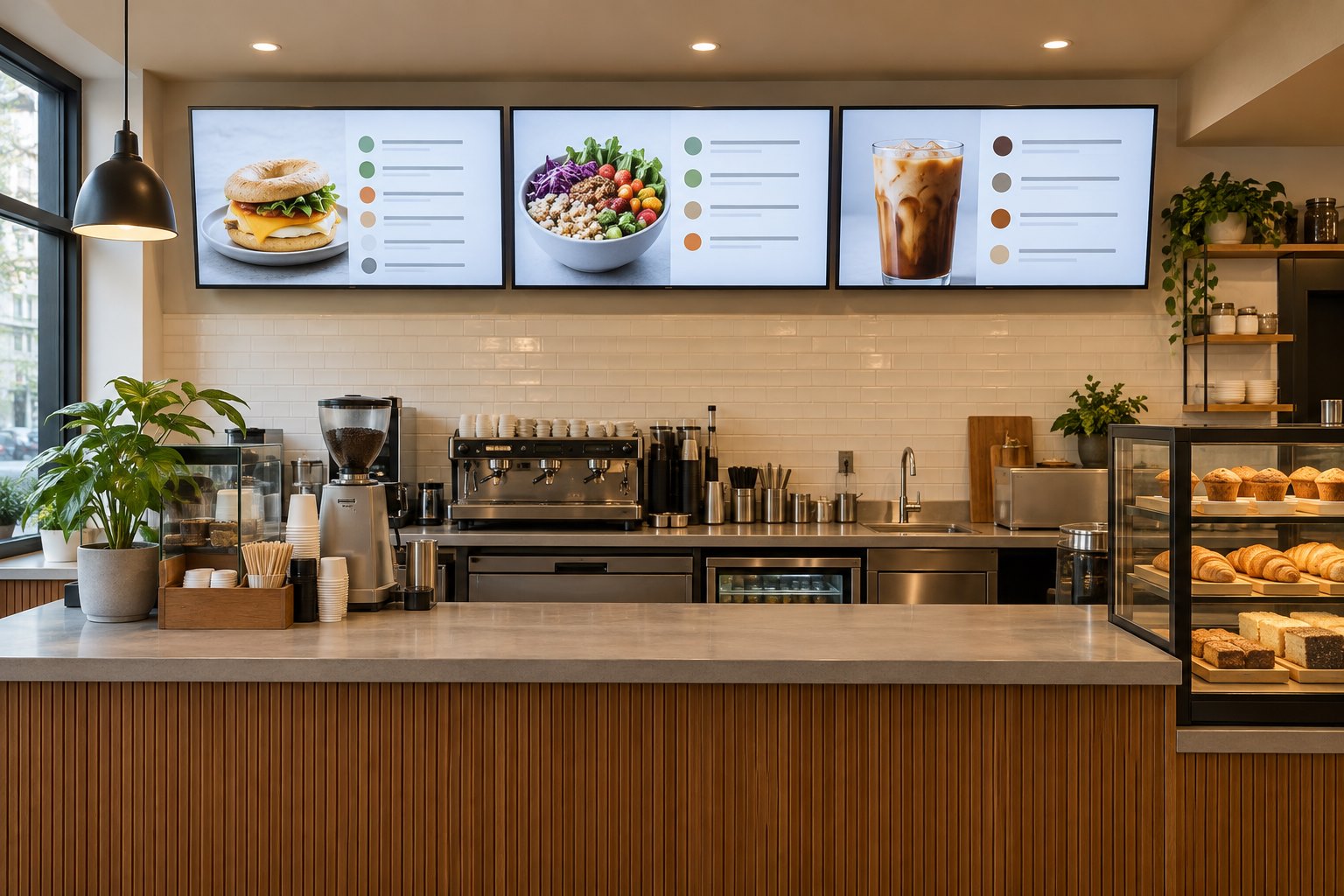
The number of screens is a major starting point for the equipment budget. A short drinks menu may fit comfortably on one display, while a larger restaurant menu may need separate areas for meals, drinks and promotions. Sketch the menu first and check it from the customer’s actual standing position.
Record the available wall width, mounting height and the space needed around the displays. Three screens need room for their housings, the agreed gaps and any service access required by the manufacturer. Measure the complete units and mounting arrangement, rather than using the diagonal screen size as a wall measurement.
Use a draft containing real product names and prices. If the text is difficult to read, review the layout before adding another screen. Removing unnecessary material from the main menu can sometimes solve the problem without increasing equipment, installation or electricity costs.
For counter installations, YJCEN’s indoor digital signage range provides a starting point for discussing screen formats. Ask for a quotation for the selected configuration, including the playback hardware and mounting items you actually need.
Which display specifications affect the quotation?
Screen size is only one part of the comparison. Check resolution, brightness, permitted orientation, operating hours and the conditions covered by the warranty. Two displays with the same diagonal measurement may be intended for different locations and schedules.
Look at lighting throughout the trading day. A display above an interior counter has a different job from a menu facing strong daylight through glass. Share photographs taken during the brightest period and describe reflections that customers see. The supplier can then assess the location against the proposed model.
For several adjacent screens, confirm consistent dimensions, mounting positions and image settings. Ask how a replacement unit would fit into the same arrangement later. Buying a screen solely because its initial price is lower can create extra work if its housing or mounting requirements differ from the others.
Existing televisions may be usable in a suitable indoor installation, but check their condition, connections and warranty terms before relying on them. Our commercial display versus consumer TV guide explains the purchasing questions to review. Include any extra player or mounting hardware when comparing reuse with replacement.
Do you need a separate media player for every screen?
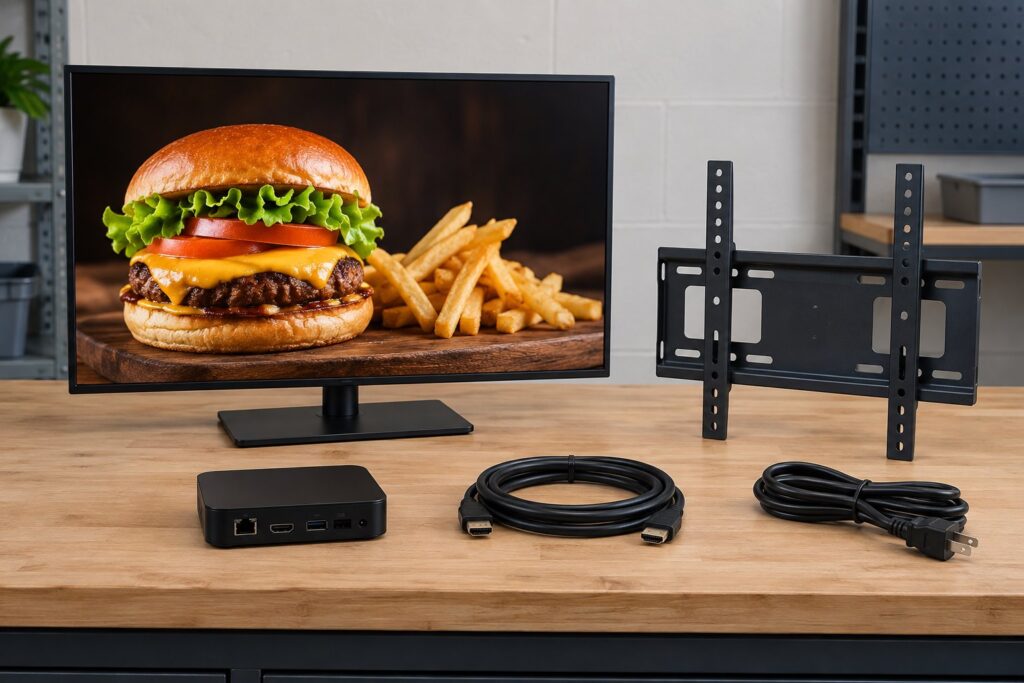
Not necessarily. Some display configurations contain playback hardware, while others need an external device. Ask the supplier to identify the proposed arrangement on the quotation. Do not add an external player automatically if suitable hardware is already included.
For a separate player, list the device, power supply, signal cable and any mounting accessory. Confirm the connections and supported output configuration before ordering. A player that suits one screen should not be assumed to support several independent menu displays.
If a supplier proposes one device for multiple screens, ask for a demonstration using the intended content arrangement. Check whether the screens show independent menus or the same image, and whether one device failure would interrupt several displays. Compare the complete hardware arrangement rather than the player count alone.
Keep spare cables and replacement power supplies on a separate optional line. A small spare-parts purchase may be useful where local replacements are difficult to obtain, but the quantity should reflect the number of sites and the agreed service plan.
How much installation work does the site need?
A useful installation quote starts with a site survey or sufficiently detailed site information. Provide photographs, wall or ceiling details, equipment positions and the nearest available power and network points. Confirm who is responsible for checking the supporting structure and the selected mounting system.
Ask whether the price includes brackets, drilling, alignment, concealed cabling and removal of old signs. Where displays sit high above a counter, access equipment and working hours can affect the labor estimate. The installer should know if work must take place before opening or after the restaurant closes.
Separate electrical preparation from display fitting. Adding an outlet or running a new cable may involve a different contractor from the person mounting the screens. Identify the handover between those tasks so the fitting team does not arrive before the site is ready.
Agree on acceptance checks: secure mounting, correct orientation, readable output, accessible connections and expected restart behavior after a power interruption. Request equipment serial numbers, wiring information and photographs of the finished installation. These records make later troubleshooting and replacement work easier.
Budget indoor menus and outdoor drive-thru displays separately
An exposed menu display needs an equipment specification matched to sunlight, rain, dust, temperature and its mounting location. A screen placed under a canopy still needs its actual exposure assessed. The enclosure, cable entries and supporting structure all belong in the outdoor installation discussion.
YJCEN’s outdoor display range is a relevant starting point for an outdoor equipment enquiry. Confirm the specifications and installation instructions for the exact model. A product family’s headline features do not replace the checks for a particular drive-thru site.
List groundworks separately: foundations, trenching, surface repairs and the route from the electrical supply. Establish who arranges any required local approvals and who confirms the structure for the location. Do not apply the indoor example below to outdoor construction work.
For multiple lanes, count every menu position and note how technicians will reach each unit. A lower equipment price does not necessarily reduce the installed cost if servicing requires difficult access or major disassembly.
Explore drive-thru menu board configurations.
Example: an equipment and installation budget for three indoor screens
Assume a restaurant needs three indoor menu displays with separate players and wall mounts. Existing site conditions allow a straightforward installation. The following prices are illustrative inputs for calculating a budget, not published product prices or a promise of an installed package.
| Item | Example calculation | Amount (USD) |
|---|---|---|
| Three displays | 3 × $900 | $2,700 |
| Three external media players | 3 × $75 | $225 |
| Three wall mounts | 3 × $90 | $270 |
| Equipment subtotal | $2,700 + $225 + $270 | $3,195 |
| Fitting and hardware setup | One installation allowance | $600 |
| Cables and basic site preparation | One allowance | $150 |
| Initial equipment and installation subtotal | $3,195 + $600 + $150 | $3,945 |
The equipment subtotal is $1,065 per screen in this example. Dividing the initial equipment and installation subtotal equally gives $1,315 per screen, but that allocation does not mean installation charges scale evenly. A single-screen job can still require a site visit and preparation.
Freight, taxes, import charges, major building work and optional spare equipment remain unpriced here. Obtain those amounts for the destination before treating the example as a project budget. Menu artwork and other creative services are also outside this equipment and installation calculation.
If the chosen display includes suitable playback hardware, revise the player line instead of paying for two playback devices. If mounts are included in the display price, remove the duplicate mount charge. Recalculate from the written configuration, not from assumptions about what usually comes in the box.
Calculate electricity and physical maintenance separately
Electricity depends on average power use, operating hours and the local tariff. For a planning calculation, multiply total watts by annual operating hours, divide by 1,000 to obtain kilowatt-hours, then multiply by the price per kilowatt-hour. The Australian Government’s energy rating guidance explains this relationship between power, operating time and electricity cost.
For this example, assume each display-and-player pair averages 150 watts, runs 12 hours daily and operates 365 days a year. These are calculation inputs, not specifications for a YJCEN model.
Annual energy use: 3 × 150 ÷ 1,000 × 12 × 365 = 1,971 kWh.
Annual electricity allowance: 1,971 × an assumed $0.15/kWh = $295.65.
Use a measured average or appropriate model-specific data when available. Maximum rated power is not necessarily the average during use. Include any additional hours, standby consumption or auxiliary equipment relevant to the actual installation; the simplified example does not model them.
Physical maintenance can include approved cleaning, mount inspections, service visits and replacement of worn or failed components. For illustration only, set aside $150 a year as a maintenance reserve. This is a budgeting assumption, not a service quotation or a prediction that repairs will cost that amount.
| Period | Calculation using the example inputs | Illustrative subtotal (USD) |
|---|---|---|
| Annual electricity and maintenance allowance | $295.65 + $150 | $445.65 |
| First year, including initial installation | $3,945 + $445.65 | $4,390.65 |
| Three years, including initial installation once | $3,945 + (3 × $445.65) | $5,281.95 |
These subtotals retain the exclusions listed above and assume unchanged usage and electricity rates. Add separately confirmed delivery and site-specific charges when preparing your own budget. Unused maintenance reserves are not actual expenditure, and major repairs or replacements may exceed the reserve.
Compare quotations using the same equipment and responsibilities
Put competing offers beside one common equipment list. Match screen quantities and specifications, playback arrangement, mounts, installation tasks and the delivery destination. If one offer leaves out brackets or local fitting, obtain those prices before comparing the total.
Check warranty coverage as carefully as the purchase price. Ask about parts, labor, transport, removal and reinstallation. A replacement part supplied under warranty does not automatically mean every on-site task is included. Record the contact responsible for a fault and the information needed to begin a service request.
For overseas orders, specify the destination and agreed delivery terms. Confirm packing, shipment insurance where required, customs handling responsibilities and the movement of equipment from the delivery point into the restaurant. These practical details help explain why otherwise similar quotations differ.
What should you send with a quotation request?
- The number of restaurants, delivery locations and proposed installation dates.
- Screen quantities, preferred sizes and a draft menu showing the intended layout.
- Photographs, available wall dimensions and the customer’s viewing position.
- Indoor or outdoor conditions, daylight exposure and daily operating hours.
- Existing displays, players, mounts or cables you hope to reuse.
- Power and network locations, installation access and work-hour restrictions.
- The requested installation scope, optional spares and service responsibilities.
With that information, ask for a line-by-line equipment and installation quotation. You can contact YJCEN with your proposed screen arrangement and site details so the hardware configuration can be reviewed before pricing.
Digital menu board cost questions
Is there one fixed price for a restaurant digital menu board?
No. A useful price must identify the display configuration, quantity and installation scope. The three-screen calculation above illustrates a method for building that figure; it is not a universal price list.
Does every screen need a separate external player?
No. The requirement depends on the included playback hardware and the intended screen arrangement. Ask the supplier to identify any external devices and demonstrate the proposed outputs before adding them to the equipment order.
Are wall mounts and installation included in the screen price?
Only when the quotation explicitly includes them. Request the mount type, quantity and fitting scope in writing. Ceiling supports, cable concealment or additional structural work may need separate pricing.
Can the indoor example be used for a drive-thru?
No. Outdoor equipment, weather exposure, supports and groundworks require a separate scope. Use the same budgeting categories, but replace the equipment and installation inputs with figures confirmed for that site.
What is the best way to reduce the initial budget?
Confirm the layout first, avoid duplicate players or mounts, and assess reusable equipment against the intended operating conditions. Ask for optional items separately. Keep the display suitability and installation requirements clear when comparing lower-cost alternatives.
Share your screen size, installation environment and quantity for a display quotation.