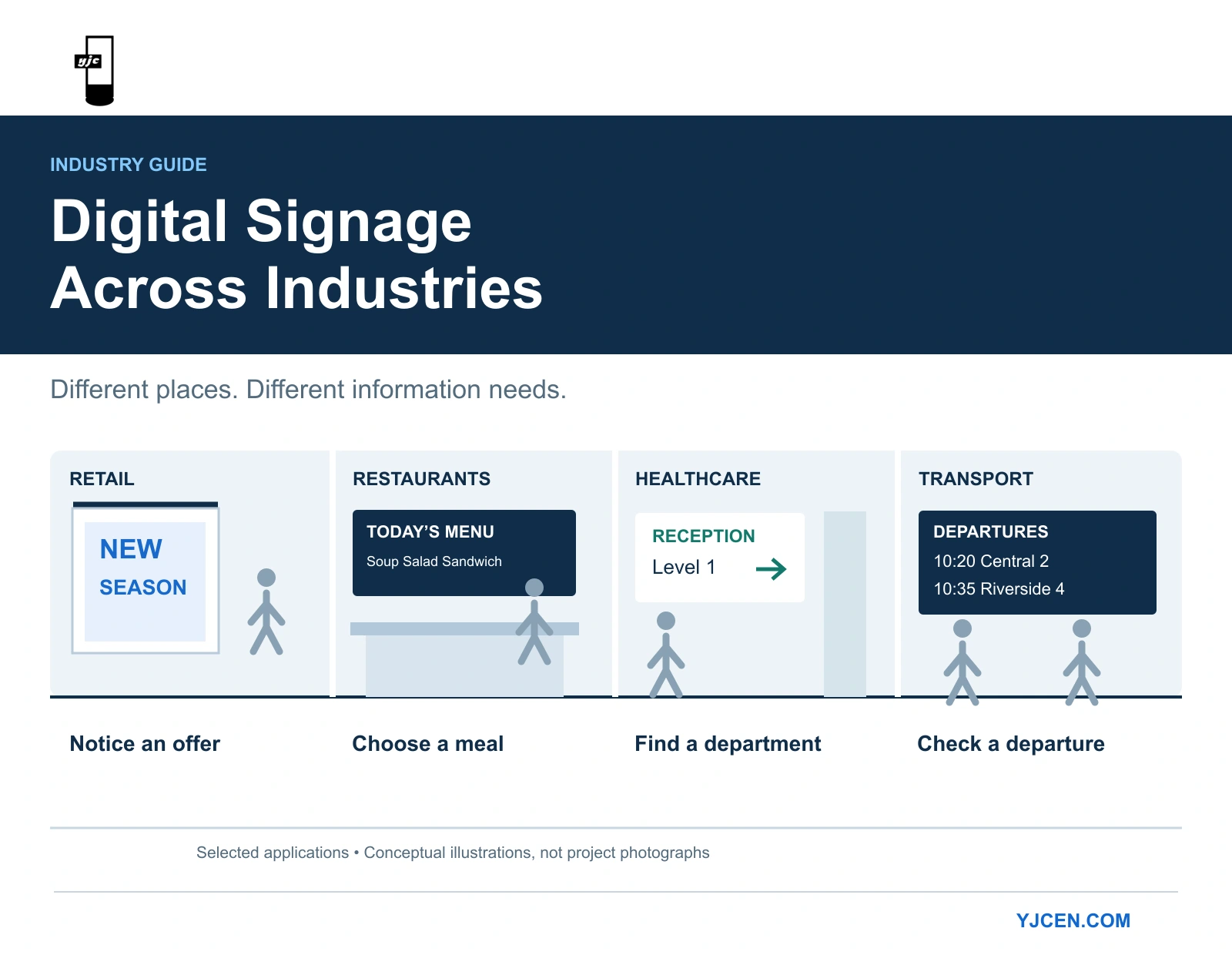
Digital signage is used in retail, restaurants, hotels, healthcare, education, corporate offices, transportation, and manufacturing and warehousing. Common applications include promotions, menus, visitor directions, schedules and employee information.
These applications have different jobs. A shop-window promotion needs to communicate an offer to passing shoppers. A hospital directory needs to help visitors find a department. A departure board needs to provide current travel information.
Knowing that your industry uses digital signage is a starting point. To decide whether it belongs in your business, identify the information people need, where they need it and how you will keep it correct.
This guide covers eight sectors, with practical examples and the requirements that distinguish each application.
Quick Guide: Digital Signage Uses by Industry
| Industry | Where it is used | What it helps people do |
|---|---|---|
| Retail | Shop windows, product areas, checkout zones | Notice an offer or understand a product |
| Restaurants and cafés | Ordering counters, waiting and collection areas | Compare choices, check prices and follow collection instructions |
| Hotels and event venues | Reception, meeting-room corridors, function spaces | Find facilities and reach the correct event |
| Healthcare | Entrances, reception points, waiting areas | Find departments and understand the next step |
| Education | Campus entrances, libraries, student centres | Discover relevant events and service updates |
| Corporate offices | Reception, staff entrances, shared spaces | Access workplace information relevant to that location |
| Transportation | Stations, terminals, boarding areas | Check departures and respond to service changes |
| Manufacturing and warehousing | Staff areas, production zones, dispatch points | Understand work updates and operational status |
Other users include banks, public-service offices, museums, gyms and entertainment venues. These sectors share many of the applications above, although the audience and operating requirements differ.
For any proposed installation:
- Define the audience’s question.
- Place the information where it can help answer that question.
- Assign responsibility for keeping it current.
- Choose equipment and software that support the task.
1. Retail: Match the Message to the Shopping Decision
Retailers use digital signage for window promotions, product explanations and in-store offers.
The location determines what the content needs to accomplish. A window screen addresses someone who may not have decided to enter. A screen near a product can help a shopper who is already comparing options.
For example, a furniture store could use a window promotion to introduce a collection and an interior display to explain fabric options or demonstrate an adjustable feature. These messages address different stages of the shopping decision and should be planned accordingly.
Research provides a reason to test retail signage rather than assume a guaranteed return. A Journal of Marketing study examined 237 advertising campaigns across ten stores operated by one retailer. It found positive effects on purchases of featured products, with results varying by product and campaign conditions. It also found stronger effects when signage was closer to the advertised product. In-Store Advertising with Digital Signage
The practical implication is to consider placement and product relevance together.
For a storefront, a Digital Window Displays is an option to assess from outside, through the actual glass and under expected daylight conditions.
If the objective is to promote an item, evaluate its performance while accounting for availability, prices and other promotions. Installing a screen does not, by itself, establish that it caused a sales change.
2. Restaurants and Cafés: Keep Ordering Information Available
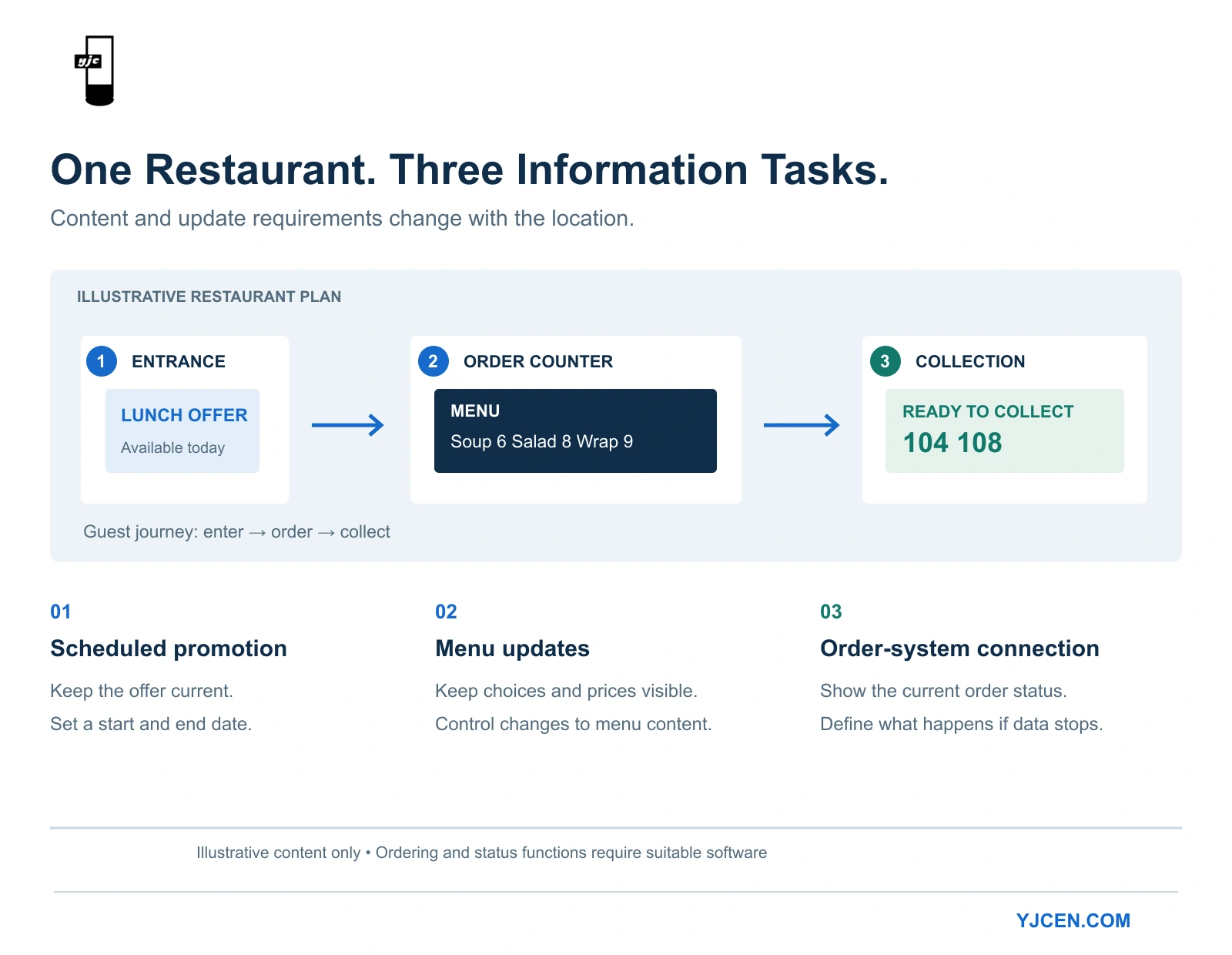
Restaurants use digital signage for menus, breakfast-to-lunch changes, featured items and order collection.
A menu board’s first job is to help customers choose. Item names, prices and essential options should remain accessible while they make that decision. A promotional sequence should not repeatedly remove information needed to order.
Develop the layout using the actual menu. Check it from the back of the queue and other realistic viewing positions. If it is difficult to read, reconsider the content density and text size before assuming that another screen is the answer.
A wall-mounted digital signage display can suit a fixed counter-menu position. However, three restaurant applications need to be distinguished:
- Menu boards display choices and prices.
- Collection displays communicate changing order status.
- Self-ordering kiosks allow customers to submit orders.
The latter two require appropriate applications and connections to the ordering workflow. Display hardware alone does not provide these functions.
For a menu-board trial, ask someone unfamiliar with the menu to find an item, identify its price and explain the available options. That checks whether the content supports ordering, rather than merely looking attractive.
3. Hotels and Event Venues: Keep Directions Consistent with Events
Hotels and venues use screens for meeting schedules, room directions, facility information and guest notices.
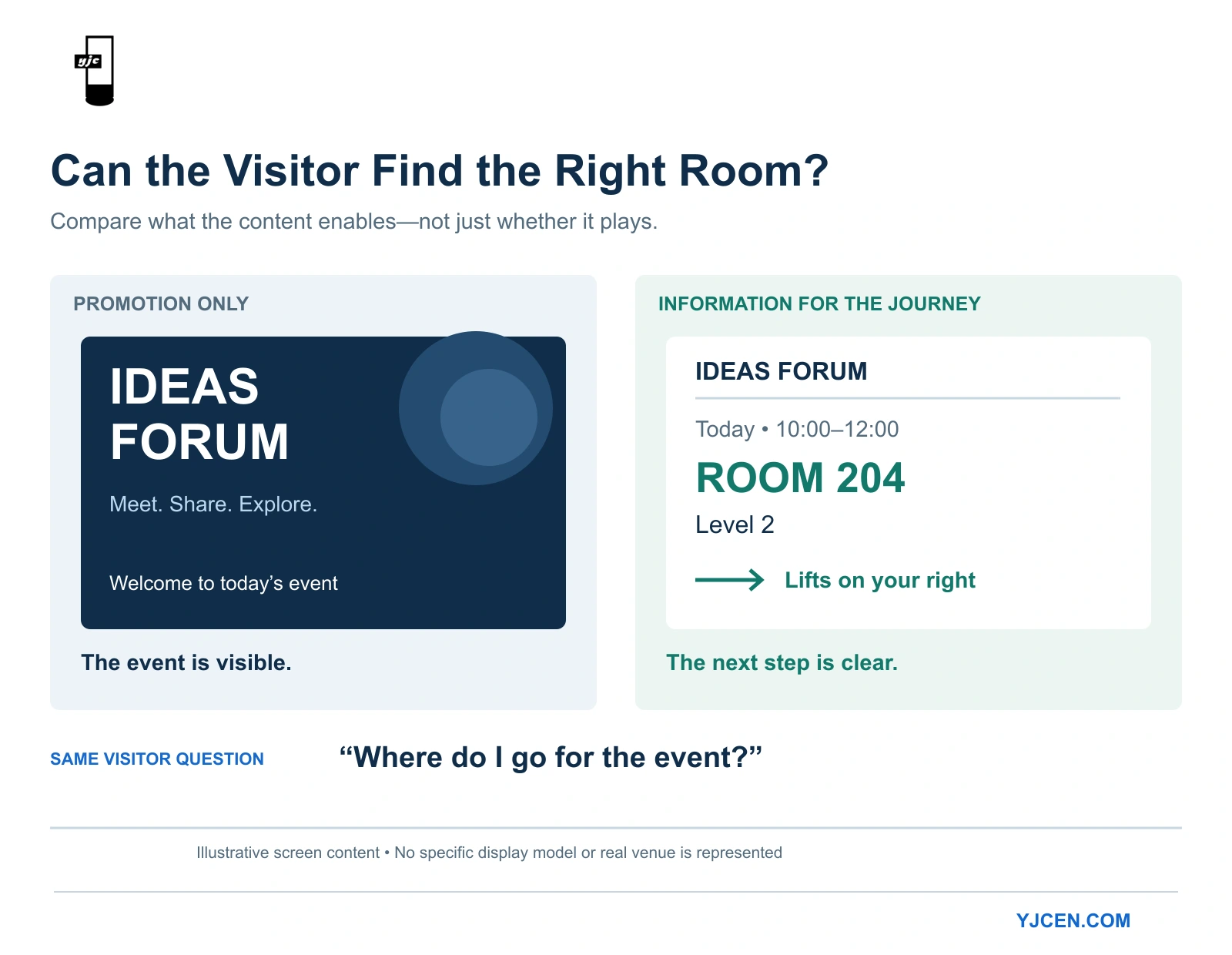
Their particular challenge is coordinating information across a changing schedule. A room may host different events throughout the day, and a late room change may affect reception, corridor and entrance displays.
Organise the information around the visitor’s journey. At reception, a guest needs to identify the event and destination. At a junction, they need the next direction. At the room, they need confirmation.
A floor-standing display can provide an information point where suitable wall space is unavailable. Include the equipment’s footprint and space for people stopping to read it when assessing placement.
Before installation, establish who controls event names, times and room assignments. Those details should agree with booking information and staff instructions.
A practical acceptance check is to change a room assignment and follow the visitor’s route. Confirm that every affected display updates correctly and that the previous direction no longer remains in use.
4. Healthcare: Make the Next Step Clear
Hospitals and clinics use digital signage for department directions, reception instructions, waiting-area information and health education.
These tasks need different content treatment. A visitor looking for a clinic needs a clear destination and direction. A seated patient may have time to read educational material. Essential navigation information should not be buried in a long educational playlist.
The NHS’s interior-signage guidance recommends clear, simple communication and consideration of accessibility, including text size, contrast and symbols. Although this guidance is not specific to digital displays, it provides relevant principles for reviewing screen content. NHS interior-signage guidance
Use department names that match appointment information and destination signage. Check readability from seated as well as standing positions.
A real example of hardware supply in this sector is YJCEN’s 150-unit display project for public health institutions in Saudi Arabia. YJCEN supplied 55-inch floor-standing displays with infrared touch and Windows to a system integrator for indoor use. The confirmed supply covered the hardware platform; software installation and application configuration were part of the integrator’s subsequent work.
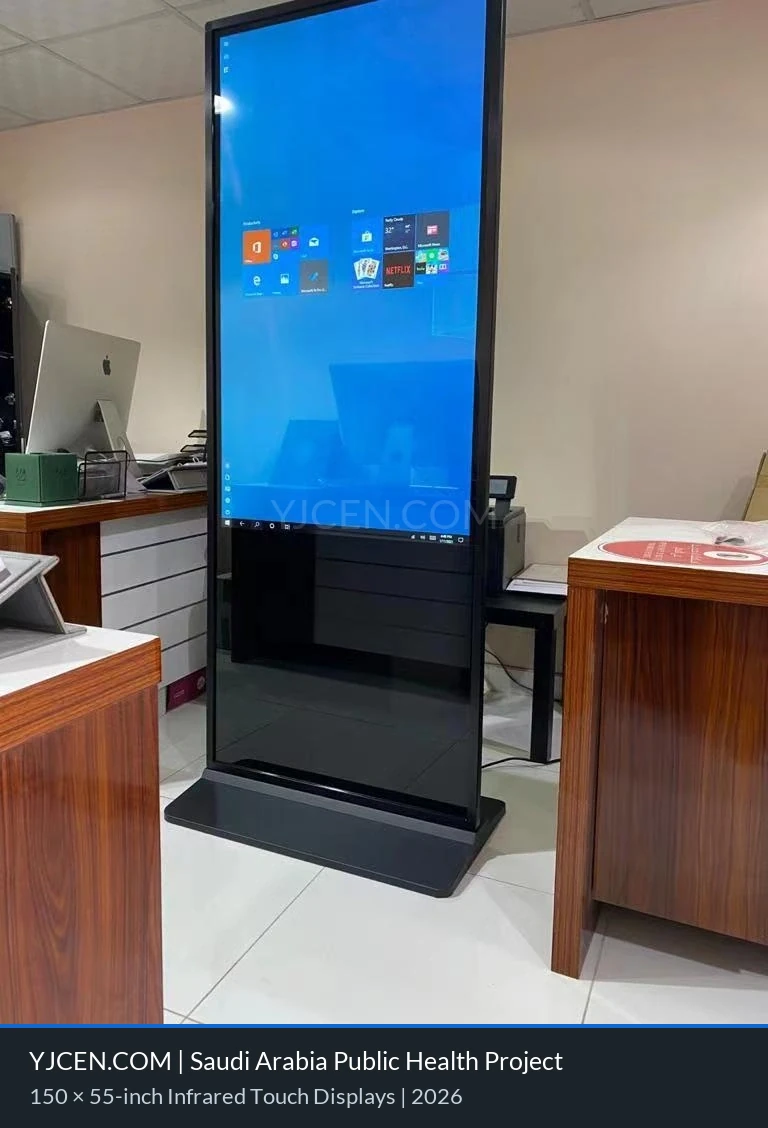
That distinction matters when specifying a healthcare installation. Touch capability does not, by itself, provide appointment check-in, wayfinding or queue management.
For queue numbers or waiting-time estimates, define the information source, how updates reach the screen and what appears if current information becomes unavailable.
For wayfinding, ask someone unfamiliar with the building to follow the directions. Their hesitation points can reveal problems that staff who already know the route may miss.
5. Education: Control Relevance and Expiry
Schools and universities use digital signage for events, campus notices, service-hour changes and building information.
With many departments submitting content, the challenge is deciding what each audience should see. A technically unlimited playlist can become practically unreadable if students only pass a screen briefly.
Separate campus-wide notices from local information. A library display might prioritise opening-hour changes, while a student-centre display focuses on events and services relevant to its visitors.
Utah Valley University’s operating guidelines illustrate the importance of expiry dates: campus-wide signage expires after 14 days, and publishers are instructed to set corresponding start and end dates. This is the university’s policy, not a general industry standard. Utah Valley University content guidelines
Assign each notice an owner, an audience and an end date. Review whether an announcement is still useful, not merely whether the screen is working.
For urgent messages, establish how they take priority within the institution’s wider communication arrangements. Routine event scheduling and urgent communication should not be treated as the same publishing task.
6. Corporate Offices: Choose Information That Belongs in a Shared Space
Corporate digital signage supports employee notices, visitor information and selected dashboards. AVIXA identifies these among workplace applications. AVIXA’s digital-signage overview
Its usefulness depends on the audience and location.
A temporary entrance closure is relevant near an arrival point. A staff event can be promoted in a break area. A detailed policy needs a channel where employees can read the complete document and return to it later.
Also distinguish public-facing information from internal content. A visitor screen should not automatically share the same playlist as an employee dashboard.
For business metrics, identify the relevant team and reporting period. Explain what the number means and whether any action is expected. A figure without context may create more questions than it answers.
When evaluating employee communication, check understanding as well as playback. Ask whether the intended audience saw the message and knew what to do with it.
7. Transportation: Combine Current Information with Suitable Hardware
Stations, airports and bus facilities use displays for departures, destinations, boarding locations and service changes.
The information can affect an immediate decision. Passengers therefore need to understand both what is displayed and whether it reflects the current service.
A timetable and a live arrival prediction are different information products. They may look similar on screen, but the second requires current data and a process for handling missing updates.
GTFS Realtime is one example of the infrastructure used to exchange transport information. Its specification covers trip updates, vehicle positions and service alerts. Supporting such information requires the appropriate system connection; it is not an automatic capability of a display. GTFS Realtime reference
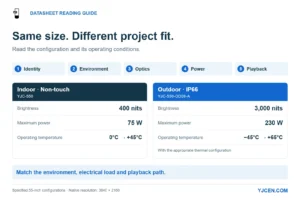
Hardware suitability matters alongside data accuracy. At a dusty platform or a partially sheltered installation exposed to rain, assess the enclosure’s ingress protection—such as IP65 where the site conditions call for that level of protection. Separately, verify the equipment’s operating temperature range and suitability for temperature changes and condensation. An IP rating does not establish those capabilities. IEC 60529: enclosure protection ratings
For the information system, define what the screen should show when a live feed is delayed or unavailable. Avoid presenting an old prediction as current.
Test the complete installation with realistic departure lists, viewing distances and service changes. Include an interrupted-data scenario, because normal operation alone does not reveal how the system handles uncertainty.
8. Manufacturing and Warehousing: Make Operational Updates Actionable
Factories and warehouses use digital signage for shift notices, production progress, dispatch updates and work instructions.
Warehouse Digital Signage: Dispatch Metrics & Shift Handover
Begin with a specific task. “Show production information” leaves the audience and purpose unclear. “Show the packing team which orders are ready for dispatch” gives the installation a defined role.
For operational information, identify the job or area, the update time and the expected action. Avoid filling the display with every metric available from a business system.
A manually maintained noticeboard and a live production dashboard may use similar screens, but their implementation requirements differ. Live information may require connections to manufacturing, warehouse or enterprise software, along with agreed definitions for the displayed status.
Assess the environment separately. Offices, production floors and loading areas can differ in dust, temperature, cleaning exposure and mounting conditions.
For an initial trial, follow one real update from its source to the team. Confirm that employees can recognise the change and act on it. Refreshing a dashboard successfully is only part of that test.
How to Tell Whether the Screen Is Solving the Problem
| Application | Practical question to test |
|---|---|
| Retail promotion | Can shoppers identify the offer, and do comparable sales results change? |
| Restaurant menu | Can an unfamiliar customer find an item and its price? |
| Hotel directions | Can a visitor reach the correct room after a schedule change? |
| Healthcare wayfinding | Can an unfamiliar visitor follow the displayed route? |
| Campus notices | Are messages relevant, current and removed when they expire? |
| Employee communication | Can the intended audience explain the required action? |
| Passenger information | Does a service change appear correctly, and is missing data handled clearly? |
| Production or dispatch | Can the team identify what changed and what to do next? |
Does Your Business Need Digital Signage?
Digital signage is worth assessing when people need information in a particular physical location and that information benefits from updates, scheduling or multiple views.
It may be difficult to justify if the message rarely changes, the screen is inconvenient to view or nobody will maintain the content. A well-positioned static sign may already meet the need.
Before comparing products, write a brief that answers:
- Who will use the information?
- What should they understand or do?
- Where will they view it, and under what environmental conditions?
- Which information must remain visible?
- Who updates it, and does it require another system?
- What result would demonstrate that the installation is useful?
For example:
Visitors arriving at reception need today’s event names, times and room locations. The information must match the booking schedule, and reception staff need a process for correcting last-minute changes.
Once the application is clear, compare the physical formats and operating requirements. Our guide to types of digital signage explains how purpose, environment, interaction and equipment format fit together.
Discuss your digital signage project
Share your screen size, installation environment and quantity for a display quotation.