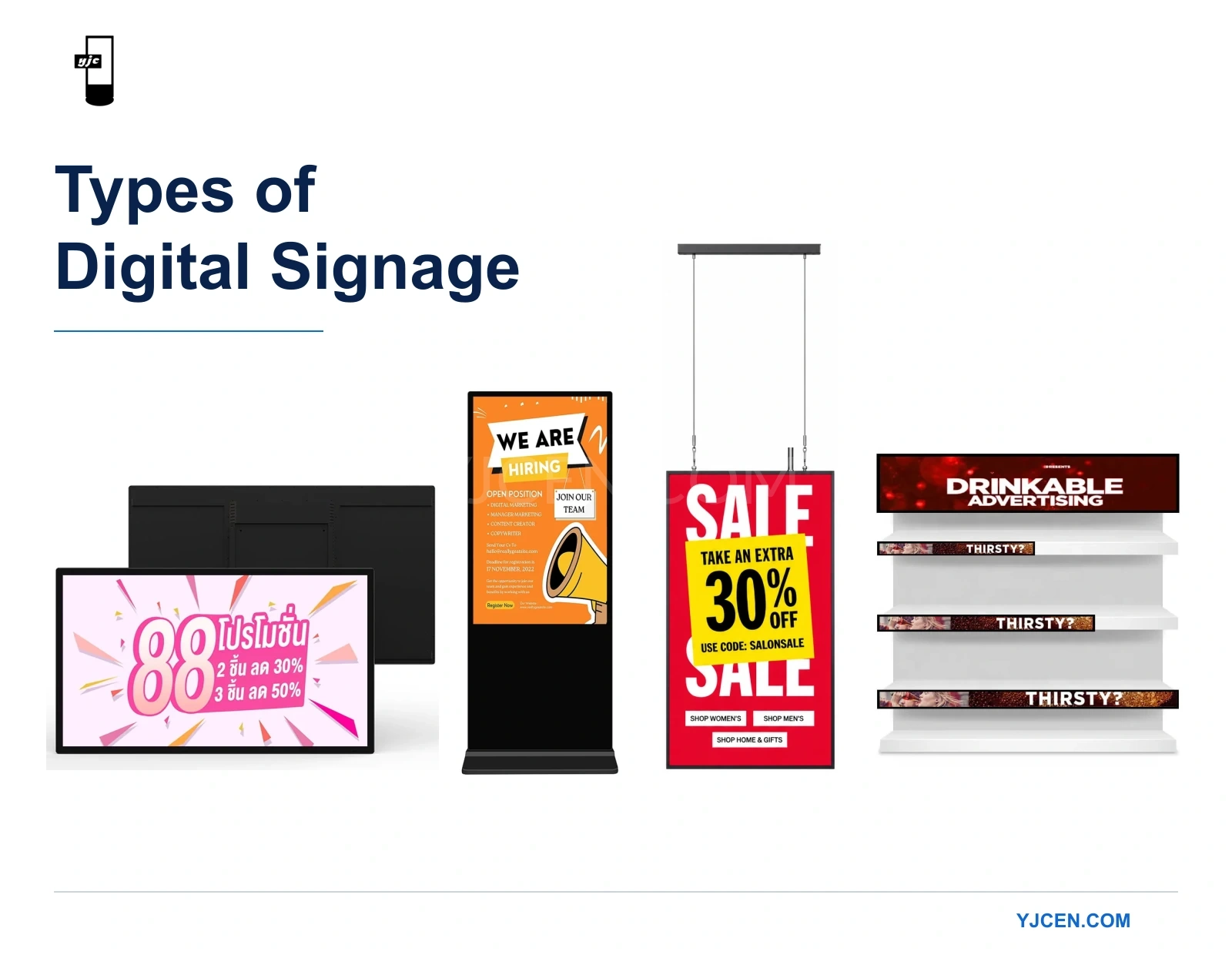
Common types of digital signage include advertising displays, digital menu boards, information displays and wayfinding screens. These names describe what the signage does.
Other familiar labels—such as interactive signage, outdoor signage, window displays and video walls—describe how people use the system, where it operates or how the screens are arranged.
These categories overlap. A restaurant menu board, for example, can also be an indoor, wall-mounted LCD display.
To understand your options, start with the purpose. Then consider the audience, environment and equipment format.
Quick Guide: The Main Digital Signage Types
The 49-inch stretched display uses 3840 × 1080 pixels, while a standard UHD landscape canvas is 3840 × 2160. This makes the stretched format a different content shape, useful for a wide information strip rather than a direct replacement for a full-height advertising slide. Bar Type LCD Display.
| Type by purpose | What it helps people do | Typical example | Main selection question |
|---|---|---|---|
| Advertising and promotional signage | Notice a product, service or offer | A shop-window promotion | Can the main message be understood from the intended viewing position? |
| Digital menu boards | Compare items and prices before ordering | Restaurant counter menus | Can customers read the choices without waiting for essential information to reappear? |
| Information displays | Check current, relevant information | Announcements, queue updates or workplace notices | How will the information stay accurate and up to date? |
| Wayfinding and directory signage | Find a place or decide where to go | Building directories and directional screens | Does the viewer need a clear direction or a searchable directory? |
These are broad, practical categories rather than a fixed industry taxonomy. One installation may serve more than one purpose.
To narrow your choice:
- Define the task: What should the audience understand or do?
- Decide whether interaction is needed: Will people simply read the screen or use it to make selections?
- Identify the environment: Is the screen indoors, facing through a window or exposed to outdoor conditions?
- Choose the physical format: How will it fit the available space and viewing position?
Why One Display Can Belong to Several Types
Imagine a screen above a restaurant service counter.
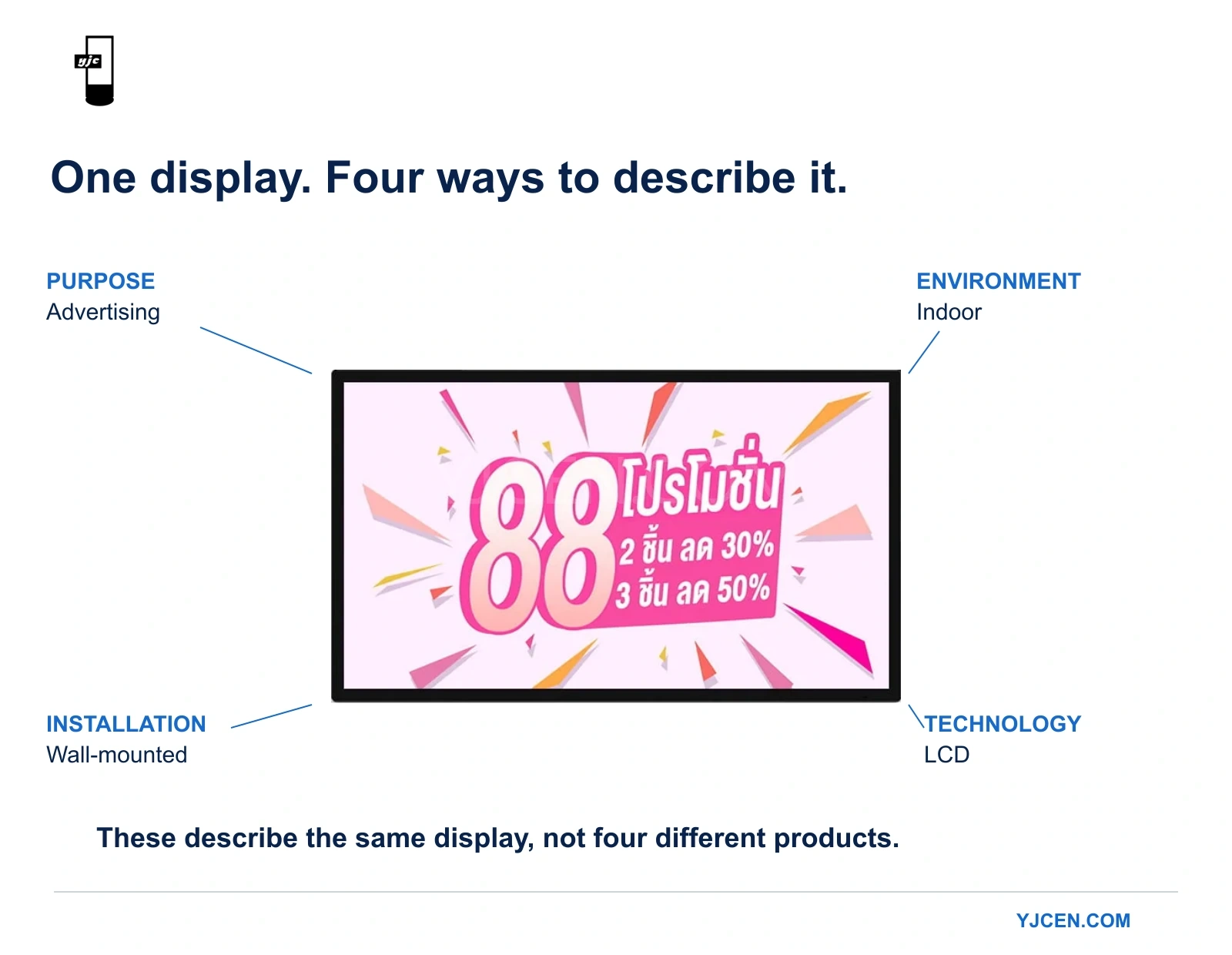
Calling it a digital menu board describes its purpose. Calling it indoor describes its environment. Wall-mounted describes its installation, while LCD identifies its display technology.
Those descriptions work together:
An indoor, wall-mounted LCD digital menu board.
This distinction makes product comparisons more useful. “Menu board” and “wall-mounted display” are not competing alternatives: a menu board can use a wall-mounted display.
It also explains why a product name is not a complete specification. Two businesses asking for a “digital advertising screen” may need very different equipment if one installation is in a shaded reception area and the other faces a sunlit shop window.
LCD vs. Direct-View LED: The Technology Difference
LCD and direct-view LED are display technologies, not categories of content or installation.
An LCD uses a liquid-crystal layer to control light from a backlight. Commercial LCDs commonly use LED backlighting, but this does not make them direct-view LED displays.
With direct-view LED, the LEDs themselves form the visible image. Samsung explains the distinction in its guide to direct-view LED technology.
| Feature | LCD | Direct-view LED |
|---|---|---|
| Construction | Individual panels used separately or combined | Modules or cabinets assembled into a display |
| Larger display areas | Multiple panels create a visible bezel grid | Modular construction avoids the LCD panel-bezel grid |
| Detail at the viewing distance | Depends on panel resolution, image size and content size | Depends on pixel pitch, overall resolution and content size |
Neither technology should be selected solely because a project is described as “indoor” or “outdoor.” The specific equipment must suit its operating conditions.
The rest of this guide focuses on LCD digital signage: its uses, configuration choices and physical formats.
Four Common Types of Digital Signage by Purpose
1. Advertising and Promotional Signage
Advertising signage presents products, services, offers or brand messages. Its immediate task is to attract attention and make the main message understandable.
The audience may be walking past rather than stopping to read. Before choosing a screen, decide what a viewer should notice first and where that viewer will be.
A promotion beside an indoor checkout and the same promotion facing the street have different visibility requirements. Increasing the screen size will not necessarily fix small text, an overcrowded layout or a poorly chosen position.
Choose this purpose when: the main objective is to draw attention to an offer, product or service.
2. Digital Menu Boards
Digital menu boards help customers compare choices, understand prices and decide what to order.
They may use one screen or several. The important issue is how much information must remain visible from the ordering position. If essential menu categories repeatedly disappear as content rotates, customers may have to wait to complete their decision.
Readability depends on the information shown, not just the screen diagonal. AVIXA’s display-sizing guidance considers the active image, information-element size and viewing area. This is a useful basis for reviewing an actual menu layout at the expected distance. See AVIXA’s explanation of display image size.
A digital menu board is also different from a self-ordering kiosk. The menu board presents choices; a kiosk must support the ordering process and any required integrations.
Choose this purpose when: customers need clear, accessible menu information before ordering.
3. Information Displays
Information displays communicate announcements, schedules, queue progress, service updates or workplace notices.
Here, the update process can be as important as the display itself. Establish where the information comes from, who maintains it and how quickly changes need to appear.
A manually updated announcement screen and a live operational dashboard may use similar hardware, but their software and data requirements are different. Buying the display does not automatically provide a connection to a scheduling, queue-management or business-information system.
Choose this purpose when: people need to check information that helps them understand a situation or take their next step.
4. Wayfinding and Directory Signage
Wayfinding signage helps people locate a destination or decide which direction to take.
A simple directional screen may only need to show a clear message. A directory containing many destinations may benefit from search, filtering or a map.
Placement should follow the visitor’s journey. A screen is most useful where someone needs to make a navigation decision, rather than wherever an empty wall happens to be available.
More content is not always more helpful. A visitor who needs to know which corridor to take may benefit more from one clear direction than a detailed map of the entire building.
Choose this purpose when: the audience needs help navigating a building or site.
Interactive or Non-Interactive?
Interaction is a separate choice that can apply to any of the purposes above.
Non-interactive signage presents information for people to read. It suits situations where the audience needs a shared message, such as a menu, announcement or promotion.
Interactive signage allows users to search, select or explore. A directory can become searchable; a product display can let shoppers compare options.
Choose interaction when the task requires it. A touchscreen needs an appropriate application, reachable controls and enough space for a person to stop and use it.
Touch hardware alone does not provide ordering, payment, booking or inventory access. Those functions depend on the software and connected systems.
A useful question is:
Does the audience need to receive the same message, or does each person need to choose their own information?
That answer is more useful than adding touch simply because it is available.
Indoor, Window-Facing or Outdoor?
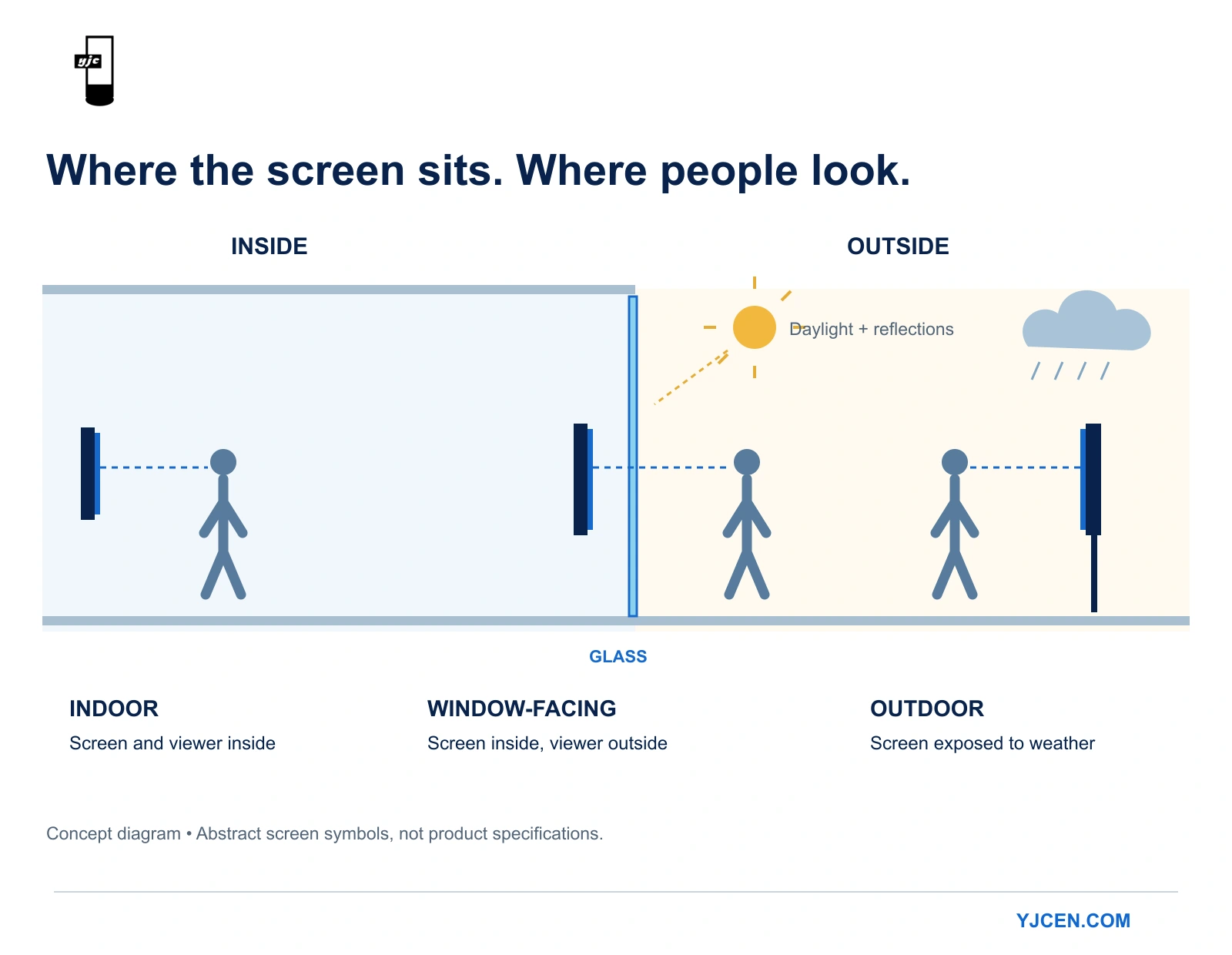
The next distinction is between the equipment’s location and the audience’s viewing environment.
Indoor Digital Signage
Indoor displays operate within a building, but conditions vary. A shaded corridor, a bright entrance and a position beside a sunlit window should not automatically use the same specification.
Check the actual lighting, reflections, operating hours and installation requirements.
Window-Facing Digital Signage
A window-facing screen is typically installed inside a store but viewed from outside.
The audience sees it through glass, often alongside reflections of buildings, traffic and the sky. The selection therefore needs to account for daylight, reflections and solar heating.
NIST’s research on daylight readability examines display reflection and ambient contrast. It supports evaluating visibility under relevant lighting conditions rather than relying solely on controlled-environment specifications. See the NIST study on display daylight readability.
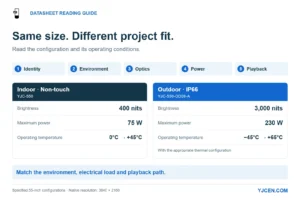
Shop-window installations can use hanging or floor-standing equipment. The mounting choice and the brightness requirement are separate decisions. Our shop-window brightness guide discusses both, including YJCEN configurations with 3,000 nits typical brightness.
Outdoor Digital Signage
Outdoor equipment must suit the expected exposure and operating conditions.
Brightness is only part of the assessment. Buyers should also review enclosure protection, operating limits, installation requirements and maintenance access.
IEC 60529 classifies the protection provided by electrical enclosures through the IP Code. An applicable IP rating is one part of evaluating outdoor equipment, not a substitute for reviewing the complete installation. See IEC 60529.
A bright indoor screen is not automatically an outdoor display. Equally, placing equipment indoors does not remove the challenges of a sunlit window.
Once you have identified an outdoor installation, compare brightness, ingress protection, heat resistance and viewing conditions using our outdoor digital signage selection guide.
Six Common LCD Display Formats
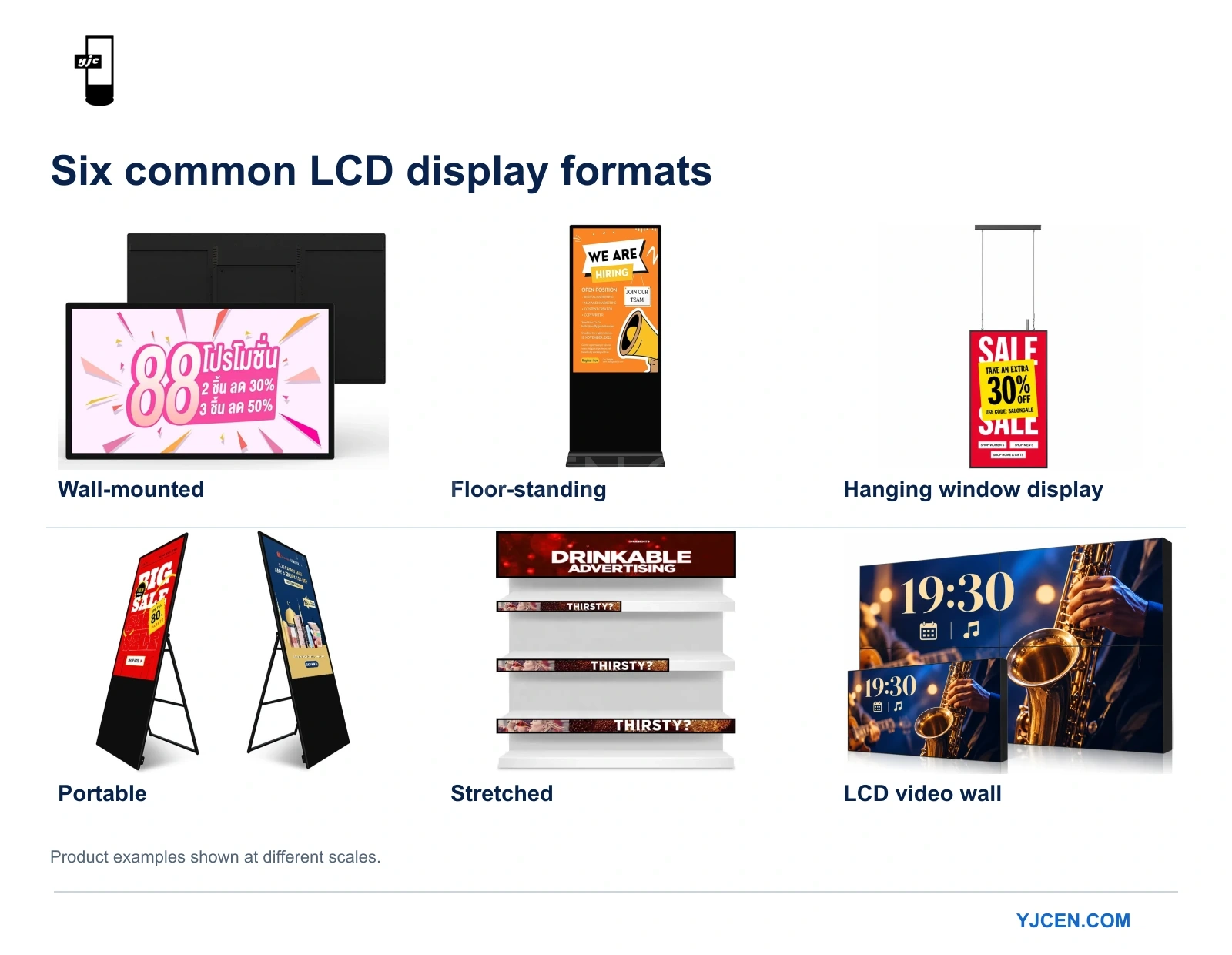
Once the task and environment are clear, compare the equipment’s physical form. These formats describe mounting, mobility, shape or screen arrangement.
| Format | When it is worth considering | Important limitation or check |
|---|---|---|
| Wall-mounted | A fixed wall position offers a clear view and floor space should remain available | Suitable support, cable routing and maintenance access |
| Floor-standing | The screen needs an independent position away from a wall | Base footprint, stability and pedestrian movement |
| Hanging window display | A storefront message should face outward while leaving space below | Overhead support, viewing height and sun exposure |
| Portable | The screen changes position as part of normal operation | Handling, power supply and storage |
| Stretched display | The space or content calls for a long, narrow image | Actual display dimensions and content readability |
| LCD video wall | Several panels need to form a larger coordinated display | Panel borders, content layout and system control |
Wall-Mounted Displays
A wall-mounted digital signage display provides a fixed screen position without occupying the floor. It suits locations where a wall offers the right viewing angle and the message does not need to move regularly.
A wall-mounted screen keeps the circulation route clear but fixes the viewing position. A floor-standing screen can face an entrance or queue independently of the walls, while its base and service space occupy floor area. Choose the position people can read naturally without narrowing the route or blocking a door.
Floor-Standing Displays
A floor-standing display gives more freedom to position a screen independently of the walls.
The full footprint matters: include the base, nearby doors and the route people take through the space. A freestanding unit is not necessarily designed for frequent relocation.
Hanging Window Displays
A hanging high-brightness window display places the screen within the window area using overhead support.
It can preserve floor space, but the proposed structure, suspension arrangement and maintenance access need to be suitable. Check the position from outside to identify obstructions and reflections.
Portable Displays
A portable digital signage display is designed for situations where relocation is a practical requirement.
Consider who will move it, the route it will travel and how it will be powered. “Portable” does not automatically mean battery-powered or suitable for outdoor use.
Stretched Displays
A stretched LCD display provides a long, narrow image area for spaces or content layouts that benefit from that shape.
Prepare content for the actual display dimensions. Shrinking a conventional poster into a narrow strip can make its text difficult to read.
LCD Video Walls
An LCD video wall combines multiple panels into a larger display area.
Specify whether the installation needs one image across the panels or several content zones. Account for the panel borders, especially where text or important image details cross a join.
Several adjacent screens playing independent messages do not necessarily require the same control arrangement as a coordinated video wall.
When Does a Double-Sided Display Make Sense?
A double-sided display is useful when there are relevant audiences in two directions.
For example, a shop may want to address pedestrians outside and customers inside. Those audiences may need different messages, brightness levels or content schedules.
Specify the requirements for each side separately. Two display faces do not automatically mean both sides have identical specifications or can show independent content; confirm those capabilities for the selected configuration.
Putting It Together: A Shop-Window Example
Suppose a retailer wants pedestrians to notice a promotion.
Purpose: This is advertising signage. The main offer needs to be understandable from the street.
Interaction: People will view it through glass rather than operate it, so this brief does not call for customer touch interaction.
Environment: The equipment is inside, but the audience is outside. It is a window-facing installation requiring assessment of daylight, reflections and heat.
Format: A hanging display is an option if suitable overhead support exists and the floor should remain available. A floor-standing arrangement is another option if the window has usable floor space.
Viewing sides: If there is also a reason to address customers inside, define that second audience and its content requirements.
The resulting brief is more useful than “we need an advertising screen”:
We need a window-facing LCD display to show promotions to pedestrians, using a hanging or floor-standing installation according to the available support and space. It will operate during shop hours, with content updated by our store team.
Screen dimensions, brightness, operating conditions and content-management requirements can then be selected for that brief.
What to Prepare Before Comparing Products
Give suppliers the same basic information:
- The task: What should people understand or do?
- The audience: Where will they view or use the screen?
- The location: Provide photographs, dimensions and lighting conditions.
- The installation: Identify available wall, overhead or floor space and any need for mobility.
- The operation: Explain daily running hours, content updates and required integrations.
Ask each supplier to identify what the proposed solution includes: the display, mounting components, playback or control equipment and software.
For an LCD-based project, you can share your installation requirements with YJCEN to discuss an appropriate configuration.