How should a church start using digital signage?
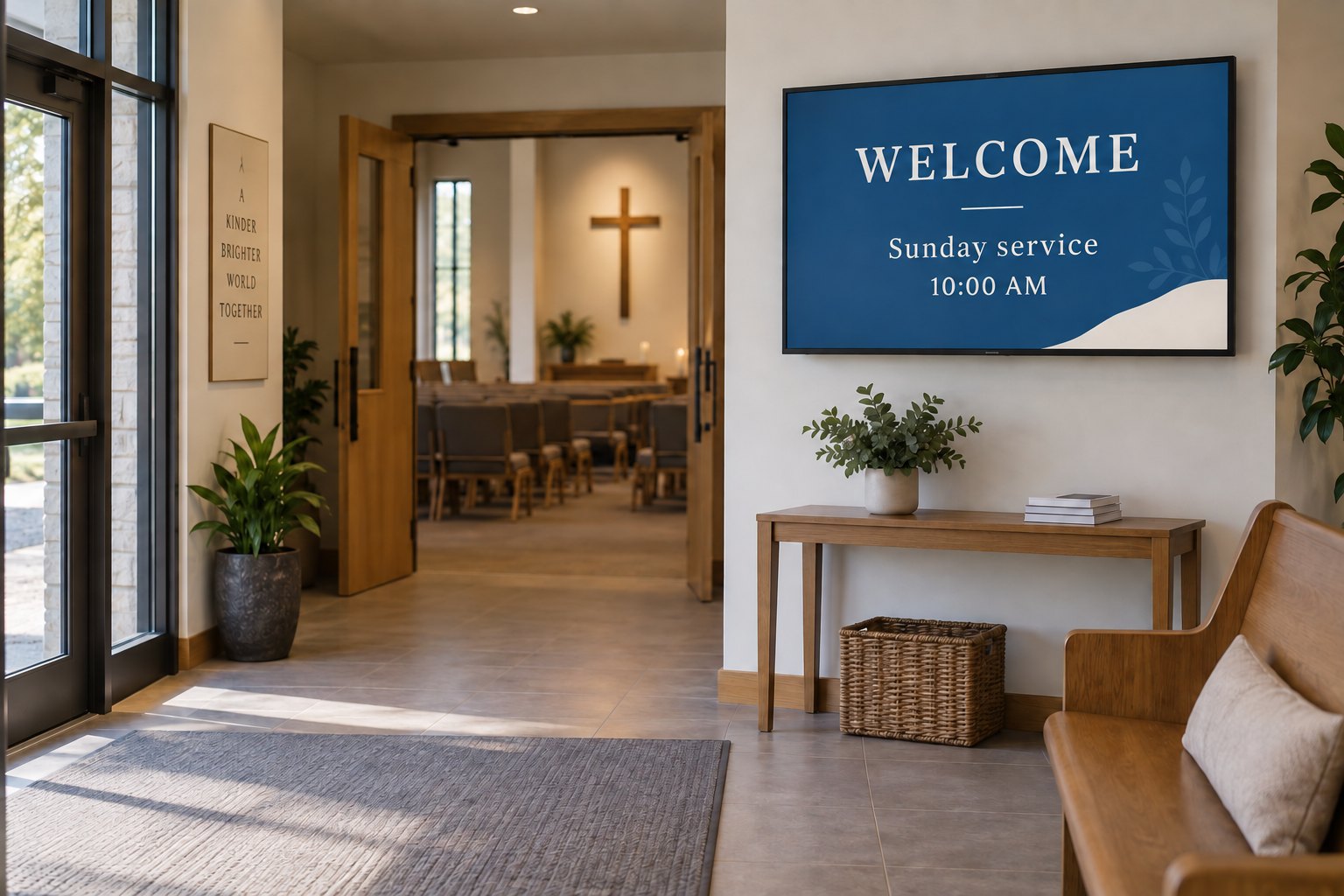
Start with a lobby or entrance screen that helps visitors find the right place and see current service or event information.
- Give each notice an event name, date, time, location and next step.
- Keep welcome messages and directions readable from the arrival route.
- Use one approved schedule, a volunteer-friendly update process and expiry dates.
- Prepare a fallback welcome message and test a normal busy day before adding more screens.
A successful installation also needs an easy update routine. If only one person knows how to change the content, the screen can become another noticeboard that nobody maintains. Plan the messages, the volunteer workflow and the display location together before buying hardware.
Give each screen one clear job
A foyer display serves people who are arriving or waiting. A room entrance display helps them confirm they are in the right place. A screen used for live worship presentation has different viewing, timing and audiovisual requirements. Do not assume one setup will perform all three jobs equally well.
Start by listing the questions the welcome team answers most often. Choose the questions that a visible screen can answer quickly, without requiring a visitor to read a long slide or search through a full event calendar.
| Location | Useful content | Planning priority |
|---|---|---|
| Main entrance or foyer | Welcome message, service times and directions. | Visibility from the arrival route and short, readable messages. |
| Outside a meeting room | Current event, start time and room name. | Accurate scheduling and consistent room labels. |
| Community or fellowship area | Upcoming activities and volunteer information. | A manageable announcement loop and an owner for updates. |
| Exterior approach | Entry information and a few essential announcements. | Viewing distance, daylight, weather exposure and installation suitability. |
For a first installation, choose the location with the clearest purpose. It is easier to review one well-used screen than to maintain several screens whose audiences and content have not been defined.
Place the display where people can stop and read
Walk into the building as a first-time visitor. Check whether the screen is visible before the point where you need to choose a corridor or ask for help. Look for reflections from glass doors and windows at the time people normally arrive.
A wall-mounted commercial display can keep the floor clear in a narrow foyer. A floor-standing digital signage display can provide a more visible information point in an open lobby. The mounting and power arrangement should suit the space and its regular activities.
Leave enough room for people to pause without blocking a doorway. Check the view when the foyer is busy, not only when it is empty. Furniture, open doors and people standing in a queue can hide a screen that looked well positioned during installation.
Use a sample slide to choose the size and placement. Read it from the expected distance and from the side. If the important information is too small, simplify the slide before assuming that higher resolution will solve the problem.
Build a short announcement loop
Keep each slide focused on one message. A useful event announcement gives the event name, date, time, location and a clear next step. Leave detailed programmes and long explanations on a page visitors can read at their own pace.
A starting loop might include a welcome, directions, the next community activity and a volunteer notice. Keep the most immediate information prominent. Someone arriving just before a service should not have to wait through unrelated notices to find the room.
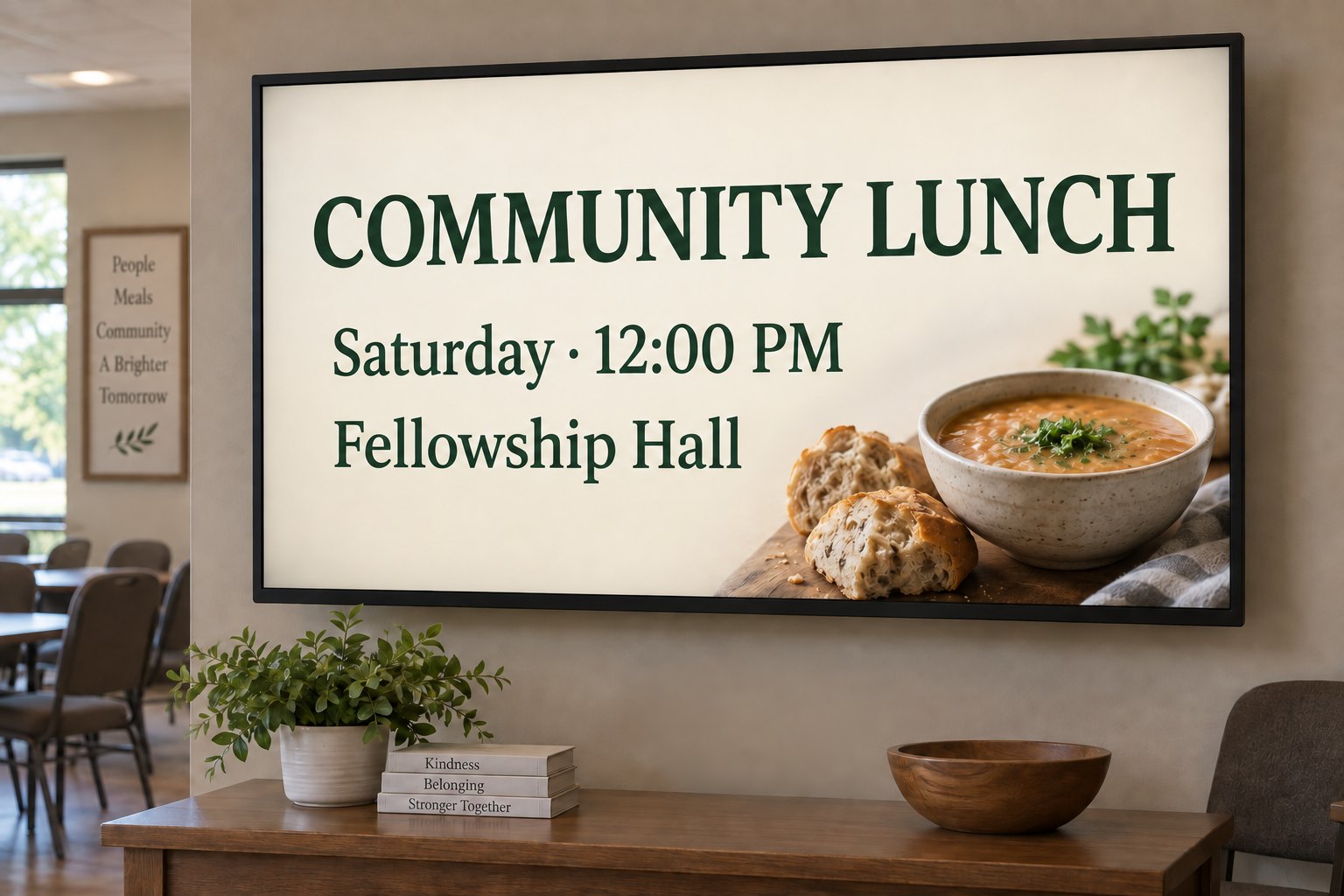
Use the same room names on the screen and the physical signs. Give dates in a format the audience understands, and avoid vague wording such as “this Friday” on content that might remain scheduled for several weeks.
Check the complete loop from the viewing position. Each slide needs enough time to read, but there is no universal duration that suits every message. A short welcome and a list of event details need different treatment.
Our digital signage content guide explains layout, readability and content expiry in more detail. For church announcements, the practical aim is a calm, useful display that fits the way people use the building.
Choose an update method volunteers can maintain
Decide where the master schedule lives and who approves changes. A single source for room names and event times helps prevent the screen, printed programme and website from showing different information.
For a simple playlist, local playback may be sufficient if someone can reliably update the device. For several screens or frequently changing events, remote publishing and scheduling may be useful. Review the actual workflow with the people who will use it each week.
Some church presentation tools also provide signage feeds. Proclaim’s official setup guide, for example, describes custom slides, separate feeds and sharing a feed to a browser or supported device. Check current player requirements and test your chosen hardware; a built-in browser alone does not prove compatibility.
Keep a short handover note covering how to edit a notice, preview it, schedule it and remove it. Give a second person the appropriate publishing access through the chosen system. Test that they can complete an ordinary update without help from the original installer.
Check the display and player as a complete setup
An existing television may be suitable for an initial trial, depending on its condition, location and operating schedule. A commercial display may offer a more suitable mounting, orientation or control arrangement. Compare the actual specifications rather than relying only on the product category.
Check the manufacturer’s supported operating hours, installation orientation, ventilation needs, connections and warranty terms. Confirm what happens after a power interruption: does the display select the right input, and does the player return to the announcement loop?
Review the differences between commercial displays and consumer TVs before committing to a larger rollout. The right choice depends on the job and the environment, not simply on whether a screen can play a video.
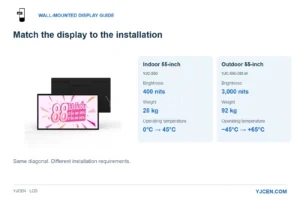
For exterior use, assess the complete installation separately. An indoor display placed near an open entrance is not automatically suitable for rain, dust or direct sunlight. Describe the exposure and viewing distance when requesting an outdoor proposal.
Set a weekly review and a fallback message
Give temporary announcements an end date. Review the upcoming schedule before the busiest day and remove notices whose events have passed. Keep a reusable welcome or direction slide ready for periods when there is nothing new to announce.
Decide what should happen if an internet connection is lost. Some players can continue downloaded slides, while a live feed may behave differently. Test the actual configuration by disconnecting the network and restoring it, then check whether normal playback resumes.
Keep the first setup simple enough to maintain consistently. Extra weather panels, video feeds and scrolling text each add something to check. Introduce them only when they serve a clear purpose for the people looking at the screen.
Test one busy day before adding more screens
Run the screen during a normal service day or community event. Ask the welcome team whether visitors can find the information they need. Watch for blocked sightlines, unreadable text and content that changes too quickly.
Then ask another volunteer to update a room or event time and confirm the change on the screen. This tests the maintenance process as well as the display. Correct those practical issues before repeating the setup elsewhere in the building.
Common questions about church digital signage
Does a church announcement screen need sound?
Not for ordinary welcome messages, directions or event notices. Plan any audio around the space and the intended programme. A quiet foyer announcement loop and a live service relay are different audiovisual tasks.
Can one screen show different notices during the week?
Yes, if the chosen playback system supports the scheduling you need, or if an editor updates the playlist manually. Test the week-to-week workflow and the handling of expired notices before relying on it.
What should we send when asking for a display recommendation?
Send YJCEN a photo of the location, the viewing distance, planned operating hours and sample announcements. Include the intended playback software and whether the screen will be indoors, behind glass or exposed outdoors.