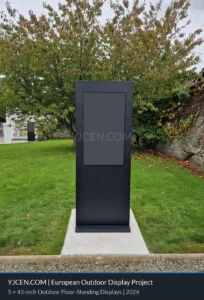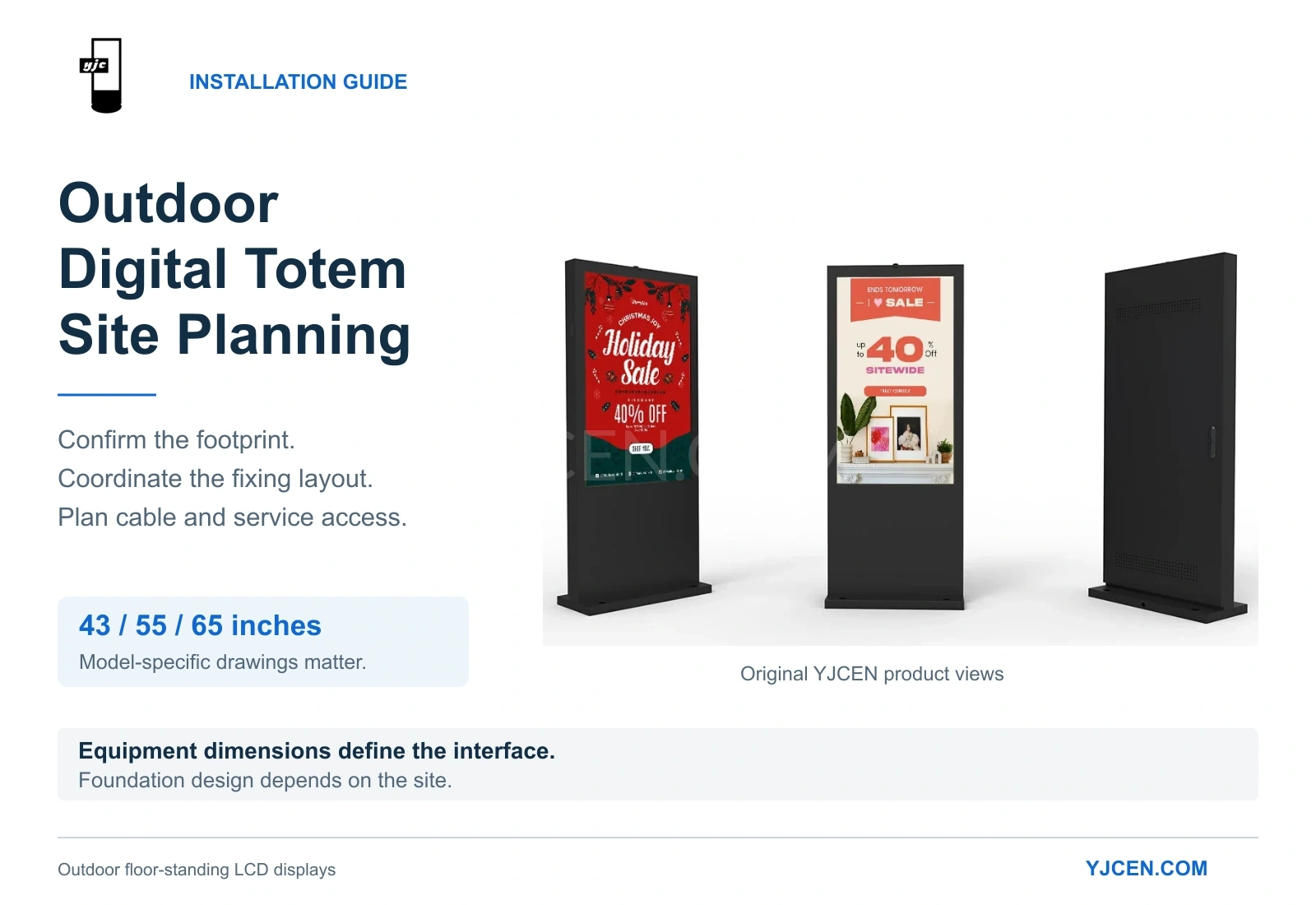
Before an outdoor digital totem arrives on site, several decisions need to be settled: where the base will sit, how its mounting holes align with the fixing arrangement, where cables will enter, and how technicians will reach the equipment after installation.
These details vary with screen size. Moving from a 55-inch display to a 65-inch model changes more than the viewing area—it changes the cabinet dimensions, base footprint, mounting pattern, weight, and power requirement.
YJCEN’s outdoor floor-standing displays are available in 43-, 55- and 65-inch configurations covered by the specifications and drawings discussed below. This guide helps AV integrators, equipment buyers, and installation teams coordinate those product details before site work begins.
The essential distinction: Cabinet dimensions define the equipment envelope, the base drawing defines the mounting interface, and the site design determines the foundation.
Quick Guide: What to Check Before Site Work Begins
Before releasing a site layout or preparing fixing positions:
- Identify the exact model: Use its corresponding dimensional drawing and confirm that it matches the ordered configuration.
- Check three separate measurements: Cabinet dimensions, base footprint, and mounting-hole spacing serve different purposes.
- Coordinate the fixing arrangement: Match the equipment’s hole pattern to the project’s approved anchor design.
- Locate cable entry before construction: Confirm the opening position and how cables and protective fittings will enter the cabinet.
- Reserve ventilation and service access: Consider rear openings, maintenance tasks, and nearby obstructions.
- Confirm site responsibilities: Establish who will complete the foundation, anchoring, electrical work, and installation checks.
1. Compare the Physical Requirements Before Selecting a Size
Screen size affects the space needed for the installation, the equipment weight, and the electrical load.
Use the following comparison when checking a proposed location:
| Specification | 43-inch | 55-inch | 65-inch |
|---|---|---|---|
| Model | YJC-430-OD-F | YJC-550-OD-F | YJC-650-OD-F |
| Cabinet dimensions, H × W × D | 1895 × 650 × 125 mm | 1990 × 800 × 125 mm | 2100 × 924 × 130.3 mm |
| Base footprint, W × D | 650 × 400 mm | 800 × 400 mm | 924 × 450 mm |
| Net weight | 83 kg | 120 kg | 135 kg |
| Maximum power consumption | 230 W | 290 W | 400 W |
| Supply voltage | AC 100–240 V, 50/60 Hz | AC 100–240 V, 50/60 Hz | AC 100–240 V, 50/60 Hz |
All three models specify 3,000-nit brightness, an IP65 enclosure, fan cooling, and an operating temperature range of –45°C to +65°C.
For site planning, the first decision is whether the complete installation fits the location. Include the base, rear access, and surrounding circulation space—not just the visible screen or the slim cabinet profile.
For example, the 65-inch cabinet is 130.3 mm deep, but its base is 450 mm deep. Using the cabinet depth alone would understate the equipment’s footprint.
Dimensions in this guide refer to the supplied model drawings. Confirm the applicable drawing for the ordered configuration before construction.
2. Separate the Base Footprint from the Mounting-Hole Pattern
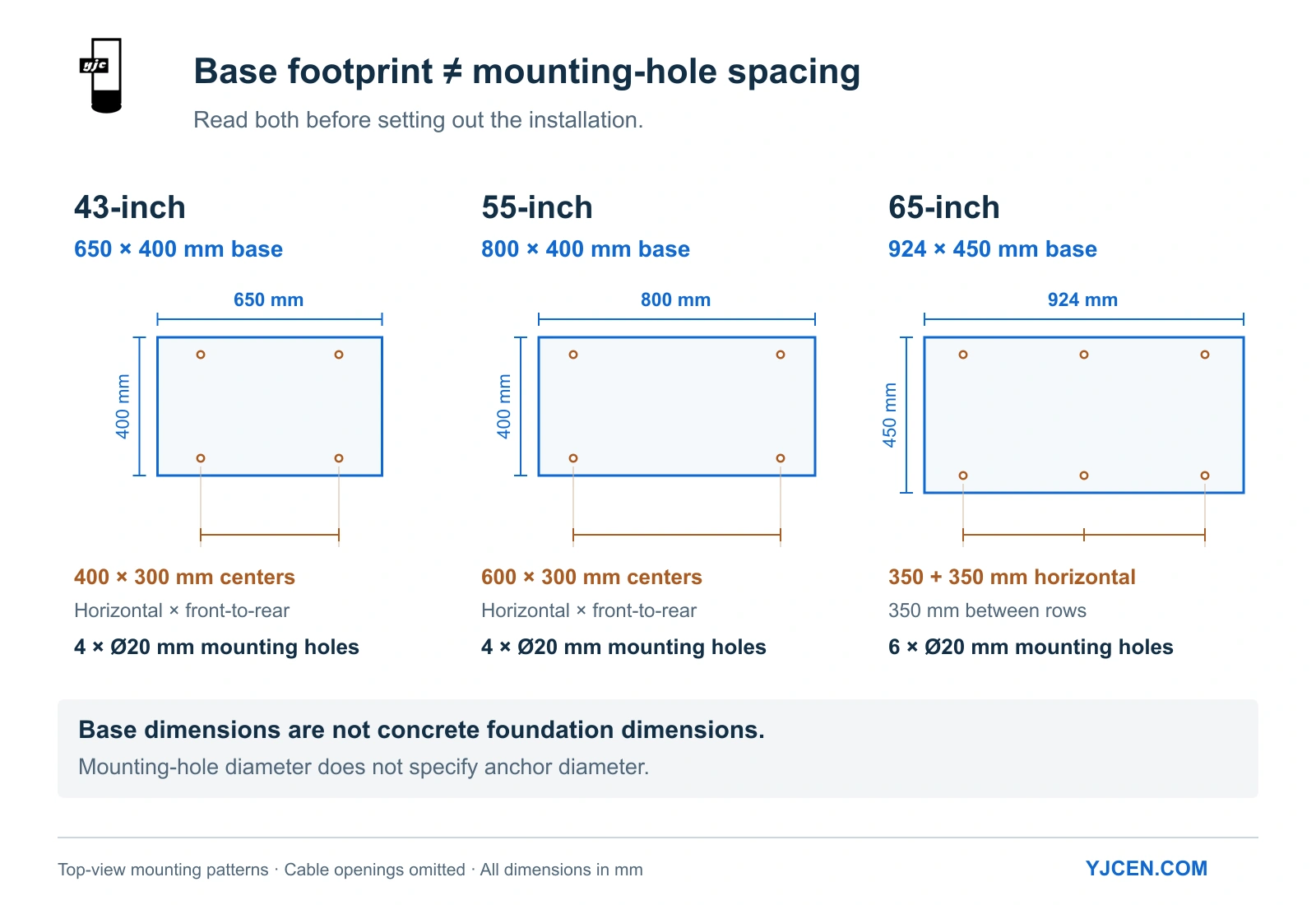
The outside dimensions of the base show how much space the equipment occupies. The hole pattern shows where it connects to the fixing arrangement.
These measurements should appear separately in the installation layout:
| Drawing detail | 43-inch | 55-inch | 65-inch |
|---|---|---|---|
| Base footprint, W × D | 650 × 400 mm | 800 × 400 mm | 924 × 450 mm |
| Mounting holes shown | Four | Four | Six |
| Horizontal hole-center spacing | 400 mm | 600 mm | Two consecutive 350 mm spans |
| Front-to-rear hole-center spacing | 300 mm | 300 mm | 350 mm |
| Mounting-hole diameter shown | Ø20 mm | Ø20 mm | Ø20 mm |
Changing Screen Size Changes the Fixing Layout
The 43- and 55-inch models share a 400 mm base depth and 300 mm front-to-rear hole spacing. Their horizontal hole spacing differs: 400 mm for the 43-inch model and 600 mm for the 55-inch model.
The 65-inch drawing shows a different arrangement, with two rows of three holes. Each row has two adjacent 350 mm spans, and the rows are separated by 350 mm.
This makes the mounting pattern a procurement decision as well as an installation detail. If equipment size changes after site drawings have been prepared, review the fixing positions and cable entry before releasing the revised layout.
Base Hole Clearance and Anchor Selection
The Ø20 mm openings in the equipment base are clearance holes designed to provide alignment tolerance during placement. The base opening, anchor diameter, and drilled hole in the concrete are different dimensions.
Factory accessories supply standard M12 expansion bolts for installation. Confirm the project’s selected anchor system, its installation requirements, and that washers adequately bridge the base openings to secure the baseplate firmly.
Base Footprint vs. Foundation Size
The base footprint describes the equipment interface. Foundation dimensions must account for the approved anchoring arrangement, edge distances, and the physical conditions at the site.
3. Establish the Foundation Requirements for the Actual Location
A product drawing provides the equipment geometry. Site-specific structural engineering ensures the supporting foundation matches local environmental conditions.
Before concrete work begins, the responsible project team should address:
- Site loading: The applicable wind speed, exposure category, and structural design criteria.
- Ground or slab conditions: Whether the proposed support slab or subgrade can accommodate the installation.
- Foundation design: Dimensions, depth, reinforcement mesh, and concrete specification.
- Anchorage: Anchor type, embedment depth, spacing, and concrete edge distances.
- Site levels and drainage: The relationship between the equipment base, surrounding paving, and cable entry.
- Positioning: Nearby structures, pedestrian routes, and maintenance access.
For U.S. projects, engineers can reference the ASCE Hazard Tool to determine location-specific environmental inputs for their structural foundation review.
4. Coordinate Cable Entry Before Pouring or Drilling
Cable entry requires both a suitable opening and a workable routing path.
The supplied 55- and 65-inch drawings identify a designated Ø40 mm cable-entry opening. For the 43-inch model, confirm the opening dimensions on the applicable installation drawing.
Before setting out conduit or cable positions, check:
- Orientation: Identify the display front and rear on the base drawing.
- Location: Locate the opening from the drawing’s reference edges.
- Clearance: Check the space required by cables, connectors, and protective fittings.
- Routing: Allow for cable bending, pulling, and access during installation.
- Protection: Ensure proper entry sealing and separate routing paths for power and communications cables to avoid interference.
An Ø40 mm cabinet opening does not dictate a single conduit size. The proposed conduit assembly—including fittings—must fit the equipment interface and align with the site’s electrical installation design.
5. Plan the Electrical Supply Around the Selected Configuration
The specified maximum power consumption rises from 230 W for the 43-inch model to 290 W for the 55-inch model and 400 W for the 65-inch model.
Use the figure for the actual selected model when preparing the site’s initial power allowance. For a project with several displays, identify the quantity and model mix rather than applying one screen’s consumption to every unit.
Before finalizing the electrical connection, coordinate:
- The available supply voltage and frequency.
- Circuit protection sized for operating current and initial startup loads.
- Cable route and total run length.
- Earthing and locally required electrical protective measures.
- Access to the connection and isolation switches.
The specification sheets list Ethernet RJ45 connectivity and HDMI input. Confirm the intended content source and network arrangement before civil works restrict access to the cable route.
6. Preserve Airflow and Maintenance Access
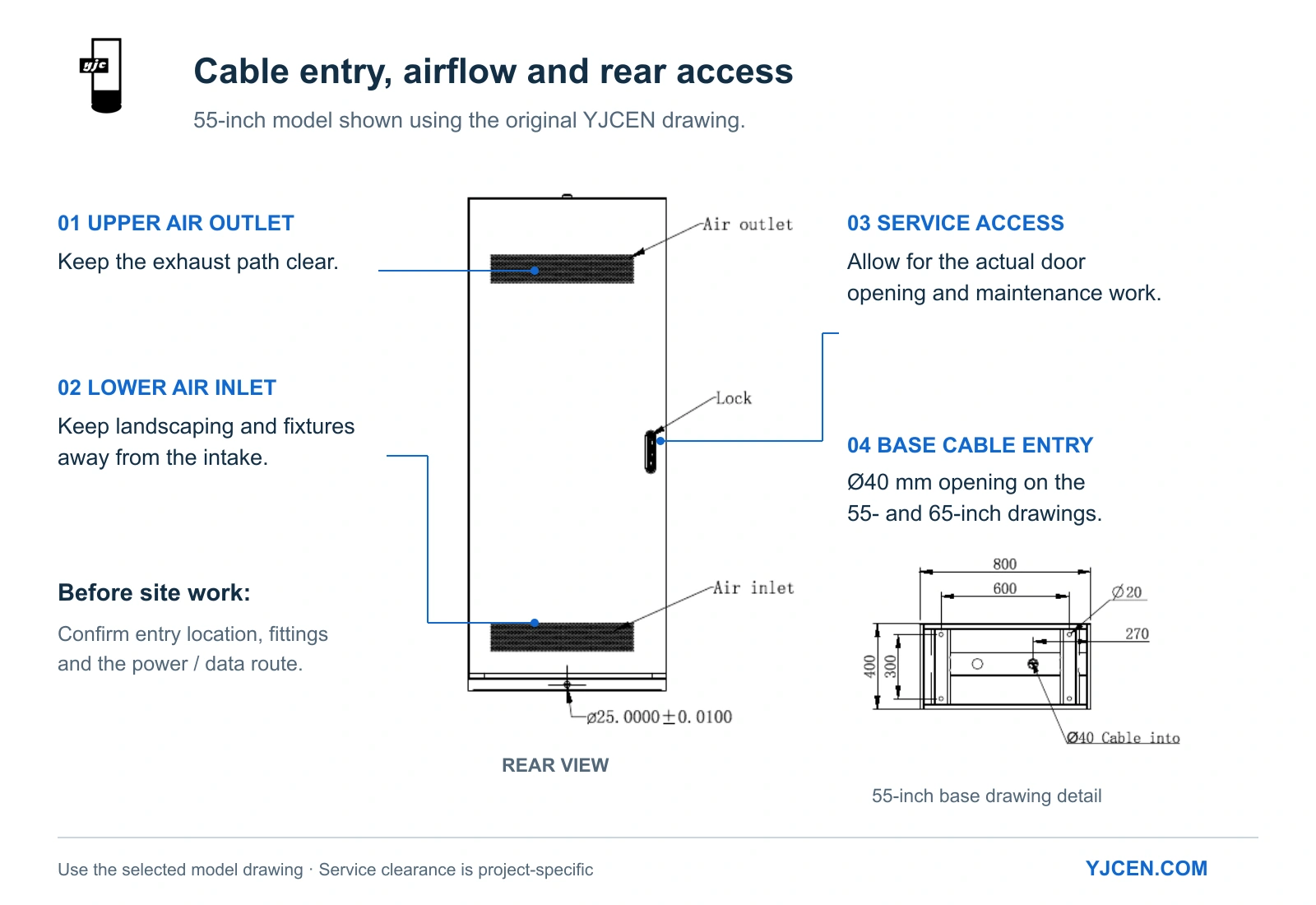
The drawings identify a lower rear air inlet and an upper rear air outlet. These openings must remain accessible to airflow after the display is installed.
Check the proposed position against nearby walls, planting, cladding, and other fixtures. A location that accommodates the base footprint may still be unsuitable if the surrounding structure obstructs the rear ventilation openings.
Plan for Maintenance Tasks
Reserve space for the keyed rear access door to open and for technicians to perform maintenance tasks comfortably. Consider both the equipment door swing and the technician’s working position.
Check Sensor and Antenna Positions
The drawings identify an ambient light sensor near the top of the front face and a Wi-Fi antenna above the cabinet. Account for these positions when reviewing nearby structures or overhangs to ensure automatic brightness control and network connectivity function properly.
7. Agree on Handling and Handover Before Delivery
The models covered here have a net weight between 83 kg and 135 kg. Review the unloading location, route to the installation point, and available handling space before delivery.
The installation manual illustrates crane handling using designated hook holes. Confirm the handling arrangement for the delivered model and follow the applicable lifting procedure.
Coordinated Responsibilities Matrix
| Work Package | What Needs to be Agreed |
|---|---|
| Equipment documentation | Selected model, applicable dimensional CAD drawing, and supplied accessories |
| Structural design | Foundation and anchoring assessment for the specific site |
| Civil works | Setting out, supporting construction, drainage, and cable-entry positions |
| Electrical works | Supply capacity, circuit protection, earthing, and cable installation |
| Equipment installation | Handling, positioning, fixing, and access checks |
| Commissioning | Power-up, content input, network connection, and operating checks |
Frequently Asked Questions
Can I use the same mounting template for the 43-, 55- and 65-inch models?
No. The 43- and 55-inch units have different horizontal hole spacing (400 mm vs 600 mm), while the 65-inch drawing shows a six-hole arrangement with different base dimensions.
Does the base footprint tell me how large the concrete foundation should be?
No. The base footprint describes the equipment interface. The foundation must be designed around site conditions, loading, and the approved anchoring arrangement.
Does an Ø20 mm mounting hole require an M20 anchor?
No. The equipment hole diameter provides alignment clearance. Factory accessories include M12 expansion bolts; confirm your project’s fixing specification and washer coverage accordingly.
What cable-entry size is shown for the 55- and 65-inch models?
Their supplied drawings identify a designated Ø40 mm opening. Confirm its position and the complete cable-entry arrangement before setting out conduit.
Can I place the display close to a wall?
Check the rear air inlet, air outlet, door-opening range, and maintenance clearance before deciding the distance. The installation needs to accommodate ventilation and servicing as well as the equipment base.
Plan Your Outdoor Totem Installation with YJCEN
Selecting a 43-, 55- or 65-inch outdoor digital signage totem?
Send us your preferred size, quantity, and installation location. We provide product documentation to support your site planning:
- 2D CAD Drawings (.DWG / .DXF) for site layout coordination.
- Dimensional Specification Sheets (PDF) for civil and structural review.
- Mounting-Hole & Base Templates for accurate site setting out.