What must be checked before using RS-232 display control?
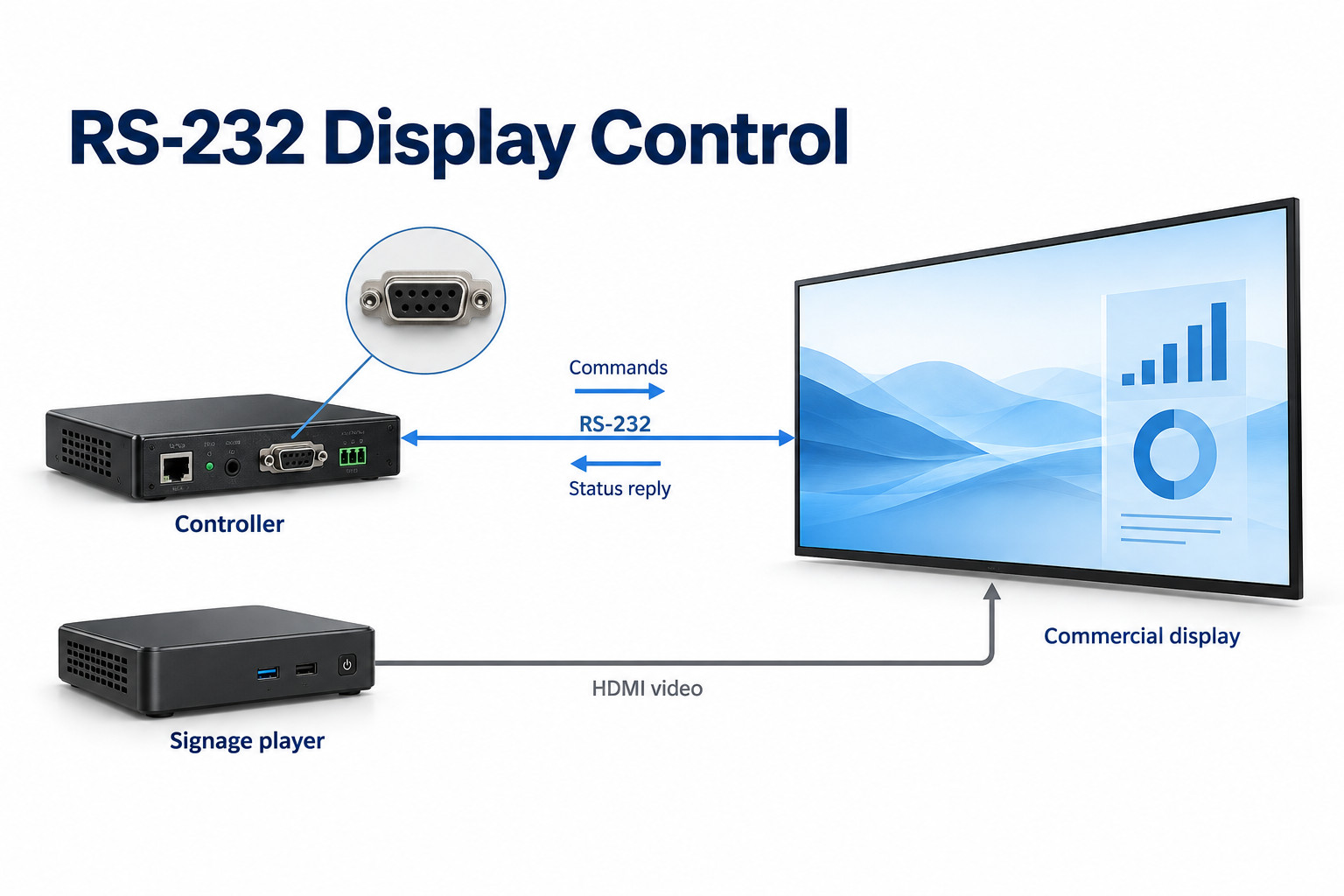
Use the control manual for the exact display model and firmware. A serial connector alone does not confirm the wiring, command syntax or supported actions.
- Match the cable pinouts, adapters and serial settings at both ends.
- Send a documented status query before testing required control actions.
- Check replies, timeouts and bounded retries.
- Test standby, wake-up and power recovery; a power-status reply does not prove the intended content is visible.
Successful integration needs more than a socket labelled RS-232. The cable, communication settings, command format and display operating state all have to match. This guide sets out the checks to make before a display-control system is rolled out across a site.
Start with the exact display and command document
The YJC-550-VW specification separates HDMI and DisplayPort video inputs from its three RJ45 connections. In the control drawing, identify each connector by function and pin assignment, rather than treating every RJ45-shaped socket as an Ethernet port. LCD Video Wall.
Request the external-control manual for the proposed model and firmware. A general product brochure may confirm that a serial port exists without explaining which commands are supported. Keep the command document with the controller project and installation records.
Read commands and write commands serve different purposes. A read command asks for information, such as the current input. A write command requests a change. Start commissioning with a documented status query where one is available, so communication can be checked without disrupting the screen.
Do not assume commands are interchangeable between brands or even between product families. A driver that worked with the previous display may need a different command format for its replacement. Confirm the exact model before copying an existing control program.
Check the physical interface before sending commands
Connector and cable wiring
The shape of a connector does not fully describe its wiring. Check the pinout at both ends and whether the manufacturer requires a straight-through or crossing cable. Include any supplied adapter in the wiring diagram.
NI’s serial-communication guidance identifies pinout, device type and communication settings as preparation steps. In an AV installation, that means recording the actual controller port and display connection instead of choosing a cable only because its plugs fit.
RS-232, RS-485 and TTL-level serial interfaces are not interchangeable simply because each is described as serial. Use the interface and any conversion hardware specified for the equipment. A generic adapter with an unverified wiring arrangement can introduce another fault into the test.
Communication settings
Match the baud rate, data bits, parity, stop bits and flow-control setting required by the display. Baud rate is the signalling rate; the other settings determine how each character is framed and handled. Record all of them rather than writing only a baud-rate number.
Command syntax matters as much as the port
Check whether the command is plain text, binary data or a particular encoding of byte values. A written hexadecimal value and the characters used to print that value are not always the same thing. Follow the controller software’s documented input format.
A command may include an address, message length, check value or terminating character. Omitting one element can make a correctly wired connection appear dead. Use a documented example for the exact display and compare the transmitted bytes with the expected structure.
The response is part of the protocol too. Determine which reply indicates success, which reports an unsupported operation, and which returns the requested status. A controller should distinguish a confirmed result from a message that was merely sent.
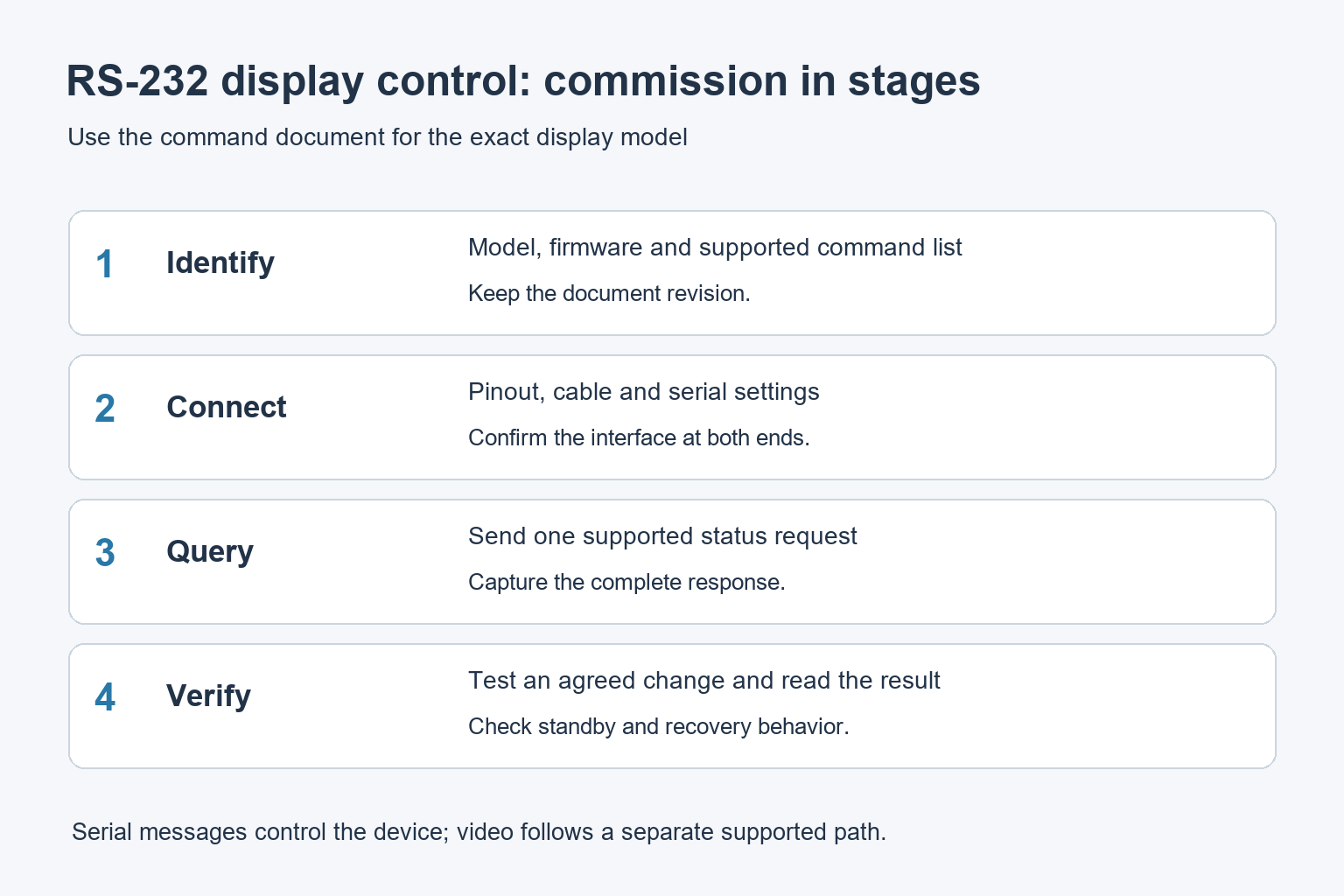
A practical first-connection sequence
Commission one display on a controlled bench or during an agreed maintenance window. Keep the video source available so the screen’s actual state can be observed. Record the initial input and power settings before testing changes.
- Confirm the display model, controller interface and command-document revision.
- Verify the cable and any adapter against the documented pinouts.
- Enter the matching serial settings in the controller or test tool.
- Send one supported status query and capture the full reply.
- Test a documented input or power command when a visible change is acceptable.
- Read back the resulting state, where supported, and keep the transaction log.
Allow the response and settling time specified in the manual before sending the next command. A rapid sequence that outruns the display can produce inconsistent results even when individual commands are correct. Use documented timing rather than selecting arbitrary delays.
If there is no reply, inspect the simplest path first. Check the selected serial port, cable orientation, settings and command encoding. Replacing multiple components at once makes it harder to identify what actually fixed the connection.
Test standby and power recovery explicitly
A display may accept different commands while on, in standby or in a power-saving state. Check command availability in each state in the manual for the model being installed. Record any menu setting needed to keep the supported control interface available.
Test the intended overnight sequence, not just a power command while the screen is already active. Record whether the controller can request power-on from the selected standby mode and how long it takes before other commands are accepted.
Also check recovery after loss of mains power according to the installation plan. Serial control cannot communicate with hardware that has no power available. Separate the site’s electrical switching sequence from the display’s software power state.
Plan feedback and fault handling
| Event | Controller behavior to define |
|---|---|
| Valid status reply | Update the recorded state using the returned value |
| No reply | Apply a bounded retry policy and report the communication failure |
| Unsupported command | Record the error and check the model’s supported functions |
| Power transition | Wait for the documented interval before the next operation |
| Equipment replacement | Recheck wiring, driver, command version and recovery behavior |
A successful power-state reply does not prove the correct advertisement is visible. The player, video input and content system have their own conditions. Our digital signage media player guide covers the wider playback path.
For a group of screens, confirm the manufacturer’s supported addressing and wiring arrangement. Do not create a serial daisy chain merely by joining cables. If the installation uses independent controller ports, label the physical port-to-display mapping clearly.
What to ask YJCEN before ordering
Provide the control system, required commands, operating schedule and preferred connection method. For indoor commercial signage or a multi-screen LCD installation, request confirmation of the offered control interface and obtain the matching documentation before programming.
Common RS-232 control questions
Can RS-232 send the video playlist?
It is used here for device-control messages. The video and content delivery use separate supported connections or the display’s built-in player.
Should I choose serial control or network control?
Compare the functions and infrastructure required by the project. Verify both options on the proposed hardware rather than assuming one interface provides the same commands or feedback as the other.
Share your screen size, installation environment and quantity for a display quotation.