What do 4:4:4, 4:2:2 and 4:2:0 mean for signage?
In YCbCr video, chroma subsampling reduces colour detail relative to luma. This can affect small coloured text and fine edges even when large photographs look acceptable.
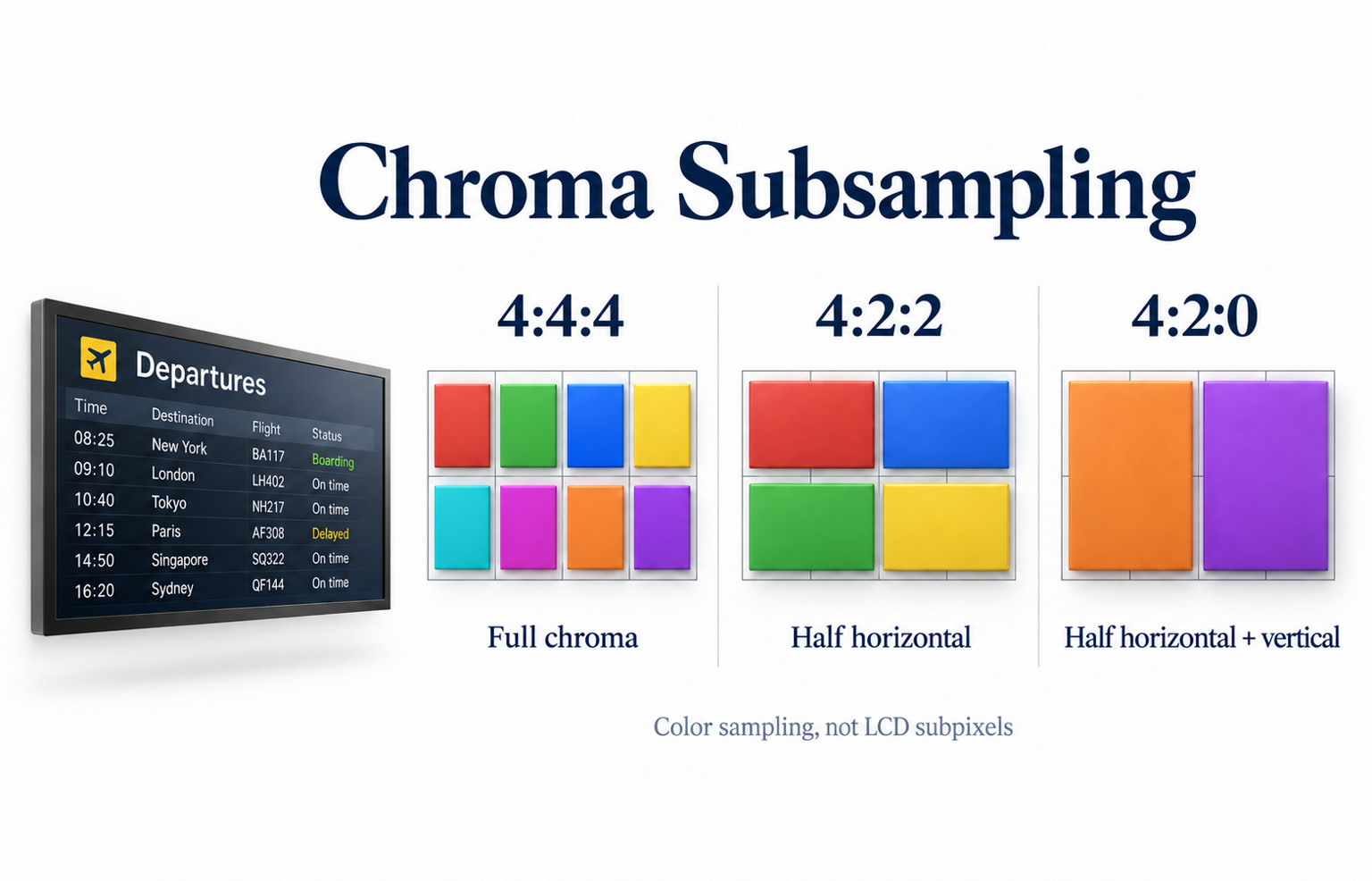
- 4:4:4 keeps full horizontal and vertical chroma sampling.
- 4:2:2 halves horizontal chroma sampling; 4:2:0 reduces it horizontally and vertically.
- Check both the exported content and the signal format through the complete path.
- Test the smallest required text at the intended resolution and viewing position.
A full-screen product video and a departures board are different tests. This guide explains 4:4:4, 4:2:2 and 4:2:0 in practical terms, then shows what to check before approving a commercial display, player or video distribution system.
What the three numbers describe
The indoor display range uses 1920 × 1080 panels through 49 inches and 3840 × 2160 panels from 55 inches. Match the test image to the selected panel resolution before comparing fine coloured text; scaling and chroma subsampling can otherwise affect the same edges. Indoor Digital Signage.
In a luma-and-chroma signal such as YCbCr, luma carries brightness-related image detail, while the two chroma components carry color differences. Subsampling reduces the spatial sampling of those color components. It is separate from reducing the pixel dimensions of the whole picture.
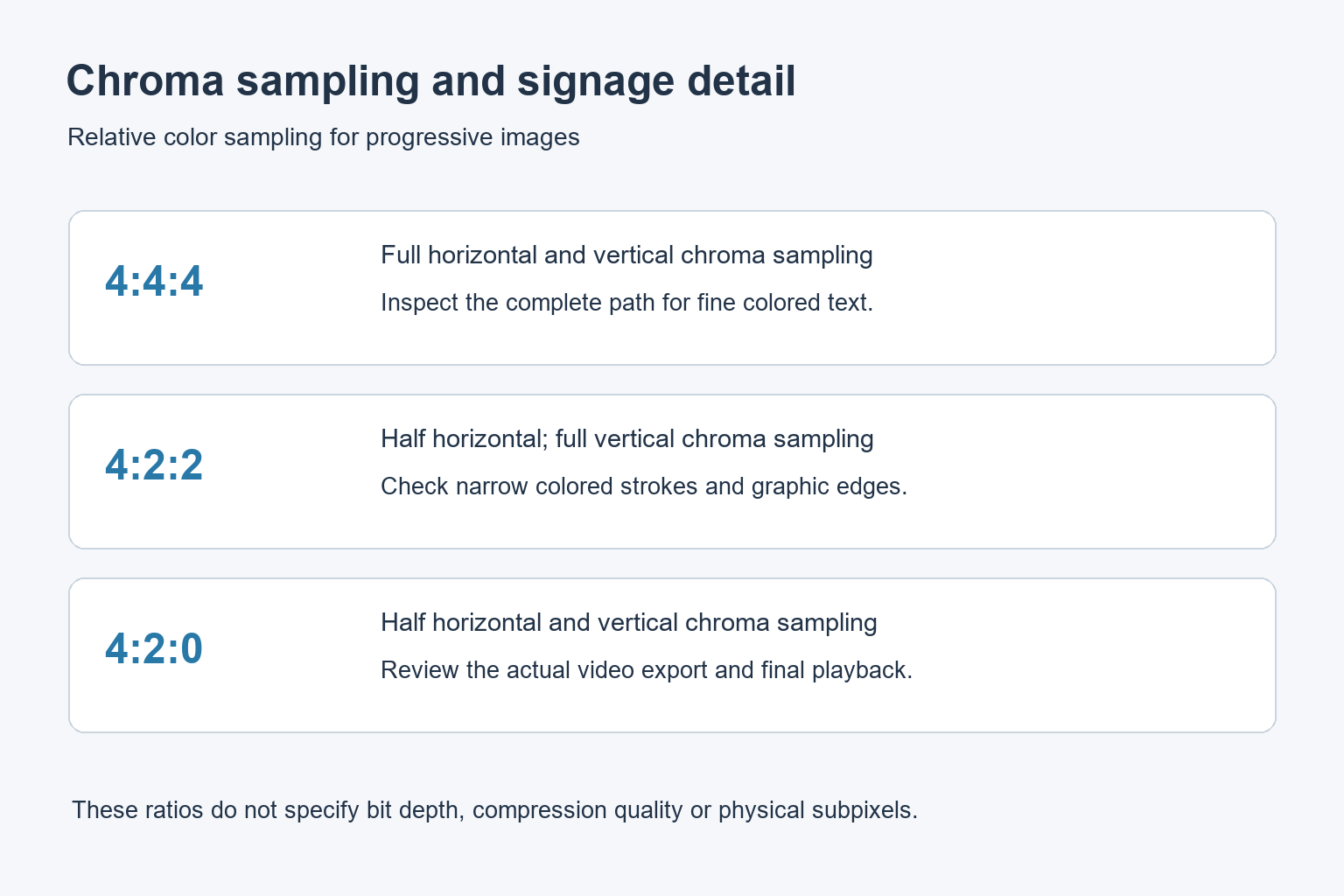
For progressive images, the common formats can be summarized as follows. The table describes relative color sampling; it does not specify bit depth, compression quality or a display’s physical subpixel layout.
| Format | Color sampling compared with luma | Signage consideration |
|---|---|---|
| 4:4:4 | Full horizontal and vertical chroma sampling | Useful when fine colored text and graphics must be preserved |
| 4:2:2 | Half the horizontal chroma sampling, with full vertical sampling | Inspect narrow colored edges and small labels |
| 4:2:0 | Half the horizontal and vertical chroma sampling | Review the exported video and final playback, especially text inside it |
The last zero in 4:2:0 does not mean the picture has no color. Also, 4:4:4 does not mean a file is uncompressed or lossless. Color sampling and compression are separate properties. A heavily compressed file can still look poor even when its chroma format is 4:4:4.
Why small colored text reveals the difference
A menu price or timetable label may contain narrow strokes against a different color. Reducing color detail can change the appearance of those edges. Large photographs may conceal the same change more effectively because their detail is distributed differently.
Extron’s 4:4:4 test-pattern guidance specifically calls attention to single-pixel lines and text. It explains that subsampled processing can alter fine color detail and produce smearing. That makes a detailed information layout a useful check alongside the usual promotional video.
Do not diagnose every soft character as subsampling. A low-resolution source, scaling, excessive sharpening, font rendering or poor viewing distance can also affect readability. Compare a controlled reference and change one part of the path at a time.
Check the content file and the output signal separately
The exported content
Ask the content producer which format was used for the final export. Keep an original design file or high-quality reference image for comparison. A screenshot copied from a messaging service may already contain compression damage before it reaches the signage player.
Text built into a video passes through that video’s export process. Text rendered directly by a signage application may follow a different path. Test the actual published version instead of assuming both methods preserve the same detail.
The player and distribution path
A player’s output setting is another stage. Record resolution, refresh rate, color format and bit depth where the device exposes them. Then check what the switcher, extender or video wall processor supports at that exact combination.
A device advertised as supporting 4K does not necessarily support every color format at every refresh rate. Ask for the supported combinations rather than comparing connector labels alone. Our refresh-rate and response-time guide explains why the timing requirements also need to be stated clearly.
Once fine color information has been discarded upstream, selecting 4:4:4 later does not restore the original detail. It can prevent another sampling reduction, but the earlier loss remains part of the source presented to the screen.
Use a repeatable signage readability check
Prepare a small test pack: the real menu or information page, a high-quality product image, and a purpose-made fine-detail pattern. Keep the original files and note how each one was exported. Include colored labels that are representative of the final design.
- Connect the planned player directly to one display using a supported signal format.
- Check the display’s scaling and overscan settings; use one-to-one pixel mapping where supported for fine-detail testing.
- Inspect the reference at its intended size without browser zoom or another unintended resize.
- Record the player’s output format and the display input information.
- Add the planned distribution equipment and repeat the same files and settings.
- Read the actual information from the intended customer position.
The close-up pattern check and the normal viewing-distance check serve different purposes. The first helps locate a signal-processing limitation. The second establishes whether the finished message is useful in the real installation. Keep both observations in the acceptance record.
A photograph can help show the location of a problem, but camera focus, resizing and image compression can obscure small details. Avoid deciding a subtle chroma issue from a compressed chat image alone. Retain the test file and arrange a direct review when necessary.
Match the requirement to the content
For directories, transport information and detailed dashboards, preserving fine graphics may justify a full-color-sampling requirement across the supported path. State the resolution and refresh rate alongside it, then demonstrate the requirement with an agreed reference file.
For full-motion advertising, a subsampled video may be perfectly suitable for the planned viewing conditions. Review the real export rather than rejecting it from the format name alone. The goal is an acceptable image for the application, not the highest number on every specification line.
If small labels remain difficult to read, improve the layout as well as checking the signal. Use larger type and adequate contrast. Our digital signage content guide covers practical layout choices without assuming that a hardware change will fix every readability issue.
Questions to include in the equipment brief
For commercial indoor signage or a commercial LCD video wall, send YJCEN the content and signal requirements. Confirm the offered configuration rather than assuming a particular chroma capability for every model.
Common questions about chroma subsampling
Is 4:4:4 the same as RGB?
No. RGB and YCbCr describe different ways to represent a signal. In YCbCr, 4:4:4 means the chroma components are not spatially subsampled. It is also separate from the physical RGB or RGBW subpixels inside a panel.
Share your screen size, installation environment and quantity for a display quotation.